A few years ago, I started teaching monthly group classes in my studio.
The idea was to include more opportunities for informal performance, observation, musical discussion, and developing musicianship skills in a supportive group environment. All students are invited and encouraged to play something each time, even just part of a piece.
This gives us an opportunity to:
show works in progress
talk about practicing, learning processes, challenges, and rewards
give feedback (positive + constructive)
I also plan a few musical games and activities related to listening, movement, creative musicianship, and composition — things we can’t really do in our one-on-one lessons.
This year, I planned to teach five studio classes specifically for 3rd-6th graders, two studio classes for 7th-12th graders, and monthly buddy lessons for my K-2nd grade students.
But what to do when the world shuts down and everything moves online?
Host a Zoom studio class, of course.
Earlier this month, I taught two studio classes (3rd-6th grade and 7th-12th grade) and two buddy lessons (K-2nd grade). Here’s a behind-the-scenes look at how I set these up, how I structured our time together, and what activities I created to play virtually.
For show notes, click here.
Resources mentioned:
*Disclosure: I get commissions for purchases made through some of these links.
Zoom - free video-chat software (40-minute limit for groups of three or more on the Basic plan, waived right now for K-12 educators)
Google Meet - free video-chat software (the business version of Google Hangouts)
DecideNow - a free spinner app that’s great for games, reviewing scales, performances challenges, improv activities, and more
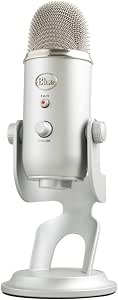
Blue Yeti Microphone- my all-time favorite microphone for recording directly into my MacBook. I use it for recording spoken directions as well as playing demonstrations.
Frances Clark Center - hosting free webinars multiple times a week for piano teachers who are navigating teaching online
Google Slides - a free, cloud-based tool for creating presentations, slide decks, and other visuals
Victoria Boler - an elementary music educator who shares lesson plans, planning resources, game ideas, virtual teaching tutorials, and folk song materials
flat.io - an easy-to-use, free browser-based music notation software with a Google Chrome extension