This post is written by Arunsingh Jeyasingh Jacob, Senior Solutions Architect, and Sindhura Palakodety, Senior Solutions Architect.
To run business-critical applications at scale, it is important to determine the resiliency of the application. Chaos experiments induce controlled failures into a distributed application to gain confidence in the application behavior. The learnings from these experiments can be fed into a continuous feedback cycle to improve the resiliency.
In 2021, AWS launched AWS Fault Injection Simulator (FIS). This is a fully managed service for running Fault Injection experiments on AWS. It makes it easier to improve an application’s performance, observability, and resiliency. With Fault Injection Simulator, AWS customers can quickly set up experiments using pre-built templates that generate the desired disruptions.
Overview
This post uses AWS Step Functions to create and run AWS Fault Injection Simulator (FIS) experiments. You are encouraged to perform these experiments in a test account. Do not use the example in a production environment without making appropriate code changes.
The demo-fis-stepfunctions code deployed in this post is used to build the Step Functions state machine for FIS experiments.
There are two Step Functions workflows that are deployed. One is for chaos testing Amazon EC2 workloads and the other one is for Amazon ECS workloads.
The Step Functions workflow for EC2 workloads
The following Step Functions workflow shows an EC2 chaos experiment to stress CPU utilization, and stop and terminate EC2 instances.

EC2 experiment templates
This workflow runs through FIS experiment template creation followed by the execution of the FIS experiment. The FIS experiment template contains one or more actions to run on specified targets during an experiment. By creating a template, you are not running experiments against any workload, but creating a definition for the experiment.
The EC2 experiment templates created in this workflow are:
- EC2CPUStressExperimentTemplate
- EC2StopExperimentTemplate
- EC2TerminateExperimentTemplate
These are the terms used in the FIS experiment template:
- Actions: While creating an experimentation template, you must define an action once during an experiment.
- Targets: A target is one or more AWS resources on which an action is performed by AWS Fault Injection Simulator (AWS FIS) during an experiment. For example, defining which instances to stress CPUs based on the tags.
- Filters: Resource filters are queries that identify target resources according to specific attributes.
- IAM role: This IAM role is assumed by FIS to perform the actions mentioned in the template. The Step Functions role must pass permissions to this FIS role.
- Client token: The Step Functions execution fails if a client token is not passed.
- Selection mode: Run experiments on all the resources matching the target criteria or specify the number of resources. For example, the EC2CPUStressExperimentTemplate targets one resource in random.
The ‘EC2CPUStressExperimentTemplate’ code defines how to stop EC2 instances with the tag ‘FISAction: CPUStress’:
{ "Targets": { "CPUStressInstances": { "ResourceType": "aws:ec2:instance", "ResourceTags": { "FISAction": "CPUStress" }, "Filters": [ { "Path": "VpcId", "Values": [ "${VpcID}" ] } ], "SelectionMode": "COUNT(1)" } }}Targets can also be filtered using parameters like Amazon VPC ID. You can change the Step Functions definition by modifying the targets, actions, and filters.
EC2 FIS experiments
FIS experiment uses the experiment template definition during the state execution, and targets the appropriate resources.
- There are three EC2 FIS experiments created as a part of the workflow:1. CPUStressInstances: This runs after the ‘EC2CPUStressExperimentTemplate’ state. In this state, AWS Systems Manager (SSM) attempts to add CPU stress on the target instance with the tag “FISAction: CPUStress”. You can monitor the metric in the Amazon CloudWatch dashboard, and take actions using Amazon CloudWatch alarms.

- StopInstances: Here, the target instances enter the ‘stopping’ state. Based on the template definition, all the EC2 instances with the tag “FISAction:Stop” in the filtered VPC are stopped.
- TerminateInstances: This terminates the target instances with the tag “FISAction:Terminate” in the filtered VPC.
The Step Functions workflow for Amazon ECS workloads
The following Step Functions workflow shows an FIS experiment to stop ECS tasks:

- Amazon ECS experiment template: The ECSStopTaskExperimentTemplate state is created in this workflow. This FIS template defines the action to be run during the experiment.
- Amazon ECS experiments: After creating the experiment template, the ECSStopTask state runs the FIS experiment.
- ECSStopTask: FIS targets all the Amazon ECS tasks with the tag “FISAction: StopECSTask” and stops the tasks.
After the FIS experiment state is initiated, the status of the experiment can be polled before proceeding to the next state. The FIS experiments have multiple states like pending, initiating, running, completed, stopping, stopped, and failed.
The choice state in the workflow checks for the ‘running’ state by polling the status using FIS: GetExperiment API. A ‘failed’ status will result in the workflow failure. You can also design the workflow by introducing wait times between the experiments or by including flow activities like parallel.
Deploying with the AWS Serverless Application Model
This example has the following prerequisites:
- Create an AWS account if you don’t have one already.
- A valid existing VPC with subnets.
- A local install of Git CLI.
- A local install of AWS SAM CLI to build and deploy the sample code.
After installation, follow these steps to deploy the example:
- Clone the sample code:
git clone https://github.com/aws-samples/aws-stepfunctions-examples.gitcd sam/demo-fis-stepfunctions/ - Modify the templates as needed. You can also edit the state machine code from the AWS Management Console after you deploy this code.
- Build and deploy the code:
sam build sam deploy --guided
To learn more, visit the AWS SAM deployment documentation. This launches an AWS CloudFormation stack that creates the state machine, AWS IAM roles and CloudWatch log group. The next step is to run the state machines.
Running the Step Functions workflows
The AWS SAM deployment creates two Step Functions state machines in the deployed AWS Region: FISTest-aws-region-StateMachineFIS and FISTest-aws-region-StateMachineECSFIS.
Before running the state machine FISTest-aws-region-StateMachineFIS, create three EC2 instances with the tags “FISAction: CPUStress”, “FISAction:Stop” and “FISAction:Terminate” respectively.
- Navigate to the Step Functions console.
- Choose FISTest-aws-region-StateMachineFIS then Start execution.
As the workflow progresses, CPU Utilization spikes in one Amazon EC2 instance. The other Amazon EC2 instances are stopped and terminated.
To run chaos experiments on an ECS cluster, you can either use an existing ECS cluster or create a new cluster. To create an ECS cluster:
- Navigate to the ECS console.
- Choose Get Started.
- Choose sample-app and follow the instructions to deploy. Wait for the cluster to be created.
- Choose the sample cluster, then choose Tasks.
- Choose the running tasks and add the tag “FISAction: StopECSTask”
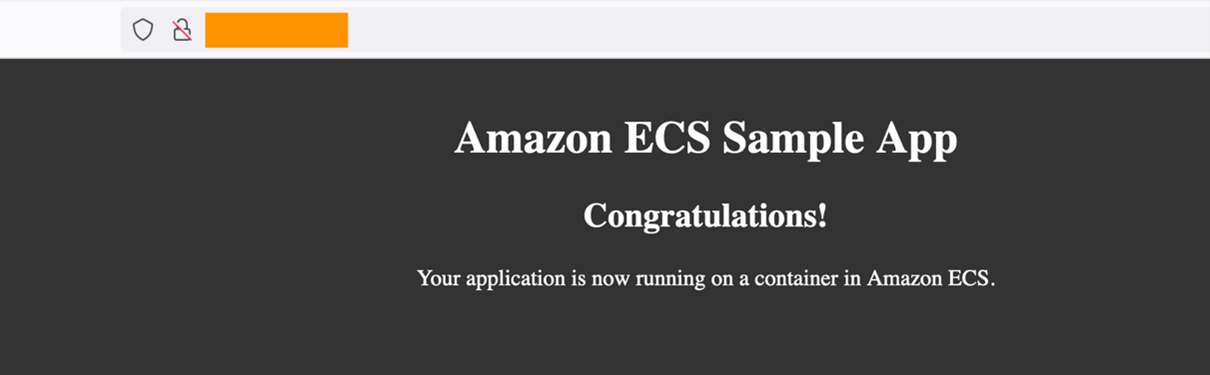
From the browser, the public IP assigned to the task takes you to the sample application.
- Navigate to the Step Functions console.
- Choose FISTest-aws-region-StateMachineECSFIS, then Start execution.
- The workflow transitions to Wait during the execution.

Once the execution is complete, the webpage momentarily becomes unavailable until a new task comes up. The public IP address and ARN of the task changes. The task status of the stopped tasks now shows “Task stopped by AWS FIS”.

To perform an FIS experiment against an existing ECS cluster, add the Resource Tags value “FISAction: StopECSTask” to your ECS tasks before running the workflows.
{ "Targets": { "ecsfargatetask": { "ResourceType": "aws:ecs:task", "ResourceTags": { "FISAction": "StopECSTask" }, "SelectionMode": "ALL" } }}Cleanup
If you have deployed the code using AWS SAM, delete the resources:
sam delete –stack-name <STACK\_NAME>Refer to this documentation for further information.
Conclusion
This blog post describes how to use Step Functions to orchestrate Fault Injection Simulator (FIS) experiments for EC2 and ECS workloads. Using the workflow in this post as an example, you can build state machines for more AWS FIS experiments. Step Functions, AWS FIS, and other services can be combined to build resiliency workflows, and test your application against your resiliency goals.
To learn more about AWS FIS and Step Functions, visit:
- How Step Functions works
- Testing resiliency using chaos engineering
- Chaos experiments on Amazon RDS using AWS Fault Injection Simulator
- Increase your ecommerce website reliability using chaos engineering and AWS Fault Injection Simulator
For more Step Functions resources, visit the Serverless Workflows Collection.