I use GnuPG to compute cryptographic signatures for my emails, git commits/tags, and software release artifacts (tarballs). Part of GnuPG is gpg-agent which talks to OpenSSH, which I login to remote servers and to clone git repositories. I dislike storing cryptographic keys on general-purpose machines, and have used hardware-backed OpenPGP keys since around 2006 when I got a FSFE Fellowship Card. GnuPG via gpg-agent handles this well, and the private key never leaves the hardware. These ZeitControl cards were (to my knowledge) proprietary hardware running some non-free operating system and OpenPGP implementation. By late 2012 the YubiKey NEO supported OpenPGP, and while the hardware and operating system on it was not free, at least it ran a free software OpenPGP implementation and eventually I setup my primary RSA key on it. This worked well for a couple of years, and when I in 2019 wished to migrate to a new key, the FST-01G device with open hardware running free software that supported Ed25519 had become available. I created a key and have been using the FST-01G on my main laptop since then. This little device has been working, the signature counter on it is around 14501 which means around 10 signatures/day since then!
Currently I am in the process of migrating towards a new laptop, and moving the FST-01G device between them is cumbersome, especially if I want to use both laptops in parallel. That’s why I need to setup a new hardware device to hold my OpenPGP key, which can go with my new laptop. This is a good time to re-visit earlier options again. I quickly decided that I did not want to create a new key, only to import my current one to keep everything working. My requirements on the device to chose hasn’t changed since 2019, see my summary at the end of the earlier blog post. Unfortunately the FST-01G is not available on the market, and the newer FST-01SZ has been out of stock for quite a while. While Tillitis looks promising (and I have one to play with), it does not support OpenPGP (yet). What to do? Fortunately, I found some FST-01SZ device in my drawer, and decided to use it pending a more satisfactory answer. Hopefully once I get around to generate a new OpenPGP key in a year or so, I will do a better survey of options that are available on the market then. What are your (freedom-respecting) OpenPGP hardware recommendations?
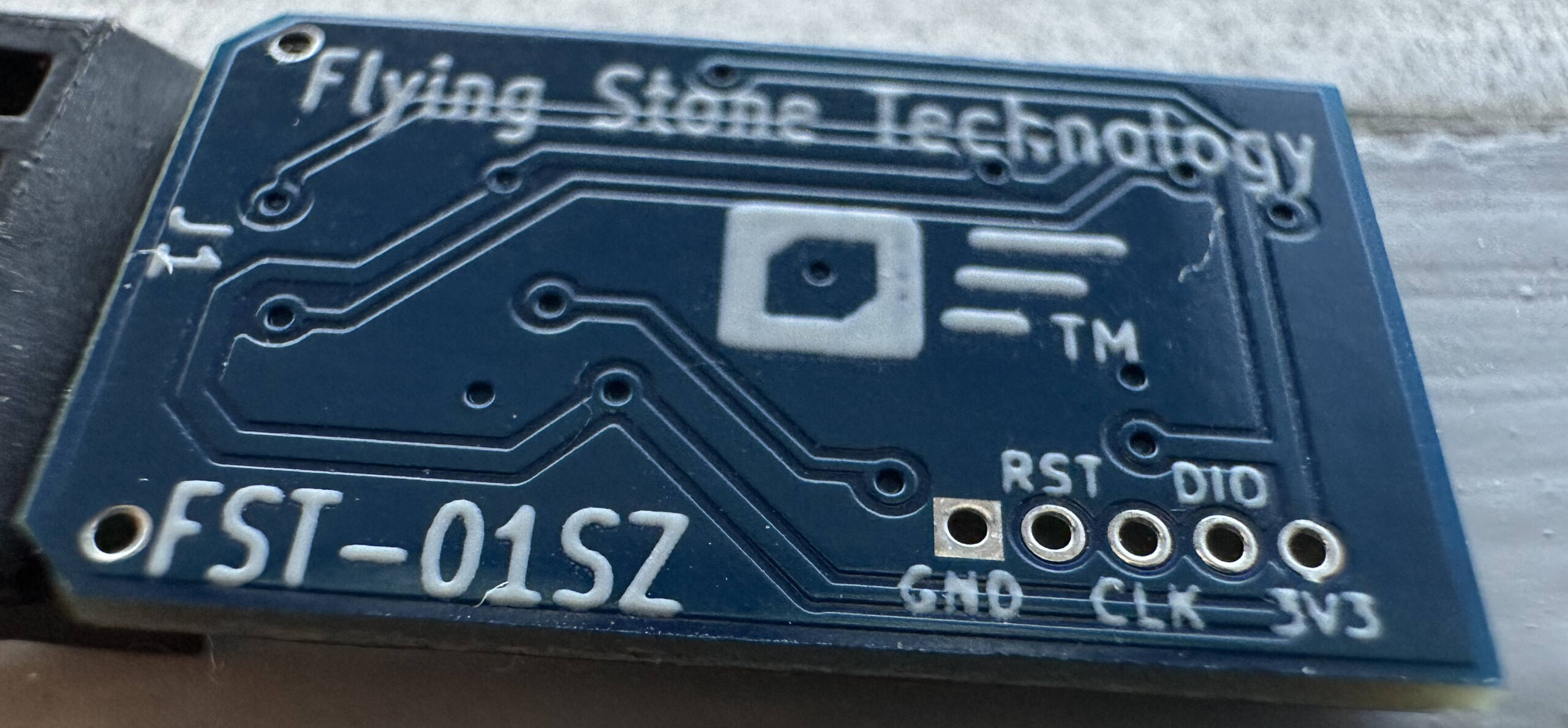
Similar to setting up the FST-01G, the FST-01SZ needs to be setup before use. I’m doing the following from Trisquel 11 but any GNU/Linux system would work. When the device is inserted at first time, some kernel messages are shown (see /var/log/syslog or use the dmesg command):
usb 3-3: new full-speed USB device number 39 using xhci\_hcdusb 3-3: New USB device found, idVendor=234b, idProduct=0004, bcdDevice= 2.00usb 3-3: New USB device strings: Mfr=1, Product=2, SerialNumber=3usb 3-3: Product: Frauchekyusb 3-3: Manufacturer: Free Software Initiative of Japanusb 3-3: SerialNumber: FSIJ-0.0usb-storage 3-3:1.0: USB Mass Storage device detectedscsi host1: usb-storage 3-3:1.0scsi 1:0:0:0: Direct-Access FSIJ Fraucheky 1.0 PQ: 0 ANSI: 0sd 1:0:0:0: Attached scsi generic sg2 type 0sd 1:0:0:0: [sdc] 128 512-byte logical blocks: (65.5 kB/64.0 KiB)sd 1:0:0:0: [sdc] Write Protect is offsd 1:0:0:0: [sdc] Mode Sense: 03 00 00 00sd 1:0:0:0: [sdc] No Caching mode page foundsd 1:0:0:0: [sdc] Assuming drive cache: write through sdc:sd 1:0:0:0: [sdc] Attached SCSI removable diskInterestingly, the NeuG software installed on the device I got appears to be version 1.0.9:
jas@kaka:~$ head /media/jas/Fraucheky/READMENeuG - a true random number generator implementation Version 1.0.9 2018-11-20 Niibe Yutaka Free Software Initiative of JapanWhat's NeuG?============jas@kaka:~$ I could not find version 1.0.9 published anywhere, but the device came with a SD-card that contain a copy of the source, so I uploaded it until a more canonical place is located. Putting the device in the serial mode can be done using a sudo eject /dev/sdc command which results in the following syslog output.
usb 3-3: reset full-speed USB device number 39 using xhci\_hcdusb 3-3: device firmware changedusb 3-3: USB disconnect, device number 39sdc: detected capacity change from 128 to 0usb 3-3: new full-speed USB device number 40 using xhci\_hcdusb 3-3: New USB device found, idVendor=234b, idProduct=0001, bcdDevice= 2.00usb 3-3: New USB device strings: Mfr=1, Product=2, SerialNumber=3usb 3-3: Product: NeuG True RNGusb 3-3: Manufacturer: Free Software Initiative of Japanusb 3-3: SerialNumber: FSIJ-1.0.9-42315277cdc\_acm 3-3:1.0: ttyACM0: USB ACM deviceNow download Gnuk, verify its integrity and build it. You may need some additional packages installed, try apt-get install gcc-arm-none-eabi openocd python3-usb. As you can see, I’m using the stable 1.2 branch of Gnuk, currently on version 1.2.20. The ./configure parameters deserve some explanation. The kdf\_do=required sets up the device to require KDF usage. The --enable-factory-reset allows me to use the command factory-reset (with admin PIN) inside gpg --card-edit to completely wipe the card. Some may consider that too dangerous, but my view is that if someone has your admin PIN it is game over anyway. The --vidpid=234b:0000 is specifies the USB VID/PID to use, and --target=FST\_01SZ is critical to set the platform (you’ll may brick the device if you pick the wrong --target setting).
jas@kaka:~/src$ rm -rf gnuk neugjas@kaka:~/src$ git clone https://gitlab.com/jas/neug.gitCloning into 'neug'...remote: Enumerating objects: 2034, done.remote: Counting objects: 100% (2034/2034), done.remote: Compressing objects: 100% (603/603), done.remote: Total 2034 (delta 1405), reused 2013 (delta 1405), pack-reused 0Receiving objects: 100% (2034/2034), 910.34 KiB | 3.50 MiB/s, done.Resolving deltas: 100% (1405/1405), done.jas@kaka:~/src$ git clone https://salsa.debian.org/gnuk-team/gnuk/gnuk.gitCloning into 'gnuk'...remote: Enumerating objects: 13765, done.remote: Counting objects: 100% (959/959), done.remote: Compressing objects: 100% (337/337), done.remote: Total 13765 (delta 629), reused 907 (delta 599), pack-reused 12806Receiving objects: 100% (13765/13765), 12.59 MiB | 3.05 MiB/s, done.Resolving deltas: 100% (10077/10077), done.jas@kaka:~/src$ cd neugjas@kaka:~/src/neug$ git describe release/1.0.9jas@kaka:~/src/neug$ git tag -v `git describe`object 5d51022a97a5b7358d0ea62bbbc00628c6cec06atype committag release/1.0.9tagger NIIBE Yutaka <gniibe@fsij.org> 1542701768 +0900Version 1.0.9.gpg: Signature made Tue Nov 20 09:16:08 2018 CETgpg: using EDDSA key 249CB3771750745D5CDD323CE267B052364F028Dgpg: issuer "gniibe@fsij.org"gpg: Good signature from "NIIBE Yutaka <gniibe@fsij.org>" [unknown]gpg: aka "NIIBE Yutaka <gniibe@debian.org>" [unknown]gpg: WARNING: This key is not certified with a trusted signature!gpg: There is no indication that the signature belongs to the owner.Primary key fingerprint: 249C B377 1750 745D 5CDD 323C E267 B052 364F 028Djas@kaka:~/src/neug$ cd ../gnuk/jas@kaka:~/src/gnuk$ git checkout STABLE-BRANCH-1-2 Branch 'STABLE-BRANCH-1-2' set up to track remote branch 'STABLE-BRANCH-1-2' from 'origin'.Switched to a new branch 'STABLE-BRANCH-1-2'jas@kaka:~/src/gnuk$ git describerelease/1.2.20jas@kaka:~/src/gnuk$ git tag -v `git describe`object 9d3c08bd2beb73ce942b016d4328f0a596096c02type committag release/1.2.20tagger NIIBE Yutaka <gniibe@fsij.org> 1650594032 +0900Gnuk: Version 1.2.20gpg: Signature made Fri Apr 22 04:20:32 2022 CESTgpg: using EDDSA key 249CB3771750745D5CDD323CE267B052364F028Dgpg: Good signature from "NIIBE Yutaka <gniibe@fsij.org>" [unknown]gpg: aka "NIIBE Yutaka <gniibe@debian.org>" [unknown]gpg: WARNING: This key is not certified with a trusted signature!gpg: There is no indication that the signature belongs to the owner.Primary key fingerprint: 249C B377 1750 745D 5CDD 323C E267 B052 364F 028Djas@kaka:~/src/gnuk/src$ git submodule update --initSubmodule 'chopstx' (https://salsa.debian.org/gnuk-team/chopstx/chopstx.git) registered for path '../chopstx'Cloning into '/home/jas/src/gnuk/chopstx'...Submodule path '../chopstx': checked out 'e12a7e0bb3f004c7bca41cfdb24c8b66daf3db89'jas@kaka:~/src/gnuk$ cd chopstxjas@kaka:~/src/gnuk/chopstx$ git describerelease/1.21jas@kaka:~/src/gnuk/chopstx$ git tag -v `git describe`object e12a7e0bb3f004c7bca41cfdb24c8b66daf3db89type committag release/1.21tagger NIIBE Yutaka <gniibe@fsij.org> 1650593697 +0900Chopstx: Version 1.21gpg: Signature made Fri Apr 22 04:14:57 2022 CESTgpg: using EDDSA key 249CB3771750745D5CDD323CE267B052364F028Dgpg: Good signature from "NIIBE Yutaka <gniibe@fsij.org>" [unknown]gpg: aka "NIIBE Yutaka <gniibe@debian.org>" [unknown]gpg: WARNING: This key is not certified with a trusted signature!gpg: There is no indication that the signature belongs to the owner.Primary key fingerprint: 249C B377 1750 745D 5CDD 323C E267 B052 364F 028Djas@kaka:~/src/gnuk/chopstx$ cd ../srcjas@kaka:~/src/gnuk/src$ kdf\_do=required ./configure --enable-factory-reset --vidpid=234b:0000 --target=FST\_01SZHeader file is: board-fst-01sz.hDebug option disabledConfigured for bare system (no-DFU)PIN pad option disabledCERT.3 Data Object is NOT supportedCard insert/removal by HID device is NOT supportedLife cycle management is supportedAcknowledge button is supportedKDF DO is required before key import/generationjas@kaka:~/src/gnuk/src$ make | lessjas@kaka:~/src/gnuk/src$ cd ../regnual/jas@kaka:~/src/gnuk/regnual$ make | lessjas@kaka:~/src/gnuk/regnual$ cd ../../jas@kaka:~/src$ sudo python3 neug/tool/neug\_upgrade.py -f gnuk/regnual/regnual.bin gnuk/src/build/gnuk.bingnuk/regnual/regnual.bin: 4608gnuk/src/build/gnuk.bin: 109568CRC32: b93ca829Device: Configuration: 1Interface: 120000e00:20005000Downloading flash upgrade program...start 20000e00end 20002000# 20002000: 32 : 4Run flash upgrade program...Wait 1 second...Wait 1 second...Device: 08001000:08020000Downloading the programstart 08001000end 0801ac00jas@kaka:~/src$ The kernel log will contain the following, and the card is ready to use as an OpenPGP card. You may unplug it and re-insert it as you wish.
usb 3-3: reset full-speed USB device number 41 using xhci\_hcdusb 3-3: device firmware changedusb 3-3: USB disconnect, device number 41usb 3-3: new full-speed USB device number 42 using xhci\_hcdusb 3-3: New USB device found, idVendor=234b, idProduct=0000, bcdDevice= 2.00usb 3-3: New USB device strings: Mfr=1, Product=2, SerialNumber=3usb 3-3: Product: Gnuk Tokenusb 3-3: Manufacturer: Free Software Initiative of Japanusb 3-3: SerialNumber: FSIJ-1.2.20-42315277Setting up the card is the next step, and there are many tutorials around for this, eventually I settled with the following sequence. Let’s start with setting the admin PIN. First make sure that pcscd nor scdaemon is running, which is good hygien since those processes cache some information and with a stale connection this easily leads to confusion. Cache invalidation… sigh.
jas@kaka:~$ gpg-connect-agent "SCD KILLSCD" "SCD BYE" /byejas@kaka:~$ ps auxww|grep -e pcsc -e scdjas 30221 0.0 0.0 3468 1692 pts/3 R+ 11:49 0:00 grep --color=auto -e pcsc -e scdjas@kaka:~$ gpg --card-editReader ...........: 234B:0000:FSIJ-1.2.20-42315277:0Application ID ...: D276000124010200FFFE423152770000Application type .: OpenPGPVersion ..........: 2.0Manufacturer .....: unmanaged S/N rangeSerial number ....: 42315277Name of cardholder: [not set]Language prefs ...: [not set]Salutation .......: URL of public key : [not set]Login data .......: [not set]Signature PIN ....: forcedKey attributes ...: rsa2048 rsa2048 rsa2048Max. PIN lengths .: 127 127 127PIN retry counter : 3 3 3Signature counter : 0KDF setting ......: offSignature key ....: [none]Encryption key....: [none]Authentication key: [none]General key info..: [none]gpg/card> adminAdmin commands are allowedgpg/card> kdf-setupgpg/card> passwdgpg: OpenPGP card no. D276000124010200FFFE423152770000 detected1 - change PIN2 - unblock PIN3 - change Admin PIN4 - set the Reset CodeQ - quitYour selection? 3PIN changed.1 - change PIN2 - unblock PIN3 - change Admin PIN4 - set the Reset CodeQ - quitYour selection? Now it would be natural to setup the PIN and reset code. However the Gnuk software is configured to not allow this until the keys are imported. You would get the following somewhat cryptical error messages if you try. This took me a while to understand, since this is device-specific, and some other OpenPGP implementations allows you to configure a PIN and reset code before key import.
Your selection? 4Error setting the Reset Code: Card error1 - change PIN2 - unblock PIN3 - change Admin PIN4 - set the Reset CodeQ - quitYour selection? 1Error changing the PIN: Conditions of use not satisfied1 - change PIN2 - unblock PIN3 - change Admin PIN4 - set the Reset CodeQ - quitYour selection? qContinue to configure the card and make it ready for key import. Some settings deserve comments. The lang field may be used to setup the language, but I have rarely seen it use, and I set it to ‘sv‘ (Swedish) mostly to be able to experiment if any software adhears to it. The URL is important to point to somewhere where your public key is stored, the fetch command of gpg --card-edit downloads it and sets up GnuPG with it when you are on a clean new laptop. The forcesig command changes the default so that a PIN code is not required for every digital signature operation, remember that I averaged 10 signatures per day for the past 2-3 years? Think of the wasted energy typing those PIN codes every time! Changing the cryptographic key type is required when I import 25519-based keys.
gpg/card> nameCardholder's surname: JosefssonCardholder's given name: Simongpg/card> langLanguage preferences: svgpg/card> sexSalutation (M = Mr., F = Ms., or space): mgpg/card> loginLogin data (account name): jasgpg/card> urlURL to retrieve public key: https://josefsson.org/key-20190320.txtgpg/card> forcesiggpg/card> key-attrChanging card key attribute for: Signature keyPlease select what kind of key you want: (1) RSA (2) ECCYour selection? 2Please select which elliptic curve you want: (1) Curve 25519 (4) NIST P-384Your selection? 1The card will now be re-configured to generate a key of type: ed25519Note: There is no guarantee that the card supports the requested size. If the key generation does not succeed, please check the documentation of your card to see what sizes are allowed.Changing card key attribute for: Encryption keyPlease select what kind of key you want: (1) RSA (2) ECCYour selection? 2Please select which elliptic curve you want: (1) Curve 25519 (4) NIST P-384Your selection? 1The card will now be re-configured to generate a key of type: cv25519Changing card key attribute for: Authentication keyPlease select what kind of key you want: (1) RSA (2) ECCYour selection? 2Please select which elliptic curve you want: (1) Curve 25519 (4) NIST P-384Your selection? 1The card will now be re-configured to generate a key of type: ed25519gpg/card> Reader ...........: 234B:0000:FSIJ-1.2.20-42315277:0Application ID ...: D276000124010200FFFE423152770000Application type .: OpenPGPVersion ..........: 2.0Manufacturer .....: unmanaged S/N rangeSerial number ....: 42315277Name of cardholder: Simon JosefssonLanguage prefs ...: svSalutation .......: Mr.URL of public key : https://josefsson.org/key-20190320.txtLogin data .......: jasSignature PIN ....: not forcedKey attributes ...: ed25519 cv25519 ed25519Max. PIN lengths .: 127 127 127PIN retry counter : 3 3 3Signature counter : 0KDF setting ......: onSignature key ....: [none]Encryption key....: [none]Authentication key: [none]General key info..: [none]gpg/card> The device is now ready for key import! Bring out your offline laptop and boot it and use the keytocard command on the subkeys to import them. This assumes you saved a copy of the GnuPG home directory after generating the master and subkeys before, which I did in my own previous tutorial when I generated the keys. This may be a bit unusual, and there are simpler ways to do this (e.g., import a copy of the secret keys into a fresh GnuPG home directory).
$ cp -a gnupghome-backup-mastersubkeys gnupghome-import-fst01sz-42315277-2022-12-24$ ps auxww|grep -e pcsc -e scd$ gpg --homedir $PWD/gnupghome-import-fst01sz-42315277-2022-12-24 --edit-key B1D2BD1375BECB784CF4F8C4D73CF638C53C06BE...Secret key is available.gpg: checking the trustdbgpg: marginals needed: 3 completes needed: 1 trust model: pgpgpg: depth: 0 valid: 1 signed: 0 trust: 0-, 0q, 0n, 0m, 0f, 1usec ed25519/D73CF638C53C06BE created: 2019-03-20 expired: 2019-10-22 usage: SC trust: ultimate validity: expiredssb cv25519/02923D7EE76EBD60 created: 2019-03-20 expired: 2019-10-22 usage: E ssb ed25519/80260EE8A9B92B2B created: 2019-03-20 expired: 2019-10-22 usage: A ssb ed25519/51722B08FE4745A2 created: 2019-03-20 expired: 2019-10-22 usage: S [ expired] (1). Simon Josefsson <simon@josefsson.org>gpg> key 1sec ed25519/D73CF638C53C06BE created: 2019-03-20 expired: 2019-10-22 usage: SC trust: ultimate validity: expiredssb* cv25519/02923D7EE76EBD60 created: 2019-03-20 expired: 2019-10-22 usage: E ssb ed25519/80260EE8A9B92B2B created: 2019-03-20 expired: 2019-10-22 usage: A ssb ed25519/51722B08FE4745A2 created: 2019-03-20 expired: 2019-10-22 usage: S [ expired] (1). Simon Josefsson <simon@josefsson.org>gpg> keytocardPlease select where to store the key: (2) Encryption keyYour selection? 2sec ed25519/D73CF638C53C06BE created: 2019-03-20 expired: 2019-10-22 usage: SC trust: ultimate validity: expiredssb* cv25519/02923D7EE76EBD60 created: 2019-03-20 expired: 2019-10-22 usage: E ssb ed25519/80260EE8A9B92B2B created: 2019-03-20 expired: 2019-10-22 usage: A ssb ed25519/51722B08FE4745A2 created: 2019-03-20 expired: 2019-10-22 usage: S [ expired] (1). Simon Josefsson <simon@josefsson.org>gpg> key 1sec ed25519/D73CF638C53C06BE created: 2019-03-20 expired: 2019-10-22 usage: SC trust: ultimate validity: expiredssb cv25519/02923D7EE76EBD60 created: 2019-03-20 expired: 2019-10-22 usage: E ssb ed25519/80260EE8A9B92B2B created: 2019-03-20 expired: 2019-10-22 usage: A ssb ed25519/51722B08FE4745A2 created: 2019-03-20 expired: 2019-10-22 usage: S [ expired] (1). Simon Josefsson <simon@josefsson.org>gpg> key 2sec ed25519/D73CF638C53C06BE created: 2019-03-20 expired: 2019-10-22 usage: SC trust: ultimate validity: expiredssb cv25519/02923D7EE76EBD60 created: 2019-03-20 expired: 2019-10-22 usage: E ssb* ed25519/80260EE8A9B92B2B created: 2019-03-20 expired: 2019-10-22 usage: A ssb ed25519/51722B08FE4745A2 created: 2019-03-20 expired: 2019-10-22 usage: S [ expired] (1). Simon Josefsson <simon@josefsson.org>gpg> keytocardPlease select where to store the key: (3) Authentication keyYour selection? 3sec ed25519/D73CF638C53C06BE created: 2019-03-20 expired: 2019-10-22 usage: SC trust: ultimate validity: expiredssb cv25519/02923D7EE76EBD60 created: 2019-03-20 expired: 2019-10-22 usage: E ssb* ed25519/80260EE8A9B92B2B created: 2019-03-20 expired: 2019-10-22 usage: A ssb ed25519/51722B08FE4745A2 created: 2019-03-20 expired: 2019-10-22 usage: S [ expired] (1). Simon Josefsson <simon@josefsson.org>gpg> key 2sec ed25519/D73CF638C53C06BE created: 2019-03-20 expired: 2019-10-22 usage: SC trust: ultimate validity: expiredssb cv25519/02923D7EE76EBD60 created: 2019-03-20 expired: 2019-10-22 usage: E ssb ed25519/80260EE8A9B92B2B created: 2019-03-20 expired: 2019-10-22 usage: A ssb ed25519/51722B08FE4745A2 created: 2019-03-20 expired: 2019-10-22 usage: S [ expired] (1). Simon Josefsson <simon@josefsson.org>gpg> key 3sec ed25519/D73CF638C53C06BE created: 2019-03-20 expired: 2019-10-22 usage: SC trust: ultimate validity: expiredssb cv25519/02923D7EE76EBD60 created: 2019-03-20 expired: 2019-10-22 usage: E ssb ed25519/80260EE8A9B92B2B created: 2019-03-20 expired: 2019-10-22 usage: A ssb* ed25519/51722B08FE4745A2 created: 2019-03-20 expired: 2019-10-22 usage: S [ expired] (1). Simon Josefsson <simon@josefsson.org>gpg> keytocardPlease select where to store the key: (1) Signature key (3) Authentication keyYour selection? 1sec ed25519/D73CF638C53C06BE created: 2019-03-20 expired: 2019-10-22 usage: SC trust: ultimate validity: expiredssb cv25519/02923D7EE76EBD60 created: 2019-03-20 expired: 2019-10-22 usage: E ssb ed25519/80260EE8A9B92B2B created: 2019-03-20 expired: 2019-10-22 usage: A ssb* ed25519/51722B08FE4745A2 created: 2019-03-20 expired: 2019-10-22 usage: S [ expired] (1). Simon Josefsson <simon@josefsson.org>gpg> quitSave changes? (y/N) y$ Now insert it into your daily laptop and have GnuPG and learn about the new private keys and forget about any earlier locally available card bindings — this usually manifests itself by GnuPG asking you to insert a OpenPGP card with another serial number. Earlier I did rm -rf ~/.gnupg/private-keys-v1.d/ but the scd serialno followed by learn --force is nicer. I also sets up trust setting for my own key.
jas@kaka:~$ gpg-connect-agent "scd serialno" "learn --force" /bye...jas@kaka:~$ echo "B1D2BD1375BECB784CF4F8C4D73CF638C53C06BE:6:" | gpg --import-ownertrustjas@kaka:~$ gpg --card-statusReader ...........: 234B:0000:FSIJ-1.2.20-42315277:0Application ID ...: D276000124010200FFFE423152770000Application type .: OpenPGPVersion ..........: 2.0Manufacturer .....: unmanaged S/N rangeSerial number ....: 42315277Name of cardholder: Simon JosefssonLanguage prefs ...: svSalutation .......: Mr.URL of public key : https://josefsson.org/key-20190320.txtLogin data .......: jasSignature PIN ....: not forcedKey attributes ...: ed25519 cv25519 ed25519Max. PIN lengths .: 127 127 127PIN retry counter : 5 5 5Signature counter : 3KDF setting ......: onSignature key ....: A3CC 9C87 0B9D 310A BAD4 CF2F 5172 2B08 FE47 45A2 created ....: 2019-03-20 23:40:49Encryption key....: A9EC 8F4D 7F1E 50ED 3DEF 49A9 0292 3D7E E76E BD60 created ....: 2019-03-20 23:40:26Authentication key: CA7E 3716 4342 DF31 33DF 3497 8026 0EE8 A9B9 2B2B created ....: 2019-03-20 23:40:37General key info..: sub ed25519/51722B08FE4745A2 2019-03-20 Simon Josefsson <simon@josefsson.org>sec# ed25519/D73CF638C53C06BE created: 2019-03-20 expires: 2023-09-19ssb> ed25519/80260EE8A9B92B2B created: 2019-03-20 expires: 2023-09-19 card-no: FFFE 42315277ssb> ed25519/51722B08FE4745A2 created: 2019-03-20 expires: 2023-09-19 card-no: FFFE 42315277ssb> cv25519/02923D7EE76EBD60 created: 2019-03-20 expires: 2023-09-19 card-no: FFFE 42315277jas@kaka:~$ Verify that you can digitally sign and authenticate using the key and you are done!
jas@kaka:~$ echo foo|gpg -a --sign|gpg --verifygpg: Signature made Sat Dec 24 13:49:59 2022 CETgpg: using EDDSA key A3CC9C870B9D310ABAD4CF2F51722B08FE4745A2gpg: Good signature from "Simon Josefsson <simon@josefsson.org>" [ultimate]jas@kaka:~$ ssh-add -Lssh-ed25519 AAAAC3NzaC1lZDI1NTE5AAAAILzCFcHHrKzVSPDDarZPYqn89H5TPaxwcORgRg+4DagE cardno:FFFE42315277jas@kaka:~$ So time to relax and celebrate christmas? Hold on… not so fast! Astute readers will have noticed that the output said ‘PIN retry counter: 5 5 5‘. That’s not the default PIN retry counter for Gnuk! How did that happen? Indeed, good catch and great question, my dear reader. I wanted to include how you can modify the Gnuk source code, re-build it and re-flash the Gnuk as well. This method is different than flashing Gnuk onto a device that is running NeuG so the commands I used to flash the firmware in the start of this blog post no longer works in a device running Gnuk. Fortunately modern Gnuk supports updating firmware by specifying the Admin PIN code only, and provides a simple script to achieve this as well. The PIN retry counter setting is hard coded in the openpgp-do.c file, and we run a a perl command to modify the file, rebuild Gnuk and upgrade the FST-01SZ. This of course wipes all your settings, so you will have the opportunity to practice all the commands earlier in this post once again!
jas@kaka:~/src/gnuk/src$ perl -pi -e 's/PASSWORD\_ERRORS\_MAX 3/PASSWORD\_ERRORS\_MAX 5/' openpgp-do.cjas@kaka:~/src/gnuk/src$ make | lessjas@kaka:~/src/gnuk/src$ cd ../tool/jas@kaka:~/src/gnuk/tool$ ./upgrade\_by\_passwd.py Admin password: Device: Configuration: 1Interface: 0../regnual/regnual.bin: 4608../src/build/gnuk.bin: 110592CRC32: b93ca829Device: Configuration: 1Interface: 020002a00:20005000Downloading flash upgrade program...start 20002a00end 20003c00Run flash upgrade program...Waiting for device to appear: Wait 1 second... Wait 1 second...Device: 08001000:08020000Downloading the programstart 08001000end 0801b000Protecting deviceFinish flashingResetting deviceUpdate procedure finishedjas@kaka:~/src/gnuk/tool$Now finally, I wish you all a Merry Christmas and Happy Hacking!