[This article was first published on R – Eran Raviv, and kindly contributed to R-bloggers]. (You can report issue about the content on this page here)
Want to share your content on R-bloggers? click here if you have a blog, or here if you don't.R or Python? who cares! Which editor? now that’s a different story.
I like Rstudio for many reasons. Outside the personal, Rstudio allows you to write both R + Python = Rython in the same script. Apart from that, the editor’s level of complexity is well-balanced, not functionality-overkill like some, nor too simplistic like some others. In this post I share how to save time with snippets (easy in Rstudio). Snippets save time by reducing the amount of typing required, it’s the most convenient way to program copy-pasting into the machine’s memory.
In addition to useful built-ins snippets provided by Rstudio like lib or fun for R and imp or def for python, you can write your own snippets. Below are a couple I wrote myself that you might find helpful. But first we start with how to use snippets.
How to use snippets in Rstudio?The following two images are pasted here from owenjonesuob.
To get a list of built-in snippets in Rstudio you go to Tools > global Option > code > edit snippet.
The last three snippets are written by the user. You can see what they do here:
So for example if you type hh and SHIFT+TAB, the two lines defined in the snippets are pasted.
Use case, pleaseIndeed. Say you want to add an argument to a function you wrote. The argument is for whether you would like to have the execution time reported or not. Call it report_elapsed. Like so:
my\_sum <- function(x){ sum(x) Sys.sleep(1)}# Add the report\_elapsed argument my\_sum <- function(x, report\_elapsed= F){ ptm <- proc.time() out <- sum(x) Sys.sleep(1) if(report\_elapse) { cat(prettyNum( (proc.time() - ptm)[3]/60, digits=5), "mins", "\n") } out}my\_sum(rnorm(100), report\_elapsed= T)0.016833 mins [1] 6.56
What you can do is to create the snippet timeit:
snippet timeitptm <- proc.time()${1: #your function}if(report\_elapse) {cat(prettyNum( (proc.time() - ptm)[3]/60, digits=5), "mins", "\n") }
Add that snippet to your snippet file. Now each time you want to add an execution time argument (report_elapsed) to your function you can wrap it quickly with the necessary lines. Just type timeit, SHIFT+TAB and paste your function inside.
Can I do in Python?Why not. The snippet is
snippet timeittic = time.perf\_counter()${1: # your function } if report\_elapsed: print("{:.3f}".format(time.perf\_counter() - tic), "seconds")
and the function is now (after adding the report_elapsed and return(out)):
def my\_sum(x, report\_elapsed= False): tic = time.perf\_counter() out= sum(x) time.sleep(0.2) if report\_elapsed: print("{:.3f}".format(time.perf\_counter() - tic), "seconds") return(out)
Footnotes and a couple of good books about coding As a footnote, I don’t know where I can find a snippet gallery, but that would be good venue to share community snippets.
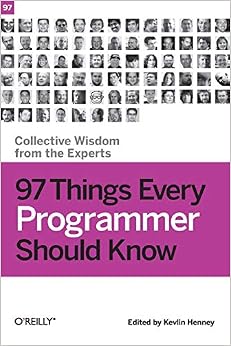
97 Things Every Programmer Should Know
Coding All-in-One For Dummies
Subscribe for future posts (no spam)To leave a comment for the author, please follow the link and comment on their blog: R – Eran Raviv.
R-bloggers.com offers daily e-mail updates about R news and tutorials about learning R and many other topics. Click here if you're looking to post or find an R/data-science job.
Want to share your content on R-bloggers? click here if you have a blog, or here if you don't.Continue reading: Rython tips and tricks – Snippets