Scott and Wes are back with another round of tips, tricks and tasty treats for their favorite code editor, VS Code.
LogRocket - Sponsor LogRocket lets you replay what users do on your site, helping you reproduce bugs and fix issues faster. It’s an exception tracker, a session replayer and a performance monitor. Get 14 days free over at https://logrocket.com/syntax
Show Notes 01:45
- Why Scott and Wes use VS Code vs all the other options
- Stay up to date with all releases
06:05 - Favorite new updates
- Notification API
- Auto Import
- Listing errors in the file explorer
- Column Selection
- Interface Customization
- Hot Tip: Anytime you find yourself using your mouse, there’s likely a shortcut key for what you’re trying to do
- React Snippets Library
- Wes’ VS Code settings
- Visual Studio Live Share
27:40 - Favorite/New Extensions
- Bracket Pair Colorizer
- Rainbow Brackets
- Auto Rename Tag
- Better Comments
- Jest
- Snapshot Tools
- JS Refactor
- Import Cost
- Polacode
- Carbon - An alternative way to share beautiful images of your source code
38:49 - Themes
- LevelUp Official
- Night Owl
- Cobalt2
40:35 - Tips and Tricks
- Learn how to jump and select by letter, word, line, etc.
- Move a line (or Line Bubbling) - Use this for rearranging and/or moving lines of code quickly.
- Cycling through multiple windows of the same app - If you have multiple VS Code windows open, “Cmd + backtick” will cycle through them, so you don’t have to drag them in and out of view.
- Adjust MacOS keyboard settings - change Key Repeat to “fast” and Delay Until Repeat to “short”. This will make your editor super fast when holding down arrow keys.
- Use Git features
- Git History
- Spell Checker - “Cmd + .” will open up code actions and you check for possible misspellings, etc.
- Code Spell Checker
- Rename Symbol - Much more reliable than find/replace.
- Sort Lines
- Select everything between quotes - (Cmd + Shift + Space)
57:25 - Things that could be improved
- Region folding is inconsistent and sometimes doesn’t work at all.
- No easy way to tell which extension is causing CPU performance issues.
- Sidebar indentation isn’t clear.
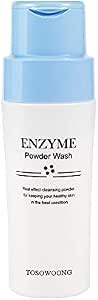
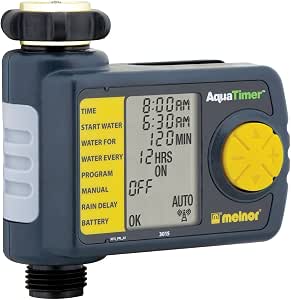
××× SIIIIICK ××× PIIIICKS ××× * Wes: Melnor 4-Zone Digital Water Timer * Scott: Tosowoong Enzyme face cleanser
Shameless Plugs * Scott’s Intermediate React Series * Wes’ All Course Secret Sale
Tweet us your tasty treats! * Scott’s Instagram * LevelUpTutorials Instagram * Wes’ Instagram * Wes’ Twitter * Wes’ Facebook * Scott’s Twitter * Make sure to include @SyntaxFM in your tweets