TechnologyIQ: Recent Episodes
Douglas E. Welch

We Need To Rewild The Internet via NOEMAThe internet has become an extractive and fragile monoculture. But we can revitalize it using lessons learned by ecologists.
“That impulse to scour away the messiness that makes life resilient is what many conservation biologists call the “pathology of command and control.” Today, the same drive to centralize, control and extract has driven the internet to the same fate as the ravaged forests.”
Read More


An interesting link found among my daily reading

GIFWorks makes movies from shared screens and webcams. Once recorded, videos can be optimized and saved as a GIF, or downloaded as a WebM video file for processing later using drag and drop.
An interesting link found among my daily reading

Read 15 Creative Ways to Use ChatGPT by OpenAI via MUO
An interesting link found among my daily reading
A nice collection of quick, online tools, to convert to and from a variety of file types. Just the site to keep in mind when you need to shuffle one type data into a new system. — Douglas
![Tiny Wow - Tools That Solve Your Files Problem - Convert to/from many file formats [Shared]](http://welchwrite.com/blog/wp-content/uploads/2022/03/tinywow.png)
TinyWow & Your Privacy
Don't you love finding a great online tool-set that claims to be free, let's you build and interact the way you want, only to be denied access if you don't pay for an account(or sign up for an account). Our site is free. We don't limit. We don't even take sign-ups. Might we take sign-ups one day? Sure, we probably will(but not any time soon). When we do go down that route, what we will NOT do is trick you into spending your time using our tools, only to be denied access before you can download what you have just spent your precious time creating.
TinyWow is free. We don't have ads, we don't sell data. We currently have no plans to monetize. Why offer these tools for free? We operate two tech websites: Alphr & TechJunkie. We thought our users might find these tools helpful. For now, utilizing our existing infrastructure we are able to operate these tools at minimal additional cost. Building this and watching the growth has been fun, so we’re going to keep building free stuff.
We take your privacy seriously. Whenever you upload a file to our servers for processing, we delete the file 15 minutes after the processing of that file is complete. If you were to use that same file again in a different tool, that 15-minute window would re-start. New files created from the originally uploaded file also are subject to the same 15 minute deletion time. If those files are used again in another tool, the 15-minute deletion window is reset.
The files sent to TinyWow are uploaded via HTTPS. We do not sell information on our users or the documents, videos, images, or other file types that may be uploaded when using one of our tools.
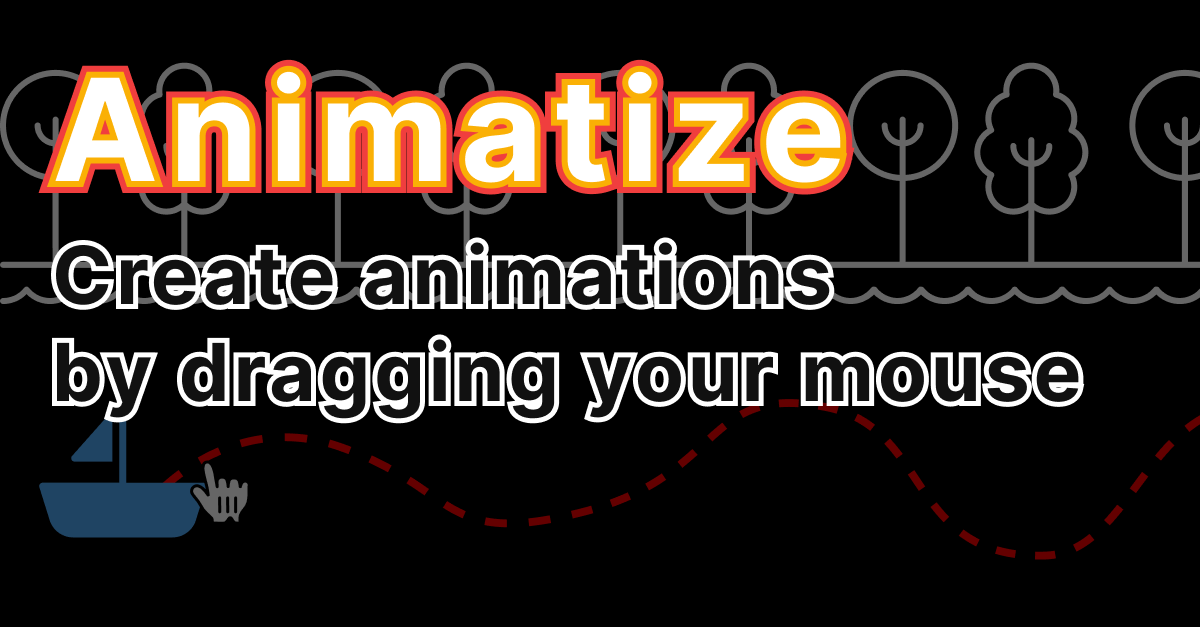
Read animations the easy way via Animatize - animations the easy way
An interesting link found among my daily reading

Read The Wall (Geostationary Satellites near real-time animations) via Redirection html
An interesting link found among my daily reading
The Print Shop Club – Create Apple II Print Shop Printouts On-Line!
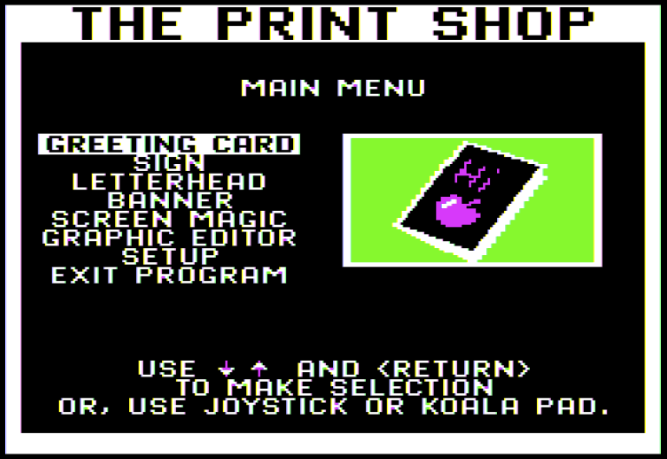
The Print Shop, released in 1984, is a software package for the Apple II computer (and others) that allows for the quick and easy creation of posters, greeting cards, banners, and other things.
Other 8-bit computers also got versions of The Print Shop about a year later, in 1985. The Print Shop was extremely popular amongst both families and schools.
Play around with The Print Shop
An interesting link found among my daily reading
Growing Spectacular Gem-Like Crystals From Rust And Simple Ingredients | Hackaday

When we talk about crystals around here, we’re generally talking about the quartz variety used to make oscillators more stable, or perhaps ruby crystals used to make a laser. We hardly ever talk about homegrown crystals, though, and that’s a shame once you see how easy it is to make beautiful crystals from scratch.
We’ve got to say that we’re impressed by the size and aesthetics of the potassium ferrioxalate crystals [Chase Lean] makes with this recipe, and Zelda fans will no doubt appreciate their resemblance to green rupees. The process starts with rust, or ferric oxide, which can either be purchased or made. [Chase] chose to make his rust by soaking steel wool in a solution of saltwater and peroxide and heating the resulting sludge. A small amount of ferric oxide is added to a solution of oxalic acid, a commonly used cleaning and bleaching agent. Once the rust is dissolved, potassium carbonate is slowly added to the solution, turning it a bright green.
Read Growing Spectacular Gem-Like Crystals From Rust And Simple Ingredients | Hackaday

Lots of options for sizes and types of cities. Edit the names of the town and districts. Warp the map shape and size to meet your needs and desires. All web-based.
GIFRUN * GIF Maker * Create High-Definition GIFs and WebP images from YouTube and many other sites.

Create High-Def GIF and WebP images from YouTube and many other sites. Free service, no sign-up required.
Advent of Code 2022 Programming Advent Calendar

The first puzzles will unlock on December 1st at midnight EST (UTC-5). See you then!
While brainstorming ideas for Maker starter projects with a seasonal slant, we played with the idea of 3D printing holiday ornaments. We wanted to make a project starter that was easy to do at an event like a Makerspace Open House, faculty meeting, or as a quick Maker skill builder that can be done in those flexible periods before winter break.
This generator works by creating a shape that is then copied and rotated around the Z axis. You can adjust the shape, thickness, and number of copies to create ornaments with fins, ridges, smooth surfaces and more. The generator finishes the ornament with a cap and loop for hanging.
Read Ornament Generator With Tinkercad Codeblocks : 6 Steps (with Pictures) via Instructables
An interesting link found among my daily reading
Read Import and simulate HyperCard stacks and stack archives. via HyperCard Simulator
An interesting link found among my daily reading
The CO2 Traffic Light will help to vent rooms at school, home, work to keep the aerosol concentrations low. We recommend to set the red light alert "must ventilate, open windows and doors" at 800ppm CO2. max 1000ppm. Follow your local government regulations. CO2 monitors are just a indicator for air quality, it will no protect you against virus or anything else. If you are not sure check resources on the principal of CO2 in breathing air and CO2 traffic lights in general. This is not meant to be a healthcare device or like. See this a foundation for STEM projects to work with sensor, IoT and learn about aerosols and CO2 impacting air quality indoors.
Read CO2 Traffic Light for Indoor Air Quality, COVID and beyond via Hackster.io
An interesting link found among my daily reading
Generating snowflakes using L-Systems
Code available on the site.
Play with Generating snowflakes using L-Systems
The Covid pandemic has meant that I’m in the house a lot more, and travel has been restricted/difficult to say the least. Since I’ve been more involved in video streaming technology professionally recently, I decided to build a project based off these techologies to relieve some of the cabin fever.
The World Window shows a live webcam of various locations around the world, behind a real window frame. To change location, you can move the plane around a world map to pre-determined locations (lit by small LEDs) – the plane is magnetic to sticks to the map.
In addition to this, there is another sensor that tracks your position in front of the frame, to give a false sense of perspective when moving around in front of the frame.
Read World window
An interesting link found among my daily reading
I have an upcoming trip to Vienna next month and might try out this app for keeping a journal of the trip. I have kept a handwritten journal of past trips, but sometimes it becomes too time-consuming to write down everything while it is happening. I like the inclusion of the location feature, too, to aid in remembering the places we visited. – Douglas
The fastest way to capture and structure your thoughts: through voice.
Hold record, say what you want, and release. Just like you'd expect from an outliner, create hierarchies and rearrange. Notes are auto-transcribed and searchable, but you can always play back the audio.
Automatically attach location to notes. Remember walks you took, and which places sparked what ideas.
Read Voiceliner via Home | Max Krieger
An interesting link found among my daily reading
TLDR; I built a generative art creation flow that is fully autonomous: generating art daily from creative code, and publishing to Instagram and WordPress without any human input.
Cool, eh?
Creative coding — programming towards a visual pursuit, instead of functional, is a medium that I’ve wanted to personally explore for some time now. I love that it’s a mass of creativity, somewhere between design and programming, which is right up my alley.
Read Building a Generative Art Gallery with P5.js — Rich Tabor via Rich Tabor
An interesting link found among my daily reading
Watabou's Perilous Shores draws maps of fantastic lands in a handsome hand-made style that understates the growing sophistication of the generator. Each map has a selection of interesting locales—towns, dungeons, geographic features—to ignite the imagination. And various options allow you to tweak all of it, including the stylization.
Read Beautiful random maps in a hand-drawn style | Boing Boing
An interesting link found among my daily reading
A curated list of Google Sheets resources to supercharge your analysis, manage your workflow, or build expertise in advanced analytics.
Read The Ultimate Google Sheets Toolkit via Revenue Analytics Platform for Shopify stores | Airboxr
An interesting link found among my daily reading
The Q science channel engineer skillfully built a remote-controlled dachshund with legs inspired by the same mechanical design pioneered by Theo Jansen for his Strandbeest kinetic sculptures. The pup was built out of plywood and responded to a controller that was also made in the shape of a little wiener dog.
If you want a dog but for some reasons can’t – here is an answer. Build robotic dog out of plywood. It won’t replace the real dog, but better than nothing
The unique design coincidentally gave the wooden canine the very distinctive waddle of the dachshund breed.
Read A Remote Controlled Robotic Dog Inspired by the Design of Theo Jansen's Walking Strandbeest Sculptures via Laughing Squid
An interesting link found among my daily reading
Python is known for its short and clear syntax. Due to the simplicity of Python, it's sometimes referred to as “executable pseudocode”. You can make Python programs more concise using one-liner codes. This will help you save time and write code in a more Pythonic way.
In this article, you'll learn 11 Python one-liners that will help you code like a pro.
Read 12 Useful Python One-Liners You Must Know via MUO
An interesting link found among my daily reading
@print3ddesign 3D Scanner! #einscan #3dscanner #3dscan #3dprinting ♬ original sound - James Baldwin
Read Neural Network Identifies Bird Calls, Even On Your Pi via Hackaday
An interesting link found among my daily reading
This is a pretty geeky post, but if you are interested (or concerned) about digital archives, this should provide some great info on the wide variety of file formats available both in the present and historically. – Douglas
Are you a file format fan? If you’re curious how to pronounce the still image format HEIF (spoiler alert: it rhymes with “beef”) or the difference between PDF/A-3 and PDF/A-4, the Library of Congress’s Sustainability of Digital Formats (a.k.a., Formats) is the place for you. To help you satisfy your need for in-depth technical, and perhaps more than a bit nerdy, knowledge about all things digital file formats, we’ve decided to start a regular series about what we’re up to. Welcome to Issue Number 1 of Fun with File Formats!
The Formats site is one of the premiere resources in the world for in-depth information about digital file formats. It covers over 525 formats, encodings and wrappers in a variety of content categories – sound recordings, still images, datasets, textual materials, moving images, website and web archives, geospatial, music composition, 3D and architectural drawings and many more (see below).
Read Fun with File Formats | The Signal via blogs.loc.gov
An interesting link found among my daily reading
This is much geekier than I usually post, but I found it very cute and interesting. Can your cat be a programmable computer? Perhaps. – Douglas
Meet Peluche
Peluche (meaning “plush” in French) is a smooth cat that somehow lives in my house.
She will be our test subject today.
Is Peluche Turing-complete?
What is Turing-completeness
Turing-completeness is the notion that if a device can emulate a Turing machine, then it can perform any kind of computation1.
It means that any machine that implements the eight following instructions is a computer (and can thus execute any kind of computation):
- . and ,: Inputting and outputting a value
-
- and -: Increase and decrease the value contained in a memory cell2.
-
and <: Shift the current memory tape left or right.
- [ and ]: Performing loops.
So, if Peluche can perform these eight instructions, we can consider her Turing-complete.
Read Is my cat Turing-complete? via Belay the C++
An interesting link found among my daily reading
BASIC interpreter + DOS environment, reimagined.BASIC interpreter
EndBASIC is an interpreter for a BASIC-like language and is inspired by Amstrad’s Locomotive BASIC 1.1 and Microsoft’s QuickBASIC 4.5. Like the former, EndBASIC intends to provide an interactive environment that seamlessly merges coding with immediate visual feedback. Like the latter, EndBASIC offers higher-level programming constructs and strong typing.
EndBASIC’s primary goal is to offer a simplified and restricted environment to learn the foundations of programming and focuses on features that can quickly reward the learner. These features include things like a built-in text editor, commands to manipulate the screen, commands to interact with shared files, and even commands to interact with the hardware of a Raspberry Pi. Implementing this kind of features has priority over others such as performance or a much richer language.
DOS-like environment
EndBASIC’s command line features a set of commands to interact with files from various sources, and these commands resemble the interface exposed by MS-DOS. This is similar to old-style BASIC machines, as the Locomotive BASIC previously mentioned offered access to the built-in AMSDOS system for file manipulation.
Read EndBASIC
An interesting link found among my daily reading
The Magna Doodle is a classic children’s toy that works by embedding a layer of iron shavings just below the surface of a canvas and then using a magnetic pen to pull them up, thus showing whatever lines might have been drawn. Steve Turner had the idea to automate this drawing process by converting his Magna Doodle into a clock for displaying the current time in almost any TrueType font.
Read Sketch the current time with this Magna Doodle clock via Blogdot.tv
An interesting link found among my daily reading
@happyatom So happy I found this! #lasercut #vinylcrafts #cnc #crafttok #learnontiktok ♬ Bronze - Chris Alan Lee
Raspberry Pi is an incredibly versatile computer that delivers much more power and functionality than its small stature suggests. Now, with ten years of solid development behind it, Raspberry Pi computers and Raspberry Pi OS are packed with activity.
Hidden in amongst all the hardware and software are some real gems of tricks that you can use to learn more about computing, make better projects, and get far more out of Raspberry Pi than you ever thought possible.
In this month's issue of The MagPi, we unearth hidden hacks and handy tricks that every talented Raspberry Pi owner should know.
Here is just a section of our hidden hacks bumper feature: Raspberry Pi Hardware Hacks.
Read Raspberry Pi hardware hacks — The MagPi magazine via The MagPi magazine
An interesting link found among my daily reading
In the Northern hemisphere, summer is about to hit us full bore. While we love the season, we do dislike lawn maintenance. Apparently, so does [salmec] who developed the Mowerino around an Arduino Mega 2560 board.
As you might expect, the robot uses sharp blades so, you probably want to be careful. There are sensors that allow the machine to self-navigate or you can control it via Bluetooth. This is one of those things that seems easy until you try to actually do it. Nylon trimmer string is probably safer, but it breaks and it is hard to keep it cutting. Blades are more robust but also riskier to things like rocks, fingers, and pets.
Read Summer’s Coming – Let Mowerino Cut Your Grass via Hackaday
An interesting link found among my daily reading
Sodium chloride, or table salt, has a cubic crystal structure. But the salt we use for cooking normally looks more like sand.
Indeed, table salt is often used in kids’ experiments to demonstrate crystallization. It’s a simple activity, but the results are disappointing. Many tutorials online make it look far easier than it actually is.
This is because sodium chloride crystals are very sensitive. Temperature differences cause imperfections. It also crystallizes easily on dust particles, growing misshapen clusters, hopper crystals and dry crust.
However, being as stubborn as these crystals, I have tried multiple times to grow them over the past 3 years. Eventually, I discovered a technique to grow large, high quality sodium chloride crystals, and I want to share it with you.
Read How to Grow Sodium Chloride Crystals at Home via Crystalverse
An interesting link found among my daily reading
If there's one thing I've learned, it's never doubt the ingenuity of a Raspberry Pi owner. These credit card sized computers have been made to do all sorts of things from being a baller retro gaming machine, to a garish PC gaming handheld.
But if you're wanting something a little weirder to serve up with your Pi, maybe have a look at this adorable laptop -like machine.
Daniel Norris (via Liliputing) is the madman behind the Chonky Palmtop, a tiny PC with an included fold out split keyboard. This thick little beasty has a swish retro 3D printed grey box, which opens up to reveal the 7 inch touchscreen display and keyboard setup.
Read The Chonky Palmtop is one of the cutest DIY Pi machines yet via pcgamer
An interesting link found among my daily reading
Cat Ears Prototype 2 Test Run from Jazz DiMauro on Vimeo.
"I built mind-controlled ears as a way to learn how to build my own arduino-based designs," writes Jazz DiMauro. "Challenges included cable management and designing custom servo hardware to attach to the asymmetrical EEG headset." See also Jazz's Witch Lights. Sketches and plans galore! [via Hacker News]
Read 3D-printed cat ears controlled by brain waves | Boing Boing via Boing Boing
An interesting link found among my daily reading
Have your remote meeting and whiteboard too
Collaborate on real whiteboards and notebooks in remote and hybrid meetings.
Read Grapic | Remote whiteboard with real pen and paper via Grapic
An interesting link found among my daily reading
A new machine learning technique developed by researchers at Edge Impulse, a platform for creating ML models for the edge, makes it possible to run real-time object detection on devices with very small computation and memory capacity. Called Faster Objects, More Objects (FOMO), the new deep learning architecture can unlock new computer vision applications.
Most object-detection deep learning models have memory and computation requirements that are beyond the capacity of small processors. FOMO, on the other hand, only requires several hundred kilobytes of memory, which makes it a great technique for TinyML, a subfield of machine learning focused on running ML models on microcontrollers and other memory-constrained devices that have limited or no internet connectivity.
Read FOMO is a TinyML neural network for real-time object detection via TechTalks
An interesting link found among my daily reading
At first glance, this little animatronic mouse might seem like a fairly simple affair. A door opens, our rodent friend pops its head out, looks around, and goes back in. But just like in The Wizard of Oz, a strategically placed curtain is hiding the impressive array of gadgetry that makes the trick possible.
Creator [Will Donaldson] has put together a fantastic write-up of just what went into creating this little fellow, and we think you’ll be surprised at just how serious the mechanics involved are. Take for example the rig that provides horizontal motion with a NEMA 17 stepper motor mated to a 200 mm leadscrew and dual 8 mm rail assembly that would like right at home as part of a 3D printer.
Read Peek Behind The Curtain Of This Robotic Mouse via Hackaday
An interesting link found among my daily reading
I know that I spend so much time editing out filler words in the podcasts that I produce and something like this could be very useful. that said, the timing involved in editing these out is a major part of the quality of a podcast. I would need to try it out a few times to see if it meets my own editing sensibilities. One feature that might help with this is the “TimelineExport” which shows you the edits Cleanvoice recommends and then allows you to manually edit them. This would give you a lot more control over the final product. – Douglas
Cleanvoice is an artificial intelligence which removes filler sounds, stuttering and mouth sounds from your podcast or audio recording
Read Cleanvoice – Automated Podcast Editing via Hacker News
An interesting link found among my daily reading
Read Getting ready for a 2 year timelapse #unbox #raspberrypi #timelapse via TikTok
An interesting link found among my daily reading
Consider the paintbrush: simple enough for a child, complex enough for an Old Master. That's what any artistic tool should strive for, and the art of programming deserves a tool that's more creative, more alive. Joy.js is a tool for making tools like that.
Read JOY.JS - make happy little programs via ncase.me
An interesting link found among my daily reading
The MIDI format has long been used to create some banging electronic music, so it’s refreshing to see how [John P. Miller] applied the standard in his decidedly analog self-playing robotic xylophone.
Framed inside a fetching Red Oak enclosure, the 25-key instrument uses individual solenoids for each key, meaning that it has no problem striking multiple bars simultaneously. This extra fidelity really helps in reproducing the familiar melodies via the MIDI format. The tracks themselves can be loaded onto the device via SD card, and selected for playback with character LCD and rotary knob.
The software transposes the full MIDI music spectrum of a particular track into a 25-note version compatible with the xylophone. Considering that a piano typically has 88 keys, some musical concessions are needed to produce a recognizable playback, but overall it’s an enjoyable musical experience.
Read Robotic Xylophone Makes Music With MIDI Magic via Hackaday
An interesting link found among my daily reading
Exactly what its name says. Complete in your browser.
Read tldraw via tldraw
An interesting link found among my daily reading
Masks are all well and good when it comes to reducing the spread of deadly pathogens, but they can make it harder to understand people when they speak. They also make lipreading impossible. [Kevin Lewis] set about building something to help.
The system consists of a small screen that can be worn on the chest or other part of the body, and a lapel microphone to record the wearer’s speech. Using the Deepgram AI speech recognition API running on a Raspberry Pi Zero W, the system decodes the speech and displays it on the Hyperpixel screen.
Read Display Your Speech In Realtime To Help Lipreaders In The Mask Era via Hackaday
An interesting link found among my daily reading
All you need is your phone
Use the Grapic mobile app to share a video stream of your notebook or whiteboard to your remote colleagues. No need for a camera tripod or expensive equipment - our tech keeps things steady and focused instead.
Read Remote whiteboard with real pen and paper via Grapic
An interesting link found among my daily reading
For people who are recovering from a major surgery or those who have a disability, ensuring proper posture while lying down for extended periods of time is vital for reducing joint pain and other ailments that come about from a lack of movement, including pressure sores. Rodrigo Mejiasz’s project aims to solve the issue by using a small device that monitors how long a patient has been lying down in one position and alerts a caregiver when it’s time to adjust them.
Read This Arduino monitor helps prevent bedridden patients from getting pressure sores and more via Blogdot.tv
An interesting link found among my daily reading
Every two years, Debian Linux, on which Raspberry Pi OS is based, gets a major version upgrade. Debian ‘buster’ has been the basis of Raspberry Pi OS since its release in 2019, and Debian ‘bullseye’ was released in August. (As some of you may know, Debian name their versions after characters in Disney/Pixar’s Toy Story films – Bullseye was Woody’s horse in Toy Story 2.)
We’ve been working on the corresponding ‘bullseye’ release of Raspberry Pi OS; it’s taken a bit longer than we’d hoped, but it is now available. So what is new this time?
Debian ‘bullseye’ has relatively few major changes which are visible to users – there are some under-the-hood changes to file systems and printing, but most of the changes are patches and upgrades to existing applications and features. However, over and above the changes in Debian itself, the ‘bullseye’ version of Raspberry Pi OS has a number of significant changes to the desktop environment and to the support for Raspberry Pi hardware.
Read Bullseye – the new version of Raspberry Pi OS @Raspberry_Pi via Raspberry Pi – Adafruit Industries – Makers, hackers, artists, designers and engineers!
An interesting link found among my daily reading
E-Ink displays are a popular choice for many makers in the Raspberry Pi community. Their design lends to low energy consumption, and they’re relatively easy to program using Python, but if you’re new to this sort of project, it can be a lot to take in. That’s where developer Aaron Ciuffo’s PaperPi project comes into play.According to Ciuffo, PaperPi features a selection of custom E-Ink display plugins that rotate through a set of predefined content. Instead of starting from scratch, PaperPi provides some of the most sought offer tools so makers can get started with using their hardware without much hassle.
Read Raspberry Pi PaperPi App Offers Cool E-Ink Display Tools via Tom's Hardware
An interesting link found among my daily reading


Type a description, select a style, and let this AI create an image.This picture used the phrase "Sunflowers in a field watercolor"Read Hypnogram: Create an image from text via Hacker News
An interesting link found among my daily reading
After searching everywhere for an affordable ride-on fire truck toy for his daughter this past Christmas season YouTuber Jason Altice (AKA CodeMakesItGo) had nearly given up, but luckily enough was able to locate a free Grave Digger Power Wheels that he could modify into one. In its current condition, the vehicle was in bad shape so it had to first be almost completely disassembled, which led to the discovery of a bad switch that was causing the troubles.
Read This dad converted a Power Wheels into a DIY fire truck toy, complete with a siren and lights via Blogdot.tv
An interesting link found among my daily reading
After 50 years of false starts, incremental progress, ethical quandaries, and endless hype cycles, artificial intelligence may finally be ready for prime time. The biggest breakthroughs in recent years have been around machine learning, a specific type of artificial intelligence that uses neural networks—inspired by the human brain—that can analyze massive data sets, find patterns, and get "smarter" in the process. But are these algorithms really learning, in the human sense of the word?
In three-and-a-half minutes, this Scientific American animation takes us from early efforts to make computers imitate people through the emergence of machine learning all the way to today's dangers of algorithmic bias—code that embodies and amplifies its creators' prejudices.
Read What is machine learning anyway? This three minute animation delivers an excellent simple explanation via Boing Boing
An interesting link found among my daily reading
Read Make a Super 8 Digital Cartridge with #RaspberryPi #celebratephotography via Raspberry Pi – Adafruit Industries – Makers, hackers, artists, designers and engineers!
An interesting link found among my daily reading
Ever needed to quickly edit something or someone out of an image?
Maybe it’s the stranger who wandered into your family photo, or the stand holding up your final artwork for school? Whatever the job, if you don’t have the time or Photoshop skills needed to edit the thing yourself, why not try Cleanup.pictures — a handy web tool that does exactly what it promises in the URL.
Read This free web tool is a fast and easy way to remove objects from images via The Verge
An interesting link found among my daily reading
RFID (radio-frequency identification) is a technology where wireless non-contact use of radio frequency waves is used to transfer data. This usually involves a reader that collects data from an RFID tag, and it has a wide variety of applications. In this article, we'll take a look at some ESP32-based RFID projects!
Read The 10 Best ESP32 RFID Projects via MUO
An interesting link found among my daily reading
Voice assistants are now available from a wide variety of companies, however, [7402] didn’t like the idea of these devices sending data off to the cloud for potentially-nefarious purposes. Thus, the goal became to build a home voice assistant that worked entirely offline, and that’s precisely what [7402] achieved.
The system had limited goals compared to commercial competitors. [7402] was more than happy to deal with a limited vocabulary of understanding as a trade off for privacy. It’s all built around a Raspberry Pi Zero, which runs the Julius speech recognition library. Ultrasonic sensors are used to only activate the device when a person leans in and directly addresses the system.
Read Homebrewed Voice Assistant Keeps An Eye On Air Quality via hack a day
An interesting link found among my daily reading
The Internet of Things (IoT) comprises the billions of physical devices around the world that are connected to the internet, uploading their data and communicating with each other independently of human input.
Arduino produces a range of development boards, from 8-bit microcontrollers to 32-bit microcontrollers, some even with WiFi and Bluetooth capabilities. This coupled with its beginner-friendly projects available on the web makes Arduino ideal for diving into your first IoT project!
In this article, we’ll take a look at ten impressive IoT projects made by makers in the community.
Read The 10 Best Arduino IoT Projects via MUO
An interesting link found among my daily reading
A wildlife camera is a great first project for a raspberry pi. Check out this simple set up from Maddie Moate on YouTube:
For a long time I’ve really wanted to get stuck in with a Raspberry Pi project and the My Naturewatch Camera has been something I’ve been meaning to make for AGES. This video is a detailed step by step instructional video, something that I couldn’t find online. So I hope that this, alongside the amazing mynaturewatch.net website, will encourage you to build your own and get spying on your local wildlife!
Read How to make a Wildlife Camera (using a Raspberry Pi!) #piday #raspberrypi @Raspberry_Pi via Adafruit Industries – Makers, hackers, artists, designers and engineers!
An interesting link found among my daily reading
ORDER TODAY
Also available on throw blankets, pillows, tops, tees, iPhone cases, and much more!
*Redbubble has discounts when purchasing multiple items and also gives 10%-20% discounts on a regular basis. Check back often!
See More Products On These Sites
DouglasEWelch.com/shop/follow | Instagram | Twitter
See my entire catalog
DouglasEWelch.com/shop/
Find more at @DEWDesignPhoto
Riding a bicycle is a wonderful and healthy way to get around. However, just like with any other vehicle on the road, it can be useful to have a camera to record what goes on in traffic. [Richard Audette] built just such a rig.The original setup relies on a Raspberry Pi 3, which takes a photo every 10 seconds using the attached Pi Camera. It then processes these photos using OpenALPR, which is a piece of software for reading licence plates. Licence plates detected while cycling can be stored on the Raspberry Pi for later, something which could be useful in the event of an accident.
However, [Richard] has developed the concept further since then. The revised dashcam adds blind spot detection for added safety, and uses a Luxonis OAK-D camera which provides stereo depth data and has AI acceleration onboard. It’s paired with a laptop carried in a backpack instead of a Raspberry Pi, and can stream video to a smartphone sitting on the handlebars as a sort of rear-view mirror.
Read Building a Bicycle Dash Cam With Advanced Capabilites via hack a day
An interesting link found among my daily reading
Did you know that clouds can both warm and cool our planet? Keeping an eye on clouds helps NASA study our climate. We need your help capturing data about clouds where you live! The Global Learning and Observations to Benefit the Environment (GLOBE) Program invites you to take part in our upcoming Cloud Challenge: “Clouds in a Changing Climate.”
Read Citizen Science Opportunity: NASA GLOBE Cloud Challenge 2022: Clouds in a Changing Climate
The age of in-person events and company conferences could soon be at an end, if Zoom has anything to do with it.
The video conferencing firm has revealed that customers can now host fully-fledged conferences online using its Zoom Events platform.
Promising everything needed to run conference-scale virtual events, Zoom says that the new upgrade will help lessen the stress of hosting such online collaboration events, whilst also allowing users to configure and build their event just how they want.
Read Zoom may have just killed off in-person conferences for good via TechRadar - All the latest technology news
An interesting link found among my daily reading
A clock can be both decorative and functional. But decorative clocks can leave quite the dent in your home or office improvement budget. Luckily, you don't have to splurge on one because, with a bit of creativity, you can turn almost anything from a ping-pong ball to wood into a clock. Check out these ten stunning DIY clock ideas that will transform your home or office space instantly.
Read 10 Stunning DIY Clock Ideas That Will Transform Your Home or Office Space Instantly via MUO
An interesting link found among my daily reading
ORDER TODAY
Also available on throw blankets, pillows, tops, tees, iPhone cases, and much more!
*Redbubble has discounts when purchasing multiple items and also gives 10%-20% discounts on a regular basis. Check back often!
See More Products On These Sites
DouglasEWelch.com/shop/follow | Instagram | Twitter
See my entire catalog
DouglasEWelch.com/shop/
Find more at @DEWDesignPhoto
To make its spreadsheet software easier to use, particularly on devices with smaller screen real estate, Google has decided to make a couple of functional, as well as cosmetic changes to Google Sheets.
For starters, the menu bar, as well as the right-click menu, have both been shortened to better fit on a smaller screen, and to prevent menu items from being hidden off-screen.
Some features were reorganized and moved to “more intuitive” locations, Google said. For example, freezing a row or a column can now be done directly from the right-click menu.
Read Google Sheets is about to become much easier to use via TechRadar - All the latest technology news
An interesting link found among my daily reading
[Geyes30]’s Raspberry Pi project does one thing: it finds arbitrary text in the camera’s view and reads it out loud. Does it do so flawlessly? Not really. Was it at least effortless to put together? Also no, but it does wonderfully illustrate the process of gluing together different bits of functionality to make something new. Also, [geyes30]’s kids find it fascinating, and that’s a win all on its own.
The device is made from a Raspberry Pi and camera and works by sending a still image from the camera to an optical character recognition (OCR) program, which converts any visible text in the image to its ASCII representation. The recognized text is then piped to the espeak engine and spoken aloud. Getting all the tools to play nicely took a bit of work, but [geyes30] documented everything so well that even a novice should be able to get the project up and running in an afternoon.
Read Raspberry Pi Reads What It Sees, Delights Children via hack a day
An interesting link found among my daily reading
The robot "A-HOGE" uses its four robotic arms to turn a calculator into a musical instrument.
Read This robot uses calculators to play Mozart — Strictly Robots via Mashable!
An interesting link found among my daily reading
News from the wizarding world is a little hard to come by for common muggles, but [Deep Tronix] has brought us one step closer to our magical counterparts with their electronic replica of the Daily Prophet newspaper.
Those familiar with the Harry Potter series will no doubt be familiar with the Daily Prophet. In the films, the newspaper is especially eye-catching with its spooky animated images, a reflection of the magic present throughout the wizarding world. This was achieved with post-production special effects for the films, but this fan-made front page of the Prophet brings the concept to life using e-paper technology and a few other interesting gadgets, all hidden away in a picture frame.
Read Muggle Uses E-Paper For Daily Prophet Replica via hack a day
An interesting link found among my daily reading
Drones are aerial machines that range from micro drones to multi-rotor quadcopters. Sometimes a drone is even equipped with a camera, enabling the user to see and record the bird’s-eye view. There are many components that make up a drone; one of the most important is the flight controller, which is in effect the brain of the drone.
The Arduino development board is ideal for this purpose, even more so as there is a wide variety of models, from the tiny Arduino Nano to the beefier Arduino Mega, all portable enough for a drone’s design. In this article, we’ll explore some of the most impressive drones created with an Arduino.
Read The 10 Best Arduino Drone Projects via MUO
An interesting link found among my daily reading
To mark the 20th anniversary of the iPod, Cabel Sasser shared some photos of one of the coolest artifacts in the Panic Archives: a prototype of the original iPod.
As you can see, it’s… quite large! We’ve always assumed that this mighty shell was designed to fit the large breadboards or circuit boards that were used during the earliest days of iPod development, until everything was eventually sized down to actual iPod-size. (It also has the Jobsian side-benefit of keeping the engineers in the dark about what the final device will look like.) I can’t get enough of those chunky, clunky, clicky black buttons wired up for navigation.
Read A Prototype of the Original iPod via kottke.org
An interesting link found among my daily reading
Raspberry Pi Zero 2 W is the first quad-core SBC from the Raspberry Pi Foundation with the Raspberry Pi Zero form factor. Based on the RP3A0 system-in-package (SiP) comprised of a Broadcom BCM2710A1 quad-core Cortex-A53 processor and 512MB LPDDR2, the new Pi Zero W 2 board offers the exact same interfaces as its predecessor.
This includes a MicroSD card socket, a mini HDMI port, two micro USB ports, a MIPI CSI-2 camera connector, as well as an unpopulated 40-pin GPIO header. The wireless module appears to have changed but still offers WiFi 4 and Bluetooth 4.x BLE, and it’s using the same VideoCore IV GPU to handle 3D graphics and video encoding and decoding up to 1080p30.
Read $15 Raspberry Pi Zero 2 W launched with quad-core CPU, 512MB RAM via CNX Software – Embedded Systems News
An interesting link found among my daily reading
Another part of daily life these days, at least your iPhone can be useful in one more way. — DouglasAs Apple continues to expand the utility of its digital wallet, a new feature allows iPhone users easier access to their proof of vaccination.
The latest software update iOS 15.1 released Monday now supports adding “verifiable” COVID-19 vaccination information as a digital vaccine card directly in the Wallet app, making it more convenient to provide proof of inoculation status without carrying a physical card.
Various states have already launched their own apps and services for the digital storage of COVID-19 vaccination proof — especially those that have implemented vaccine mandates, like California and New York. Apple already offers iPhone users the ability to store vaccine and test results in its Health app, but the company says this update will make it quicker to access.
Here's how you can get that digital version for yourself:
Read COVID Vaccine Proof Can Now Be Added to iPhone's Apple Wallet. Here's How via NBC 6 South Florida
An interesting link found among my daily reading
DIY solar tracker - Hackster.io
This system can track the sun all day long, can be used for harvesting 15% more energy than typical static Solar Plates. When we use typical static solar plates, a great amount of solar energy is wasted because of the angle of the sun. Using this system we can move the solar plates according to the sun, harvesting more and more solar energy.Read DIY solar tracker - Hackster.io
Raspberry Pi has released a new board called the Zero 2 W — and, excitingly, it costs just $15. It has more than five times more power than its predecessor, thanks to a new quad-core CPU.
This makes it ideal for building small media servers, pet monitors, or any number of similar development projects. Before we talk about how it compares with the Zero W, let’s take a look at its specifications.
Read This new $15 Raspberry Pi is like mana for at-home programming projects via The Next Web
An interesting link found among my daily reading
While brainstorming ideas for Maker starter projects with a seasonal slant, we played with the idea of 3D printing holiday ornaments. We wanted to make a project starter that was easy to do at an event like a Makerspace Open House, faculty meeting, or as a quick Maker skill builder that can be done in those flexible periods before winter break.
This generator works by creating a shape that is then copied and rotated around the Z axis. You can adjust the shape, thickness, and number of copies to create ornaments with fins, ridges, smooth surfaces and more. The generator finishes the ornament with a cap and loop for hanging.
Read Ornament Generator With Tinkercad Codeblocks : 6 Steps (with Pictures) via Instructables
An interesting link found among my daily reading
I am still a BIG user of RSS feeds to gather new and interesting info from around the Internet and I recommend it to many people. There is something very useful about information that comes to you instead of forcing you to go out and search for it yourself. This definitely falls under the rule of working smarter, not harder. — DouglasI am not a big social media guy anymore. Over the last few years I’ve been actively avoiding it. I’m not a fan of each platform’s privacy concerns, and users need to be very cautious to avoid flamewars and infinite doomscrolling. If we aren’t careful, social media’s default state seems to devolve into just destroying trust and goodwill. I prefer society in real life.
However, avoiding social media means that we lose a lot of interesting articles, funny memes, and informative videos that are shared on those platforms. Maybe that’s okay since there’s a lot of unproductive and even destructive activity happening on social media. But, I still want online communities that allow us to:
Share ideas
Stay informed
Discover new sources of information
Read RSS is Wonderful · Quakkels.com via Quakkels.com
An interesting link found among my daily reading
As I am old enough to remember hard disk access lights on everything, having a heartbeat indicator like this makes me feel warm and cuddly when working on a headless application. Sometimes you just need to know the project is doing something before you start looking for or firing bugs in your program. — DouglasA simple way and example of how you are able to add a visible heart beat indicator into your sketches to show they are alive & kicking.Read Implementing a Heart Beat in your code via Explore all projects
An interesting link found among my daily reading
Advent of Code 2021
Hi! I'm Eric Wastl. I make Advent of Code. I hope you like it! I also made Vanilla JS, PHP Sadness, and lots of other things. You can find me on Twitter and GitHub.
Advent of Code is an Advent calendar of small programming puzzles for a variety of skill sets and skill levels that can be solved in any programming language you like. People use them as a speed contest, interview prep, company training, university coursework, practice problems, or to challenge each other.
You don't need a computer science background to participate - just a little programming knowledge and some problem solving skills will get you pretty far. Nor do you need a fancy computer; every problem has a solution that completes in at most 15 seconds on ten-year-old hardware.
Read About - Advent of Code 2021
Allison George has created Neural Networks from Scratch, which is an interactive guide to neural networks for beginners.
Build a neural network step-by-step, or just play with one, no prior knowledge needed.
It’s covered under a Creative Commons Zero license, so feel free to share or use wherever! (if this made its way into a classroom, I’d be so thrilled).
Read Neural Networks from Scratch, an interactive guide for beginners @aegeorge42 via Adafruit Industries – Makers, hackers, artists, designers and engineers!
An interesting link found among my daily reading
I love the idea of a customizable wildlife camera in my back yard. I regularly get raccoons, opossum, squirrels, hawks and more in my garden. — DouglasMy yard is under attack. That’s why I used a Raspberry Pi, a Pi camera, and some machine learning to catch my yard’s attackers in action.
Read What’s Destroying My Yard? Pest Detection With Raspberry Pi @Raspberry_Pi #PiDay #RaspberryPi via Adafruit Industries – Makers, hackers, artists, designers and engineers!
An interesting link found among my daily reading