Geekazine: Recent Episodes
Jeffrey Powers


Make a Logo on FiverrThe Nearity 360 Alien is not your typical conference camera. Instead of sitting at the front of the room like a traditional webcam or PTZ camera, this tall, table-mounted system is designed to sit in the middle of the action and capture nearly everyone around it.
With four built-in cameras, AI framing, multiple meeting modes and optional wireless connectivity, the Nearity 360 Alien is built for boardrooms, hybrid meetings, presentations and conference setups where one camera needs to do the work of several.
A Conference Camera Built for the Middle of the TableThe Nearity 360 Alien is a 4K wireless camera system designed to capture a room from the center of the table. It uses four cameras to create a panoramic meeting view, then relies on AI to identify speakers and keep people framed.
That makes it especially useful for rooms where people are seated around a table instead of lined up in front of a screen. Rather than forcing everyone to crowd around a laptop webcam, the Nearity 360 Alien gives remote participants a clearer view of who is speaking and where they are in the room.
The Design Is Big, But That Works in Its FavorThe first thing you notice about the Nearity 360 Alien is its size. This is not a tiny puck camera. It is tall, noticeable and built to sit above the table surface.
That height is actually a benefit. A smaller conference camera can end up shooting people from too low of an angle, especially in a boardroom. The taller body helps the camera capture faces more naturally, and the built-in quarter-inch mount means you can also place it on a tripod if you need a better eye-level shot.
There is one physical limitation: despite the 360 branding, there is a small dead spot where the cameras do not overlap. In most rooms, that will not be a major issue if you position that side toward a wall, monitor or unused side of the table.
What Comes in the BoxInside the box, the Nearity 360 Alien includes the main camera unit, power adapter, remote control, USB-A to USB-C cable and a wired microphone puck with a mute button. The microphone connects directly to the camera, and a second mic can be added for larger table setups.
The remote is one of the more useful accessories. It lets you change views, adjust modes, mute audio, mute video and control settings without needing to sit next to the computer. That is a big plus if the camera is being used in a meeting room where the laptop or production system is not within easy reach.
Ports and ConnectivityThe Nearity 360 Alien includes DC power, USB-C, Ethernet, HDMI and microphone ports. The HDMI port is full-size, which is a welcome detail because it avoids the need for micro-HDMI or mini-HDMI adapters.
USB-C can connect the camera to a computer for Zoom, Teams, Google Meet, OBS, vMix, Wirecast or other video software. HDMI can send video directly to a recorder, switcher or display setup. Ethernet can be used for network configuration, while the optional NA20 wireless dongle allows the camera to connect wirelessly to a computer.
That wireless option is one of the stronger parts of the system. Once paired, the NA20 shows up as a wireless video and audio source, letting you use the Nearity 360 Alien in meeting apps or production software without running a USB cable across the table.
Meeting Modes: Discussion, Presentation and GlobalThe Nearity 360 Alien includes three main modes: Discussion Mode, Presentation Mode and Global Mode.
Discussion ModeDiscussion Mode is the best choice for meetings with multiple people talking around the table. The camera identifies faces and can show multiple participants in framed sections, while still keeping the panoramic view visible.
In testing, the system was able to recognize more than one person in the room and place them into the split layout. When someone speaks, the system can highlight or shift attention toward that person, helping remote attendees follow the conversation.
Presentation ModePresentation Mode is meant for a meeting where one person is leading the discussion. This mode keeps the presenter as the focus while still letting the room remain visible.
For lectures, board updates, demos or hybrid presentations, this is probably the mode most people will use.
Global ModeGlobal Mode gives a broader room view. It is useful when you want everyone visible and do not need the AI to focus tightly on individual speakers.
Video Quality and AI FramingThe Nearity 360 Alien uses a Starvis CMOS sensor and offers USB 4K output, with HDMI output up to 1080p. The camera also includes image controls such as brightness, saturation, contrast, hue, white balance, HDR and regional frequency settings.
In a well-lit room, the image looks clean and usable for meetings. Studio lighting looked especially good, and the camera handled face framing well. In a real meeting environment, it did a solid job following the conversation and keeping speakers visible.
Lighting matters, though. Like most conference cameras, the Nearity 360 Alien performs best when the room is evenly lit. In darker or more complicated environments, such as a stage or band-meeting setup with speakers and instruments in the background, the AI can occasionally get confused.
Audio: Built-In Mics, Speaker and External Mic PucksThe camera has built-in microphones on top, along with a speaker near the bottom. The included external microphone puck adds more flexibility because it can be placed closer to the person speaking or moved toward the center of the conversation.
There is also a mute button on the mic puck, which is useful in a meeting where people need quick local control. Adding a second mic gives the system better coverage on both sides of a larger table.
One practical tip: place the camera or mic puck on a soft surface like a mouse pad if the table picks up vibration. That can help reduce thumps, glass clinks and table noise before the audio processing has to clean it up.
Software and ControlsThe Nearity software gives access to device settings, firmware updates, image controls, mode selection, network settings and options like flipping the image or enabling a watermark.
The app is not the only way to use the camera. One of the best parts of the Nearity 360 Alien is that it can work directly over HDMI or USB without making the setup feel overly complicated. The remote also gives quick access to many of the key controls.
Wireless Setup With the NA20 DongleThe NA20 wireless dongle is what turns the Nearity 360 Alien into a more flexible 4K wireless camera solution. After plugging the dongle into a computer and pairing it with the camera, it appears as a camera and audio source in meeting software.
That means you can bring it into Zoom, Teams, Google Meet, OBS, vMix or other tools as a video source. Once it is working wirelessly, the only cable that still needs to remain attached to the camera is power.
For conference rooms where cable clutter is a problem, that is a major win.
ProsThe Nearity 360 Alien does a strong job replacing a small multi-camera meeting setup with one device. It captures the room, identifies speakers, offers several useful layouts and works with common meeting and production apps.
The HDMI output is convenient, the remote control is genuinely useful, the mic puck adds flexibility and the wireless dongle makes the system easier to deploy in rooms where you do not want cables running across the table.
It also works well for hybrid meetings where people in the room and people online both need to feel included.
ConsThe main downside is the small dead spot behind the camera. It is not a true edge-to-edge 360-degree view, so placement matters.
The camera is also fairly large, which may not fit every table setup. And while the AI tracking works well in normal meeting conditions, more chaotic environments with multiple visual distractions can make it less reliable.
Is the Nearity 360 Alien the Best Wireless Conference Camera?The Nearity 360 Alien makes a strong case for itself if you need a conference camera that can handle real meeting rooms, not just one person sitting in front of a laptop.
It is especially useful for boardrooms, team meetings, hybrid presentations, nonprofit meetings, training rooms and any space where multiple people need to be seen and heard clearly. The combination of 4K USB output, HDMI, AI framing, external mic support, meeting modes and optional wireless connectivity makes it more flexible than a standard webcam.
It is not perfect, and the small blind spot means you need to think about placement. But for a room where one conference camera needs to cover almost everyone, the Nearity 360 Alien is an impressive option.
Get this Conference Camera here!
Check out the Geekazine Merch, including "I AM AI " T-Shirt. Thanks for reading! Don't forget to subscribe to Geekazine:RSS Feed - YouTubeTwitter - Facebook Tip Me via Paypal.me * Send a Tip via Venmo * RSS Bandwidth by Cachefly Get a 14 Day Trial * Be a Patreon: Part of the Sconnie Geek Nation*!
Reviews: Geekazine gets products in to review. Opinions are of Geekazine.com. Sponsored content will be labeled as such. Read all policies on the Geekazine review page.
Reviews: Geekazine is also an affiliate of Amazon
Last Updated on June 25, 2026 5:01 pm by Jeffrey Powers
The post Nearity 360 Alien Review: Best Wireless Conference Camera? appeared first on Geekazine.
Make a Logo on FiverrThe Aosu T2 Pro is not your typical wireless security camera. In fact, the big idea here is that you might not want to put it directly on your house at all. Instead, this dual-camera, solar-powered system may be more useful when placed away from the building, looking back at your doors, windows, driveway, or storefront.
That gives the Aosu T2 Pro a different kind of home security advantage. Rather than only watching outward from the wall, it can give you a wider view of what is happening around the property — especially if someone walks up to check doors, windows, or entry points.
A Dual-Camera Security SetupThe Aosu T2 Pro uses a two-camera design. One camera gives you a wide 170-degree static view, while the second camera can pan and tilt to follow movement. That combination makes it more flexible than a basic fixed-position wireless security camera.
The system captures dual 3K images and includes night vision, so it can keep watch during the day or after dark. There is also an 8x hybrid zoom, although it is digital zoom. That means you probably do not want to place the camera too far from the house or business you are trying to monitor.
Solar Power Makes Placement More FlexibleOne of the biggest selling points of the Aosu T2 Pro is the solar setup. The camera has a 9,200 mAh battery inside, and the included solar panel helps keep it charged without needing a constant power cable.
That opens up a lot of placement options. You can mount the camera on a pole, fence, garage, shed, or another location facing the house. The solar panel can attach directly to the camera or be placed separately in a better sunlit area.
That is especially useful in colder states or areas where sunlight changes throughout the year. If the camera is mounted under a gutter or in partial shade, being able to move the solar panel can make a big difference.
Setup and App ControlsThe Aosu T2 Pro connects through the Aosu app on iOS or Android. Setup includes scanning the QR code or connecting through Bluetooth when the camera is nearby. The camera connects to 2.4 GHz Wi-Fi, which works for range but may disappoint users who prefer 5 GHz support.
Inside the app, you can control the PTZ camera, adjust surveillance settings, set notification preferences, turn AI tracking on or off, and choose detection options for people, vehicles, or pets. You can also control night vision modes, speaker volume, privacy settings, battery management, LED status lights, and smart home connections.
The camera also supports Amazon and Google smart home ecosystems.
Local Storage or Cloud OptionsThe Aosu T2 Pro supports a microSD card up to 256 GB, which gives users a local storage option instead of relying completely on cloud storage. Subscription options are also available for users who want additional cloud-based features.
One important note: files stored on the microSD card are not simple MP4 files that someone can pull out and immediately watch. They need to be accessed through the camera and app, which adds some protection if the card is removed.
Security and Privacy NotesAosu is a global security brand founded in 2021, focused on smart AI tracking equipment. The company uses its own software and provides in-house support. The app is Chinese-based, while cloud data is held in the United States on AWS servers.
For a connected home security device, that matters. A security camera is not just another gadget. It handles video from your property, so app security, data handling, and company support are important parts of the buying decision.
Real-World Use: House or BusinessIn testing, the Aosu T2 Pro worked well when positioned away from the building and aimed back at the front. At around 20 feet from the building, it captured a strong amount of detail from both the wide camera and the PTZ camera.
That makes it useful not only for a house, but also for a small business or community building. It can watch the front entrance, capture vehicles passing by, and record people approaching doors after hours.
Night Vision PerformanceThe camera performs well in low light. It includes black-and-white night vision, color night vision, and lighting options that can illuminate the area when motion is detected.
In a dark room test, the camera still produced usable video. The illumination feature is also helpful when you need more detail or want the camera to act as a visible deterrent.
Pros and ConsThe biggest advantage of the Aosu T2 Pro is flexibility. The dual-camera system gives you both a wide fixed view and a PTZ tracking camera. The solar panel can be detached and positioned for better sunlight. The app gives you a lot of control over detection, notifications, lights, audio, and tracking.
The video quality is also strong, especially for a wireless security camera. Dual 3K capture, night vision, AI tracking, and local storage make this a serious option for home security or small business monitoring.
The articulating arm is useful, but if the camera is mounted low enough for someone to reach, they could physically turn it away. That could create a blind spot, especially for the fixed 170-degree camera.
The power button, reset button, and microSD card slot are also located on the camera body. If the camera is mounted too low, someone could potentially turn it off or tamper with the card.
The biggest software limitation is the lack of a desktop web app. If you want to view or download clips from a PC or Mac, you are basically stuck using the mobile app or an Android emulator like BlueStacks. A browser-based dashboard would make this feel more like a traditional security system, especially for users with multiple cameras.
Final ThoughtsThe Aosu T2 Pro is a smart, flexible wireless security camera that works best when you think beyond the obvious mounting spot. Instead of putting it directly on the house, consider placing it where it can watch the house.
That is where the dual-camera design makes the most sense. The wide-angle camera can cover the full scene, while the PTZ camera can follow movement and give you a closer look at what is happening.
It is not perfect. The physical tampering concerns and lack of a web dashboard are real drawbacks. But with solar charging, dual 3K video, AI tracking, night vision, two-way communication, and local microSD storage, the Aosu T2 Pro is a strong option for anyone looking to add flexible home security without running power cables.
Check the camera out
Check out the Geekazine Merch, including "I AM AI " T-Shirt. Thanks for reading! Don't forget to subscribe to Geekazine:RSS Feed - YouTubeTwitter - Facebook Tip Me via Paypal.me * Send a Tip via Venmo * RSS Bandwidth by Cachefly Get a 14 Day Trial * Be a Patreon: Part of the Sconnie Geek Nation*!
Reviews: Geekazine gets products in to review. Opinions are of Geekazine.com. Sponsored content will be labeled as such. Read all policies on the Geekazine review page.
Reviews: Geekazine is also an affiliate of Amazon
Last Updated on June 25, 2026 4:45 pm by Jeffrey Powers
The post Don’t Put This Security Camera On the House! Aosu T2 Pro! appeared first on Geekazine.
Make a Logo on FiverrCloner Alliance Steps Up the UHD Pro 4KThe Cloner Alliance UHD Pro 4K is a standalone video capture and recording box built for creators, gamers, and anyone who needs a simple way to record HDMI video without turning the setup into a complicated production rig. After looking at the previous Cloner Alliance Pro 4K model, this newer UHD Pro 4K brings some useful upgrades, including USB-C, microSD support, USB 3.0, and more flexible recording options.
This is designed for pro video workflows, game capture, screenshots, camera recording, and even scheduled recording. It can capture in 4K, supports HDMI pass-through, and records to external storage including flash drives, microSD cards, and larger hard drives.
What’s in the Box?Inside the box, Cloner Alliance keeps things straightforward. You get the UHD Pro 4K unit, instruction materials, a remote control, HDMI cable, power adapter, and a USB-C to USB-A cable.
A Welcome USB-C UpgradeOne of the first noticeable changes is the move from micro USB to USB-C. That makes the UHD Pro 4K feel more modern and more useful in current creator setups. The device also includes USB 3.0 support, which matters when you are recording larger video files at higher bitrates.
Ports and ControlsOn the top of the unit, you get physical controls for pause, snapshot, record, and stop. There are also audio inputs, including mic, aux, and line-in options. On the side, the unit includes microSD/TF card support, USB-C, and USB-A connectivity. On the back, you get the power button, 12V power input, HDMI input, and HDMI output for pass-through monitoring.
Recording Options for Video CaptureThe Cloner Alliance UHD Pro 4K can record in MP4 or TS file formats. Resolution options include 4K, 1080p, or auto mode. For many users, auto mode will probably be the easiest choice, but having manual resolution control is useful when you need to lock the output to a specific format.
H.264 and H.265 RecordingThe UHD Pro 4K supports both H.264 AVC and H.265 HEVC recording. That gives users some flexibility depending on whether they want broader compatibility or more efficient compression.
The video bitrate can go up to 50 Mbps, which is a nice option for higher-quality captures. Just remember that a higher bitrate also means larger files, and your storage device needs to be fast enough to keep up.
Audio SettingsAudio options include HDMI audio, mic input, and aux input. You can adjust mic volume, aux volume, and HDMI output volume. The audio bitrate can be set up to 320 Kbps for better sound quality.
That said, this is not a multitrack audio recorder. If you combine audio sources into the unit, they are recorded together. For serious productions, it is still better to manage audio separately when possible.
Storage: Flash Drive, microSD, or Hard DriveThe UHD Pro 4K supports recording to multiple storage types. You can use microSD/TF cards, USB flash drives, and larger external hard drives. The device can also test writing speed, which is useful before recording at higher bitrates.
File Size and Loop RecordingRecording file size options include unlimited, 4GB, 16GB, or two-hour segments. This lets you decide how the device breaks up long recordings.
There is also loop recording, which makes the UHD Pro 4K useful beyond gaming and creator content. You could use it with a camera for basic security-style recording, where older files are overwritten once storage fills up.
HDMI Pass-Through and LatencyOne of the biggest questions with any video capture device is latency. The UHD Pro 4K includes HDMI pass-through so you can send video to a monitor while recording.
Better Than the Previous ModelCompared with the earlier Cloner Alliance Pro 4K, the latency on the UHD Pro 4K appears improved. The older model had more noticeable delay, while this new version feels closer to the 50 to 100 millisecond range during pass-through testing.
That is still not zero latency. For casual gameplay, recording, screenshots, or camera capture, it may be fine. For competitive gaming, you may still want to put a splitter before the Cloner Alliance box and monitor directly from the source.
On-Screen Menus and Remote ControlThe UHD Pro 4K includes a remote for navigating system settings, recording settings, audio settings, scheduling, playback, and storage options.
Settings You Can AdjustThe system menu includes time settings, time zone, HDMI output resolution, HDMI output scale, screensaver, language, factory reset, and firmware information. The recording menu lets you choose format, resolution, file size, codec, bitrate, audio bitrate, loop recording, and watermark options.
Remote Control ExperienceThe remote works without needing to be aimed perfectly at the unit, which is a plus. However, it can be a little touch-and-go at times, occasionally needing more than one button press.
Scheduling and Standalone RecordingA big advantage of the Cloner Alliance UHD Pro 4K is that it does not always need a computer to record. You can connect your source, attach storage, and record directly from the unit.
Scheduled RecordingThe device also includes scheduled recording options. That could be useful for capturing a camera feed, recording a recurring video source, or setting up a simple unattended recording station.
Using the UHD Pro 4K With a ComputerThe UHD Pro 4K can also connect to a PC using the Cloner Alliance helper software. Once connected, you can preview the video feed, record to the computer, schedule recordings, choose capture devices, and configure folders for video and photo storage.
Live Video and Virtual Camera UseThe software also includes options for live broadcasting and virtual camera use. That means you can bring the Cloner Alliance feed into apps such as OBS, vMix, or other streaming software.
The computer preview does introduce more latency than the HDMI pass-through monitor, so it is best used for setup, checking framing, or recording control — not as your main real-time display.
Video Screenshots and Pro Video UsesThe UHD Pro 4K is not just for recording full videos. The snapshot button makes it useful for grabbing video screenshots, especially from gameplay, cameras, or HDMI-based devices.
Good for Creators and ReviewersFor content creators, this can be a useful box to keep nearby. It can capture from a camera, record a gameplay feed, document a device’s HDMI output, or act as a simple single-source recorder when you need something fast.
Pros and ConsProsThe Cloner Alliance UHD Pro 4K is easy to set up, works as a standalone recorder, supports 4K capture, includes HDMI pass-through, offers USB-C and USB 3.0, supports higher bitrate recording, and works with the same Cloner Alliance software ecosystem.
ConsThere is still some latency, especially when using the computer preview. The remote can occasionally require extra button presses. Also, while the audio input options are useful, this is not a replacement for a dedicated multitrack audio workflow.
Final Thoughts on the Cloner Alliance UHD Pro 4KThe Cloner Alliance UHD Pro 4K is a solid upgrade over the previous model. The move to USB-C, the addition of microSD support, better storage flexibility, and improved latency make it a more capable video capture device for creators, gamers, and anyone working with HDMI video.
It is easy to set up, flexible enough for standalone recording or computer-based capture, and useful for everything from pro video workflows to video screenshots. If you need a simple HDMI video capture and recording box that can work without a full computer setup, the UHD Pro 4K is worth a look.
Check it out at https://geni.us/cauhdpro4k
Check out the Geekazine Merch, including "I AM AI " T-Shirt. Thanks for reading! Don't forget to subscribe to Geekazine:RSS Feed - YouTubeTwitter - Facebook Tip Me via Paypal.me * Send a Tip via Venmo * RSS Bandwidth by Cachefly Get a 14 Day Trial * Be a Patreon: Part of the Sconnie Geek Nation*!
Reviews: Geekazine gets products in to review. Opinions are of Geekazine.com. Sponsored content will be labeled as such. Read all policies on the Geekazine review page.
Reviews: Geekazine is also an affiliate of Amazon
Last Updated on June 10, 2026 1:49 pm by Jeffrey Powers
The post Cloner Alliance UHD Pro 4K Unboxing & Full Review appeared first on Geekazine.
Make a Logo on Fiverr**Editor’s Note: After continual attempts, I finally got to a support agent that brought back my accounts within the next 24 hours. It’s possible to get it back.
A Simple Mistake That Shut Down 19 Years of FacebookThis is not an easy story to tell, but it is one a lot of people need to hear. My Facebook was phished. I made the mistake. I let the attacker in. And within seconds, the account I had built for nearly 19 years was gone.
It started on May 4 while I was out of town and on my phone. A message pushed me toward Messenger, where I was prompted to log in and enter a two-factor authentication code. It was exactly the kind of thing I tell people not to do, but in that moment, I did it anyway.
Almost immediately, Facebook sent an email saying my profile had been taken down. The message said my profile had been reviewed and could not be reviewed again. That was the start of a frustrating journey through Meta’s account recovery system.
Facebook Hacked, Then Locked OutThe first thing Meta told me to do was change my password, so I did. Once I got back to a computer I normally use for Facebook, I went to facebook.com/hacked and started the recovery process.
Meta asked for facial recognition. That took a few tries, partly because of my beard, but it worked. Then it asked for identification, so I uploaded my passport. The system said it would take two to three days.
Three weeks later, I still had no real answer.
That is where this becomes more than a simple “facebook hacked” story. This was not just a personal profile. This account was tied to business pages, Facebook groups, Messenger conversations, Instagram, Threads, and years of relationships and memories.
Instagram Taken Down Along With FacebookWhen my Facebook account was disabled, my Instagram went with it. That is especially frustrating because I had my Instagram account before the full Meta merge, and I always kept a separate username and password.
But because Instagram was connected to Facebook, I could log in only far enough to be told that because my Facebook page was disabled, my Instagram was gone too.
That means my Instagram posts, reels, conversations, and monetization access were gone. I had been making money from Reels. I had new content ready to post. But I could not publish to Instagram or Facebook, even while that same content could still go to TikTok, YouTube, and X.
For creators and small businesses, this is a serious problem. Losing Facebook is bad enough. Having Instagram taken down with it can cut off another income stream and another way to communicate with an audience.
Messenger Vanished, TooMessenger disappeared with the account. At the time, I had several active conversations going. Some were personal. Some were business-related. One was tied to a potential deal that is now just sitting there because I have no way to continue the conversation.
That is one of the overlooked parts of a Facebook phished situation. People do not just lose posts. They lose access to the inbox where business, gigs, product review requests, community work, and personal conversations happen.
For my music work, Facebook and Messenger are major ways people reach out about gigs. Losing that access at the start of summer means losing potential bookings during one of the most important times of the year.
Meta’s Recovery System Feels Like a WallHere is where things get even more frustrating: Meta’s support process appears to be almost entirely automated.
Every path seems to send me back to facebook.com/hacked. The AI support system does not give a real case number, a clear timeline, or a human escalation path. I have gone through the hacked-account process, the facial verification, and the ID upload more than once.
Still, no meaningful response.
The most frustrating part is that the account was disabled almost instantly, but the recovery process has dragged on for weeks. Meta also sent a message saying I needed to download my data before June 5 and that my account would be closed on June 18. That is not 180 days, even though the disabled account screen referenced an appeal window.
Trying to download the data has not worked reliably either. The system asks for login credentials, then says the account does not exist or loops back to the disabled account screen.
This Is More Than a Social Media ProblemLosing Facebook is not like losing a random app. For many people, Facebook is a digital home, a business hub, a photo archive, a message history, and a community network.
I lost access to groups I managed. Some pages disappeared or became blocked behind account restrictions. My music page went down. My high school class Facebook group is now inaccessible. Geekazine is still visible, but I cannot post to it.
There are also personal memories I may never get back. My dad passed away in 2021. My mom passed away last year. I cannot reconnect with those accounts. I cannot rebuild those old friend connections. Friends who have passed away are still part of that history, and losing the account means losing access to those pieces of my life.
That is why this is so frustrating. A facebook hacked situation is not just about security. It is about identity, business, memories, and years of work.
Two-Factor Authentication Helps, But It Is Not FoolproofI had two-factor authentication turned on. That matters, but it does not make you invincible.
In this case, the attacker got in because I approved the login. I entered the code. I made the mistake. Two-factor authentication is still important, but it cannot protect you if you are tricked into handing over the keys yourself.
The lesson is simple: slow down. If a message tells you to log in, verify it first. Do not enter a code just because a prompt asks for it. If something feels even slightly off, stop.
Protect Your Pages Before This HappensIf you manage Facebook pages or groups, make sure someone else you trust has admin access. That way, if your personal account is taken down, the page or group does not become completely stranded.
This is especially important for creators, musicians, small businesses, nonprofits, and community groups. If your Facebook profile is the only admin, a hacked or disabled account can lock everyone out.
Also make sure people have another way to contact you. Put your email address on your website. Keep your YouTube, TikTok, X, and other channels updated. Do not let one Meta account be the only bridge between you and your audience.
The Bigger Problem With Meta SupportThe hardest part is not just that I was hacked. It is that there does not seem to be a reliable way to get help from Meta.
I have heard stories from people who got their accounts back. I have also seen horror stories from people who lost 10, 15, or 20 years of photos, messages, and business connections. Some were Meta Verified. Some still could not get help quickly.
That is the issue. A company this central to people’s lives and businesses needs a better second-tier support option when automation fails.
AI support can be useful. I talk about AI all the time. But when an account is wrongly disabled, when an appeal stalls, or when someone loses access to business tools, there needs to be a human path.
What I Want From MetaI am not looking for money. I want my account back.
I want access to my Facebook profile, my Instagram, my Threads, my Messenger conversations, my pages, my groups, and the business tools that were connected to them. I want to get back to building Geekazine and continuing the work I have done for nearly two decades.
Maybe Meta restores everything tomorrow. Maybe I get the email that says the account is back and everything is fine. I hope that happens.
But after three weeks of silence, it is hard not to feel like the system is broken.
Final TakeGetting facebook phished can happen fast. One mistake can turn into a full facebook hacked nightmare. And if your Instagram is tied to that account, you could end up with your instagram taken down, too.
The best thing you can do right now is protect yourself before it happens. Turn on two-factor authentication. Do not approve logins you did not start. Add trusted admins to important pages. Keep backup contact options available. Download your data when you can.
Most important, do not assume a platform will quickly help you fix it.
Check out the Geekazine Merch, including "I AM AI " T-Shirt. Thanks for reading! Don't forget to subscribe to Geekazine:RSS Feed - YouTubeTwitter - Facebook Tip Me via Paypal.me * Send a Tip via Venmo * RSS Bandwidth by Cachefly Get a 14 Day Trial * Be a Patreon: Part of the Sconnie Geek Nation*!
Reviews: Geekazine gets products in to review. Opinions are of Geekazine.com. Sponsored content will be labeled as such. Read all policies on the Geekazine review page.
Reviews: Geekazine is also an affiliate of Amazon
Last Updated on June 10, 2026 9:51 am by Jeffrey Powers
The post My Facebook Was Phished. What META Did Next is Frustrating appeared first on Geekazine.

Make a Logo on FiverrBlackmagic Brings Fairlight Into the Live Audio WorldBlackmagic Design has been steadily building Fairlight into its larger production ecosystem, and at NAB 2026, the company showed off a major step forward: Blackmagic Fairlight Live, a standalone audio mixing system built for live production.
Fairlight has long been known as the audio engine inside DaVinci Resolve, giving editors and post-production teams tools for mixing, EQ, compression, gating and audio cleanup. But this new version pulls Fairlight out of Resolve and gives it a dedicated live workflow, designed for people who need to mix audio during events, broadcasts, houses of worship, livestreams and video productions.
It Looks Like a Console, But the Mac Does the Heavy LiftingThe big thing to understand about Blackmagic Fairlight Live is that the hardware panel is a controller. The actual processing runs on a computer, with Blackmagic showing the system running through a Mac at NAB.
That means the console itself is not a traditional all-in-one audio mixer with every input and output built directly into the back. Instead, your audio I/O connects through the computer using interfaces, virtual sound cards or networked audio workflows. The Fairlight Live panel then gives you hands-on control of the mix.
That approach may feel different from a traditional soundboard, but it also makes the system more flexible. If your venue already has audio running over Ethernet, Dante Virtual Soundcard, AES, USB, Thunderbolt or another digital audio interface, Fairlight Live can fit into that existing setup without requiring a completely new wiring plan.
Built for ATEM and Blackmagic Video WorkflowsWhile Fairlight Live can operate as a standalone audio mixer, Blackmagic is clearly positioning it as part of a larger live production chain.
The system can pair with ATEM switchers, allowing a dedicated audio operator to control audio separately from the video switcher. That could be a big advantage for churches, live music venues, schools, conference rooms and production teams already using Blackmagic ATEM hardware.
Instead of forcing one person to manage both video switching and audio control from the same panel, Fairlight Live gives the audio side its own dedicated surface.
10, 20 and 40 Channel PanelsBlackmagic showed multiple Fairlight Live hardware options at NAB, including 10-channel, 20-channel and 40-channel panels. The larger models include multiple screens, giving operators direct access to processing tools and master controls.
Those screens can show channel strips, EQ, compression, gates, expanders and other controls, making it feel closer to a traditional digital mixing console. Multiple banks also allow users to layer deeper channel counts beyond the physical faders in front of them.
Plugins, Effects and Live ProcessingBecause Fairlight Live runs its processing on the computer, the available CPU power matters. Blackmagic suggested that a newer Mac mini would be a professional baseline, while something like a Mac Studio would offer far more headroom.
The system supports the same kind of audio processing users may already know from DaVinci Resolve’s Fairlight page. That includes Blackmagic’s built-in effects as well as AU and VST plugins from third-party manufacturers.
For live production, that means common tools like reverb, delay, EQ and dynamics processing should be available inside the Fairlight workflow. More demanding plugins could introduce latency, so the computer and plugin choices will matter for larger productions.
A Possible Replacement for Traditional Live SoundboardsFor venues already using compact digital mixers, Blackmagic audio workflows could become a serious option. Fairlight Live is designed to replace a traditional soundboard, but with one important caveat: you still need a computer and an audio interface or network audio system to bring signals in and out.
The back of the panel includes features like XLR talkback inputs, XLR monitor outputs, Ethernet connections and USB for updates. But the main audio I/O is handled outside the console.
That makes Fairlight Live less like a self-contained mixer and more like a control surface for a computer-based live audio system.
Remote Control and Flexible SetupsBlackmagic also noted that the system can be controlled remotely, including from an iPad. That opens the door for operators to adjust audio from different locations in a room, stage or production space.
For live events, that could be especially useful. A venue could have the main Fairlight Live surface at front of house, while another operator or technician checks levels from another position.
Release Timing and Platform SupportAt NAB 2026, Blackmagic said the Fairlight Live software beta was already available on its website, and the hardware panels were expected around the July to August timeframe.
The system was shown running on Mac, and while Blackmagic’s broader software ecosystem often supports Mac, Windows and Linux, the final platform support for Fairlight Live was still being worked on at the time of the NAB demo.
Why Fairlight Live MattersThe biggest takeaway is that Blackmagic Fairlight Live brings Blackmagic’s audio tools into the same live production conversation as ATEM switchers, 2110 workflows and modern networked production systems.
For creators, venues and live production teams already using Blackmagic gear, this could become a more integrated way to manage blackmagic audio without relying on a separate traditional console.
It is not just an audio mixer in the old-school sense. It is a computer-powered, software-driven live mixing system with dedicated hardware control — and for Blackmagic users, that could make Fairlight Live one of the most interesting NAB 2026 announcements.
Last Updated on June 9, 2026 5:16 pm by Jeffrey Powers
The post Blackmagic Fairlight Live: Standalone Audio Mixing System (NAB 2026) appeared first on Geekazine.

Make a Logo on FiverrAdobe Premiere Pro is getting one of its biggest color workflow changes in years, and at NAB 2026, Adobe showed off what could be the future of color grading inside the editor.
The headline feature is Color Mode, a new color-focused workspace currently in Premiere beta. Adobe says it was built from the ground up to make color correction and grading easier for video editors without requiring them to become full-time colorists.
Premiere’s Color Workflow Gets RebuiltColor Mode is designed to put the image front and center, with color tools placed directly below the viewer instead of buried in panels. The goal is to make color decisions faster and more visual while keeping the workflow inside Premiere.
Rather than relying on layers of Lumetri effects, copied settings and adjustment layers, Color Mode introduces a cleaner system of adjustments, groups and sequence-level operations. Editors can apply color changes to individual clips, groups of clips or an entire sequence.
A New Clip Grid for Faster GradingOne of the biggest interface changes is the new clip grid. Instead of thinking only in terms of a traditional timeline, Premiere can show clips in a grid layout for color work. That makes it easier to jump between shots, compare looks and apply grades across multiple clips.
The interface is also flexible. Panels can be moved and docked, giving editors room to customize the workspace around how they prefer to grade.
Heads-Up Controls Make Color More InteractiveColor Mode introduces a more hands-on way to adjust color. Click a control like temperature, contrast or tint, and Premiere brings up a heads-up display with the most relevant video scope for that adjustment.
Instead of dragging a slider while holding the mouse button down, editors can click once and move the mouse for more precise changes. Many controls are bidirectional, so moving up and down can adjust one value while moving left and right adjusts another related setting.
For example, temperature and tint can be adjusted together, helping editors fine-tune an image more naturally.
Styles Are Like Supercharged LooksAdobe also showed off Styles, which act like advanced looks built from multiple modules. A style can be applied at the sequence level, instantly updating the entire clip grid.
Editors can start with a preset, then open it up and fine-tune individual pieces such as film color, film emulation, contrast and other modules. Adobe described this as a way to get powerful results without needing deep technical color knowledge.
Hue Shifts, Texture and Beauty AdjustmentsColor Mode also includes tools for changing dominant hues in an image. Premiere can show key colors from the frame, letting editors select a color and shift it directly.
In the demo, changing red rims toward purple was as simple as selecting the red hue and moving the hue shift control. There are also texture and sharpness tools, which could help with beauty work or softening skin while still keeping image detail under control.
Operations Replace the Old Messy WorkflowAdobe refers to these color changes as operations. They can be copied, pasted, moved and organized. Operations build from left to right, making the grade easier to understand as it grows.
That could be a big improvement for editors who have wrestled with adjustment layers, duplicated Lumetri effects and complicated timelines just to keep a grade consistent.
What About Lumetri?Adobe says Lumetri is not disappearing from older projects. Existing projects can still be opened, and Lumetri adjustments will remain available through the Effect Controls panel.
But Adobe was clear: Color Mode is the way forward for Premiere color work.
Still in Beta, With More ComingColor Mode is currently in Premiere beta. Adobe said the goal is to ship it by the end of the year, while continuing to gather feedback throughout the summer.
Adobe also said it worked with more than 400 editors while building the new workflow, and the company plans to keep refining it as more users test it.
A Big Change for Premiere EditorsFor creators who edit and color in Premiere, this could be a major shift. The new premiere color mode looks more visual, more organized and more approachable than the older workflow.
There will be a learning curve, especially for editors used to the current Lumetri panel. But Adobe is positioning Color Mode as a faster, more editor-friendly way to handle color correction and grading without leaving Premiere.
All at Adobe.com
Check out the Geekazine Merch, including "I AM AI " T-Shirt. Thanks for reading! Don't forget to subscribe to Geekazine:RSS Feed - YouTubeTwitter - Facebook Tip Me via Paypal.me * Send a Tip via Venmo * RSS Bandwidth by Cachefly Get a 14 Day Trial * Be a Patreon: Part of the Sconnie Geek Nation*!
Reviews: Geekazine gets products in to review. Opinions are of Geekazine.com. Sponsored content will be labeled as such. Read all policies on the Geekazine review page.
Reviews: Geekazine is also an affiliate of Amazon
Last Updated on June 9, 2026 5:10 pm by Jeffrey Powers
The post Adobe Premiere: Color Mode Makes a Huge Overhaul! (NAB 2026) appeared first on Geekazine.

Make a Logo on FiverrScanlily Turns Clutter Into a Searchable InventoryMost of us have that one box in the garage, attic or storage room that might contain old yearbooks, cables, comic books, Christmas lights or something we forgot we even owned. Scanlily is built to solve that problem by turning your stuff into a searchable digital inventory, using AI recognition and QR code scanning to help you track where everything is.
The idea is simple: take a photo or video of an item, bin or container, and Scanlily helps identify what it sees. It can create descriptions, organize items into categories and make your inventory searchable from a phone or desktop. For anyone who has ever dug through storage looking for one specific thing, this feels like the kind of tech that should have existed years ago.
How the QR Code Scanning WorksScanlily can be used with or without QR codes, but the QR labels are where the system starts to feel especially useful. You can place a QR code on a bin, box, tote or individual item, then scan it later to see what is inside or attached to that label.
In the demo, a QR label was added to a storage bin holding comic books. After scanning the code, Scanlily used the phone camera to capture the contents, then generated an AI description for the container and the items inside. That means the next time you need to find those Superman comics, old collectibles or holiday decorations, you can scan the box instead of opening every tote on the shelf.
AI Helps Cut Down Manual EntryThe biggest advantage here is that Scanlily reduces the amount of typing normally required by an inventory tracker. Instead of manually entering every item, the AI can look at an image and suggest what it sees. For example, it recognized comic books in protective sleeves and identified details such as Superman and DC Comics.
That will not replace every manual note, but it gets you much closer to a usable home inventory without spending hours building a spreadsheet from scratch.
Useful for More Than Just Home InventoryScanlily is not just for garages and attics. It can be used for collectibles, business equipment, tools, storage lockers, shoes, instruments, decorations and anything else that needs to be tracked. For home users, it could help with moving, insurance documentation or just knowing where something is stored.
For businesses, Scanlily adds features such as multi-user access, equipment tracking, booking, maintenance reminders and reporting. That makes it more than a QR code scanning app — it becomes a lightweight asset management system.
Mobile and Desktop Views Make It Easier to ManageScanlily works on mobile and web, so you are not locked into one device. The phone app is useful for scanning QR codes and adding new items quickly, while the desktop view gives you a broader look at your inventory.
The web dashboard includes views such as spreadsheet-style listings, inventory cards and approved item lists. That makes it easier to review everything you have scanned, check categories and see item photos at a glance.
Privacy Controls Are a Smart AdditionOne useful feature is the ability to hide certain item details from public view. If someone scans a QR code with a regular camera app, the label can open a Scanlily page. But you can control whether the photo or item information is visible publicly.
That matters if you are labeling boxes in a garage, office, warehouse or shared space. You may want the QR code to help you identify what is inside, without making every detail visible to someone else who scans it.
Pros and ConsScanlily is easy to set up, especially if you already know what containers or items you want to organize. The AI recognition helps speed up the process, and QR code scanning makes it practical when you are standing in front of a shelf full of boxes. The mobile and web access also makes it more flexible than a simple notes app or spreadsheet.
The main downside is that any inventory system still takes some initial setup. You need to label bins, scan items and approve the AI-generated details. But compared with manually typing everything into a spreadsheet, Scanlily makes the process feel much more approachable.
Final ThoughtsScanlily is a smart inventory tracker for anyone who wants to finally organize the mystery boxes in the garage, attic, office or storage room. With AI recognition, QR code scanning, barcode support and desktop inventory views, it gives you a practical way to build a home inventory without making the process feel like a full-time job.
If you have ever wondered where your yearbook, comic books, Christmas decorations, tools or old tech gear ended up, Scanlily gives you a better way to find it later.
Check it out at https://www.scanlily.com/
Check out the Geekazine Merch, including "I AM AI " T-Shirt. Thanks for reading! Don't forget to subscribe to Geekazine:RSS Feed - YouTubeTwitter - Facebook Tip Me via Paypal.me * Send a Tip via Venmo * RSS Bandwidth by Cachefly Get a 14 Day Trial * Be a Patreon: Part of the Sconnie Geek Nation*!
Reviews: Geekazine gets products in to review. Opinions are of Geekazine.com. Sponsored content will be labeled as such. Read all policies on the Geekazine review page.
Reviews: Geekazine is also an affiliate of Amazon
Last Updated on June 9, 2026 4:03 pm by Jeffrey Powers
The post Never Lose Stuff Again! Scanlily AI Inventory & QR Code Organizer appeared first on Geekazine.

Make a Logo on FiverrTelycam’s Mix One looks like the kind of production tool built for creators who need to move fast, pack light and still run a serious multi-camera show. Shown at NAB 2026, the Telycam Mix One combines a video switcher, touchscreen control surface and PTZ joystick into one portable unit aimed at live streamers, event producers, houses of worship, schools and mobile sports crews.
The big headline: this is a six camera switcher that does not need a full rack of gear to get started.
A Compact Switcher Built for Mobile ProductionThe Telycam Mix One is designed as an all-in-one production console. Instead of carrying a separate switcher, PTZ controller and streaming encoder, this device puts those tools into a single portable box.
That matters if you are producing basketball games, football games, presentations, interviews or live events where setup time is limited. The form factor is small enough to fit into a Pelican-style case, making it a practical option for creators who need to get in, connect cameras, produce the show and move on.
Six Camera Inputs in One BoxThe Mix One supports up to six sources, giving producers a lot of flexibility for a portable system. The unit includes two HDMI inputs, two USB inputs and support for network-based video options including SRT, RTMP and NDI-HX3.
That gives the Telycam Switcher room to handle traditional cameras, USB video sources and IP-based production workflows. For smaller productions, six cameras is more than enough to cover a wide shot, close-up, scoreboard, host camera, roaming angle and presentation feed.
Touchscreen Control With Preview and ProgramThe touchscreen is one of the Mix One’s most useful features. You can control the switcher directly from the display using a finger or stylus, with preview and program areas visible on the screen.
That makes it easier to see what is ready to go live before switching it to the main output. It also keeps the workflow familiar for anyone who has used a traditional video switcher, while still making the whole system feel more modern and compact.
Built-In PTZ Joystick ControlThe integrated joystick is a major advantage for PTZ camera users. With the joystick, you can move a camera around, adjust framing and control shots from the same device used to switch the show.
One smart detail is that PTZ control is tied to the preview side, not the live program feed. That means you can line up your next camera shot before sending it live, helping avoid awkward camera moves being seen by the audience.
Streaming and Output OptionsThe Mix One also includes streaming tools, with options for RTMP, SRT and NDI workflows. That gives users multiple ways to send a production out to streaming platforms, remote destinations or network-based video systems.
On the back, the unit includes HDMI program outputs, USB connections, XLR microphone input, line in, line out and dual LAN ports. The dual network ports are useful for failover or production setups that need more reliable connectivity.
The Mix One can also run on PoE, which reduces the amount of power gear needed on location. For mobile production, fewer cables and fewer power bricks can make a big difference.
Computer Companion AppTelycam also offers a companion app for computer control. That means the Mix One can be placed off to the side while an operator controls the production from a PC.
That flexibility could be useful in venues where the switcher needs to stay near the cameras or network connections, but the producer wants to operate from a more comfortable position.
Price and AvailabilityThe Telycam Mix One is expected to launch in June with a price of $1,999.
For a portable production system that combines a six camera switcher, PTZ joystick, touchscreen interface, streaming tools and multiple input types, that price puts it in an interesting spot for creators and small production teams who want a compact live workflow without building out a larger control rig.
First ImpressionThe Telycam Mix One feels like a practical tool for real-world productions. It is not just a switcher. It is a portable control center for multi-camera live video, especially if your workflow already includes PTZ cameras and network-based video.
For creators producing sports, events, presentations or on-location streams, this could be a strong all-in-one option. The portability, six-source support, built-in joystick and streaming features make the Telycam mix one worth watching as it gets closer to release.
Find out more at their website https://telycam.com/mix-one.html
Check out the Geekazine Merch, including "I AM AI " T-Shirt. Thanks for reading! Don't forget to subscribe to Geekazine:RSS Feed - YouTubeTwitter - Facebook Tip Me via Paypal.me * Send a Tip via Venmo * RSS Bandwidth by Cachefly Get a 14 Day Trial * Be a Patreon: Part of the Sconnie Geek Nation*!
Reviews: Geekazine gets products in to review. Opinions are of Geekazine.com. Sponsored content will be labeled as such. Read all policies on the Geekazine review page.
Reviews: Geekazine is also an affiliate of Amazon
Last Updated on June 9, 2026 3:51 pm by Jeffrey Powers
The post Portable 6-Camera Switcher? Telycam Mix One Hands-On appeared first on Geekazine.

Make a Logo on FiverrThe Carbinox Edge is a durable smartwatch built for people who work, travel, hike, build, sweat and occasionally put their gear through situations most wearables would never survive. In this first look, the Carbinox Edge gets unboxed, paired, tested and then frozen inside a block of ice for one of the most extreme smartwatch durability tests I have ever done.
A Rugged Smartwatch Built for Real AbuseThe Carbinox Edge comes across as a smartwatch made for rougher environments. It features a stainless steel body, Gorilla Glass, IP69K protection, 5 ATM water resistance and a 1.96-inch AMOLED display. It is designed for users who want something tougher than a basic fitness watch, especially if they work on construction sites, spend time outdoors or simply want a watch that can handle more abuse than a typical smartwatch.
The watch also includes dual-band GNSS with six tracking systems, which means it can track location without relying only on your phone. That could be useful for hiking, job sites, emergency situations or anywhere phone-free tracking matters.
What Comes in the BoxInside the box, the Carbinox Edge includes the watch body, a band, a manual, a USB-C charging cable and a proprietary charging base. The charging dock is magnetic and connects to the back of the watch using two contact points.
The included band uses quick-release pins, making it easier to attach or swap out. That is a nice touch if you want to change bands or replace one after heavy use.
Setup and App PairingPairing the Carbinox Edge is straightforward. After powering on the watch, the setup process asks for a language selection and displays a QR code for app pairing. The watch connects through the Carbinox Max app, and once paired, it can show notifications, weather, fitness data, health tracking, watch settings and firmware updates.
The watch works with both iPhone and Android devices. During setup, it connected quickly over Bluetooth and displayed battery level, GPS satellite data and watch face options through the app.
Display, Battery and FeaturesThe Carbinox Edge has a 410-by-502 resolution AMOLED display with 331 PPI and up to 1,000 nits of brightness. That should make it easier to read indoors and outdoors.
Battery life is one of the biggest selling points. The watch has a 500 mAh battery, with Carbinox claiming up to 25 days depending on use. In the test, the watch still had plenty of battery before being frozen, and after being removed from the ice, it still powered back on and reconnected.
Health and utility features include heart rate, SpO2, sleep, stress, mood, activity tracking, workouts, weather, calls, alarms, music controls and notifications.
The Extreme Ice TestInstead of simply scratching the screen, hitting it with a hammer or running it over, this test took a different approach. The Carbinox Edge was frozen inside a block of ice for 24 hours.
The idea was to simulate an extreme situation where the watch might be buried, frozen or stuck in a harsh environment. After about 12 to 14 hours, the watch stopped responding to the phone while still frozen. But once it was chipped out of the ice, it powered back on, showed the correct time and reconnected to the phone.
Even while wet, the touchscreen still responded. The buttons continued working, and the display showed no visible scratches after additional scraping and impact testing.
What Worked WellThe biggest win is durability. The Carbinox Edge survived being frozen in ice for a full day, then came back to life after being removed. The screen held up well, the buttons still worked and the watch remained usable even while wet.
The long battery life is also a major plus. A durable smartwatch is only useful if it can stay powered long enough to matter, and the Carbinox Edge appears built with that in mind.
The display is bright, the body feels rugged and the quick-release band system makes it easier to manage than older watch designs.
A Few Issues to WatchThere were a couple of issues during use. When traveling to Las Vegas, the phone updated to the new time zone, but the watch did not update until the Carbinox app was opened. That could likely be fixed in a firmware update.
Notifications were another concern. The watch did not clearly separate text messages from other app notifications, activity alerts or reminders. Turning off unwanted notifications also affected text alerts. Again, this feels like something that could improve through software updates.
Final First LookThe Carbinox Edge is an extreme smartwatch for people who need more than basic fitness tracking. It is rugged, bright, long-lasting and surprisingly tough. Freezing it in a block of ice for 24 hours did stop it from responding temporarily, but once it came out, it powered back on and kept working.
For anyone looking for a durable smartwatch that can handle harsh conditions, the Carbinox Edge makes a strong first impression.
Get the Carbinox Edge Here: https://geni.us/carbinoxedge
Check out the Geekazine Merch, including "I AM AI " T-Shirt. Thanks for reading! Don't forget to subscribe to Geekazine:RSS Feed - YouTubeTwitter - Facebook Tip Me via Paypal.me * Send a Tip via Venmo * RSS Bandwidth by Cachefly Get a 14 Day Trial * Be a Patreon: Part of the Sconnie Geek Nation*!
Reviews: Geekazine gets products in to review. Opinions are of Geekazine.com. Sponsored content will be labeled as such. Read all policies on the Geekazine review page.
Reviews: Geekazine is also an affiliate of Amazon
Last Updated on June 9, 2026 3:42 pm by Jeffrey Powers
The post Carbinox Edge Unboxing First Look and Most Extreme Durability Test Ever appeared first on Geekazine.

Make a Logo on FiverrAt NAB 2026, the National Association of Broadcasters show floor in Las Vegas delivered a clear message: creators are no longer “small productions.” From AI-powered tools to full broadcast workflows, today’s YouTuber is running a studio—and the gear on display proves it. This walkthrough highlights the most important innovations in video production, audio production, and AI Video Production, showcasing the new products shaping content creation right now.
Sony Camera App & Wireless Control: Smarter Multi-Cam Production Sony’s latest camera control app is all about wireless flexibility. Instead of physically adjusting each camera, creators can now tweak focus, color, and exposure remotely in real time. This is a game changer for multi-camera YouTube setups, especially when matching shots across different Sony bodies. Add in their 5G-enabled transmitter hardware, and you’re looking at a future where remote production—from events to mobile shoots—becomes seamless and scalable.
Epidemic Sound AI Tools: Smarter Audio for Video CreatorsAudio production is getting a major AI boost. Epidemic Sound introduced tools that analyze your footage and suggest music tracks automatically, placing them directly on a timeline. Even better, the “Adapt” feature lets you extend or reshape sections of music—perfect for pacing YouTube edits. Instead of replacing composers, AI here acts as a creative assistant, speeding up the workflow for creators who need fast turnaround.
HP Z Series Workstations: Portable Power for Video EditingHP’s ZBook lineup continues to dominate mobile editing. With high-end Intel and NVIDIA RTX configurations, these machines can handle multi-camera edits, color grading, and even light live streaming on-site. For bigger productions, their desktop workstations push into serious territory with massive RAM and storage options—ideal for creators dealing with 4K and beyond.
Neewer Teleprompter X17 II: Professional Delivery Made EasyThe Neewer X17 II teleprompter isn’t just for reading scripts—it’s a full communication tool. With app-based controls, adjustable displays, and flexible mounting, it lets creators maintain eye contact during interviews, Zoom calls, or scripted content. For YouTubers looking to tighten delivery and boost professionalism, this is a simple but powerful upgrade.
OBSBOT Tiny 3: AI Tracking Gets Even BetterOBSBOT’s Tiny 3 builds on its AI tracking reputation with smoother motion and improved responsiveness. Whether you’re pacing during a presentation or recording a dynamic tutorial, the camera follows you automatically. The added mounting flexibility and improved image performance make it one of the best webcam-style upgrades for solo creators.
OBSBOT Talent II: All-in-One Streaming Studio (Coming Soon) The upcoming Talent II is shaping up to be a powerhouse. With multiple HDMI inputs, Wi-Fi 6, 5G support, and battery operation, it’s designed for portable, multi-camera live streaming. Built-in failover connectivity means your stream stays live even if one network drops—huge for on-location YouTube productions.
Elgato Stream Deck & Bitfocus Buttons: Total Production Control Elgato continues to dominate creator control systems. The evolution of Stream Deck into enterprise-grade setups—combined with Bitfocus Buttons—means you can automate nearly every part of your production. From triggering scenes to controlling lighting and overlays, this system transforms a desk into a command center for serious creators.
Panasonic AW-UE150A PTZ Camera: Broadcast Control in a Compact FormPanasonic’s PTZ camera lineup brings broadcast-level control to smaller studios. With joystick operation, programmable presets, and smooth zoom capabilities, it’s ideal for live shows, podcasts, or hybrid events where multiple angles are needed without extra operators.
PTZOptics Prototype Camera: Next-Gen Broadcast Flexibility PTZOptics teased a powerful prototype capable of 4K60 recording with extensive connectivity options including SDI, HDMI, and fiber. While details are still under wraps, this camera signals where broadcast and creator gear are merging—offering pro features at more accessible levels.
PTZOptics PowerLink: Wireless Camera Connectivity SimplifiedPowerLink acts like a wireless bridge for cameras, enabling remote placement without running cables across a venue. It supports PoE and battery operation, making it ideal for sports, events, or roaming camera setups in large production environments.
SanDisk USB-C Storage: Faster Mobile WorkflowsSanDisk continues to refine creator storage with USB-C and MagSafe-compatible drives. These solutions allow creators to offload footage directly from phones, preview content, and move files quickly into editing workflows—saving valuable time during production days.
ATOMOS Ninja TX & TX Go: Monitoring Meets FlexibilityATOMOS introduced compact monitoring solutions with touchscreen controls, LUT support, and wireless capabilities. These devices function as both confidence monitors and color-checking tools, giving creators more control over their footage in real time.
OSEE Omni 12 ISO Switcher: Affordable Multi-Cam Production The Omni 12 ISO brings high-end switching features—like multiple inputs, ISO recording, and multi-stream output—into a more accessible price range. It’s a strong competitor for creators who want broadcast-style switching without breaking the bank.
Proton Mini Cameras: Tiny Cameras, Big ShotsProton’s miniature cameras are designed for tight spaces—think car interiors, rigs, or creative angles. While they lack automation features, their size opens up creative possibilities that standard cameras simply can’t achieve.
Domo RX/TX Wireless Systems: Ultra-Compact BroadcastingDomo’s wireless transmitters are built for drones and mobile setups, offering HEVC transmission in extremely small packages. For creators experimenting with aerial or POV footage, this technology expands what’s possible without bulky gear.
YoloLiv Yolobox Extreme: All-in-One Streaming SolutionThe Yolobox Extreme combines switching, streaming, recording, and guest integration into one unit. With support for multiple inputs and platforms, it’s ideal for creators running live shows, podcasts, or hybrid events without a full production team.
Platypod Mounts: Flexible Camera Positioning AnywherePlatypod offers a modular alternative to traditional tripods. With adjustable mounts and compact designs, creators can place cameras in unconventional spots—perfect for creative angles or tight shooting environments.
RodeLink II UHF Wireless Microphone: Reliable Audio AnywhereRode’s new UHF wireless system delivers stronger, more reliable connections than traditional 2.4GHz setups. With onboard recording, 32-bit float audio, and rugged construction, it’s built for professional interviews and field recording—exactly what YouTubers need when audio can’t fail.
Build Your Production Desk with B&H: Creator Studio in a BoxB&H showcased a complete creator desk setup, combining switchers, monitors, audio gear, and ergonomic furniture. It highlights how modern creators are building fully integrated studios—even in small spaces.
ASUS ProArt Systems: AI-Ready Creative WorkstationsASUS ProArt systems continue to push into AI-powered workflows. With RTX 5090 GPUs, high color-accuracy displays, and customizable controls, these machines are built for editing, rendering, and emerging AI-driven video production tools.
Canon CJ20ex5b IASE S: Broadcast Optics for High-End ProductionCanon’s professional lens system delivers 4K UHD performance with a wide focal range and precise control. While aimed at broadcast professionals, it shows the level of quality and flexibility creators can aspire to as their productions grow.
Check out the Geekazine Merch, including "I AM AI " T-Shirt. Thanks for reading! Don't forget to subscribe to Geekazine:RSS Feed - YouTubeTwitter - Facebook Tip Me via Paypal.me * Send a Tip via Venmo * RSS Bandwidth by Cachefly Get a 14 Day Trial * Be a Patreon: Part of the Sconnie Geek Nation*!
Reviews: Geekazine gets products in to review. Opinions are of Geekazine.com. Sponsored content will be labeled as such. Read all policies on the Geekazine review page.
Reviews: Geekazine is also an affiliate of Amazon
Last Updated on May 1, 2026 11:23 am by Jeffrey Powers
The post Sony, Elgato, & Rode: The Best Tech for YouTubers at NAB 2026 appeared first on Geekazine.

Make a Logo on FiverrA Serious Upgrade for Thunderbolt SetupsThe WavLink 12-in-1 Thunderbolt 5 dock is built for users pushing modern workflows—especially those running a Mac Thunderbolt Dock or PC thunderbolt dock setup. With Thunderbolt 5 bandwidth starting at 80Gbps and boosting up to 120Gbps in certain scenarios, this dock isn’t just about adding ports—it’s about unlocking serious throughput for storage, displays, and peripherals.
Right out of the box, the dock feels substantial. The all-metal design, solid weight, and ventilation signal this isn’t a budget accessory—it’s meant to sit at the center of a high-performance desk setup.
Ports, Power, and ExpandabilityThis 12-in-1 dock delivers a wide spread of connectivity:
- Four Thunderbolt 5 ports
- USB-A ports (10Gbps)
- SD 4.0 and microSD 4.0 card slots
- 2.5Gb Ethernet
- Headphone/mic combo jack
- High-power USB-C with up to 140W output
Power is a standout here. The included 230W power supply means you can run the dock, charge laptops, and power multiple devices simultaneously without bottlenecks. That’s key for creators juggling cameras, drives, and displays.
There’s also a clever USB-C locking mechanism—rare but useful—keeping your connection secure during heavy transfers or if the dock gets moved around.
Built for Speed (and It Shows)Hooked up to Thunderbolt 5 storage, the performance is exactly what you’d expect from next-gen bandwidth. Real-world tests showed:
- Up to ~4600 MB/s write speeds on high-end NVMe
- Strong read performance near 3800+ MB/s depending on drive type
Even when stepping down to Thunderbolt 4, the dock remains highly capable, though naturally capped at lower speeds. It’s forward-compatible in a way that makes sense—buy now, and it scales with your next machine.
Display Support Without HDMI One thing that might catch people off guard: no HDMI or DisplayPort.
Instead, all video runs through Thunderbolt/USB-C. That means:
- Up to 8K (7680×4320) at 144Hz for single display
- Dual and triple display configurations supported
- Mac-specific limits (like 6K displays) still apply
If you need HDMI, you’ll need an adapter—but the tradeoff is cleaner bandwidth management and fewer limitations at high resolutions.
Mac and PC CompatibilityThis dock plays well with both Mac and PC—but there are a few caveats:
- Works best with Thunderbolt 5 systems
- Fully compatible with Thunderbolt 4 (reduced speeds)
- Not compatible with Thunderbolt 3
Paired with an M4 Mac Mini or similar system, it becomes a central hub for storage arrays, networking, and multi-display setups.
Design and CoolingThermals are handled well thanks to the aluminum chassis and venting. Even under load, the unit stays relatively cool to the touch. No cheap plastics here—this is a premium build meant for long sessions.
Real-World Use CasesThis WavLink Thunderbolt 5 dock fits right into:
- Video editing workflows with high-speed NVMe storage
- Multi-network environments (dual Ethernet setups)
- Desktop replacement setups for laptops
- High-refresh-rate multi-monitor configurations
It’s especially compelling if you’re building toward a Thunderbolt 5 ecosystem and want something that won’t be outdated in a year.
The Bottom LineThe WavLink dock checks a lot of boxes: strong build, serious bandwidth, and flexible expansion. The lack of native display ports might frustrate some, but for anyone already invested in USB-C/Thunderbolt workflows, it’s a non-issue.
For creators, editors, and power users, this is one of those docks that actually earns its desk space.
Check it out at https://geni.us/wavlinktbt5
Check out the Geekazine Merch, including "I AM AI " T-Shirt. Thanks for reading! Don't forget to subscribe to Geekazine:RSS Feed - YouTubeTwitter - Facebook Tip Me via Paypal.me * Send a Tip via Venmo * RSS Bandwidth by Cachefly Get a 14 Day Trial * Be a Patreon: Part of the Sconnie Geek Nation*!
Reviews: Geekazine gets products in to review. Opinions are of Geekazine.com. Sponsored content will be labeled as such. Read all policies on the Geekazine review page.
Reviews: Geekazine is also an affiliate of Amazon
Last Updated on April 15, 2026 12:50 pm by Jeffrey Powers
The post This 12-in-1 Thunderbolt 5 Dock from WavLink Is Actually Solid — First Look appeared first on Geekazine.

Make a Logo on FiverrThe TobenOne 13-in-1 USB-C Dock aims to turn the already compact Mac Mini into a more versatile workstation. Designed specifically for the latest M4 Mac Mini, this dock adds ports, storage expansion, and a more accessible power button—all in a stacked, all-in-one design. But with a 10 Gbps ceiling and a few quirks, the real question is whether it’s a must-have or just a convenience accessory.
A Dock Built for the M4 Mac MiniAt its core, this Mac Mini dock is a base-style hub that the M4 unit sits directly on top of. It expands connectivity with:
- Multiple USB-A ports (including always-on charging ports)
- USB-C expansion (non-Thunderbolt)
- HDMI (4K 60Hz) and DisplayPort (up to 144Hz)
- SD and microSD card slots
- Combo audio jack
- Integrated NVMe SSD enclosure
The standout feature is the built-in NVMe slot, allowing you to add several terabytes of storage directly into the dock. It’s ideal for overflow storage, file transfers, or scratch disks—especially if your internal storage is limited.
Performance: 10 Gbps Limits MatterHere’s where things get real.
All ports on this USB-C dock are capped at 10 Gbps (USB 3.2)—not Thunderbolt. In practical terms:
- Read speeds hover around ~800 MB/s
- Write speeds can start high (~1200 MB/s) but throttle down significantly
- Sustained performance isn’t ideal for heavy workflows
For everyday tasks like file storage, backups, and light media work, it performs fine. But if you’re working with high-bitrate 4K video or large datasets, you’ll quickly feel that bottleneck.
Design and UsabilityThe stacked design is clean and minimal, but not without compromises.
Pros:* Compact footprint that matches the Mac Mini aesthetic * Front-facing ports improve accessibility * One-touch power button avoids reaching behind the Mac * Venting helps maintain airflow
Cons: No magnetic alignment — the Mac Mini just sits on top * Power button requires firm pressure and precise alignment * Uses two USB-C ports* on the Mac Mini * Limited flexibility if you need better airflow (lifting the Mac reduces button usability)
The power button concept is smart, but execution feels a bit clunky. Without a firm connection between the dock and the Mac Mini, pressing the button can feel awkward.
Storage Expansion: Useful but BasicThe NVMe enclosure is a major selling point, but it comes with caveats:
- Plastic enclosure limits heat dissipation
- Thermal pad support is included but not fully optimized
- Best suited for non-critical storage
This is a great place to stash media files, backups, or temporary project files—but not something you’d rely on for mission-critical workloads.
Who Is This For?This TobenOne Mac Mini dock makes the most sense if you:
- Need more ports on a compact setup
- Want affordable storage expansion
- Primarily work with light to moderate workloads
It’s less ideal if you:
- Need Thunderbolt-level speeds
- Run heavy production workflows
- Want a premium, tightly integrated dock experience
Final VerdictThe TobenOne 13-in-1 USB-C Dock is a practical, budget-friendly way to expand your M4 Mac Mini, but it will take up your Thunderbolt ports. It delivers port expansion and useful storage options, but its 10 Gbps limitation and design quirks keep it from being a recommended accessory.
If you’re looking for convenience and extra connectivity, it gets the job done. If you’re chasing performance, you’ll want to look higher up the stack.
Check it out at https://geni.us/tobenonem4dock
Check out the Geekazine Merch, including "I AM AI " T-Shirt. Thanks for reading! Don't forget to subscribe to Geekazine:RSS Feed - YouTubeTwitter - Facebook Tip Me via Paypal.me * Send a Tip via Venmo * RSS Bandwidth by Cachefly Get a 14 Day Trial * Be a Patreon: Part of the Sconnie Geek Nation*!
Reviews: Geekazine gets products in to review. Opinions are of Geekazine.com. Sponsored content will be labeled as such. Read all policies on the Geekazine review page.
Reviews: Geekazine is also an affiliate of Amazon
Last Updated on April 15, 2026 9:48 am by Jeffrey Powers
The post Does M4 Mac Mini Needs This: TobenONE 13-in-1 Dock Review appeared first on Geekazine.

Make a Logo on FiverrBuilding a modern network doesn’t have to start with a complicated rack or enterprise IT budget. With the EnGenius Cloud-to-Go ecosystem, you can go from zero to a fully managed, segmented, and remotely controlled network using just a few core devices—and a bit of planning.
Starting From Scratch: The Core HardwareAt the heart of this setup is a trio of devices working together:
- ESG620 SD-WAN gateway
- ECS1008P managed PoE switch
- ECW536 (Wi-Fi 6) and ECW520 (Wi-Fi 7) access points
This isn’t your typical all-in-one router. Instead, each component has a dedicated role, creating a modular system that scales far beyond consumer-grade networking. The result is a flexible infrastructure capable of handling both home and business workloads with ease.
The Brain: ESG620 SD-WAN GatewayThe gateway is where everything begins. It sits between your internet (WAN) and your internal network (LAN), controlling how traffic flows.
With SD-WAN capabilities, the ESG620 allows multiple internet connections to be used intelligently. You can assign specific traffic—like business uploads or gaming—to different WAN connections, prioritize bandwidth, and even fail over automatically if one connection drops.
It’s not about increasing raw speed—it’s about smarter traffic control, segmentation, and uptime.
The Backbone: Managed PoE SwitchThe managed switch acts as the distribution hub, connecting devices like computers, cameras, and access points.
Key advantages:
- Power over Ethernet (PoE+) for devices like cameras and APs
- Port-level control for security and scheduling
- VLAN support for network segmentation
- Remote management through the cloud
You can even shut off individual ports, monitor activity, or schedule uptime—useful for both power savings and access control.
Wireless Layer: Wi-Fi 6 and Wi-Fi 7 APsInstead of relying on a single router to handle everything, EnGenius separates wireless into dedicated access points.
- ECW536 (Wi-Fi 6) handles current-gen devices
- ECW520 (Wi-Fi 7) brings next-gen speed and efficiency
These APs are PoE-powered, can be ceiling or wall-mounted, and support multiple frequency bands (2.4GHz, 5GHz, and 6GHz). By offloading Wi-Fi duties from the gateway, the network avoids bottlenecks and improves overall performance.
VLANs and Network SegmentationOne of the biggest advantages of this setup is the ability to create multiple VLANs.
For example:
- VLAN 1: General home or office devices
- VLAN 10: Cameras and security systems
This keeps traffic isolated, improving both security and performance. Devices operate independently without interfering with each other—critical for environments mixing work, streaming, and surveillance.
Cloud Management: Control From AnywhereEverything ties together through the EnGenius Cloud dashboard.
From a browser or mobile app, you can:
- Monitor network topology in real time
- Configure devices and ports
- Push firmware updates
- Register new hardware via QR code
- Adjust Wi-Fi settings and SSIDs
The ability to manage your entire network remotely—whether you’re at home or in an airport—is a major advantage for both IT pros and creators running distributed setups.
Real-World Setup and PerformanceOnce powered on, the system walks through firmware updates, device discovery, and registration. Within minutes, the network becomes fully operational.
After extended use:
- Devices connect seamlessly to the same SSID
- Performance remains stable across wired and wireless
- VLAN separation keeps traffic organized
- Remote management proves reliable
There are minor quirks—like initial setup delays and reliance on cloud connectivity—but overall, the system delivers a robust and scalable networking experience.
Why This Setup Stands OutTraditional routers try to do everything—and often become bottlenecks. This Cloud-to-Go EnGenius approach breaks that model by distributing responsibilities:
- Gateway = traffic control and routing
- Switch = device management and power
- APs = wireless performance
The result is a cleaner, more efficient network that can grow with your needs.
Check it out at https://www.engenius.ai/
Check out the Geekazine Merch, including "I AM AI " T-Shirt. Thanks for reading! Don't forget to subscribe to Geekazine:RSS Feed - YouTubeTwitter - Facebook Tip Me via Paypal.me * Send a Tip via Venmo * RSS Bandwidth by Cachefly Get a 14 Day Trial * Be a Patreon: Part of the Sconnie Geek Nation*!
Reviews: Geekazine gets products in to review. Opinions are of Geekazine.com. Sponsored content will be labeled as such. Read all policies on the Geekazine review page.
Reviews: Geekazine is also an affiliate of Amazon
Last Updated on April 15, 2026 7:40 am by Jeffrey Powers
The post Cloud-to-Go: EnGenius Network Setup From Scratch appeared first on Geekazine.

Make a Logo on FiverrOnlyOffice 9.3 is making a strong case as a serious Office 365 alternative, bringing together a powerful document editor, spreadsheet editor, presentation tool, and PDF editor into one unified platform. Built for both individual users and teams, this cloud office and web office solution continues to evolve with smarter workflows, deeper AI integration, and long-requested usability upgrades.
A True All-in-One Office SuiteOnlyOffice isn’t trying to reinvent the wheel—it’s refining it. The platform mirrors the familiar ribbon-style interface users expect from traditional office tools, making the transition seamless. Whether you’re drafting documents, crunching numbers, building presentations, or editing PDFs, everything lives in one ecosystem.
The flexibility stands out. You can work directly in a browser or install desktop apps for offline productivity. That means your workflow doesn’t stop just because your Wi-Fi does—a big win for creators and professionals on the move.
AI Tools That Actually HelpAI is everywhere, but OnlyOffice integrates it in a practical way. Inside the editor, users get access to:
- AI-powered summarization
- Translation tools
- Grammar and spelling enhancements
- Custom AI assistants with configurable prompts
This isn’t just fluff—it’s built to speed up writing, editing, and collaboration without forcing users into a completely new workflow.
Multi-Page View Changes EverythingOne of the standout upgrades in version 9.3 is the multi-page view. It sounds simple, but it’s a game changer when working with long documents. Instead of endless scrolling, you can view multiple pages side-by-side, making layout adjustments and proofreading far more efficient.
Add in small but impactful features like triple-click paragraph selection and improved header/footer editing, and you start to see how much attention was paid to usability.
PDF Editing Gets SeriousOnlyOffice’s PDF editor is no longer an afterthought—it’s a full-featured tool. You can:
- Edit text and insert elements like shapes, links, and annotations
- Create interactive forms with checkboxes, dropdowns, and text fields
- Redact sensitive information permanently
- Add digital signatures for secure document workflows
That last one is especially important for business users. With support for signing certificates, OnlyOffice is stepping into territory typically dominated by premium PDF platforms.
Smarter Spreadsheets for Power UsersSpreadsheet performance has also been upgraded, especially when handling large datasets. New additions include:
- Solver tool for advanced calculations
- Regex functions (extract, replace, match)
- Dynamic array support for multi-cell outputs
These features push OnlyOffice closer to power-user territory, making it a viable option for analysts and data-heavy workflows.
Cloud Meets FlexibilityOnlyOffice bridges cloud and local work effortlessly. With integrations for services like Box and Dropbox, you can manage files across platforms while maintaining a consistent editing experience. Even the free tier offers collaboration tools, limited storage, and multi-user access—something many competitors lock behind paywalls.
The VerdictOnlyOffice 9.3 isn’t just catching up—it’s carving out its own space. With a strong mix of AI tools, robust PDF editing, and a flexible cloud office approach, it’s a compelling alternative to Office 365 for anyone looking to break away from subscription-heavy ecosystems.
Check it out at https://www.onlyoffice.com/
Check out the Geekazine Merch, including "I AM AI " T-Shirt. Thanks for reading! Don't forget to subscribe to Geekazine:RSS Feed - YouTubeTwitter - Facebook Tip Me via Paypal.me * Send a Tip via Venmo * RSS Bandwidth by Cachefly Get a 14 Day Trial * Be a Patreon: Part of the Sconnie Geek Nation*!
Reviews: Geekazine gets products in to review. Opinions are of Geekazine.com. Sponsored content will be labeled as such. Read all policies on the Geekazine review page.
Reviews: Geekazine is also an affiliate of Amazon
Last Updated on April 14, 2026 7:02 pm by Jeffrey Powers
The post Move Over Office 365: OnlyOffice 9.3’s New AI & PDF Features appeared first on Geekazine.

Make a Logo on FiverrA Standalone Video Recorder Built for FlexibilityIf you’re looking for a dedicated video recorder that doesn’t rely on a full PC setup, the Cloner Alliance 4K Pro positions itself as a flexible solution. This compact box acts as an intermediary between your source—whether that’s a gaming console, OTT device, set top box, or camera—and your storage, capturing footage directly without needing a computer.
It supports recording at 4K up to 30fps and 1080p at 60fps, making it a practical option for content creators focused on gameplay capture or video production workflows. The ability to work as both a standalone recorder and a PC-based capture device gives it added versatility depending on your setup.
Recording Without a PCOne of the biggest advantages here is the ability to record directly to external storage. Plug in a USB drive (up to 8TB) or a microSD setup, and the unit captures video in formats like MP4 using H.264 or H.265 encoding.
This makes it ideal for:
- Capturing gameplay footage without OBS
- Recording camera feeds for B-roll
- Saving content from streaming or production sources
There’s no internal storage, but the plug-and-record workflow is straightforward. Insert a drive, hit record, and you’re rolling.
Pass-Through and PerformanceFor gamers, pass-through is critical—and the Cloner Alliance handles that well. It supports 4K 60fps pass-through, so your gameplay still looks smooth on your display while the device records at 4K 30fps.
However, there is some latency (around ~200ms) when monitoring through the device. That’s not a deal-breaker for recording, but it’s noticeable if you’re trying to play directly off the pass-through screen or syncing live visuals.
Audio Options and ChallengesAudio flexibility is solid on paper:
- HDMI embedded audio
- 3.5mm line-in
- Dedicated microphone input
But in practice, audio routing can get tricky. You’ll need to carefully manage sources—especially if your camera also has a mic—to avoid echo or distortion. Additionally, audio doesn’t always pass cleanly through USB when using PC mode, which can complicate streaming setups.
Controls, Interface, and UsabilityThe device includes:
- Onboard buttons for recording and snapshots
- A remote control (basic but functional)
- On-screen menus for scheduling, playback, and settings
You can even use it as a media playback device or loop content—handy for signage or event displays. But don’t expect firmware updates or cloud connectivity—this is a fully offline system.
Real-World Use CasesThis is where the Cloner Alliance shines:
- Gaming recorder for consoles without PC overhead
- Backup recording device for video production
- Capturing camera feeds directly for editing
- Recording from OTT or set top box sources (non-HDCP content)
It’s especially useful if you want a dedicated recording pipeline separate from your main production system.
The DownsidesThere are a few trade-offs:
- Slight delay before recording actually starts
- Noticeable monitoring latency
- Older micro USB connection for PC mode
- Audio routing quirks depending on setup
None of these are deal-breakers, but they do require some workflow adjustments.
Final ThoughtsThe Cloner Alliance 4K Pro isn’t trying to replace high-end capture cards—it’s carving out a niche as a simple, standalone video recorder. If your goal is to capture gameplay, camera footage, or production feeds without tying up a PC, it delivers exactly that.
It’s not perfect, especially when it comes to latency and audio handling, but for creators who want a plug-and-record solution, it’s a solid addition to the toolkit.
Check it out at https://geni.us/clonerallianceuhd
Check out the Geekazine Merch, including "I AM AI " T-Shirt. Thanks for reading! Don't forget to subscribe to Geekazine:RSS Feed - YouTubeTwitter - Facebook Tip Me via Paypal.me * Send a Tip via Venmo * RSS Bandwidth by Cachefly Get a 14 Day Trial * Be a Patreon: Part of the Sconnie Geek Nation*!
Reviews: Geekazine gets products in to review. Opinions are of Geekazine.com. Sponsored content will be labeled as such. Read all policies on the Geekazine review page.
Reviews: Geekazine is also an affiliate of Amazon
Last Updated on April 14, 2026 6:38 pm by Jeffrey Powers
The post Recording 4K 30fps Gameplay: ClonerAlliance 4K Pro Review appeared first on Geekazine.
Make a Logo on FiverrLast Updated on September 16, 2025 3:03 pm by Jeffrey Powers
A PTZ Camera That Does More Than Pan, Tilt, and ZoomZowieTek is a great 4K PTZ camera for those who just want to set up a camera and stream. Working in a conference room, at the field, or on a stage, it’s a simple all-in-one camera that you can record and stream from.
Last year I reviewed the ZowieBox, which had similar features. With the ZowieTek 4K PTZ, you can stream out, record, and send out via HDMI, SRT, or NDI.
Get ZowieTek 4K Camera
Key Specs of the ZowieTek 4K PTZ CameraThe 4K PTZ offers a solid hardware foundation for pro-level use:
- Image Sensor: 1/2.8” CMOS, 8.42 megapixels
- Optical Zoom Options: 12x / 18x / 25x models
- Video Outputs: HDMI, 3G-SDI, USB 2.0, IP streaming (RTSP, RTMP, SRT)
- Network Protocols: NDI|HX support, ONVIF, RTSP
- Max Resolution: 4K (3840×2160) at 30fps
- Audio: Built-in mic plus 3.5mm external input
- Control: Web UI, RS-232/485, VISCA, joystick compatibility, Stream Deck support
- Extra Features: Tally light, PoE (Power over Ethernet), and flip/auto orientation modes
With LAN, HDMI, and SDI all active at once, this PTZ can output simultaneously to different workflows—perfect for hybrid productions where you need one signal to hit a switcher and another to go live on YouTube or Facebook.
OSD Graphics With or Without the LaptopA great feature here is the OSD graphics engine. Through the camera’s web interface—accessible from a computer, tablet, or even phone (when you set up a WIfi connection or WIfi Hotspot) —you can load a scoreboard, insert text, drop in timers, or overlay a logo. Everything streams out directly in the video signal, no need to route through a software or hardware switcher.
During my tests of the ZowieTek 4K Camera, overlays were simple but effective: a scoreboard in the corner, live time/date, or text banners. It’s not a full broadcast-graphics suite, but for small productions, churches, schools, or indie streamers, it cuts down the gear list dramatically.
Real-World PerformanceThe ZowieTek PTZ handled livestreaming over Ethernet with little fuss. RTSP and RTMP streaming worked right from the camera, and SRT is available for more robust connections. NDI|HX-3 support means it drops into existing IP-video studios, while USB keeps it flexible for Zoom or Teams.
And yes, you can even use an Xbox controller to pan and tilt.
Pros and Cons of ZowieTek 4K PTZThe camera is decent, but still has some issues. The Fast Frame option, for example, still misses the mark, and the camera will take some work to get it looking good. The motors in the PTZ camera are not as smooth as I would like.
If I set this up for one-camera recording, I will need to bring a power source. There are several battery options for that nowadays.
The camera can be set up to record to an external drive, or a NAS system. This means I can record the video, along with send via HDMI/SRT/NDI to a switcher.
And the OSD features are great, but in some cases you have to do some fidgeting – especially if you set the camera to 4K30fps.
In all, this camera will do the job with a switcher, and on it’s own. That makes it pretty versatile for what you might need.
Check it out at https://geni.us/zowietek4kptz (affiliate link)
Check out the Geekazine Merch, including "I AM AI " T-Shirt. Thanks for reading! Don't forget to subscribe to Geekazine:RSS Feed - YouTubeTwitter - Facebook Tip Me via Paypal.me * Send a Tip via Venmo * RSS Bandwidth by Cachefly Get a 14 Day Trial * Be a Patreon: Part of the Sconnie Geek Nation*!
Reviews: Geekazine gets products in to review. Opinions are of Geekazine.com. Sponsored content will be labeled as such. Read all policies on the Geekazine review page.
Reviews: Geekazine is also an affiliate of Amazon
The post ZowieTek 4K PTZ Streams with Graphics—No Computer Needed! appeared first on Geekazine.
Make a Logo on FiverrLast Updated on August 28, 2025 12:30 pm by Jeffrey Powers
A New Era for YouTube CollaborationYouTube is quietly BETA testing a YouTube Collab feature that could transform how creators grow their audiences. The tool would allow multiple creators to go live together on a single collaboration video, simultaneously streaming to each participant’s channel. The result? Shared audiences, cross-promotion, and an organic way to expand reach.
How the Collab Feature Might WorkI say “Might” because this is a BETA feature, and might not come out for a while (if ever). When a creator goes live, their collaborators would also go live on their own channels. Notifications get pushed to all audiences, funneling traffic into one shared stream. That means new viewers can seamlessly discover content across different channel niches. Whether it’s tech geeks, gamers, or musicians, this feature could break down silos and spark fresh collabs across categories.
Will Restream Still Be Viable? (Sponsor)With Restream, you can go beyond YouTube. It’s a tool available now that takes your show to a new level. You can try Restream Now.
Monetization and Control QuestionsThe big unknowns revolve around revenue. Will hosts control the monetization split? Could non-monetized creators benefit? Current speculation suggests hosts may hold the primary monetization rights, with optional revenue-sharing models. There are also hints at universal updates: if a host edits or deletes the video, those changes could reflect across every collaborator’s channel.
Beyond Creators: A Tool for Businesses?While designed for creators, the possibilities extend further. Brands could host collaborative events, musicians might drop joint performances, or families could livestream reunions. Even meetings could find a home here—raising the question of whether Google Meet might one day be absorbed into YouTube’s ecosystem.
Endless Possibilities Across NichesCross-niche collaborations could thrive in ways we haven’t seen before. Imagine music channels reviewing tech gear, gaming streams featuring live musicians, or lifestyle creators hosting call-in talk shows. The YouTube Collab tool could blur traditional boundaries and inspire creators to experiment with new formats.
Check out the Geekazine Merch, including "I AM AI " T-Shirt. Thanks for reading! Don't forget to subscribe to Geekazine:RSS Feed - YouTubeTwitter - Facebook Tip Me via Paypal.me * Send a Tip via Venmo * RSS Bandwidth by Cachefly Get a 14 Day Trial * Be a Patreon: Part of the Sconnie Geek Nation*!
Reviews: Geekazine gets products in to review. Opinions are of Geekazine.com. Sponsored content will be labeled as such. Read all policies on the Geekazine review page.
Reviews: Geekazine is also an affiliate of Amazon
The post Is YouTube About to Drop a Game-Changing Collab Tool? appeared first on Geekazine.
Make a Logo on FiverrLast Updated on August 26, 2025 12:56 pm by Jeffrey Powers
Turning Any Car Into Your CarWe spend hundreds of hours every year behind the wheel, and our car infotainment systems might not be able to cut getting you quality content while you wait in the car. The Pairr Max Pro dongle plugs into your vehicle’s USB port and instantly upgrades your Car Infotainment System, letting you run your own portable OS right on the screen – even giving you some cool features like Netflix and YouTube.
Get the Pairr Max Pro Here!
 How Pairr Max Pro WorksAt its core, Pairr acts as an intermediary. Plug it into the USB port, and it takes over the display with its own Linux-based system that looks and behaves much like Android. You’ll have access to streaming apps like YouTube and Netflix, the ability to listen to music, take calls, and navigate—all without leaving personal data behind in the car. This makes it especially useful in rentals, where logging into built-in infotainment could leave behind contacts, passwords, and history.
Performance and LimitationsThe dongle is powered by a quad-core ARM Cortex-A53 processor, with 2GB of RAM and 16GB of onboard storage. That means it’s not lightning-fast, but it’s capable of smooth 1080p playback for video and basic multitasking. There is some latency compared to built-in systems, but in older cars or rentals, it’s still a serious upgrade. One note: the device runs warm during use, so keeping it in a ventilated area is recommended.
Perfect for the Person Who Switches Cars A Lot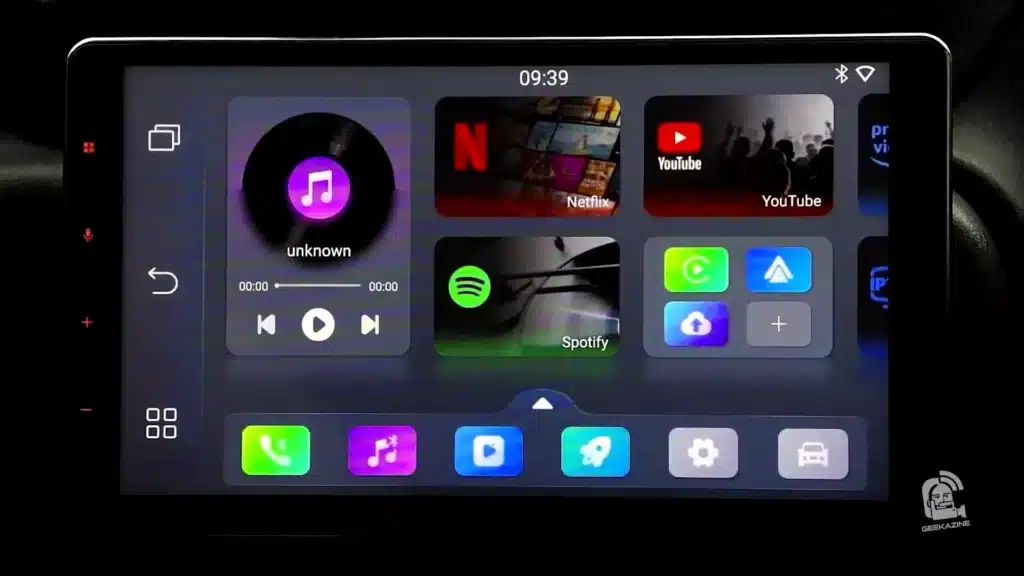 The real power of Pairr Max Pro is flexibility. Going from your daily driver to a rental? Just unplug, move it over, and instantly boot into the same system. That makes it a must-have Auto Hack for frequent travelers or anyone tired of limited infotainment. And since it doesn’t pull your contacts, passwords, or Wi-Fi keys, it’s safer than logging into the car’s built-in OS.
Final ThoughtsGetPairr won’t completely replace factory infotainment, but it’s a clever, portable upgrade that lets you take your Car OS with you anywhere. If you’ve ever sat in a rental car wishing for your playlists and apps, this dongle might be the gadget you didn’t know you needed.
Get the Pairr Max Pro Here!
Check out the Geekazine Merch, including "I AM AI " T-Shirt. Thanks for reading! Don't forget to subscribe to Geekazine:RSS Feed - YouTubeTwitter - Facebook Tip Me via Paypal.me * Send a Tip via Venmo * RSS Bandwidth by Cachefly Get a 14 Day Trial * Be a Patreon: Part of the Sconnie Geek Nation*!
Reviews: Geekazine gets products in to review. Opinions are of Geekazine.com. Sponsored content will be labeled as such. Read all policies on the Geekazine review page.
Reviews: Geekazine is also an affiliate of Amazon
The post Rental Car Hack? Carry Your Own Car OS with Pairr Max Pro appeared first on Geekazine.

Make a Logo on FiverrLast Updated on August 12, 2025 6:38 pm by Jeffrey Powers
If you’re a creator, podcaster, or just someone who loves versatile gear, the BOYA Magic Mic might be your new favorite companion. This AI-powered, transformable wireless microphone combines four mic types into one package—lavalier microphone, boom microphone, handheld microphone, and clip-on—making it adaptable for everything from vlogs to live concerts. With 2.4GHz wireless connectivity, AI noise cancellation up to -40dB, and a 30-hour total battery life (six per mic), it’s built for flexibility without sacrificing audio quality.
A Closer Look at the BOYA Magic MicThe BOYA Magic Mic ships in a compact case packed with accessories: a tabletop tripod, mobile phone adapters (USB-C and Lightning), foam windscreens, furry “dead cat” windshields, and the wireless receiver. Inside the main unit are two ultra-small lavalier capsules—about twice the size of a pill—allowing discreet placement on clothing, hats, or even glasses. You can clip them on or attach them magnetically for a clean look. The mic’s 24-bit/48kHz recording range (20Hz–20kHz) ensures you capture deep bass and crisp highs, whether it’s a booming bass drum or delicate flute notes. A built-in limiter and safety track help prevent clipping, while the AI processing keeps your voice front and center even in noisy environments.
Four Modes, Endless PossibilitiesHandheld – Sleek and lightweight, great for on-camera interviews without the bulky “box-on-a-stick” look. Lavalier – Clip it discreetly or use the magnetic back for hidden placement during interviews or presentations. Boom Mic – Mount it on a stand or camera to capture subjects at a distance. Clip-On – Attach directly to smartphones or cameras for instant recording.
Performance in Real-World ScenariosIn testing, the Magic Mic proved reliable indoors for Zoom calls, live streams, and studio interviews, as well as outdoors at parks and jam sessions. The dead cat windscreen effectively reduced wind noise during nature walks, and its range extended beyond 40 feet in open areas. While 2.4GHz mics can occasionally experience interference, the Magic Mic’s connection stayed stable in most situations.
App Control and Audio CustomizationThe BOYA Magic app provides deep customization options. You can switch between mono and stereo, adjust EQ with presets or custom settings, enable low-cut filters at 75Hz or 150Hz, and choose between weak or strong AI noise suppression. It even supports a “safety track” mode for backup audio in case of unexpected peaks.
Pros, Cons, and Final ThoughtsThe BOYA Magic Mic stands out for its adaptability, discreet dual-lavalier design, and robust accessory kit. Its compact size and magnetic clips make it perfect for backpack streamers, journalists, and vloggers. The main trade-offs are the lack of onboard recording and the occasional wireless dropouts in high-interference zones. Overall, it’s a feature-rich, multi-role microphone that could replace several mics in your kit, especially if you’re on the go and need fast setup options.
Check it out at https://geni.us/boyamagic
Check out the Geekazine Merch, including "I AM AI " T-Shirt. Thanks for reading! Don't forget to subscribe to Geekazine:RSS Feed - YouTubeTwitter - Facebook Tip Me via Paypal.me * Send a Tip via Venmo * RSS Bandwidth by Cachefly Get a 14 Day Trial * Be a Patreon: Part of the Sconnie Geek Nation*!
Reviews: Geekazine gets products in to review. Opinions are of Geekazine.com. Sponsored content will be labeled as such. Read all policies on the Geekazine review page.
Reviews: Geekazine is also an affiliate of Amazon
The post Four Mics in One: BOYA Magic Mic appeared first on Geekazine.

Make a Logo on FiverrLast Updated on August 4, 2025 3:55 pm by Jeffrey Powers
ChatGPT is a great tool for developers looking to speed up their workflow in coding, especially when it comes to building WordPress plugins. This AI coding assistant is a great way to get a code going, however, the experience isn’t always plug-and-play. This is what we’re going to look at today in the video.
Making WordPress Plugins with ChatGPT Making a WordPress Plugin is as simple as asking the AI to do it. Since I’m not a coder, I prefer to make plugins that don’t require user input – anything that could cause a backdoor to the site. These simple, closed door plugins allow me to have the functionality without security risks.
Most Important PartBackup, Backup, Backup. Use a sandbox WordPress – don’t use an active site.
The Plugin I MadeThis is a Bulk Insert Block plugin. You can find it on GitHub. It is without guarantee or support, so test this plugin before you use it.
Versions of GPTThere are a few GPT versions when you pay for it. It’s recommended to use the O4-mini-high for any type of coding, but GPT will work with most of their LLMs.
ChatGPT 5 is ComingI don’t believe we’ll see too many interface differences. I am hoping they’ll add better collaboration efforts on GPT’s end – testing the code for errors, or remember the revisions. If it dramatically changes, I’ll make an update.
Working with ChatGPT – the First HurdleOnce I started making plugins, I noticed a major issue with ChatGPT is Lack of context awareness. While ChatGPT can crank out code snippets at lightning speed, it doesn’t always grasp your project’s specific structure, plugin dependencies, or naming conventions unless you spoon-feed it that detail. That means you’re likely doing a lot of copy-paste, test, tweak, and re-explain — the kind of repetition that adds up fast.
It will not look at the older code going forward. I’ve had code disappear, and GPT rewrite parts that shouldn’t be.
Dynamic WordPress Functions Can Be TrickyAnother speed bump is handling dynamic WordPress functions and hooks. While ChatGPT is pretty solid on core actions and filters, once you move into the weeds of custom post types, AJAX calls, or extending Gutenberg blocks, the generated code can start to fall short or become outdated. It can get you close — but “close” often isn’t enough when you’re deep in debugging mode.
Changing Many ThingsSometimes, it’s best to ask ChatGPT to do one thing at a time. If you give the AI a laundry list, it might forget some or even break other features. You might even have to start from the beginning to get the results you need.
Plugin Architecture Still Needs a Human TouchLet’s not forget plugin architecture. Building a plugin that’s scalable and maintainable requires decisions ChatGPT can’t intuit: Should you use a singleton class? Where should you enqueue scripts? How should you organize files for future updates? The AI can suggest common patterns, but only if you explicitly ask — and even then, the advice may be inconsistent between prompts.
ChatGPT is a Great Collaborator — With LimitsDespite these bumps in the road, ChatGPT is still a powerful partner. It excels at boilerplate code, documentation, quick refactoring, and even ideating new plugin concepts. But it shines brightest when you treat it like a junior dev: helpful, fast, and creative — but always in need of oversight.
Final ThoughtsFor someone like me who can read, but have a hard time creating code, this is a great way to get started on an idea. It also doesn’t hurt to have a plugin checker plugin on your WordPress install to help.
Keep an eye on your logs, and if GPT is making the plugin go haywire, then start over from a backup of when the code is stable. Giving GPT specifics like “error in line 95” is key to getting the code working quicker.
Check it out at https://openai.com and let me know what plugins you’ve coded – for WordPress, Python, or whatever.
Check out the Geekazine Merch, including "I AM AI " T-Shirt. Thanks for reading! Don't forget to subscribe to Geekazine:RSS Feed - YouTubeTwitter - Facebook Tip Me via Paypal.me * Send a Tip via Venmo * RSS Bandwidth by Cachefly Get a 14 Day Trial * Be a Patreon: Part of the Sconnie Geek Nation*!
Reviews: Geekazine gets products in to review. Opinions are of Geekazine.com. Sponsored content will be labeled as such. Read all policies on the Geekazine review page.
Reviews: Geekazine is also an affiliate of Amazon
The post Hidden Roadblocks of Building WordPress Plugins with ChatGPT appeared first on Geekazine.

Make a Logo on FiverrLast Updated on August 1, 2025 11:10 am by Jeffrey Powers
In a digital age where your inbox is littered with robotic-sounding pitches and every blog feels like it rolled off the same AI assembly line, standing out as a human is suddenly revolutionary. Enter Humanize.io — a service designed to transform synthetic-sounding AI content into something that sounds, well… written by you.
Whether you’re a blogger, marketer, or student trying to make your work sound more authentic, Humanize.io might be your secret weapon. The service works like a digital filter for AI-generated text. Drop in your copy, and it runs your words through a series of detectors — including GPTZero.com, ZeroGPT.com, CopyLeaks.ai, and GoWinston.ai — to gauge just how “AI” your text sounds. Then, with a click, it rewrites the text to pass those detectors with flying colors, and more importantly, pass the sniff test of actual readers.
What Makes Humanize.io Tick? At its core, Humanize.io analyzes text structure, complexity, repetition, and predictability — all traits that AI often struggles to mask. Once evaluated, the platform offers rewrites that keep the original meaning but adjust language and cadence to sound more human. And for the most part, it works.
For instance, a blog post run through all seven detectors scored as 100% AI. After humanizing, it bounced back as up to 99% human according to the same tools. That’s a pretty powerful turnaround — and one that might make tools like ChatGPT and Gemini far more publish-friendly with just a little cleanup.
What’s the Catch?The tool isn’t perfect. Some rewrites still trigger false positives in detection tools. Also, there’s a notable lack of customization — you can’t guide tone or style. Want it funnier, smarter, or more casual? You’ll still need to tweak it manually. But for those who just want a second opinion (or a seventh), Humanize.io offers peace of mind in a world increasingly blurred by machine-generated everything.
In a sea of synthetic text, Humanize.io helps you stay grounded — or at least sound like it. Whether you’re looking to polish a video script, a product description, or a pitch that doesn’t start with “We love your content,” this is a tool worth exploring.
Check it out at https://humanize.io (Tracked link)
BTW – This text was run through Humanize. Even though it was human written, it’s a good idea to double-check!
Check out the Geekazine Merch, including "I AM AI " T-Shirt. Thanks for reading! Don't forget to subscribe to Geekazine:RSS Feed - YouTubeTwitter - Facebook Tip Me via Paypal.me * Send a Tip via Venmo * RSS Bandwidth by Cachefly Get a 14 Day Trial * Be a Patreon: Part of the Sconnie Geek Nation*!
Reviews: Geekazine gets products in to review. Opinions are of Geekazine.com. Sponsored content will be labeled as such. Read all policies on the Geekazine review page.
Reviews: Geekazine is also an affiliate of Amazon
The post Humanize AI: Content Without Getting Detected! appeared first on Geekazine.
Make a Logo on FiverrLast Updated on July 31, 2025 12:51 pm by Jeffrey Powers
If you’re a gigging musician like I am, or just looking to take your home practice to the next level, the Jamzone App might be your new favorite tool to add to your music tech library. Built with performers in mind, this app gives you real-time access to professional-quality backing tracks for musicians, complete with multi-stem control, setlist organization, and compatibility across iPad, Android, Mac, and more.
Get the JamZone AppJamZone: A Backing Band in Your Pocket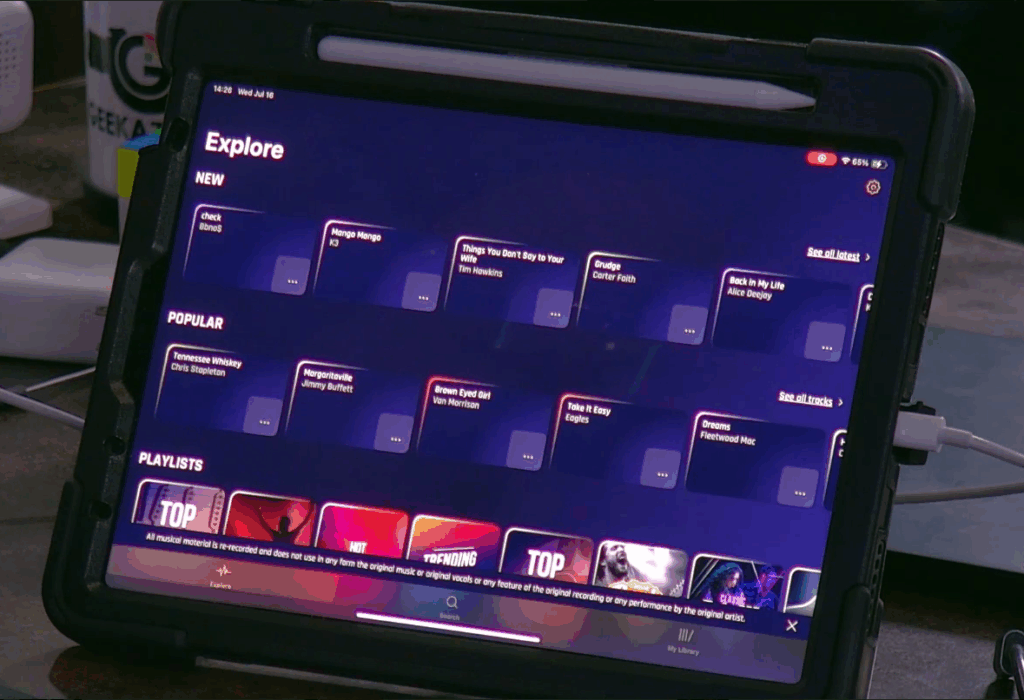 Jamzone comes from the same minds behind Karafun and Karaoke Version— Recisio*. But Jamzone isn’t just karaoke for musicians; it’s a full virtual band. Each track is recorded by studio pros, allowing users to mute vocals, isolate instruments, change pitch and tempo, or loop sections for perfect practice or seamless live performance. You can even send click tracks separately to your in-ears while the audience hears the clean mix.
JamZone has Features for Every MusicianJamzone’s multi-platform compatibility and tiered subscriptions (including a free version) means you can start experimenting right away. With support for music stems, real-time mixing, and even routing to external gear (with Pro subscription), it’s perfect whether you’re playing acoustic guitar at a bar or needing that keyboard track when running a full-stage production. The app’s flexibility allows you to build dynamic, rich arrangements tailored to your unique performance style.
If you’re on iOS, Android, or Mac, you can download the software. Windows users will have to use a program like BlueStacks, which emulates and Android environment (Make sure your Windows PC can handle running this emulator).
Practice, Perform, RepeatWhether you’re practicing that tough bridge for the fifth time or running a full solo set with full-band sound, Jamzone gives musicians the tools they need to sound bigger and more professional—without sacrificing control.
One thing I find really useful is to solo the track you’re practicing. The Riff will be clear and easy to hear, and if you select the section repeat, you can play through it a few times before going back to the whole song.
Prices of JamZoneThere are three subscription model prices, the free tier – giving you limited songs to practice, the Standard tier ($9.99/mo) which is for at-home use, and the Pro tier ($19.99/mo) for playing out.
Check it out at JamZone.app *Affiliate link
Check out the Geekazine Merch, including "I AM AI " T-Shirt. Thanks for reading! Don't forget to subscribe to Geekazine:RSS Feed - YouTubeTwitter - Facebook Tip Me via Paypal.me * Send a Tip via Venmo * RSS Bandwidth by Cachefly Get a 14 Day Trial * Be a Patreon: Part of the Sconnie Geek Nation*!
Reviews: Geekazine gets products in to review. Opinions are of Geekazine.com. Sponsored content will be labeled as such. Read all policies on the Geekazine review page.
Reviews: Geekazine is also an affiliate of Amazon
The post Jamzone: Backing Tracks Built for Real Musicians appeared first on Geekazine.

Make a Logo on FiverrLast Updated on July 25, 2025 10:53 am by Jeffrey Powers
DSLR shooters have an advantage that most PTZ camera owners don’t – until now. OBSBOT Tail 2 solves the issue of shooting with a PTZ on a bright sunny day- overexposed skies, washed out faces, hours of post-editing.
The OBSBOT Tail 2 ND Filters are a small accessory that will help capture the clouds and the faces without maxing out shutter speed and ISO.
How Tail 2 ND Filter Works They simply function like if you put sunglasses on. It enables you to shoot nice, clean, and well-balanced shots without sacrificing clarity.
The Tail Air has ND Filter Kits for both the Tail 2 and the Tail Air cameras. The kit includes 4 ND filters: ND8, ND16, ND32, and ND64 rings. They push onto the camera while the counterbalance rings keep weight distribution even so the motor doesn’t get taxed.
These filters can help control harsh lighting when at outdoor events – from a soccer game, to a park concert. It also protects your lens if it has to be set pointed at direct sunlight.
In the VideoI go through the 4 filters, and see how this changes the look of the video in these hard light situations.
Get the Tail 2 ND FiltersYou can get the filters for the Tail 2 here, or the Tail Air here (affiliate codes)
If you don’t have the Tail 2, you can purchase here!
Check out the Geekazine Merch, including "I AM AI " T-Shirt. Thanks for reading! Don't forget to subscribe to Geekazine:RSS Feed - YouTubeTwitter - Facebook Tip Me via Paypal.me * Send a Tip via Venmo * RSS Bandwidth by Cachefly Get a 14 Day Trial * Be a Patreon: Part of the Sconnie Geek Nation*!
Reviews: Geekazine gets products in to review. Opinions are of Geekazine.com. Sponsored content will be labeled as such. Read all policies on the Geekazine review page.
Reviews: Geekazine is also an affiliate of Amazon
The post How the OBSBOT Tail 2 ND Filter Boosts Your Outdoor Footage appeared first on Geekazine.

Make a Logo on FiverrLast Updated on July 9, 2025 2:56 pm by Jeffrey Powers
Samsung Unpacked 2025 was a statement as to where mobile tech is going since the CES interview. AI, hardware and premium design all combine in one sleek package. The focus was on the Galaxy Z Fold 7, but it also announced the Z Flip 7 (including a lower cost FE model) and the Galaxy Watch 8 series. Here’s the full breakdown.
 Galaxy Z Fold 7: Power, Performance, and PortabilityThe Galaxy Z Fold 7 is Samsung’s slimmest fold yet, as they wanted to make it feel like a regular phone when closed. It comes with a 200MP primary camera, Gorilla Glass Ceramic 2 for the cover screen and a titanium-reinforced body that comes with a new ArmourFlex hinge.
Armor FlexHingeThis reengineered hinge features a Dual CAM mechanism to reduce screen wobble, minimize the possibility of re-creases on the main display, and opens up to a full 160°.
Snapdragon 8On the inside, it’s powered by the Snapdragon 8 Gen 4 for Galaxy, with a 38% CPU boost, 41% NPU boost, and 26% GPU jump. One UI 8 on Android 16 and Google Gemini Pro come out of the box, making this an AI-driven monster of productivity. Thanks to tools like Gemini Live and AI summaries that keep up with scrolling, this phone is blurring the line between the smartphone and the digital assistant.
Priced at $1,999.99, it can be preordered now and will ship July 25.
Order the Z Fold 7 Here (affiliate)Galaxy Z Flip 7 & Flip 7 FE: Small, fashionable, intelligentFor a more pocketable device, the Galaxy Z Flip 7 delivers with a 4.1-inch Flex Window and full 6.9-inch main display. That outside screen boasts a 120Hz refresh rate, and you can access more than 20 apps, messaging and even a game of pinball. Yes, you can, play some pinball without cracking open the phone.
Flip 7 still boasts a solid 50MP shooter and Samsung’s Pro Visual engine to get some high quality results from it. You also get longer battery life — up to 8 additional hours of video playback.
At a minimum of $1,099.99, it’s accompanied by a Flip 7 FE (Fan Edition) model at the lower cost of \$899.99. They’re both available in black or white and will ship starting on July 25.
Order the Z Flip 7 HereGalaxy Watch 8 series: smarter health, sleeker designSamsung released three new wearables in the Galaxy Watch 8 range, too. Base Watch 8 is on sale starting at $349.99 (40mm Wi-Fi) with LTE adding roughly $50. The Watch 8 Classic climbs to $500, re-introducing the popular rotating bezel, the 3nm processor, and enhanced bioactive sensors.
The standout? The Galaxy Watch Ultra, which costs $650. That includes a Titanium Blue case, 64GB of storage, 100-hour battery life and 10ATM water resistance, which suggests wearers will be able to take it a bit more rugged environments for their trek or extreme workouts. * all Watches feature Gemini AI on-device to provide greater battery performance and is able to respond to “Hey Google” directly on the device without your phone.
With features like antioxidant and vascular load tracking, these watches are all the way in the deep end of the pool of preventive health.
Get the Watch 8 HereAnd, Finally: The AI Era Is Now Officially Folded InThe message from Samsung at Unpacked 2025 was simple: mobile AI is not just a gimmick – it’s seamless, intuitive, and obligatory. No matter if you’re Team Fold, Team Flip or Team Watch Ultra, there’s a device in here that’s been built to help take your lifestyle to the next level. And if you commit to the buyback program here, the upgrade just got a hair easier.
Check it out at https://geni.us/galaxyunpacked2025
Check out the Geekazine Merch, including "I AM AI " T-Shirt. Thanks for reading! Don't forget to subscribe to Geekazine:RSS Feed - YouTubeTwitter - Facebook Tip Me via Paypal.me * Send a Tip via Venmo * RSS Bandwidth by Cachefly Get a 14 Day Trial * Be a Patreon: Part of the Sconnie Geek Nation*!
Reviews: Geekazine gets products in to review. Opinions are of Geekazine.com. Sponsored content will be labeled as such. Read all policies on the Geekazine review page.
Reviews: Geekazine is also an affiliate of Amazon
\The post Samsung Unpacked 2025 | Full Recap: Z Fold 7, Z Flip 7, Watch 8 appeared first on Geekazine.

Make a Logo on FiverrLast Updated on July 7, 2025 4:54 pm by Jeffrey Powers
The Roku Indoor Camera isn’t just another webcam—it’s part of Roku’s growing push into the smart home and IoT ecosystem. Best known for their media players and TVs, Roku is expanding its offerings with a range of smart devices, including indoor and outdoor cameras, plugs, and lighting options.
What’s in the Roku Indoor Camera?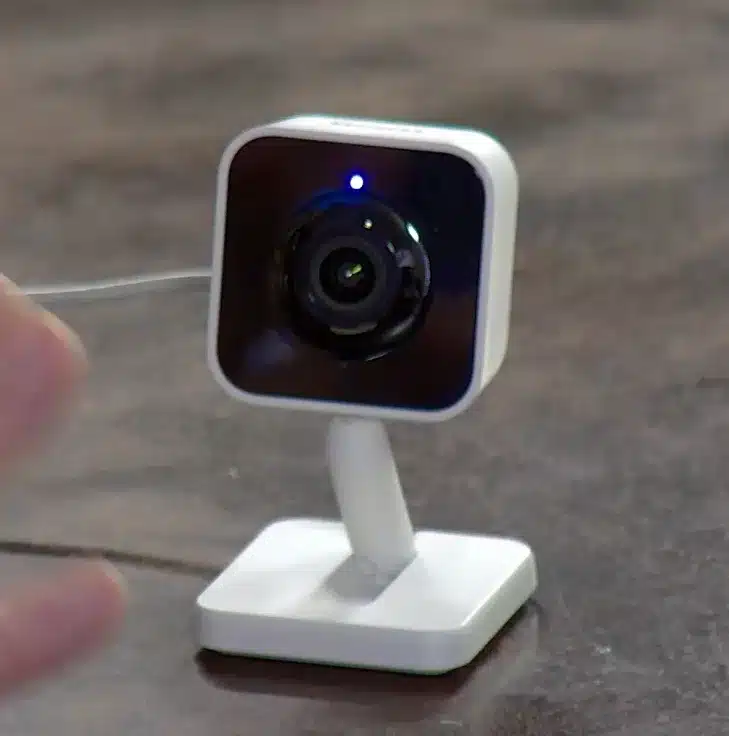 This 1080p indoor camera is packed with features you’d expect from more established security brands. It includes night vision, motion detection, cloud storage options, and live view via the Roku Smart Home app—available for both iOS and Android. Inside the box, you’ll find the camera, a USB-C to USB-A power cable, a wall/ceiling mounting kit, and a standard 5V/1A adapter.
SetupSetup is straightforward—but with one catch. Like many IoT devices, this camera only supports 2.4GHz Wi-Fi, so users with a Wi-Fi 6 setup may need to create a guest network for compatibility. Once connected, the camera is managed through Roku’s dedicated smart home app, not the standard Roku app—so don’t get them confused.
IntegrationWhere things get cool is Roku’s tight integration between devices. You can view your Roku Indoor Camera directly from your Roku TV, which means you can check in on your living room, pets, or entryway without reaching for your phone. Just access the Roku Cameras app on your TV, and live feeds from your devices are front and center.
Even better, the camera supports automation. You can create rules based on motion detection, schedule when the camera turns on or off, and even trigger actions based on your location. Want the lights to turn on when the camera sees you walk in the door? It can do that. Paired with Roku’s other smart home products, it becomes a central piece of a low-cost, DIY home security system.
Storage and Cloud OptionsWhile there’s no microSD slot for local storage, cloud-based features allow users to access video history, set alerts, and categorize events like pet movement.
Roku Indoor Camera PriceThe Roku camera itself is $44 for 2 cameras. However, the cloud service has 2 price points – $3.99 per camera, or $9.99 for all cameras (with an annual fee of $99.99). At its price point, it’s a good choice for anyone already in the Roku ecosystem or looking to dip their toes into smart home tech without spending a fortune.
Check it out at https://geni.us/rokuindoorcamera
Check out the Geekazine Merch, including "I AM AI " T-Shirt. Thanks for reading! Don't forget to subscribe to Geekazine:RSS Feed - YouTubeTwitter - Facebook Tip Me via Paypal.me * Send a Tip via Venmo * RSS Bandwidth by Cachefly Get a 14 Day Trial * Be a Patreon: Part of the Sconnie Geek Nation*!
Reviews: Geekazine gets products in to review. Opinions are of Geekazine.com. Sponsored content will be labeled as such. Read all policies on the Geekazine review page.
Reviews: Geekazine is also an affiliate of Amazon
The post Roku Indoor Webcam: The Cool Things it can Do! appeared first on Geekazine.
Make a Logo on Fiverr Last Updated on June 18, 2025 10:33 am by Jeffrey Powers I was asked to review the website GenTube.app – an AI that is free and has unlimited use. And although they sponsored this video, I found it’s a pretty impressive SaaS to make some cool images. What is Gentube.app? […]
The post Real Time AI that is Free & Unlimited? GenTube.App appeared first on Geekazine.
Make a Logo on Fiverr Last Updated on June 16, 2025 8:44 am by Jeffrey Powers A couple years ago, I got to experience the Ronin Gamer Glasses from Urban Samurai. But there are more frames available than these unique frames, as Urban Samurai has several pairs to choose from. And I get to check […]
The post Urban Samurai Sensai Glasses for Gaming, Everyday Use appeared first on Geekazine.
Make a Logo on Fiverr Fender’s new Studio app makes it easy to capture music on the go—whether you’re on a phone, tablet, or desktop. It’s free, cross-platform, and ideal for quick demos, jam sessions, or laying down full tracks without the usual complexity. Fender Studio is a Simple Setup Right from the home screen, […]
The post Fender Studio App: Make Music Anywhere, Anytime appeared first on Geekazine.
Make a Logo on Fiverr Last Updated on June 6, 2025 7:45 am by Jeffrey Powers If you’ve ever felt overwhelmed trying to optimize your site for search engines, Yoast SEO is a plugin that will help you learn as you create your content. Whether you’re running a blog on WordPress or building a storefront […]
The post How to Use Yoast SEO: Breadcrumbs, Cornerstone Content & AI Explained appeared first on Geekazine.
Thunderbolt 5 enclosure ACASIS has a device that can get up to 6000 MB/s speeds. We check out the drive and see some glaring issues.
The post When It Works, When It Fails – ACASIS TB501 Pro Thunderbolt 5 Tested appeared first on Geekazine.
Make a Logo on FiverrLast Updated on August 21, 2024 12:06 pm by Jeffrey Powers
Did you know you can download and install AI on your computer? This is Vibe AI – an open source software (found on GitHub) that allows you to transcribe video, audio, and even your ramblings as you speak.
Why Put Vibe AI on Your Computer?Normally, I would pull up a Google Document, then hit the mic to turn on speech to text, like I said in Scripting my YouTube Video. It’s a great feature, but I’ve run into some snags. Mainly, the mic turns itself off if it doesn’t think it’s listening to anything to transcribe.
Add to it, this only works for direct audio to text. I cannot put an audio file and have it transcribe.
Get Vibe AI Transcribe on GitHub
No Internet NeededThe biggest reason is because having Vibe on the computer means you don’t need Internet access for it to work. I can plug in a wireless mic, get it up close to the speaker, and record audio or have it directly transcribe to the app.
How Vibe WorksYou can use it in two ways:
Existing Audio/Video fileLoad up any audio format (including video formats) into Vibe and start the translation. Depending on computer resources, and length of file, the transcription will happen and you will see it real-time. I demonstrated using a 35 minute file, and it took around 8-10 minutes with standard settings.
Talk to TypeThis is not in real time – the system will record the audio, then transcribe. Choose your microphone, and hit the button – you can even choose to keep the audio your recorded for post reference.
Files are recorded in WAV format.
Small CaveatThe “Stop Record” does not have a fail-safe. A couple times I hit the button, and then accidentally hit stop, only capturing 3-4 seconds of audio.
Create SRT Style DocumentsIf you choose TXT you simply get the transcription, however, if you switch to SRT, VTT or even JSON you will get time stamps of what you said, when you said it. That will allow you to put it into podcasts – put it into videos – so you can have transcriptions for some of your other media.
For this section, I used Vibe by talking into the mic and transcribing (having to do small edits for the paragraph above). Below is what the converted SRT looks like
1
00:00:00,000 –> 00:00:07,140
If you choose text you simply get the transcription however if you switch to SRT,2
00:00:07,140 –> 00:00:13,280
VTT or even JSON you will get time stamps of what you said when3
00:00:13,280 –> 00:00:19,720
you said it. That will allow you to put it into podcasts put it into videos4
00:00:19,720 –> 00:00:27,980
so you can have transcriptions for some of your other media.
Edit from the TranscriptionOnce you’ve transcribed, you can save the file verbatim, or edit right from the window. Keep in mind, if you are using this for SRT or VTT mode, you must keep the timestamps in to keep it properly aligned.
Importing with a video/audioI used one to import into my video, one for the SRT on this episode that goes to iTunes, and one to replace YouTube. All three transcriptions line up quick and easy.
Transcription, Not TranslationKeep in mind, it will transcribe from multiple languages, but it will not translate. So if you’re looking for an AI translation, you can upload the file to ChatGPT and (depending on the file and your version of GPT) it will translate.
Why Not Use ChatGPT, Gemini for Transcription? Simply put, ChatGPT and Gemini don’t have this option in their main offering. OpenAI (ChatGPT) does have a
From ChatGPT on transcription**:
Yes, you can transcribe audio using several methods and tools! Here are some options you can explore:
- Google Docs Voice Typing* If your audio is clear and you can play it through your speakers, you can use Google Docs’ built-in voice typing feature.
- Steps:
- Open Google Docs.
- Go to
Tools>Voice Typing.Play the audio file and let Google Docs type out what it hears.
Transcription Software/Tools Otter.ai*: Provides real-time transcription and works well for meetings and interviews. Otter
- Descript: Great for editing and transcribing audio with extra features for podcasters and content creators.
Microsoft Word: The web version has a built-in transcription feature under
Home>Dictate>Transcribe.Online Speech-to-Text Tools Google Speech-to-Text API*: Advanced and customizable, but requires some setup.
Whisper by OpenAI: An open-source model that provides accurate transcriptions, especially for diverse accents and noisy environments.
Mobile Apps Google Recorder* (Android): Automatically transcribes recordings in real-time.
Apple’s Voice Memos (iOS): You can combine it with Siri for basic transcriptions.
Manual Method* You can manually listen to the audio and type out the transcription if the content is short and doesn’t require extensive automation.
Depending on your needs, some of these tools are free, while others may require a subscription or one-time purchase. Let me know if you’d like more detailed guidance on any of these options!
Other Home AI Devices I talked about Fooocus, which allows you to make images from your computer * I reviewed the HiDock H1*, a sound interface that allows you to transcribe.
Final ThoughtsThe program works as expected. I was able to take the text, build AI descriptions, change to SRT and upload on platforms, and much more. The program has limited recording options, so may be better to record audio separate, then move the audio file into Vibe.
I can change settings, use different gglm files, and completely customize it for what I am transcribing. Definitely worth downloading onto a computer!
Get Vibe AI Transcribe on GitHub
*This article is 98% home written. Only section from AI came from the quote ChatGPT gave on transcription.*
Check out the Geekazine Merch, including "I AM AI " T-Shirt. Subscribe to Geekazine:RSS Feed - Via YouTubeTwitter - Facebook Tip Me via Paypal.me * Send a Tip via Venmo * RSS Bandwidth by Cachefly Get a 14 Day Trial * Be a Patreon: Part of the Sconnie Geek Nation*!
Reviews: Geekazine gets products in to review. Opinions are of Geekazine.com. Sponsored content will be labeled as such. Read all policies on the Geekazine review page.
The post Vibe AI: Transcribe Audio Through Your Computer appeared first on Geekazine.
Make a Logo on FiverrWhat’s up, geeks! Today, we’re diving into a topic that’s bound to stir up some controversy in the content creator community. Is Taja AI the ultimate YouTube optimization hack, or just another tool in the never-ending quest for views?
Let’s face it—YouTube is a competitive battleground where every view counts. But what if I told you there’s a tool that could give you a serious edge? Enter Taja AI, a platform designed to supercharge your YouTube channel by optimizing everything from your titles to your thumbnails. But before you jump on the bandwagon, let’s break down whether Taja AI is really the game-changer it claims to be.
Get Taja and see for Yourself (affiliate)Cracking the Code of YouTube’s AlgorithmYouTube’s algorithm is ever changing (and sometimes ever confusing), so keeping up with its constant changes can feel like trying to solve a Rubik’s cube blindfolded. As new ideas emerge from creators trying to make their views grow, and the retention longer, YouTube learns and evolves.
So that means you either need to learn the rules as they change, hire someone who does, or use a tool that will help keep it in-line.
Enter in Taja.AITaja AI promises to be the ultimate hack, providing suggestions that are not just helpful, but potentially game-changing. From SEO-friendly titles to perfectly timed shorts, Taja claims to do it all—and fast.
But here’s where things get interesting:
- Is relying on AI to optimize your content really the best move?
- Sure, Taja can whip up a description in seconds, but does that mean it’s worth the $29.99 monthly price tag?
- And in all reality, how accurate is this AI assistant?
Some creators swear by the human touch, arguing that AI could strip away the authenticity that audiences crave. On the other hand, in a world where algorithm dominance equals success, can you afford not to use every tool at your disposal?
The Power of Automation—or the Loss of Authenticity?I use AI in many forms to make even this content because sometimes it’s simply hard to get started on a unique article that captures attention. But in the end, after I copy the words, I still have to put the editor hat on. In all reality, that is no different than if I pay a person to write the article for me.
This article, for example is about 65% AI written. This sentence – I put in.
So when it comes to doing that for YouTube posts (because I see many YouTubers simply ignore adding data in the description other than the “default” text), Taja AI isn’t just about saving time—it’s about maximizing potential. The platform offers a range of features designed to boost your channel’s visibility and engagement.
From generating compelling thumbnails to crafting detailed descriptions and selecting the tags to consider, Taja aims to take the guesswork out of YouTube optimization.
But here’s the rub: Does all this automation make my content better, worse, or is it simply ignored? Relying too heavily on AI could dilute your personal touch, but as I said before: it’s better than putting nothing in the description.
How Does Taja.AI work? Taja.ai offers a suite of tools that go beyond basic automation. It analyzes video content and generates titles, descriptions, tags from the content within the video. Taja also creates ideas for YouTube shorts and thumbnails.
When you put a video in, you can choose what keywords you want. For this video, I put in keywords “taja.ai, YouTube optimization, AI SEO, YouTube AI, Taja AI”.
You then give it some filters, including tone, and language. Tone would include if you want the text to be controversial (“Why should you use Taja.ai”), uplifting (“Taja.ai is a remarkable tool”), professional (“Taja.ai is a great marketing tool”), along with click-ability, and minimalistic options.
GeekAI Today ShirtGet the Geekazine Merchandise!T-Shirts, mugs, and other cool swag that help support the website!
On AmazonTaja Step by StepThe video is a step by step process of adding to your video. From making the initial title, cultivating a good description, creating the thumbnail, and even getting ideas for YouTube Shorts (or Reels or TikTok).
HashtagsThese are just like Twitter (X) hashtags. But keep in mind – YouTube has stated not to overuse these, or your video will not be put into the algorithm. I like to use 10-12 relevant hashtags on most videos.
Chapter MarkersThis is somewhat overlooked by many, but good chapter markers are a great way to get someone to watch a video – especially the part they are really interested in. Taja will give you a set of chapter markers AI thinks is important.
Video Analytics and AnalysisOnce the video is done and published, you can then review
But Is Taja AI Worth the Hype—and the Cost?So, is Taja AI the ultimate YouTube optimization tool? At $29.99 a month, it’s not cheap, but the potential benefits could far outweigh the cost. For creators who understand the value of SEO and the importance of staying ahead of the algorithm, Taja offers a powerful set of tools that can make a real difference.
However, if you’re more concerned with maintaining a hands-on approach to your content, Taja might not be for you. The key is finding the right balance—using AI to enhance your content without losing the personal touch that keeps your audience coming back for more.
The Verdict: Adapt, Evolve, or Get Left BehindPros* It gets the transcript and uses your keywords to make an all around description * It gives you a good list of titles to choose from, or you can culture your own. * It adds flair (like emojis) for you to consider.
Cons* The app makes too many hashtags, and some are from other videos, so they make no sense in the video you are creating. * Key terms like “Stopped by” and “talked with” are thrown in, even though I never stopped by anywhere or talked to anybody. * Shorts are somewhat editable, but I want to cut out certain sections to make a better video.
Meh* Some of the content is formulaic. Titles are a good example, as after about 4-5 videos you can see patterns * I wish I could tell the app to only focus on certain areas. Maybe a checkbox for “Add hashtags” or “plan my chapters”. I still remove 50-60% of the suggestions * At the time of this video, Taja announced a new thumbnail system where it adds your face, but I need it to be less AI generated and more “add a photo and we’ll make magic”.
In the fast-paced world of YouTube, staying ahead of the curve is crucial. Taja AI offers a way to help do that, giving you tools to optimize your content like never before. Whether you see it as a game-changing hack or a shortcut that comes with a price, one thing is clear: AI is here to stay, and those who adapt will thrive.
Get Taja and see for Yourself (affiliate)
So, what’s your take? Is Taja AI the ultimate YouTube optimization hack, or just another tool in the digital toolbox? Let’s get the conversation started in the comments. And if you’re ready to see Taja in action, head over to YouTube to check out my latest videos, where you can see how Taja’s magic unfolds.
Check out the Geekazine Merch, including "I AM AI " T-Shirt. Subscribe to Geekazine:RSS Feed - Via YouTubeTwitter - Facebook Tip Me via Paypal.me * Send a Tip via Venmo * RSS Bandwidth by Cachefly Get a 14 Day Trial * Be a Patreon: Part of the Sconnie Geek Nation*!
Reviews: Geekazine gets products in to review. Opinions are of Geekazine.com. Sponsored content will be labeled as such. Read all policies on the Geekazine review page.
The post Is Taja.ai the Ultimate YouTube Optimization Tool? appeared first on Geekazine.
Make a Logo on FiverrThe geeks over at OBSBOT have come out with a new app that will allow you to switch between cameras via phone. OBSBOT LIVE is an app that sets up cameras, then gives you switching ability between the cameras.
Exploring OBSBOT Live: The Ultimate Phone Camera SwitcherThe OBSBOT Live is a powerful device that transforms your phone into a versatile camera switcher, making it easier than ever to send video to platforms like YouTube via RTMP. With its innovative phone camera switcher capabilities, OBSBOT Live allows you to stream directly from your mobile device to other services. This feature is designed to integrate seamlessly with the upcoming OBSBOT Vision device, promising even more flexibility and control for content creators.
Get the Tail Air (And Tiny 2)You can purchase through OBSBOT (use code Geek5), or through Amazon.
We also looked at the OBSBOT remote, NDI Upgrade, and 360 Play More battery. For your computer, we checked out the OBSBOT Tiny, OBSBOT Tiny 2, and newest Tiny 2 Lite.
**All of these links are affiliate links
Key Features and Specifications Multi-Camera Streaming: Connect up to three OBSBOT cameras via Wi-Fi, compatible with platforms like YouTube, TikTok, and Facebook (coming soon). * Multiple Shooting Modes: Choose between Platform Streaming and Screen Streaming, supporting both Landscape and Portrait modes. * Creative Canvas Customization: Automatically fill and customize up to three canvases for a personalized streaming experience. * Audio Management: Use the built-in audio mixer panel to manage and monitor audio from connected devices for professional-quality sound. * Integrated Features: Enjoy PTZ control, AI enhancements, image adjustments, and multi-camera recording. * Smart Remote Controller:* Enhance your control experience with the OBSBOT Tail Air Smart Remote Controller for intuitive operation.
Compatibility with Android and iOSThe OBSBOT Live app is compatible with both Android and iOS devices. I tested it on an Android phone running version 12 and an iPhone 12, and it worked flawlessly on both. The app requires iOS 16 for Apple devices, ensuring that users can take advantage of the latest features and updates.
Use with Amazon Fire TabletIn addition to smartphones, the OBSBOT Live app can be installed on an Amazon Fire Tablet. This provides a convenient option for those looking to use a backup tablet for their streaming needs, expanding the versatility of your streaming setup.
On-App Options and FeaturesSupersourceThe OBSBOT Live app offers three customizable canvases, allowing you to tailor your stream’s appearance through the settings. You can select all three canvases in your switcher, providing multiple layout options for dynamic live streams.
TransitionsEnhance your broadcast with six different transitions, ranging from smooth fades to sharp cuts. For those who prefer simplicity, selecting “None” provides a straightforward cut between scenes.
Audio DevicesEach camera can be configured for audio capture, or you can opt to disable audio for a more curated sound experience using a single device. The app includes audio faders to help you balance levels across multiple inputs.
AI-Powered Blur and FiltersOBSBOT Live offers AI-powered features that enable each camera to blur the background and apply filters to the scene. This is especially useful for achieving a consistent look across all your cameras, enhancing the overall professionalism of your stream.
Test VideoDuring setup, I conducted a live stream using the OBSBOT Live app. Check out the results here: YouTube Live Test.
Pros, Cons, and MEHPros: Easy Setup: The cameras are simple to set up, and the OBSBOT remote control (Bluetooth required) adds convenience. * RTMP Streaming:* Supports RTMP streaming, along with direct streaming to YouTube and Twitch via their APIs.
Cons: Portrait Mode Limitation: Currently, the only way to stream in portrait mode with the Tail Air camera is to physically rotate the camera 90 degrees. * Blur Feature Lag: Applying the Blur feature can cause camera lag. * Face-Only Blur:* The Blur feature is limited to facial recognition, which may not suit all streaming scenarios.
Meh: Transition Setup:* Transitions must be selected during the initial setup and cannot be changed during the live stream.
Overall, OBSBOT Live is an intuitive and user-friendly app, and the test stream delivered impressive results. As this software has recently exited the BETA phase, I anticipate significant improvements and new features in the coming months, enhancing the phone camera switcher experience for all users.
For more details on the OBSBOT Live app, visit the OBSBOT website.
This video was sponsored by OBSBOT, but all opinions are of Geekazine. Check out Geekazine.com/review for more information.
Subscribe to Geekazine:RSS Feed - Via YouTubeTwitter - Facebook Tip Me via Paypal.me * Send a Tip via Venmo * RSS Bandwidth by Cachefly Get a 14 Day Trial * Be a Patreon: Part of the Sconnie Geek Nation*!
Reviews: Geekazine gets products in to review. Opinions are of Geekazine.com. Sponsored content will be labeled as such. Read all policies on the Geekazine review page.
The post OBSBOT Live First Look! New Camera Switcher app for OBSBOT Tail Air! appeared first on Geekazine.
Make a Logo on FiverrWhile I am using my own words, I am filtering though AI to make something more. Because of this, I am trying not to edit this article too much. When I get into more of a rhythm, I will be using AI to create, but I will ultimately be editing to give it my own voice.
Keep in mind, AI will create posts on what you ask. I asked this to focus on the fact I am making a script for a YouTube video, and to make it sound a little more professional. View the Full Document with scripts here.
BTW – I used Suno AI to make the music.
Hello, tech enthusiasts! Jeffrey Powers here from Geekazine, bringing you into the world of AI-driven content creation. Today, I’m exploring an exciting new approach: using text-to-speech and AI to transform my raw thoughts into refined content, including scripts and blog posts. While I’m still learning the ropes and researching the tools, AI assistance is helping me streamline and enhance my content. But here’s the big question: will it make my videos better?
The AI Revolution in Content CreationThe rapid advancement of AI technology is reshaping how we produce content. Imagine not having to type out your ideas or even think about structuring your speech. With AI, I can handle the basic tasks, like drafting a product review or organizing my ideas, without lifting a finger. For example, OpenAI can provide a quick product description, saving time that I can then spend refining my content.
From Raw Data to Polished ScriptsAI helps me sketch out my ideas, offering a foundation I can build upon. Take my YouTube videos, for instance. I can speak freely, capture the transcript, and let AI transform it into a polished script. But can you spot the AI-generated content?
To test this, I’m publishing my raw, unedited speech text alongside the AI-generated script. I’ll also compare it with another AI tool, Gemini, to highlight the differences. I expect these AI scripts to add a touch of humor and creativity.
AI as Your Personal AssistantAs I speak into my phone to transcribe this document, I’m using AI to streamline my content creation process. Whether it’s a blog post, book, or script, AI makes it easy to capture and refine my thoughts. I’ve even used this method at events to transcribe speeches. With raw text in hand, I can craft scripts, blog posts, or presentation summaries with ease.
AI’s accuracy is impressive, even with niche terms or fast speakers. It consistently gets “Geekazine” right! This flexibility lets me work on content wherever I am, whether I’m commuting, walking, or at my desk.
Streamlining the Creative ProcessUsing AI in content creation is like having a virtual assistant by your side. By articulating my thoughts now and crafting a script, I reduce the chances of stumbling over words. And if I do, editing can fix it. This approach helps me work smarter, not harder.
Of course, not all videos need a script. Sometimes, spontaneity is key, like in live events or interviews. Finding the right balance between short and long content is crucial for YouTube. Some reports suggest that starting with shorts might frustrate subscribers if your channel is known for long-form content. I’ve experimented with both formats, using AI to generate shorts from longer videos.
Navigating Short-Form Content ChallengesShort-form content often gets lost in the endless scroll of social media feeds. Your video might just be a drop in the ocean of content. This experiment focuses on creating engaging long-form content with a few shorts sprinkled in. It’s about refining a raw idea into a compelling script and sharing it with you.
Speaking directly into my phone might not be captivating, but this method ensures clarity and focus. I remember the early days of speech recognition, about 20 to 30 years ago, when the software was frustrating. Today, you can speak and have your content accurately transcribed with just a tap.
Your Take?What do you think? Do you prefer spontaneous, off-the-cuff videos with minimal editing, or content that’s been thoroughly refined? Share your thoughts at geekazine.com or youtube.com/Geekazine. Don’t forget to like, subscribe, and hit that notification bell to stay updated. Thanks for tuning in – geek out and create on!
Subscribe to Geekazine:RSS Feed - Via YouTubeTwitter - Facebook Tip Me via Paypal.me * Send a Tip via Venmo * RSS Bandwidth by Cachefly Get a 14 Day Trial * Be a Patreon: Part of the Sconnie Geek Nation*!
Reviews: Geekazine gets products in to review. Opinions are of Geekazine.com. Sponsored content will be labeled as such. Read all policies on the Geekazine review page.
The post ChatGPT or Gemini AI for Scripting My Future Videos? appeared first on Geekazine.
Make a Logo on FiverrGrowing AI technologies continues to astonish. With open source Large Learning Models like Llama getting small enough to fit on a phone, we can start to bring our hardware into play and make the images without sending prompts to servers and use Internet bandwidth to make that image.
Today we explore Fooocus, an Open Source AI art creation tool that can run locally on your machine. But we’ll put this software on an older machine to show you don’t need the latest and greatest computer to make AI art from home.
- Woman on the road – Made with Fooocus
- An Eye – Made with Fooocus
- Man in a Box – Made with Fooocus
- Man on Computer – Made with Fooocus
- Mountain side cabin – Made with Fooocus
- Cameraman – Made with Fooocus
- Super America – Made with Fooocus
- Cat in a suit – Made with Fooocus Advantages to FooocusThe software easily can be installed, with 3 modes you can run – normal mode, realistic mode, and anime mode. The best part is this software can also run without an Internet connection. A simple set of default models will be on the computer that can render a lot. From simple objects to beautiful landscapes, character creators and fun projects.
With this being web-interface software, you can run a computer with Fooocus at your home, then access via other computers or mobile devices. That way, if you’re preparing a keynote on your iPad, you can get images from the computer.
Caching and History Fooocus will have all images stored on the local machine, with a full metadata history of the image. So you can copy the prompt, and use it again to try and recreate a similar image.
Create a Familiar LookI am always looking for the option where I can put my image into the generator so it will recreate me in different poses for things such as YouTube thumbnails. Software like this can be used to make avatars (like AI Instagram Influencers).
Fooocus Pro ModelFooocus does have a online Premium plan starting at $9.90/month (annually). You can play with the interface using the free model at https://fooocus.one/playground
Installing Fooocus on an Older MachineTo showcase the Fooocus Open Source Software, we’ll be using a Gateway laptop from 2020-2021, which, despite its age, meets the minimum system requirements for running Fooocus. This laptop is equipped with an Intel Core i5 processor, originally 8 GB of RAM (upgraded to 16 GB), and an NVIDIA GeForce RTX 2060 (mobile) graphics card (6 GB DDR).
Important run all driver updates along with Windows update. NVIDIA needs to be on the latest drivers to use CUDA with Fooocus.
This was tested on Windows 11 with the latest updates.
Performance EvaluationRunning Fooocus on the Gateway laptop revealed the software’s ability to utilize both CPU and GPU resources effectively. Memory was pushed past the 8 GB limit, but longer periods of rendering could cause this machine to eventually overheat or even Bluescreen. We were lucky, though – no errors in any of the images produced (in any of the versions).
Advanced Features and SettingsFooocus offers several advanced settings to enhance the AI art creation experience:
- Quality vs. Speed: Users can prioritize either image quality or the speed of generation.
- Output Formats: Options include PNG, JPEG, and WebP formats.
- Negative Prompts: Allows users to specify elements they do not want in the generated images.
- History Log: Enables review and replication of previous prompts and settings for consistent results.
Offline CapabilitiesOne of Fooocus’ standout features is its ability to function offline. While generating highly specific images without internet access can be challenging, the software still manages to produce satisfactory results.
I created several images that came out with decent results.
I ran the prompt “Kicking a soccer ball into the Taj Mahal”. The offline version did not produce the iconic structure, whereas when connected to the Internet, I was able to get it to work.

 My ThoughtsFooocus represents a significant advancement in AI art creation, bringing powerful capabilities to personal computers. It runs on Windows, Linux, and Mac (with additional setup required to circumvent the NVIDIA GPU standard). While performance is optimal on modern, high-spec machines, Fooocus remains functional on older hardware.
Have you experimented with Fooocus or other AI image creation software on your laptop? Share your experiences in the comments below or join the conversation on Geekazine’s YouTube channel. Don’t forget to like, subscribe, and hit the bell notification to stay updated with our latest tech insights and tutorials.
Subscribe to Geekazine:RSS Feed - Via YouTubeTwitter - Facebook Tip Me via Paypal.me * Send a Tip via Venmo * RSS Bandwidth by Cachefly Get a 14 Day Trial * Be a Patreon: Part of the Sconnie Geek Nation*!
Reviews: Geekazine gets products in to review. Opinions are of Geekazine.com. Sponsored content will be labeled as such. Read all policies on the Geekazine review page.
The post AI Art From Your PC or Mac with No Internet? Fooocus! appeared first on Geekazine.
Make a Logo on FiverrCamping and tailgating has really gotten a step up in the last couple years. Last year, we looked at the BougeRV 12v refrigerator, which is great for the day out on the lake, at a picnic, or camping. Today, we look at the Aspen series of portable refridgerators for not only the outdoors, but also for home use.
BougeRV Aspen: Design and Build QualityWith a strong, sturdy construction, this portable refrigerator is built for outdoor use. Weighing in at just over 40 pounds, the BougeRV Aspen is relatively easy to transport.
Three models available in the Aspen series – the Aspen 30 (34qt), the Aspen 40 (43qt), and the Aspen 50 (53qt).
Get the BougeRV Aspen RefrigeratorFeaturesThis features sturdy handles (on both sides), a long handle for hauling, and optional wheels, making it a breeze to move from your vehicle to your campsite or picnic spot. Each unit has 2 zones for keeping milk cold and ice cream frozen.
Add a BougeRV BatteryWith optional battery attachment, the Aspen can be filled up, then taken out for a day at the pool, picnic, or other event. Setting the Eco mode can help keep the food cold longer.
Key Specifications Temperature Range: -4°F to 50°F (-20°C to 10°C) * Power Options: AC 110-240V, DC 12/24V * Energy Consumption: 45W * Cooling System: High-performance compressor * Dual-Zone Design: Yes * Control Panel:* Digital with LED display
Size and WeightThis all depends on the version of Aspen refrigerator, with the Aspen 50 at 27.2 x 13.6 x 20.6 inches, and a weight of 40.1 lbs (empty).
CleaningAt the bottom of the S and L zones is a plug for draining. With a simple wash and let dry, the refrigerator is ready for use for the next event.
Great for Emergency UseI just went through a defrost and cleaning of my regular refrigerator. It was easy to set both zone for under 10 degrees to hold all my frozen foods during the cleaning.
On the same note, as we all are experiencing strange weather patterns, you could have the power go out for a minute, an hour, day, or more. Here in Wisconsin, a early summer storm took out generators, which in turn left many without power for 3-4 days.
Keeping the portable battery charged will help in any emergency use.
Pros and Cons BougeRV AspenThe unit is well built and ready to keep things cool. In eco mode, you might see a 10 degree offset in the zones, but the separator does limit the inside space. If the two zones are not something you need, BougeRV has other refrigerator options.
I like the wheels, but they are best when you are on a solid or low grass surface. They will not work best on sand or softer surfaces.
The plug on the BougeRV is not standard, and the receptacle is located toward the bottom of the refrigerator without a protection cap. There is a wall plug, a car plug, and a battery plug (if you get the battery option).
Overall, the BougeRV Aspen series refrigerator is perfect for keeping drinks and food cool, along with frozen items frozen for the event your experiencing. Price depends on which Aspen model you choose, with prices starting at $349.
Get the BougeRV Aspen here (affiliate link)
Subscribe to Geekazine:RSS Feed - Via YouTubeTwitter - Facebook Tip Me via Paypal.me * Send a Tip via Venmo * RSS Bandwidth by Cachefly Get a 14 Day Trial * Be a Patreon: Part of the Sconnie Geek Nation*!
Reviews: Geekazine gets products in to review. Opinions are of Geekazine.com. Sponsored content will be labeled as such. Read all policies on the Geekazine review page.
The post BougeRV Aspen Portable Refrigerator: A Cool Companion for All Your Adventures appeared first on Geekazine.
Make a Logo on FiverrExploring the OBSBOT SRT Protocol for Tail AirWhat’s up, my geeks? Today, we’re diving deep into OBSBOT, showing you the Tail Air Remote, UVC to NDI adapter, and 360 Charging base for the Tail Air. And then we’ll look at one of the most exciting features of the OBSBOT Tail Air: Secure Reliable Transport (SRT) for remote cameras.
Editors Note: Video was produced right before the SRT protocol was released
OBSBOT Tail Air RemoteGet the Tail Air RemoteThe OBSBOT Tail Air remote is an essential tool for controlling your Tail Air cameras with ease. Featuring a power button, PTZ joystick, snapshot button, and zoom controls, it makes managing multiple cameras simple and efficient. Pairing the remote with your Tail Air is straightforward, and once connected, you can seamlessly switch between cameras, control recording, and even use the built-in laser pointer for precise adjustments.
OBSBOT UVC to NDI AdapterGet UVC to NDIThe UVC to NDI adapter is a game-changer for those looking to integrate their OBSBOT Tiny cameras into a professional video setup. This compact device allows you to connect your camera and send the video feed via NDI to your computer, ensuring high-quality video transmission with minimal latency. It’s perfect for live streaming, remote broadcasts, and any scenario where reliable video transmission is crucial.
OBSBOT 360-Degree Rotation BaseGet the 360 Rotation Base and BatteryFor those needing full rotational capabilities, the OBSBOT 360-degree rotation base is a must-have. This base not only provides 360-degree rotation but also includes dual batteries for extended usage. You can get up to 7 hours of recording time, making it ideal for events or long shoots. The base is easy to set up – just attach your Tail Air camera, and you’re ready to spin. It charges via USB-C and even supports quick battery swaps for continuous operation.
OBSBOT Adds SRT to Tail AirThis is great news – not only can you use RTMP and NDI on the OBSBOT Tail Air, you can also send a Secure Reliable Transport (SRT) protocol over the network. This means your OBSBOT can send encrypted video to another person, for news stories, or video calls to companies and agencies that take security very serious.
What is SRT?SRT stands for Secure Reliable Transport. It’s a video streaming protocol designed to deliver high-quality video with minimal latency, even over long distances. Whether you’re conducting an interview from another city, showcasing a live cooking demo, or participating in a remote panel discussion, SRT ensures your video is clear and stable.
Key Benefits of SRT: Low Latency: Achieve video transmission with delays, providing near real-time interaction. * High Quality: Supports resolutions up to 4K, maintaining the integrity of your video. * Secure Transmission:* Offers encrypted video streams, making it ideal for confidential or sensitive broadcasts.
In my tests, we were able to send video across the US at rates as low as 63 ms. This can keep a conversation on track as they won’t be tripping over talk back.
Setting Up SRT on the OBSBOT Tail AirSetting up SRT on the OBSBOT Tail Air is straightforward, but it does require some initial configuration. Here’s a step-by-step guide to get you started:
- Open the Tail Air App: Ensure your camera is connected to the app via Wi-Fi.
- Access Media Settings for resolution and bitrate: Navigate to the media settings section. Here, you can choose your encoding (H.264 or H.265), bitrate (high, medium, or low), and resolution (720p, 1080p, or 4K). For this example, we’ll use 1080p.
- Enable SRT Mode: In the app’s menu, find the SRT mode option and turn it on.
- Configure SRT Settings: You have two main roles to choose from – Listener and Caller.
Listener and Caller modes are how the camera sends video. Keep in mind, it’s only a one-way protocol, so you’ll need something like Zoom to see yourself (although it will be delayed).
Listener Configuration: Local IP Address: Enter the IP address of your Tail Air. * Port: Set a port number (default is 5000). * Stream ID and Encryption: Optionally, add a stream ID and encryption for security. * Delay:* Adjust the delay based on your network conditions (start with 120 milliseconds).
Caller Configuration: Remote IP Address: Enter the IP address of the receiving server or computer. * Remote Port: Use the same port number as the listener configuration. * Stream ID, Delay, and Encryption:* Similar settings as the listener mode.
Connect and Stream1. Toggle SRT Mode On: After configuring the settings, toggle the SRT mode on. 2. Verify Connection: Ensure that your Tail Air camera is transmitting to the correct IP address and port. 3. Start Streaming: Your Tail Air is now set to stream high-quality, low-latency video over SRT.
Real-World ApplicationsRemote InterviewsImagine conducting an interview with someone on the other side of the country. With SRT, you can ensure that the video quality is top-notch and that there’s minimal delay, making the conversation flow smoothly.
Live EventsCover live events like concerts, sports, or conferences. The low latency and high-quality video ensure that your audience doesn’t miss a moment.
Secure BroadcastingFor sensitive broadcasts, such as corporate meetings or confidential interviews, the encryption feature of SRT ensures that your video feed remains secure and private.
My ThoughtsThe SRT protocol just got out of beta. I did have some issues with H.264 vs H.265 modes. The cross-country video worked really well and I was seeing results as low as 63 ms.
I like the fact you can still record to the unit while you are sending signal. If post-processing is done to a video, you could replace the faulty video with the recording.
SRT does not work on Cellular – only a WiFi signal. I am still testing if it’s better to be using the wired connection (OBSBOT USB to PoE Ethernet cable). I’ll know when I use this out at a show.
You saw some choppiness in my video. I was sending to my vMix on an Intel NUC SkullCanyon with Gen 9 Core i7 processor. I was running through H.264 so you can see what it looks like.
I feel these issues will get fixed rather quick now that SRT is available to all.
Getting SRT Now The OBSBOT Tail Air’s SRT protocol has been released as an update. You can update the OBSBOT Go App from iOS or Android.
Subscribe to Geekazine:RSS Feed - Via YouTubeTwitter - Facebook Tip Me via Paypal.me * Send a Tip via Venmo * RSS Bandwidth by Cachefly Get a 14 Day Trial * Be a Patreon: Part of the Sconnie Geek Nation*!
Reviews: Geekazine gets products in to review. Opinions are of Geekazine.com. Sponsored content will be labeled as such. Read all policies on the Geekazine review page.
The post SRT for OBSBOT Tail Air PLUS More from OBSBOT! appeared first on Geekazine.
Make a Logo on FiverrI was introduced to KYY with the original K3 monitor – an easy to setup 2nd monitor that could connect to your computer, game system, or other video device through USB-C or HDMI. The K3-2 is the next version to that – with some simple additions that could help keep your monitor clean and scratch free.
? Unboxing and First ImpressionsUpon unboxing the KYY K3-2, the sleek and lightweight design is what is easily noticed. It’s crafted to be ultra-portable, making it ideal for remote workers that needs a second screen while traveling.
The monitor comes with a durable cover that also doubles as a stand, ensuring that it stays protected while in transit. I show you how that folds together for your usage – horizontal or vertical video.
? Key Features Full HD Display: The KYY K3-2 features a stunning 15.6-inch Full HD display, offering crisp and vibrant visuals. This makes it perfect for presentations, video editing, gaming, and more. * Versatile Connectivity: With USB-C and mini HDMI ports, this monitor is compatible with a wide range of devices, including laptops, smartphones, gaming consoles, and tablets. * Eye Care Technology: To reduce eye strain during long work sessions, the monitor includes blue light filter technology and flicker-free backlighting. * Built-in Speakers*: While the sound quality may not rival dedicated speakers, the built-in audio provides a convenient solution for on-the-go media consumption.
?? Setting Up the MonitorThe KYY K3-2 connects up to 3 devices using either the provided USB-C or mini HDMI cable (with no additional drivers). If the device cannot power via USB-C or HDMI, then one USB-C port will have to be dedicated to powering the unit.
? Practical ApplicationsRemote Work: For professionals who work remotely, the KYY K3-2 offers the convenience of a dual-screen setup without the bulk. This can significantly boost productivity by allowing for better multitasking and more efficient workflow management.
Creative Projects: Graphic designers, video editors, and photographers will appreciate the monitor’s color accuracy and high resolution. It’s an excellent companion for on-site shoots or editing sessions outside the studio.
Gaming: Gamers can use the KYY K3-2 as a portable gaming monitor. Its low latency and vibrant display enhance the gaming experience, whether you’re at home or on the road.
Presentations and Meetings: The monitor’s portability and ease of setup make it an ideal tool for business presentations and meetings. You can effortlessly share your screen with colleagues or clients, making it a valuable asset for professionals on the go.
?Price and Availability?The KYY K3-2 Portable Monitor is available now for $70 (MSRP $119). Get the K3-2 here!(affiliate link)
Subscribe to Geekazine:RSS Feed - Via YouTubeTwitter - Facebook Tip Me via Paypal.me * Send a Tip via Venmo * RSS Bandwidth by Cachefly Get a 14 Day Trial * Be a Patreon: Part of the Sconnie Geek Nation*!
Reviews: Geekazine gets products in to review. Opinions are of Geekazine.com. Sponsored content will be labeled as such. Read all policies on the Geekazine review page.
Geek out, folks! ?
The post KYY K3-2 Portable Monitor: Improving on the Original ? appeared first on Geekazine.
Make a Logo on FiverrIn setting up a docking station, you need a device that will connect to your devices and laptop with little interruption. The Kensington SD2600T is a Nano Dock that can handle Thunderbolt 4, and connect up your monitors – whether 2-4K monitors, or one big 8K monitor.
Get the Kensington SD2600TOverview SD2600TThe Kensington SD 2600T is a Thunderbolt 4 Nano Dock designed to help you set up your computer and transform your laptop into a powerful desktop workstation. A three Thunderbolt port hub (with a single USB-A 3.0 plug) allows you to connect your dual 4K monitors at 60Hz (or a single 8K monitor), Keyboard, mouse, or anything else that requires Thunderbolt technology.
If you have only 1 port to spare, this makes the nano hub a great resource to connect other items, such as webcams, capture cards, microphones, and more.
Unboxing the SD 2600TInside
- The SD 2600T Nano Dock
- Thunderbolt 4 cable
- Power adapter with a 150W output
- Documentation and setup instructions
The dock itself is impressively compact, living up to its “nano” name. Despite its small size, it’s packed with features.
Features and SpecificationsHere’s a quick rundown of the key features of the SD 2600T:
- Monitor Support: Supports a single 8K monitor at 30Hz or dual 4K monitors at 60Hz.
- Power Delivery: Offers up to 150W of power, including a 65W pass-through for powering laptops like the MacBook Air.
- Ports:
- Three Thunderbolt 4 USB-C ports
- One USB-A 3.0 port
- Compatibility: Works with both Thunderbolt 3 and Thunderbolt 4 ports, although Thunderbolt 4 is recommended for optimal performance.
- DockWorks Wi-Fi Auto-Switch: Ensures a seamless connection.
Keep in mind – the DockWorks WiFi Auto-Switch is software added to your computer. It will determine whether you are on a Network Ethernet cable, or need WiFi. It will switch so you don’t bounce between the two, which can cause stability issues.
Setting Up the DockSetting up the SD 2600T is straightforward. Here’s how you do it:
- Connect the Power Adapter: Plug in the power adapter and connect it to the dock.
- Thunderbolt 4 Cable: Use the included Thunderbolt 4 cable to connect your laptop to the dock. This cable is essential for ensuring optimal performance, so it’s best not to mix and match with other cables.
- Connecting Monitors: To connect a monitor, you’ll need a display that accepts USB-C or a converter cable. For my setup, I used a USB-C to 4K converter cable from Hyper.
PerformanceI tested the dock with my MacBook Air. Here’s what I found:
- Monitor Connection: The dock seamlessly connected to a 4K monitor. The image quality was excellent, and there was no noticeable lag.
- Power Delivery: The 150W power adapter ensured that my MacBook Air stayed charged, even when running multiple peripherals.
- Peripheral Support: I connected a mouse and keyboard through the USB-A port, and both worked flawlessly. The dock also powered additional devices like webcams and microphones without any issues.
Keep in mind: This is not designed in connecting more than two USB-C to HDMI connections (whatever the resolution of the monitor). Extra hardware/software might be needed.
Final ThoughtsThe Kensington SD 2600T Thunderbolt 4 Nano Dock is a powerful, compact solution for anyone looking to enhance their laptop’s capabilities. Its robust power delivery and extensive port options make it an excellent choice for professionals who need to connect multiple high-resolution monitors and peripherals.
Price and AvailabilityThe SD2600T is available now for $100 and available here (affiliate link).
Subscribe to Geekazine:RSS Feed - Via YouTubeTwitter - Facebook Tip Me via Paypal.me * Send a Tip via Venmo * RSS Bandwidth by Cachefly Get a 14 Day Trial * Be a Patreon: Part of the Sconnie Geek Nation*!
Reviews: Geekazine gets products in to review. Opinions are of Geekazine.com. Sponsored content will be labeled as such. Read all policies on the Geekazine review page.
The post Unboxing the Kensington SD2600T: The Thunderbolt 4 Nano Hub appeared first on Geekazine.
Make a Logo on FiverrIf you are work from home, or setting up a remote office (maybe even in a shared office environment), then secure data is what you need. That is what the Tp-Link Omada series – especially the ER605 VPN Router – is designed to do.
What is the Tp-Link Omada VPN Router?This is a device that you might use in a branch office to do two things:
- Server Internet from multiple Internet providers
- Create a secure connection with the main office
If you work from home, this becomes really handy in a couple ways. The router can handle 3 ISPs coming into your house. Even if those 3 go down, you can tether a wifi device for even more fail-safe internet.
Not A Bonded Internet, but a Managed InternetThink of it this way: You are on an important call, which is taking up bandwidth from your first Internet provider – while your kids are playing Playstation or watching Netflix in their rooms on the 2nd Internet connection. If your connection goes down, you can tell the router to continue serving internet from the other internet, BUT, if the 2nd connection goes down, the games and movies are not allowed to use the 1st Internet connection.
With this router, you can set up a lot of rules from times the internet is on/off, to bandwidth throttling during hours, and more. You can even allow the games and movies to use the other connection outside of business hours.
Why Choose a Non-WiFi Router?I prefer keeping my Wi-Fi router separate from my main router. This setup prevents overloading a single device with all network traffic, ensuring smoother operation, especially with multiple devices in use.
The Tp-Link Omada er605 is the first line of defense from the outside internet. Letting the 4 core device watch for issues rather than be bogged down with what your internal computers are doing is a key component to staying safe.
Omada is Part of a Bigger SystemOmada is Tp-link’s solution for an inexpensive office solution. From VPN routers, to controller, hotspots, and more, you can setup and manage your network, create or connect to your office’s cloud, and be able to work from any spot with an Internet connection.
Features and Benefits Gigabit VPN Router: Supports various protocols like IPsec and FTP, and blocks denial-of-service attacks. * SD-WAN Capability: Allows multiple internet connections, providing failover and load balancing. Perfect for home businesses needing reliable connectivity. * Managed Ports: Five Ethernet ports, with the ability to configure multiple LANs and WANs. * Separation of Duties: Keeps your internet and intranet traffic streamlined, preventing bottlenecks. * Security*: Offers robust protection and the ability to manage multiple internet connections, ensuring that crucial business operations are unaffected by network issues.
Setup and ConfigurationThe unboxing reveals a sleek device with five Ethernet ports, a USB port, and a power supply. Setup involves connecting the router to a laptop for initial configuration before integrating it into your network.
The router’s interface allows detailed control over network settings, including DHCP, VLANs, and load balancing. You can set up to 4 Wide Area Networks (either as Internet from outside, or another network in the office) to serve and manage internet data loads.
I give you a 500 foot view, but you can definitely see through the video the potential of this router.
Price and AvailabilityWhereas most hardware in this area is going to set you back a few hundred – to – thousands of dollars, the Tp-Link Omada Er605 is only $59.99. A simple setup, with hardware controller and wireless access point from Tp-Link will only cost $250 for office coverage.
You can get the er605 router here (affiliate link).
Subscribe to Geekazine:RSS Feed - Via YouTubeTwitter - Facebook Tip Me via Paypal.me * Send a Tip via Venmo * RSS Bandwidth by Cachefly Get a 14 Day Trial * Be a Patreon: Part of the Sconnie Geek Nation*!
Reviews: Geekazine gets products in to review. Opinions are of Geekazine.com. Sponsored content will be labeled as such. Read all policies on the Geekazine review page.
The post How TP-Link Omada Secures Your Home Network Like a Pro appeared first on Geekazine.
Make a Logo on FiverrThis is an experimentWarning: this is a complete experiment on if you can see how AI writes blog articles. I used the most current topic – the new iPad Pro with M4 Chip. I also had it make me images of the tablet.
The new ChatGPT 4o says it will run queries faster, analyze data in as little as 30 seconds, and give an improved text, voice and vision. So I’m putting it to the test to give me a good blog article on the new iPad Pro that was announced last week.
Read knowing that this article is 100% AI created.
The New iPad Pro with M4 Chip: A Game-Changer in the Tablet WorldApple has once again set the bar high with the release of the new iPad Pro featuring the M4 chip. This latest iteration of the iPad Pro is not just an incremental upgrade but a significant leap forward, offering unparalleled performance, stunning display quality, and an enhanced user experience.
Unmatched Performance with the M4 ChipAt the heart of the new iPad Pro is the M4 chip, Apple’s latest in-house processor. Building on the success of its predecessors, the M4 chip delivers a significant boost in CPU and GPU performance. Whether you’re editing 4K videos, playing graphically intense games, or running multiple apps simultaneously, the M4 chip handles everything with ease. This chip ensures that the iPad Pro remains the fastest tablet on the market, making it an ideal tool for professionals and creatives alike.
A Display Like No OtherThe iPad Pro’s Liquid Retina XDR display is nothing short of breathtaking. With ProMotion, True Tone, and P3 wide color, the display offers vibrant colors, deep blacks, and incredible brightness. The 12.9-inch model, in particular, stands out with its mini-LED technology, providing an HDR viewing experience that’s perfect for watching movies, editing photos, or creating digital art.
Enhanced Productivity with iPadOSiPadOS continues to evolve, bringing new features that take full advantage of the iPad Pro’s hardware. The latest updates include enhanced multitasking capabilities, new widgets, and improved file management. The addition of Stage Manager offers a more intuitive way to switch between apps and organize your workspace, making the iPad Pro even more versatile for productivity tasks.
Accessories that ComplementThe iPad Pro’s ecosystem of accessories further enhances its capabilities. The Apple Pencil (2nd generation) is perfect for drawing, note-taking, and marking up documents. The Magic Keyboard offers a comfortable typing experience and a built-in trackpad, transforming the iPad Pro into a formidable laptop alternative. These accessories seamlessly integrate with the iPad Pro, making it a powerful tool for both work and play.
5G Connectivity and All-Day Battery LifeStaying connected is crucial in today’s world, and the iPad Pro delivers with 5G capabilities, ensuring fast internet speeds wherever you go. Despite its powerful performance, the iPad Pro maintains impressive battery life, allowing you to work, play, and create all day without worrying about running out of power.
ConclusionThe new iPad Pro with the M4 chip represents a significant advancement in tablet technology. Its combination of unparalleled performance, stunning display quality, and enhanced productivity features make it the best tablet available today. Whether you’re a professional looking for a powerful portable device or a creative seeking the best canvas for your work, the iPad Pro is sure to exceed your expectations. Apple continues to push the boundaries of what’s possible, and the new iPad Pro is a testament to that innovation.
- AI interpretation of the side of the iPad Pro
- Another AI interpretation of the side view of the iPad Pro
- A dual shot of the AI interpretation of the iPad Pro
- AI Render of iPad Pro with M4 YouTube Thumbnail
 AI Render of iPad Pro with M4 YouTube Thumbnail
 AI Render of iPad Pro with M4 YouTube Thumbnail
 MidJourney AI interpretation of the iPad Pro with M4 chip



 AI Render of iPad Pro with M4 YouTube Thumbnail
 AI Render of iPad Pro with M4 YouTube Thumbnail
What We’ve Learned from This?1. I need to take more writing classes
AI Render of iPad Pro with M4 YouTube Thumbnail
What We’ve Learned from This?1. I need to take more writing classes- Besides the opening, I am noticing better worded “Congratulatory” sentences than with Chat GPT 4. It flows more, and doesn’t make you sound like a fanboy.
- Images are decent, while being very vague. I cannot see the camera, or does it show the thinness of the device.
- Out of all the YouTube Thumbnails, It only did 1 correctly where I might be able to use. Although it does say “MD4”.
- MOST IMPORTANT: This is a fairly well talked about subject, so the article was on target. Using this for lesser-known subjects can bring up wrong information.
- Always proof-read.
Keep in mind – when I write articles, I use ChatGPT to give me an outline. It actually helps me focus on writing the real article. I might use a sentence or two – especially if the information is correct. But I would say 90% of what I write is in my own voice.
How do You Use ChatGPT 4o? I’ve seen some great examples of implementing ChatGPT 4o, this one is a very basic version. But how do you use ChatGPT 4o?
Subscribe to Geekazine:RSS Feed - Via YouTubeTwitter - Facebook Tip Me via Paypal.me * Send a Tip via Venmo * RSS Bandwidth by Cachefly Get a 14 Day Trial * Be a Patreon: Part of the Sconnie Geek Nation*!
Reviews: Geekazine gets products in to review. Opinions are of Geekazine.com. Sponsored content will be labeled as such. Read all policies on the Geekazine review page.
The post I Tasked ChatGPT 4o for an Article on the New iPad Pro with M4 Chip appeared first on Geekazine.
Make a Logo on FiverrAt NAB 2024, I did focus on possible 3rd party companies that would take some of my workload. I ran into an old friend, Eddie Garrison, who is working with VidPros.com – a service for getting your videos edited while you sleep.
What is Vidpros? VidPros is a team of editors that are waiting to work with companies, YouTubers, Vloggers, Podcasters, and more to help edit audio and video shows. However you record your show, you send the files to your editors, and they will send back a polished show with editing, basic color correction, basic audio correction, graphics, B-roll, and more.
Fractional Video EditingThis means you get a dedicated editor for your content, with backup editors if the primary is out of office. Each editor is versed in your style and can put together your show.
Vidpros finds approach helps maintain high-quality standards and ensures quicker turnaround times, which is a lifesaver if you’re managing tight schedules.
Multicam, 360 video, and moreYou work with your editor with whatever content you have. Editing 360 videos and Multicam videos can be something the editor will take the stress off you to get ready for publication.
Pricing of VidprosTheir pricing is pretty flexible too. Starting at $1,000 per month, you get up to two hours of dedicated editing per workday. For those who need more, there’s an unlimited video editing package for $595 per month (only one video at a time, though).
VidPros offers a white-label option that lets you resell their services under your own brand. This is gold for agencies or freelancers who want to expand their offerings without the overhead of managing a full editing team themselves.
Find out more at Vidpros.com
Subscribe to Geekazine:RSS Feed - Via YouTubeTwitter - Facebook Tip Me via Paypal.me * Send a Tip via Venmo * RSS Bandwidth by Cachefly Get a 14 Day Trial * Be a Patreon: Part of the Sconnie Geek Nation*!
Reviews: Geekazine gets products in to review. Opinions are of Geekazine.com. Sponsored content will be labeled as such. Read all policies on the Geekazine review page.
The post Discover the Ultimate Editing Packages From Vidpros and Elevate Projects appeared first on Geekazine.
Make a Logo on FiverrAt NAB 2024, I checked out the Tenveo VLoop camera systems. I looked at two – the VLoop 4K and the VLoop Conference cameras.
VLoop PTZThe cameras is a 12x optical zoom with USB 4.0, HDMI, and RJ45 that can utilize NDI|HX for video (with license). Ethernet is PoE, and the camera can accept RS-232 joystick connection.
The camera has a Sony sensor inside at 1/2.8″, delivering up to 200MP of video quality.
1080P models are available. Get the Tenveo 4K here.
VLoop All in One Conference SystemThis is different than the VLoop PTZ because it’s part of a larger system. The camera, for example, has HDMI and Display Port (mini) connections (along with the RS232).
The display port connects to the receiver, which also can tether a speaker phone system. The system can put two microphones across a table, with push-to-talk, so the room can be heard.
This camera also has a 12x zoom, and is in 1080p and 4K models. Get the All-in-One System here.
Subscribe to Geekazine:RSS Feed - Via YouTubeTwitter - Facebook Tip Me via Paypal.me * Send a Tip via Venmo * RSS Bandwidth by Cachefly Get a 14 Day Trial * Be a Patreon: Part of the Sconnie Geek Nation*!
Reviews: Geekazine gets products in to review. Opinions are of Geekazine.com. Sponsored content will be labeled as such. Read all policies on the Geekazine review page.
The post Tenveo VLoop are Affordable PTZ Cameras appeared first on Geekazine.
Make a Logo on FiverrMagewell has introduced a new device in helping with live streaming and recording video. The Magewell Director Mini is an all-in-one box for your live streaming, or recording of videos.
What is the Director MiniThis is a device that will capture 2 HDMI cameras and 1 USB camera to switch from the unit. Graphics, PTZ control, audio adjustments, and much more with this device.
Through Wifi or Ethernet, you will be able to record or stream at 1080p/60fps.
Get the Magewell Director MiniStreaming OutThe Director Mini is SRT and RTMP ready. You will be able to send video to YouTube, Facebook, and other social networks, or with SRT, you can send this device to a server for a wider range of options in live production.
Imagine your remote camera crews creating 2-camera shoots that go back to the main production via SRT.
External Control through iPhone AppSwitch cameras, Picture in picture, adjust sound, or even control graphics using the Magewell app. In fact, you could have 3-4 people connected, and one could switch cameras, one could monitor sound, and one could bring in/out graphics.
Through the USB, you can connect something like a X-Keys button, or use the Wifi and a Stream Deck to control PTZ cameras.
Price and Availability
The Director Mini is $1299, and available now. Get the Magewell Director Mini here.
Subscribe to Geekazine:RSS Feed - Via YouTubeTwitter - Facebook Tip Me via Paypal.me * Send a Tip via Venmo * RSS Bandwidth by Cachefly Get a 14 Day Trial * Be a Patreon: Part of the Sconnie Geek Nation*!
Reviews: Geekazine gets products in to review. Opinions are of Geekazine.com. Sponsored content will be labeled as such. Read all policies on the Geekazine review page.
The post Magewell Director Mini is an All-in-One Live Production appeared first on Geekazine.
Make a Logo on FiverrLumaFusion is a video editing software for iPad I first saw at VidCon 2017. Luma Touch has released LumaFusion 5.0, which has improved keyframing, and gives editors the ability to do Speed Ramping.
Advanced KeyframingThis gives an editor more options for keyframing. Curved paths lets the editor control layers so the movement is smoother and more controlled.
The editor will allow you to control the keyframes with touch, and make adjustments to have your object move in the direction you desire.
Speed RampingThis gives you more control by setting constant speed, variable speed, and holds. This is perfect for if you need to stretch a clip to match music or space between clips.
PricesThese are add-ons to LumaFustion 5.0, and are one-time purchases. $19.99 for Advanced Keyframing and Speed Ramping. LumaFusion app is $29.99. Get LumaFusion here.
LumaFusion for AndroidLumaFusion for Android launched last year. While it doesn’t have all the features of the iPad app, they are working hard to get it up to speed. The Advanced Keyframing and Speed Ramping will also be available in the future.
Subscribe to Geekazine:RSS Feed - Via YouTubeTwitter - Facebook Tip Me via Paypal.me * Send a Tip via Venmo * RSS Bandwidth by Cachefly Get a 14 Day Trial * Be a Patreon: Part of the Sconnie Geek Nation*!
Reviews: Geekazine gets products in to review. Opinions are of Geekazine.com. Sponsored content will be labeled as such. Read all policies on the Geekazine review page.
The post LumaFusion 5.0 adds Advance Keyframing, Speed Ramping appeared first on Geekazine.
Make a Logo on FiverrWhen I first got the MV7 Microphone, I was so impressed with it’s ease of use, I continued to use it at my desk. Now, Shure updated their popular MV7 microphone with the MV7+ Podcast Mic, along with their 2.4 GHz wireless microphone in the MoveMic Two. I talk with Laura on these two new updates, and how they improve the audio experience.
Shure MV7+ Podcast MicrophoneThe MV7 line is a great hybrid microphone for podcasters, live streamers, and more. XLR or USB, with many features in-mic. The new MV7+ Podcast Microphone refreshes the line to improve the experience of the microphone.
First noticeable difference is the touch interface on the mic (for USB mic users). A customizable LED panel with millions of colors allows you to mute the microphone, and adjust the volume quickly for shows.
Inside, the microphone adds DSP features, including Auto Level mode, a digital pop filter, reverb, and denoiser effects. With these new DSP effects, you can get rid of a lot of problematic issues with the touch of a button.
Get hte Shure MV7+ HereMonitor with HeadphonesThe MV7+ also has a built-in headphone jack. Plug in any 3.5 mm headphone (TRS or TRRS) to not only hear what’s coming from the computer, but also allow you to hear yourself. Perfect for noisy rooms.
ShurePlus MOTIV Desktop AppThe ShurePlus MOTIV desktop app allows you to control your microphone even more. Available for MV7 and MV88+ users (and the MoveMic Two), the app will add EQ, limiter, compressor, and other DSP effects to your MV7 or MV7+ microphone.
The app can control up to 8 microphones, allowing you to get rid of the hardware mixer for a software one.
The Shure MV7+ Podcast Microphone is $279 and available now.
Shure MoveMic TwoIf you want a 2.4 GHz wireless solution, Shure has the MoveMic Two – a two channel wireless lavalier microphone with a small form factor for one-on-one interviews. The clip-on microphone can connect directly to a smartphone, or to a camera using the Receiver unit (can be purchased separately).
Get The MoveMic TwoRecord up to 24 HoursWith the MoveMic, you can plug it in and record audio for an all day event. The MOTIV app will add more control including Mic gain.
Add the Camera ReceiverMoveMic Two comes with one mic, two mics, and two mics with a camera receiver, so you don’t have to buy everything all at once if you don’t need it.
The MoveMic Two starts at $249 (one mic), $349 (two mics), and with the receiver for $499.
Subscribe to Geekazine:RSS Feed - Via YouTubeTwitter - Facebook Tip Me via Paypal.me * Send a Tip via Venmo * RSS Bandwidth by Cachefly Get a 14 Day Trial * Be a Patreon: Part of the Sconnie Geek Nation*!
Reviews: Geekazine gets products in to review. Opinions are of Geekazine.com. Sponsored content will be labeled as such. Read all policies on the Geekazine review page.
The post Shure MV7+ Podcast Microphone, MoveMic Two Wireless appeared first on Geekazine.
Make a Logo on FiverrDJI at NAB 2024Lots of cool new products at the DJI booth during NAB 2024. They had a subway scene where you could test stabilizers and other cameras for that fun urban shot. But I was more focused on the mobile cameras – using the Pocket 2 for my video capture, I wanted to see the new Action 2 Dual and Pocket 3, along with some other items for my production.
DJI Action 2 DualThis is a small camera – only 1.54 inches, can be placed in many spots on the body or tripod with their magnetic mount system. The back of the camera is a confidence monitor so you can see the shot you are getting.
This is 4K – 120fps camera. It also features 8 array microphones with noise suppression to get voices in a busy booth.
The camera is waterproof up to 10 meters without a case (60 meters with a case), and weighs only 56 grams.
The sensor is 1/1.7″, and the lens will give you a 155 degree field of view with an aperture of f/2.8.The camera can record up to 4K 60 fps (130 Mbps), and contains EIS RockSteady 2.0+HorizonSteady stabilization.
Get the Action 2 DualConnect the Confidence MonitorThe additional monitor allows you to see more for interviews or VLOG selfies. The 2nd monitor is just that – not a 2nd camera.
Magnetic Clip MountsThe mounts are magnetic, but also have hooks to secure the device. The magnetic array allows for data passthrough for items such as the 2nd monitor.
Battery LifeInside is a LiPo 1S battery at 580 mAh. Using 1080p/30 (no stabilization) will get you up to 70 minutes of video.
The DJI Action 2 Dual starts at $299
DJI Pocket 3This camera has been out since November, but it’s really the first time I got my hands on one. The DJI Pocket 3 is an all-in-one 3-axis gimbal camera.
The Pocket 3 improves from the 2 with a 1 inch CMOS , 4K/120 fps video, improved stabilization, and a 2 inch rotatable screen for easier viewing (as opposed to the small screen of the Pocket 2).
Get the Pocket 3Horizontal or Vertical VideoThat screen does serve another purpose, and that is to tell the camera if you are making a vertical or HD video. The touchscreen allows for adjustments on the fly, but you can still connect up to the DJI app and control the camera from there (
10-bit D-Log M and 10-bit HLGThis feature allows you to record in Log format, and let the LUT or color grader make it look the way you want. The camera will capture up to 1 billion colors, and with the 1 inch sensor, capture in high or low light situations.
Pocket 3 starts at $519
DJI Mic 2The DJI Mic 2 is a dual transmitter microphone pack that not only captures to the camera at 2.4 GHz, but also record from the units for 14 hours with 32-bit float. That way if you get into a congested area for wireless, you can use the on-board recording to post process, and not have to worry about overmodulation.
Get DJI Mic 2 Here18 Hours ChargedWith the charging case, the 2 transmitters – 1 receiver can be used for up to 18 hours before recharge. You will have to put the units back in the case to achieve that goal, but if you’re out on an all day shoot in the Rockies, just let the units charge up during lunch.
DJI Mic 2 MSRP is $349
DJI Power 1000And if you need more power, DJI offers external battery power generator solutions for your shoot. Whether charging a phone, tablet, battery, drone, or small refrigerator (you need to eat), the DJI Power 1000 will give you 2200 W Max output in it’s 1024 Wh battery.
Get the DJI Power 1000The unit is 28 lbs, with handles on the side. It can charge using the USB, AC outputs, and SDC Lite devices – it can even be charged via solar panel to extend the battery for the day.
The Lithium Ferro phosphate battery can be used in 14 – 113 degree (Fahrenheit) temperatures, and will maintain over 70% capacity after 4000 cycles.
DJI Power 1000 is $999
Also check out the DJI Osmo Mobile Gimbal 6
Subscribe to Geekazine:RSS Feed - Via YouTubeTwitter - Facebook Tip Me via Paypal.me * Send a Tip via Venmo * RSS Bandwidth by Cachefly Get a 14 Day Trial * Be a Patreon: Part of the Sconnie Geek Nation*!
Reviews: Geekazine gets products in to review. Opinions are of Geekazine.com. Sponsored content will be labeled as such. Read all policies on the Geekazine review page.
The post DJI Action 2 Dual, Pocket 3, Power 1000 for Video Production appeared first on Geekazine.
Make a Logo on FiverrHollyland at NAB 2024Hollyland showed off the Pyro 7 and the VenusLiv, along with their Mars 4k wireless devices at NAB 2024. We take a quick look at these new products.
Hollyland Pyro 7This is a wireless confidence monitor with RX/TX ability. The main feature is to allow up to 4 wireless connections, and 2 camera control through a button press.
The Pyro 7 is part of a bigger Pyro series of wireless transmitters, but this is their confidence monitor of the 3 versions Hollyland has released.
The Pyro 7 also can check your histogram, color balance, zebra, and many more functions.
Two battery bay in back, with direct HDMI and SDI in/out as the on-camera transmitter. No mention if you can use with another wireless transmitter so the Pyro 7 can be a receiver.
The Pyro 7 will be out in June. Hollyland VenusLivThis is a wireless video camera that can do horizontal and vertical video. Setup like a prosumer style camera, you’ll be able to get the shot, and adjust using the 5 inch touchscreen.
The camera has a Sony CMOS sensor inside with fast hybrid autofocus, 6x zoom, and 80 degree field of view. Inside is the HollyOS, allowing you to setup RTMP streaming to platforms that support it (YouTube, Facebook, etc).
The camera does connect via Wifi or LAN, and the built-in UVC allows for a connection into your computer – HD or Vertical video.
VenusLiv is $999 with a updated version coming soon.Get VenusLivOther Wireless SolutionsWe took a look at the
- Cosmo C1, embedded UVC with 40 ms latency for $899.00
- Mars 400s Pro II, .7 low latency, 12 Mbps data rate, and multiple modes for $619
- Mars M1 Enhanced Monitor, 1,000 nits, 5.5 inch touchscreen, and 400 foot range for $499
- Mars 4K, 4K UHD signal with 0.6 latency, SDI and HDMI support for $699.00
Subscribe to Geekazine:RSS Feed - Via YouTubeTwitter - Facebook Tip Me via Paypal.me * Send a Tip via Venmo * RSS Bandwidth by Cachefly Get a 14 Day Trial * Be a Patreon: Part of the Sconnie Geek Nation*!
Reviews: Geekazine gets products in to review. Opinions are of Geekazine.com. Sponsored content will be labeled as such. Read all policies on the Geekazine review page.
The post Hollyland Pyro 7, VenusLiv Wireless Devices at NAB 2024 appeared first on Geekazine.
Make a Logo on FiverrAt NAB 2024, Z by HP was showing off their line of computers for higher end graphics work. They were doing motion capture demonstrations with these machines to show how they can handle live streaming and production needs.
HP ZBook Firefly 14 G11This is a laptop for simple editing and production needs. Intel core i7 Ultra processor with NVIDIA RTX 8500 GPU. up to 64 GB DDR5 RAM, and up to 2TB NVMe storage.
An AMD version is also available.
Other features include HDMI 2.1 output, Thunderbolt 4 and SuperSpeed USB-A ports (5 Gbps), and an optional smartcard reader.
Ambient Light Sensor and glass trackpad, along with optional IR camera and SIM card slot. All laptops have a touch fingerprint sensor for easy login.
Get the ZBook Firefly 14 G11HP Zbook Power G11 and Studio G11This is a 16 inch workstation with up to a i9 Ultra processor. NVIDIA RTX 3000 Ada graphics, with 64 GB of RAM, and 8 TB storage.
The Studio is a thinner laptop than the Power. The max is 4TB NVMe storage inside.
CoPilot Keyboard ButtonHP is adding a button to call up CoPilot on windows for your AI creative needs. These will be in all models coming in 2024.
HP ZBook Fury 16 G1 This is the powerhouse workstation for your graphic needs. inside is Intel Pro 13th and 14th gen processors, and NVIDIA RTX 500 Ada GPU
128 GB DDR5 memory, and 16 TB storage inside the laptop.
This is not a light machine, but this is the beefiest of the laptop lines in ZBook. Along with Thunderbolt 4, and additional USB and Ethernet ports, this machine will be one of the best for any high-end graphics production, Video streaming or post processing.
This product will be coming soon.
HP Z8 Fury G5 Workstation – the AI MachineIf your looking for a desktop, they have a few in the Fury line, including the Z8 Fury G5 workstation. Intel XEON W93475 processor inside, with 128 GB RAM, NVIDIA A6000 GPU, and comes with 1TB storage.
Of course, with the desktop, you have the ability to upgrade in many ways. The machine was working with AI and motion capture at the show, so I am not sure what specs that box had.
Get the HP Z8 Fury G5 WorkstationFor more information, check out HP’s website.
Subscribe to Geekazine:RSS Feed - Via YouTubeTwitter - Facebook Tip Me via Paypal.me * Send a Tip via Venmo * RSS Bandwidth by Cachefly Get a 14 Day Trial * Be a Patreon: Part of the Sconnie Geek Nation*!
Reviews: Geekazine gets products in to review. Opinions are of Geekazine.com. Sponsored content will be labeled as such. Read all policies on the Geekazine review page.
The post New ZBooks from HP with CoPilot Button appeared first on Geekazine.
Make a Logo on FiverrAt NAB 2024, I got to check out the Ace Pro action camera from Insta360. The main feature of this camera is the flappable screen for easy viewing of your video.
There are two versions of the camera – The Ace, and the Ace Pro. We’ll be focusing on the Ace Pro in this article.
Get the Insta360 Ace ProSpecs of the Ace ProInside is a 1/1.3 inch sensor for dynamic range in bright to low light situations. The lens has a Leica optical design to capture the best image for whatever you’re doing.
Waterproof Flip ScreenThe main feature is the flip screen, so you really cannot put it into a waterproof case. That is why the whole unit is waterproof up to 33 feet below. All you need is the selfie stick, which…
Magnetic Attach MountThis new mount allows you to unclip from one stand to put on a harness within seconds. The mount is both clip and magnetic – push the sides in to release the camera.
4K, 120fps CameraGetting the slow motion shots in 4K is easy for this camera. With 4K 120fps video, you have clean slow motion shots of you diving, skiing, seeing the results of a photo finish, or whatever you need.
Photos will also be pretty crisp, as the camera will do up to 48MP images (8064×6048).
Battery and StorageThe camera has a 1650mAh battery inside, so on average, you’ll get about 100 minutes of video per recharge. The camera will recharge to full in 46 minutes using the 30W fast charging adapter (weather related results will vary).
The camera takes a micro-SD card up to 1TB for capturing your 170Mbps videos. When you fill the camera, you can offload via USB-C cable, or wifi to the app or computer.
Webcam ModeThe USB-C connection can be used as a U-disk (for offloading storage), Android Mode, and Webcam mode (with audio). Webcam mode has “Face smart lock” so it will follow you. You will need to adjust the video range so you are not fish-eyed in recordings or meetings.
People have been reporting that although the lowest resolution is 1080p, the webcam looks to be more like 360p.
Price and AvailabilityThe Ace Pro is MSRP of $449.99. You can get your Ace Pro here.
Subscribe to Geekazine:RSS Feed - Via YouTubeTwitter - Facebook Tip Me via Paypal.me * Send a Tip via Venmo * RSS Bandwidth by Cachefly Get a 14 Day Trial * Be a Patreon: Part of the Sconnie Geek Nation*!
Reviews: Geekazine gets products in to review. Opinions are of Geekazine.com. Sponsored content will be labeled as such. Read all policies on the Geekazine review page.
The post Insta360 Ace Pro Action Camera appeared first on Geekazine.
Make a Logo on FiverrAt NAB 2024, I talked with Blackmagic Design continues on the slew of new products and updates that brings ease to remote production, while adhering to SMPTE 2110 standards. From an updated Davinci Resolve 20, to IP over HDMI, and new devices for remote production.
SMPTE 2110 ComplianceOne of the most exciting things from Blackmagic is the significant leap towards devices that are SMPTE 2110 compliant. They have always strived for a professional video environment, but with this update, Blackmagic is complying with the Society of Motion Picture and Television Engineers to send digital media over an IP network.
These standards help creators send video, audio, and ancillary data as separate streams to others that can edit, correct, and prepare for final publication. The flexibility to not only manipulate audio and video, but keep the two in sync, is important for quick turnarounds in shows and movies.
Updating IP over HDMIBlackmagic’s latest offerings include advanced IP over HDMI capabilities, which advance the production in 2024. The technology has already been proven, as BMD successfully utilized IP over HDMI during the 2016 Olympics. It allowed for lesser watched events to be covered because the overhead to capture and produce was low.
The Power of DaVinci Resolve 20DaVinci Resolve, Blackmagic’s flagship software, received substantial upgrades for IP capture and instant edit, Fairlight, and Color management. For example, the introduction of auto tracking for audio and script-integrated editing tools. With a streamlined production, a video can be live, while people edit and get ready to re-publish when the event is over.
Remote Wireless Control Panels Blackmagic introduced new control panels for Resolve and their constellation and ATEM lines of switchers. These panels allow the controller to be in another room, or halfway across the country, while the hardware is at the event. With a decent LAN/WAN connection, the real production can be moved to wherever they need.
More at BlackMagic DesignFor more updates on Blackmagic Design and their products, stay tuned to the BMD website or follow the latest at geekazine.com.
Subscribe to Geekazine:RSS Feed - Via YouTubeTwitter - Facebook Tip Me via Paypal.me * Send a Tip via Venmo * RSS Bandwidth by Cachefly Get a 14 Day Trial * Be a Patreon: Part of the Sconnie Geek Nation*!
Reviews: Geekazine gets products in to review. Opinions are of Geekazine.com. Sponsored content will be labeled as such. Read all policies on the Geekazine review page.
The post Blackmagic Design focusing on SMPTE 2110, Remote Production in 2024 appeared first on Geekazine.
Make a Logo on FiverrLED walls are nice, but having one in small spaces was a problem – until now. This LED Rolling Display from Scenico shows you can have a LED wall in a small space, as the LED technology is getting thinner and more useful.
Scenico LED Rolling DisplayThis can be put on a wall, wrapped around a pillar, or even flat out on the floor. These displays have a SMD1010 LED configuration, a pixel density of 640000dot/m2, and a module resolution of 200×50 dot.
A standard panel is about 34 lbs, and will lay flat (or roll down) into a seamless video display. The panel has a color depth of 12-16bit, with up to 65,536 colors.
Each LED panel starts at 10 x 2.4 inches (with an option of 20×2.4 inches). These panels can be replaced when faulty, so you don’t lose the whole LED display.
The panels can do 6,000 nits and have a viewing distance of under 1.2 meters.
Meant to Stand onThe most impressive part of these panels is the thickness. With the electronics in back, the display can be put on most C-stands and won’t be thicker than the stand itself.
So when it’s on a floor, the LED rolling display won’t have a major step up to get onto the floor. Add in a wiring case and a floor frame to reduce any trip hazards.
Mats can be linked together so you can roll them out one section at a time. displays have Cat6 – RJ45 connections for network, and DC24V power cables.
Placed on a floor, turned into a full wall TV, even create an infinity video wall for immersive options.
Prices and AvailabilityThese displays are available now at ScenicoLED.com. Prices depend on size of the display, and other options added.
Subscribe to Geekazine:RSS Feed - Via YouTubeTwitter - Facebook Tip Me via Paypal.me * Send a Tip via Venmo * RSS Bandwidth by Cachefly Get a 14 Day Trial * Be a Patreon: Part of the Sconnie Geek Nation*!
Reviews: Geekazine gets products in to review. Opinions are of Geekazine.com. Sponsored content will be labeled as such. Read all policies on the Geekazine review page.
The post This Scenico LED Rolling Display Delivers a Low Profile Screen for Wall or Floor appeared first on Geekazine.
Make a Logo on FiverrGet the SmallRig Universal Quick Release CageAt NAB 2024, SmallRig showed off some great new items for the video creator. From Batteries, to Tripods, and of course, their rigs for cameras. This included the SmallRig Universal Quick Release Cage.
At the center of the cage is a Magsafe connection and a clip to keep the phone stabilized. The unit can slide over to fit not only bigger phones, but also gear inside the cage.
The cage can be modified for the vertical video shooter. with the extra shoes, you can put on lights, microphones, and more.
SmallRig Universal Quick Release uses 1/4 inch – 20 screws. You’ll be able to attach the supported handles and other additions without issue.
Best part is the phone doesn’t have to be dedicated to the cage. You can pop it out easy, change it out for another phone (with or without a case), or even put another device in (maybe an Android phone, or anything that matches dimensions).
The Universal Quick Release phone cage starts at $45. Get the cage here.
Subscribe to Geekazine:RSS Feed - Via YouTubeTwitter - Facebook Tip Me via Paypal.me * Send a Tip via Venmo * RSS Bandwidth by Cachefly Get a 14 Day Trial * Be a Patreon: Part of the Sconnie Geek Nation*!
Reviews: Geekazine gets products in to review. Opinions are of Geekazine.com. Sponsored content will be labeled as such. Read all policies on the Geekazine review page.
The post SmallRig Universal Quick Release Cage for Mobile Phones appeared first on Geekazine.
Make a Logo on FiverrAtomos Ninja Phone Since the switch to USB-C in the iPhone 15, we’ve seen some awesome improvements in camera phone video. For example, Atomos has created the Ninja Phone, a device that can capture your HDMI video for confidence, correction, and recording.
Pre-Order Atomos Ninja PhoneWhat is the Atomos Ninja PhoneThe power of the Atomos Ninja system right on the phone, using the retina display of the iPhone 15 Pro or Pro Max. The device has a video co-processor inside that will push video from your camera to the phone
Since it’s an iPhone 15 Pro or Pro Max, the camera will have a HDR OLED screen, 1600nit peak highlight brightness, 460ppi resolution, and a 2,000,000:1 contrast ratio.
10-bit ProRes RecordingEven if your camera doesn’t do ProRes, the Ninja Phone will record in 10-bit ProRes – just like any Ninja device does. This gives you four times the range of colors and shades, and reduces color banding. You can then post process and color correct without color issues.
Histogram, Zebra, other filtersThe Ninja Phone will be able to identify hotspots, color profiles, and more through the settings.
Record or Stream for Remote ManagementYou can use the phone to record a backup. I like the idea that I can record from camera and from phone, then take the phone with me to review. If I see a scene that really didn’t get shot right, the crew can come back to it the next day.
With the Stream via 5G or Wifi, you can have it up to social platforms within minutes. Better yet, you can have people reviewing the video remotely so they can identify any problems.
This could keep numbers reduced on stage and everyone working. If I had a delayed flight, or had to take a meeting off-set, I can continue to review footage being shot so the production continues forward.
Cables that LockThe case fits over the iPhone, locking the USB-C in place. The external HDMI and USB-C have locking cable ports to ensure connection at all times.
The case also comes with a battery shoe, to give the case power for longer remote shoots.
Turn a Camera HorizontalThe Ninja Phone also will work vertically for Reels, Shorts, and live Vertical events. Simply turn the camera 90 degrees, and continue to shoot.
Price and availability
The Atomos Ninja Phone is $399 and available now in Pre-order.
Check out the Atomos Ninja Phone site for more information.
Subscribe to Geekazine:RSS Feed - Via YouTubeTwitter - Facebook Tip Me via Paypal.me * Send a Tip via Venmo * RSS Bandwidth by Cachefly Get a 14 Day Trial * Be a Patreon: Part of the Sconnie Geek Nation*!
Reviews: Geekazine gets products in to review. Opinions are of Geekazine.com. Sponsored content will be labeled as such. Read all policies on the Geekazine review page.
The post Atomos Ninja Phone Turns iPhone 15 Into 10 bit ProRes Video Capture Device appeared first on Geekazine.
Make a Logo on FiverrAt NAB 2024, I saw a few companies focusing on control decks. Densitron is a company that focuses on different style touchscreens and button panels for video production and more. I got to check out the ProDeck and ProDeck Vision with some pretty interesting options.
ProDeck and ProDeck VisionThe ProDeck is a 40 button deck, whereas the ProDeck Vision is without the buttons. With the software, you can set up your ProDeck for what your production needs.
ProDeck is a Stand-Alone ControllerInside the ProDeck is a Printed Circuit Board that can run Linux or Windows 11. Software inside will configure the buttons you need.
The deck has 1GB POE+ Ethernet, and a USB-A port to plug in a keyboard and mouse to program your ProDeck.
QT GUIQt GUI gives programmers system integration, event handling, OpenGL and OpenGL ES integration, and more to create whatever you need for your ProDeck. The deck can do more than just load buttons.
And I’m not talking about playing a game of “Whack-A-Mole”.
Pricing and AvailabilityThe Densitron ProDeck is a sub-$1000 devices, and can be customized to your need. Check out Densitron for more information.
Subscribe to Geekazine:RSS Feed - Via YouTubeTwitter - Facebook Tip Me via Paypal.me * Send a Tip via Venmo * RSS Bandwidth by Cachefly Get a 14 Day Trial * Be a Patreon: Part of the Sconnie Geek Nation*!
Reviews: Geekazine gets products in to review. Opinions are of Geekazine.com. Sponsored content will be labeled as such. Read all policies on the Geekazine review page.
The post Elevate Your Control Experience with Densitron ProDeck Control Panels appeared first on Geekazine.
Make a Logo on FiverrMevo has had a very interesting life – Started in 2016 with the Mevo Plus, then bought by Livestream Studio. When Livestream was bought by Vimeo, the creators bought Mevo back and came out with the Mevo Start.
Logitech purchased Mevo in 2021, where it continued to be a simple alternative for mobile live streaming. So when Mevo Core came out this year, it looks to be a great upgrade in the line of mobile multi-camera streaming.
Get the Mevo CoreWhat is the Mevo CoreThis is a Micro Four Thirds camera that has all the features of the Mevo Start. That includes streaming out to YouTube, Facebook, and more, along with connection via NDI|HX to switching software such as OBS and vMix.
It’s About the Interchangeable LensThe big feature of Mevo is that Micro four thirds lens mount. This allows streamers to change the lens for what they need.
And with multiple lens options, you can setup your camera to match the look you desire. If you have other lenses (such as Canon EF-EOS mount lenses), there are adapters to convert your camera to use them.
4K and Multicam ReadyThe Mevo app is a camera switcher with extra features. The free app will control cameras, while a paid app version will add funtionality such as adding a webcam.
Price and Availability
The Mevo Core is available now with an MSRP at $999.00. Get the Mevo Core Here.
Subscribe to Geekazine:RSS Feed - Via YouTubeTwitter - Facebook Tip Me via Paypal.me * Send a Tip via Venmo * RSS Bandwidth by Cachefly Get a 14 Day Trial * Be a Patreon: Part of the Sconnie Geek Nation*!
Reviews: Geekazine gets products in to review. Opinions are of Geekazine.com. Sponsored content will be labeled as such. Read all policies on the Geekazine review page.
The post Mevo Core Upgrades to Micro Four Thirds Camera with NDI appeared first on Geekazine.

Make a Logo on FiverrIt was great catching up with Matthew at PTZOptics/HuddleCamHD at NAB, and the best part was a cool new technology to learn about. Hive Studio is PTZOptic’s offering that will turn you into a remote camera operator.
Hive StudioThis system allows you to remote control a series of cameras from off-site. You can use almost any camera, but with an upcoming Firmware update from the PTZOptics Move series (and forward), you will be able to control the camera without having a computer in-between.
This is not a SwitcherThe idea is for the PTZ camera operator to assess and correct PTZ camera shots. The system will allow for simple switching and recording of cameras, but you will still need a hardware or software switcher (Tricaster, ATEM, vMix, OBS) to switch out for graphics, picture-in-picture, and more.
Choose Your InputHive Studio will support NDI, RTMP, SRT connections. Whatever you need to connect up . With cloud control, Hive Studio has been able to work with locations world-wide with sub-300ms latency.
AI ControlAn operator will be able to use AI assistant for auto tracking and framing. They can turn off to re-adjust, or simply manually control the feed.
Pricing and AvailabilityHive Studio is starting their Beta at this time. You can sign up at PTZOptics.com/hive
There will be 3 levels for pricing, a Free tier, starter tier, and pro tier. B&H has pre-orders on Licenses here.
New from PTZOpticsThe Move line of cameras will now have NDI|HX3 licensing included. If you have an existing Move camera and purchased a license, they are running a buy-back promotion.
New from HuddleCamHDI just got done doing a review for the SimplTrack3 camera. This uses zoning to automate your movements, then lock onto specific areas so you can see what’s happening (like a whiteboard).
Subscribe to Geekazine:RSS Feed - Via YouTubeTwitter - Facebook Tip Me via Paypal.me * Send a Tip via Venmo * RSS Bandwidth by Cachefly Get a 14 Day Trial * Be a Patreon: Part of the Sconnie Geek Nation*!
Reviews: Geekazine gets products in to review. Opinions are of Geekazine.com. Sponsored content will be labeled as such. Read all policies on the Geekazine review page.
The post Hive Studio Allows for Remote PTZ Control appeared first on Geekazine.
Make a Logo on FiverrI met up with Joe De Max at NAB 2024 to talk Central Control. He showed me two great new things that will improve remote workstation control from X-Keys and Central Control Link.
X-Keys Bundle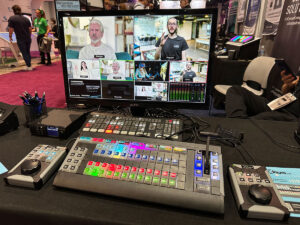 This is a multi-button unit running Central Control from inside the device. The end result makes this a stand-alone unit. Once you program the keys, you can simply take the board with you – no computer necessary.
The main device he had at the booth was a standard panel switch with buttons and a T-bar. Since X-Keys are customizable, you can create it however you need to with buttons, jog wheels, and more.
The Bundle is running an Orange Pi inside for control. You can pair it up with your ATEM Mini, vMix, Hyperdeck, and many other devices. Once paired, the keyboard will control the device via the LAN.
For more information, check out XKeys.com
Also check out some of the other X-Keys products.
Central Control LinkJoe also announced Link – a way to pair your controller via NDI within the software. What this means is you can have a switching console – from X-Keys, to Stream Deck, to another controller – on one side of the room, and through NDI, you can set up to control the devices across the room.
If you set up a portal, you could even remote control a device from another location.
Link is new, and will be out around May. For more information, check out CentralControl.io
This video will help you understand CentralControl and what it can do.
Subscribe to Geekazine:RSS Feed - Via YouTubeTwitter - Facebook Tip Me via Paypal.me * Send a Tip via Venmo * RSS Bandwidth by Cachefly Get a 14 Day Trial * Be a Patreon: Part of the Sconnie Geek Nation*!
Reviews: Geekazine gets products in to review. Opinions are of Geekazine.com. Sponsored content will be labeled as such. Read all policies on the Geekazine review page.
The post Central Control Link, X-Keys Bundle appeared first on Geekazine.
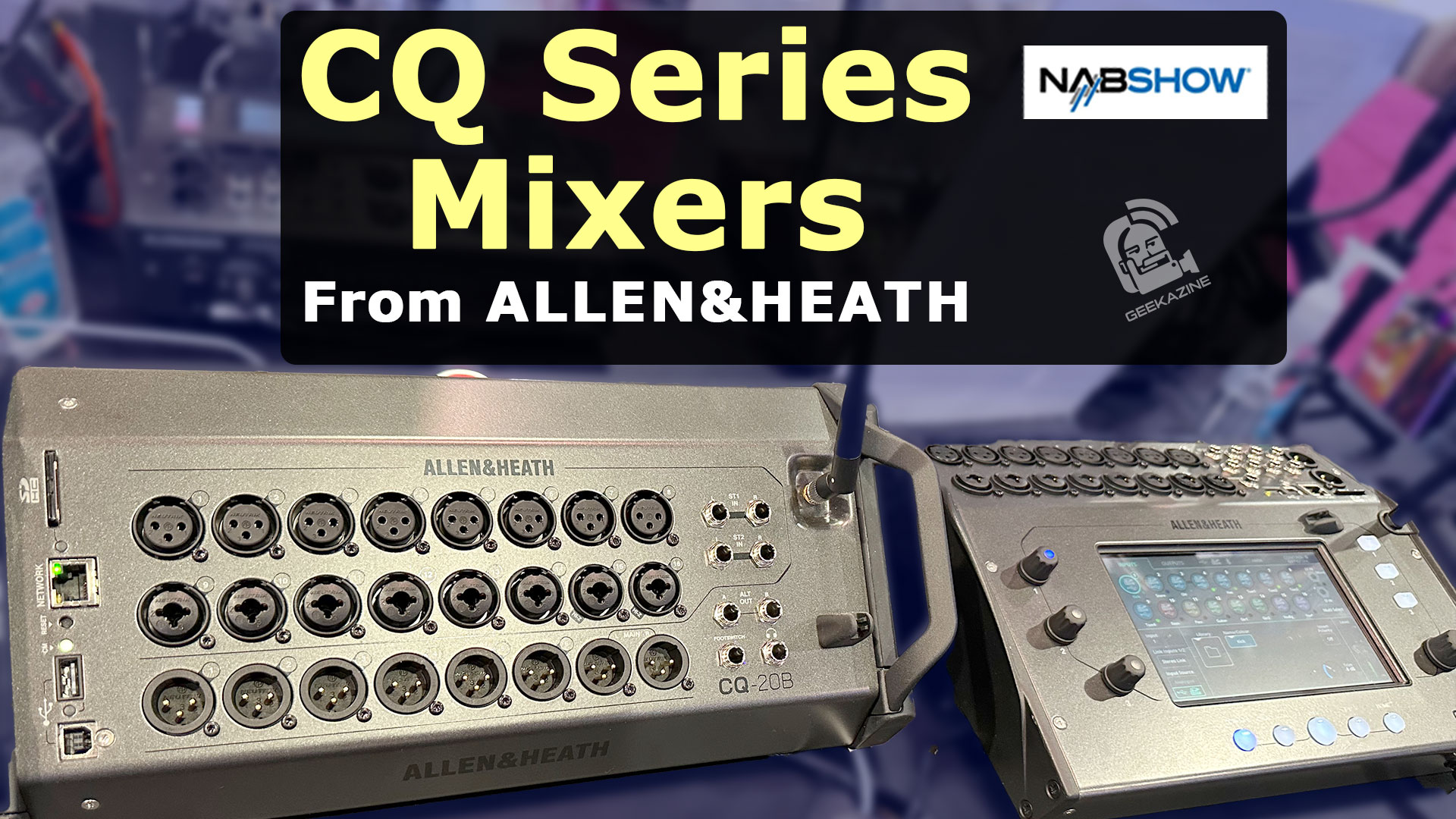
Make a Logo on FiverrYouTube Members get early access. Allen & Heath showed off some great new compact digital mixers at NAB 2024. These mixers work for smaller band setups, practice rooms, conference rooms, and other smaller settings.
Allen & Heath CQ-12T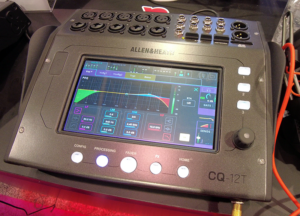 The 12T model has 10 Mic/Line inputs, a stereo line input (for 12 channels), Bluetooth input, and 6 line-outputs. The line outs are TRS, while the main outs are XLR.
96 kHz FPGA (Field Programmable Gate Array) so you can mix channels, add separate effects, and more. 2 FX engines to choose from.
The mixer is a 16×16 USB interface (for DAW), with 16×16 SD card recording and playback. Inside the deck is multiple functions to control the sound through the 7 inch capacitive touchscreen.
Three soft keys that can be programmed however you want. Turn on/off effects, mute channels, and more.
The unit also has Ethernet connection for tablet control.
The Allen & Heath CQ-12T is $899
Get the CQ-12TAllen & Heath CQ-18T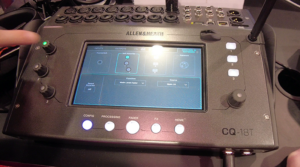 Need more channels and effects, the 18T gives you 8 XLR/Line in, additional 8 XLR, and stereo line inputs. Bluetooth, Ethernet, and USB with additional 2.4/5GHz WIFI. Both SD card and USB interface allow 24×22 record/playback.
Other additions over the CQ-12T include 4 FX engines, and more on-unit controls.
The Allen & Heath CQ-18T is $1,200
Get the CQ-18TAllen & Heath CQ-20B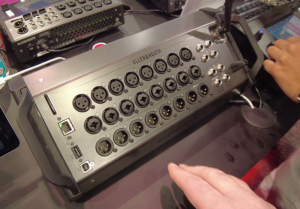 First thing you notice is no screen, or onboard controls. That is because this is considered a “Stage Box”. It’s meant to be put in a corner, and controlled remotely.
The CQ-20B gives you 8 Mic/Line inputs, 8 XLR inputs, 2-Stereo inputs, and 6 XLR Line outputs (with 2 main outputs). The SD card and USB interface give you 24×24 recording/playback.
All three units also have a Foot switch option, so you can have control at your feet. Headphone jack is also available to listen to individual mixes, or the whole mix.
The 20B can also be rack-mounted, so you can put it in a hard case with other audio needs, and power conditioner.
The Allen & Heath CQ-20B is $999
Get the CQ-20BSubscribe to Geekazine:RSS Feed - Via YouTubeTwitter - Facebook Tip Me via Paypal.me * Send a Tip via Venmo * RSS Bandwidth by Cachefly Get a 14 Day Trial * Be a Patreon: Part of the Sconnie Geek Nation*!
Reviews: Geekazine gets products in to review. Opinions are of Geekazine.com. Sponsored content will be labeled as such. Read all policies on the Geekazine review page.
The post Allen & Heath CQ Series Ultra Compact Digital Mixers appeared first on Geekazine.
Make a Logo on FiverrSince the USB-C plug standard came into play, and we were able to plug in monitors, the portable monitor business has been booming. One of the companies that has been creating lightweight monitors is KYY. I have checked out their KYY 1080p portable monitor, the KYY portable with VESA mount, and now the KYY 90A -a portable dual monitor offering.
Get the KYY 90A HereThe KYY 90A Dual MonitorThis is 2-14 inch monitors that fold out and set behind a laptop, Android phone or tablet. The 14 inch monitors are full 1080p/60 fps, and can be run with the computer as the same monitor (for a presentation), or completely separate monitors (to get more screen space).
Different ways to Use the MonitorYou can run it for yourself, but you can also turn the monitor 90 degrees and use it in portrait mode. If you fold it into a triangle and set the monitor to mirror, people can see your screen around a table.
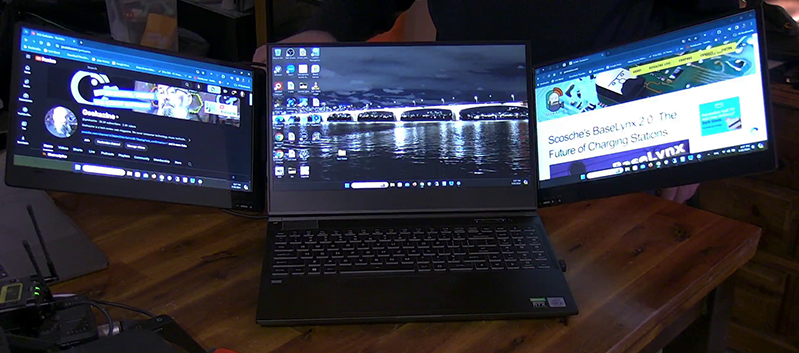 Running the DriverIn order for the dual monitor to work, you will need to install the Silicon Motion driver (included in box). The best part about this independent driver is it will allow you to use the USB-A port on Windows.
I did find that if I used the driver from the Silicon Motion website on Windows, it broke the connection.
 Pros and Cons* iOS and iPadOS is not supported at this time. This could change in the future, but only Windows, Mac, and Android drivers are available.
* I love the tent modes, but it would have been nice if I could’ve rotated one of the monitors so I could see either 2 monitors on one side, or two portrait monitors.
* The stand works well, but on the same token for portrait mode, there is no way to prop up the stand to raise the monitor.
* VESA mount option would have also been nice.
* No HDMI option to the monitor – If I wanted to run HDMI out from a computer or gaming console, I won’t be able to do that here.
* On the same token, the dual monitors work with only one device. The bottom USB-C is for power only.
* If you don’t fan out the monitors enough, the unit will be top-heavy and fall forward.
Pros and Cons* iOS and iPadOS is not supported at this time. This could change in the future, but only Windows, Mac, and Android drivers are available.
* I love the tent modes, but it would have been nice if I could’ve rotated one of the monitors so I could see either 2 monitors on one side, or two portrait monitors.
* The stand works well, but on the same token for portrait mode, there is no way to prop up the stand to raise the monitor.
* VESA mount option would have also been nice.
* No HDMI option to the monitor – If I wanted to run HDMI out from a computer or gaming console, I won’t be able to do that here.
* On the same token, the dual monitors work with only one device. The bottom USB-C is for power only.
* If you don’t fan out the monitors enough, the unit will be top-heavy and fall forward.
Overall, the dual monitor system is great for when you need to extend your screen. It connects up quick when you dock it with no flicker while you work. The KYY 90A is not going to be high-resolution monitors (for things like color-grading), but you’ll be able to put other windows within screen – Spreadsheets, web pages, email portals, etc.
Price and AvailabilityThe KYY 90A is $429.99. You can get the KYY 90A here
Subscribe to Geekazine:RSS Feed - Via YouTubeTwitter - Facebook Tip Me via Paypal.me * Send a Tip via Venmo * RSS Bandwidth by Cachefly Get a 14 Day Trial * Be a Patreon: Part of the Sconnie Geek Nation*!
Reviews: Geekazine gets products in to review. Opinions are of Geekazine.com. Sponsored content will be labeled as such. Read all policies on the Geekazine review page.
The post Turn One Monitor into 3 with the 14 inch KYY 90A Dual Monitor appeared first on Geekazine.
Make a Logo on FiverrRØDE has given content creators a new wireless microphone for interviews, podcasts, and more. The Rode Interview Pro Handheld microphone replaces the old system (the Go and a handle) to give creators a true handheld microphone.
Get the Rode Interview Pro The Interview Pro is an omnidirectional microphone that can be paired with a Series IV Wireless Go, or Rodecaster Pro II, Steamer, and Rodecaster Duo models. The 2.4 GHz wifi will give the host a 200 meter area to move within (line of sight).
But you don’t need to pair the interview pro microphone to get that interview, because with the onboard recording function, you can use this as a standalone microphone. The onboard stoage records up to 40 hours of audio, with a 32-bit float.
Along with Gain Assist, if you are in the worst situation for a recording, the rode interview pro can handle it. You can then transfer it to an audio editor to clean up your recordings.
The microphone is an Electret Condenser with a frequency range of 20Hz – 20kHz. and a dynamic range of 102dB. This means you can record everything from a Bass drum, to a high pitched piccolo flute.
Add a wind screen for outdoor conditions, and a mic flag for promotion, and you have a reporter mic that runs for 25 hours.
The Rode Interview Pro is $249 and available now.
Subscribe to Geekazine:RSS Feed - Via YouTubeTwitter - Facebook Tip Me via Paypal.me * Send a Tip via Venmo * RSS Bandwidth by Cachefly Get a 14 Day Trial * Be a Patreon: Part of the Sconnie Geek Nation*!
Reviews: Geekazine gets products in to review. Opinions are of Geekazine.com. Sponsored content will be labeled as such. Read all policies on the Geekazine review page.
The post RØDE Interview Pro Handheld Microphone for Wireless Go appeared first on Geekazine.
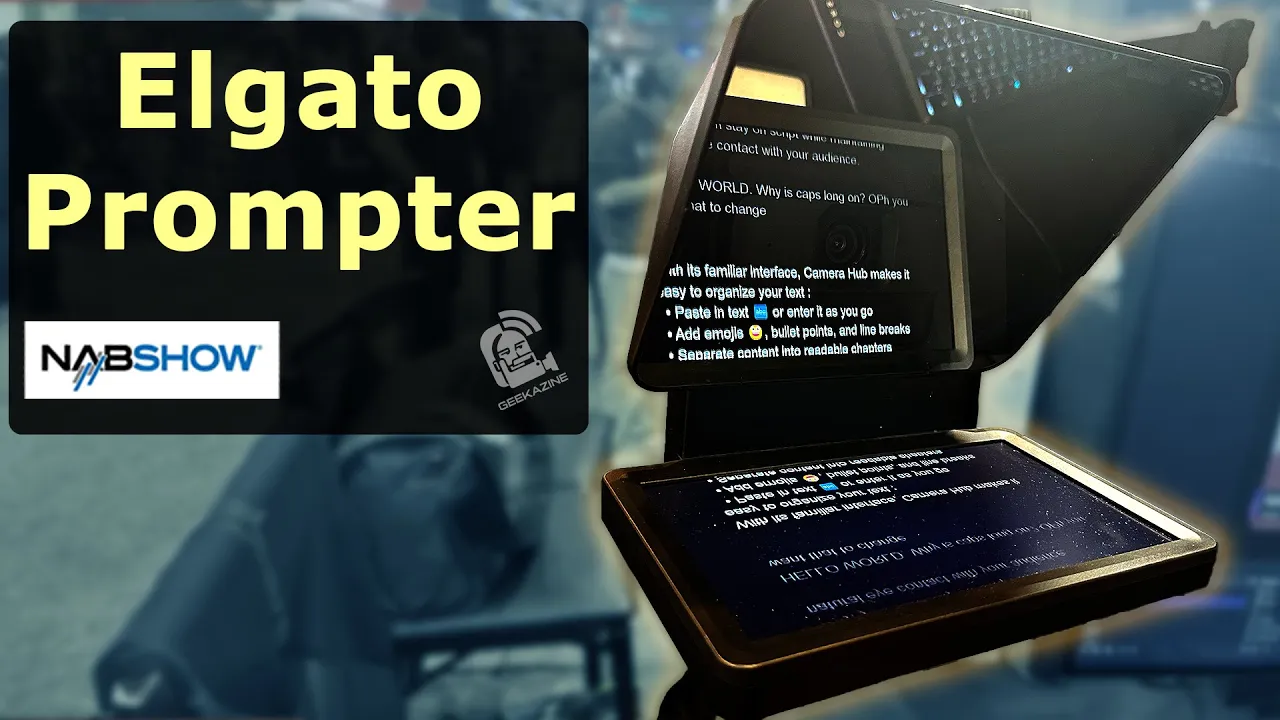
Make a Logo on FiverrAt NAB, I got to check out the Elgato Prompter, along with other items in Corsair’s and Elgato’s line. The Prompter is a great way to read scripts, or look at teammates in conference calls eye-to-eye as you are really staring into a camera.
Get the Elgato PrompterDesign and Features Compact and ready to go, the Elgato Prompter fits snugly in front of most cameras, turning it into a broadcast-ready teleprompter setup. The beamsplitter glass reflects the scrolling text from the monitor underneath, allowing you to maintain eye contact with your audience and stay on script.
The prompter comes with the 7 inch monitor for easy setup. The back can hold most cameras – webcams to pro cameras – so you can be ready for a call or give a great lecture with your notes right in front of you.
Integrate with Existing SetupsOne of Elgato hallmark traits is its focus on products that integrate seamlessly into your ecosystem. The screen is small enough to fit next to your computer monitor, and if it’s on a moveable arm, you can adjust it wherever you need the camera to go.
If you are building your studio, then Elgato has more than just the prompter – You can use their FaceCam for a camera, and I’ve been using Elgato Stream Decks for years with my studio setups. Elgato has lights, stands, and more for the perfect setup.
And their parent company, Corsair, focuses on gear for the gamers, that work just as well for the streamer or podcaster. I use the K55 keyboard, which has 6 programmable buttons that work with Stream Deck software.
The Elgato Prompter is $279 and available now. Get the Elgato Prompter here
Subscribe to Geekazine:RSS Feed - Via YouTubeTwitter - Facebook Tip Me via Paypal.me * Send a Tip via Venmo * RSS Bandwidth by Cachefly Get a 14 Day Trial * Be a Patreon: Part of the Sconnie Geek Nation*!
Reviews: Geekazine gets products in to review. Opinions are of Geekazine.com. Sponsored content will be labeled as such. Read all policies on the Geekazine review page.
The post Improving Eye Contact with Elgato Prompter appeared first on Geekazine.

Make a Logo on FiverrWhile at NABShow 2024, I talked with Kyle Gesuelli about the announcements Adobe made right before the show started. Adobe has always been at the forefront of video innovation, while millions use the software to create photos, video, presentations, and more. Their Generative AI feature in Photoshop alone has given creators the ability to build upon photos.
Adobe announced two updates at the show this week. – their next-generation of Frame.io, and the expansion of AI to Premiere Pro and After Effects.
Frame.io Streamlined WorkflowThe new Frame.io is emphasizing streamlining workflows. As remote production is growing out of infancy, Frame.io needed to change to support creators for their workflows. With the improved integration of Frame.io into Adobe’s ecosystem, users can seamlessly collaborate on projects directly within their favorite Adobe Creative Cloud applications – while eliminating the need to switch between multiple platforms.
The program (which Adobe acquired in August 2021) is changing from a review/approval format, to a full collaborative tool. v4 will have a new Metadata system. This could customize your dynamic workflows, and allow 3rd party support.
Camera to CloudThe editor could be in another country and with Camera to Cloud, they could get video while you are streaming so they can start editing right away.
Premiere Pro, After Effects get AI UpgradePremiere Pro is getting AI enabled audio workflows. You can see this in their public beta already. With the new AI enabled audio features, you can bring it all into the timeline without having to open a program like Audition.
The category tagging will help you identify what type of clip you have. Automatic fade handles will allow you to do it within the timeline.
Finally, Generative AI will be coming into video. Photoshop’s Generate AI brings in single items into a shot, but Video Generative AI (vGenAI) will allow scripts to animate the spots your create.
This could mean changing the shirt off an actor’s body, but it could also mean animating a tiger within a video, or extending video to match up with time.
Usually, I would match B-roll by speeding up or slowing down the clip. vGenAI Generative Extend would simply add more to the clip so I don’t have to stretch it out and match to the beat of music, or the next clip.
Better masking for object removal will be coming to Premiere Pro. License plates, logos, errant faces, and more could be blurred or changed. If a boom mic gets into the shot, the new Firefly generative video model will
And it’s all Safe ContentThis is any content that is in public domain, doesn’t have IP or is commercially safe. You’ll have a library to create your content from that will have true copyright free use.
And Third Party PluginsAdobe is committed to allowing 3rd party plugins bring in more functionality into your production. Working with companies like OpenAI or Pica to bring in their possible workflow to make the content you are happy to create.
Content Authenticity InitiativeThis adds Content credentials to your video. It’s like a set of reference footnotes letting viewers know what AI was used and where it was implemented.
After Effects 3D ModelsAdding a model in After Effects will get a lot easier. You can create these animations in After Effects so you don’t have to work with other programs and move back/forth.
Your 2D workflows and 3D workflows will come together for faster editing.
For more information, check out Adobe.com
Subscribe to Geekazine:RSS Feed - Via YouTubeTwitter - Facebook Tip Me via Paypal.me * Send a Tip via Venmo * RSS Bandwidth by Cachefly Get a 14 Day Trial * Be a Patreon: Part of the Sconnie Geek Nation*!
Reviews: Geekazine gets products in to review. Opinions are of Geekazine.com. Sponsored content will be labeled as such. Read all policies on the Geekazine review page.
The post Adobe Introduces Frame.io v4, AI for Video appeared first on Geekazine.
Make a Logo on FiverrThe HuddleCamHD SimplTrack3 PTZ camera is a powerful camera for classrooms, presentation rooms, churches, and more. This versatile solution uses AI to track presenters through tracking zones to focus on who or what needs to be seen on camera.
Get SimplTrack3 HereSimplTrack3 has 2 CamerasThis PTZ contains a second camera that can be accessed and even used in a production. The main PTZ head camera, and a wide-angle fish-eye lens that is affixed to the side.
The Wide-Angle Camera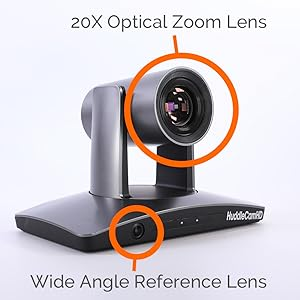 The idea of the 2nd camera is to keep track of the subject and all zones setup, while the PTZ camera focuses on capturing the presentation. The wide-angle reference camera covers the whole stage, and will not move.
The PTZ CameraThis is a 1080p/60 camera with a Sony 1/2.8 inch sensor. The camera has a 170 degree movement range, and 20x optical zoom – so you can put the camera up to 55 feet away and still zoom in on a subject.
Connect the camera to HDMI, SDI, USB, or through NDI|HX to a device that can stream out. Onboard micro SD card allows for recording right from the device.
You can use this without AI tracking by changing a setting in the camera.
Setting Tracking Zones with HuddleCamHD SoftwareOnce you’ve installed the software, you can connect the camera via USB cable or through the NDI network for control. This software can connect to multiple SimplTrack cameras for easier setup.
3 Types of ZonesStart with setting up the main tracking zone (green box). This is where the camera will limit movement to. The No Go (Red) tracking zones will stop the camera from wandering, and the Auto Frame Zones (blue) will be set within the main tracking zone.
What the Auto Frame Zones DoIf you have a whiteboard, or a place where you want the camera to focus and lock on, the Auto Frame Zone will do that. Instead of constantly moving, it will move to the blue box requirements and stay there until you move out of that zone.
This means a whiteboard can be seen by the audience, as it gets the focus, as opposed to the person that’s walking around.
Get the SimplTrack3The SimplTrack3 PTZ camera is $1,499 and available here
Subscribe to Geekazine:RSS Feed - Via YouTubeTwitter - Facebook Tip Me via Paypal.me * Send a Tip via Venmo * RSS Bandwidth by Cachefly Get a 14 Day Trial * Be a Patreon: Part of the Sconnie Geek Nation*!
Reviews: Geekazine gets products in to review. Opinions are of Geekazine.com. Sponsored content will be labeled as such. Read all policies on the Geekazine review page.
The post SimplTrack3 from HuddleCamHD with AI for Presentations appeared first on Geekazine.
Make a Logo on FiverrImagine being in a conversation in a very public place where nobody can hear what you are saying. Now imagine the same idea on a plane.
That is what Skyted wants to bring to us.
Skyted is a Privacy Mask A privacy mask that if properly worn over the mouth and nose, it allows you to have a conversation without anyone hearing you.
Even if you are in close quarters (and you speak in a normal tone), You will not bother the person next to you.
Back SkytedMade Using Jet Engine Technology The CEO and founder Stephan has worked on Airbus Engine technology in his former life. Cancelling out loud noise so people can have a peaceful flight was an important part in design.
Utilizing his knowledge, he has created a mask that will cancel out your voice to the outside world. That way, wherever you are, you’ll be able to run secure calls and meetings.
Properly VentilatedKeep in mind, this is not an N95 mask, but technology has a unique venting system that will keep the mask cool, without releasing your voice.
 Boost Via AppThe Skyted app allows for voice control if you still need to be heard by the other participants.
Making Calls on a Plane?In the U.S. that is unheard of, but certain airlines are now allowing VoIP technologies as internet signals get better. Could all airlines eventually allow making calls, participating in Zoom and Teams calls, talking on Clubhouse or X events in the future?
Even if you are not in the air, this works well in a Taxi, Uber, Lyft, or even Bus rides, which allow voice data to be sent.
LCD Panel to InformOn the front of the Skyted privacy mask is an LCD panel, which can be controlled via smartphone. When you’re on an important call, you could easily have a “On Call” logo appear. When just relaxing, the panel could show different types of graphics and images.
Maybe even a sponsor or two.
Prices and AvailabilityThe Skyted Privacy Mask is in crowdfund at this time. The planned MSRP is $499.
Back SkytedSubscribe to Geekazine:RSS Feed - Via YouTubeTwitter - Facebook Tip Me via Paypal.me * Send a Tip via Venmo * RSS Bandwidth by Cachefly Get a 14 Day Trial * Be a Patreon: Part of the Sconnie Geek Nation*!
Reviews: Geekazine gets products in to review. Opinions are of Geekazine.com. Sponsored content will be labeled as such. Read all policies on the Geekazine review page.
The post Skyted Privacy Mask Gives you Privacy Wherever You Are appeared first on Geekazine.
I show you how to use Tubebuddy Thumbnail Analyzer to improve your videos.
The post How I Use Tubebuddy Thumbnail Analyzer to Improve Exposure appeared first on Geekazine.
The Streamcam One from EMeet is a compact device that can stream up to 4 social networks. I set up a 3 Camera Multicam with this.
The post Create a MultiCam Studio with EMeet StreamCam One appeared first on Geekazine.
Make a Logo on Fiverr This is the Ostand Power Bank from TORRAS – a company focused on charging and mobile devices. This is a 10,000 Mah battery with 15W of charging. It will charge your phone (depending on the phone) 1-2 times before the power bank needs to recharge itself. This Power Bank is […]
The post TORRAS Ostand Power Bank with Magsafe Charging for Your Phone appeared first on Geekazine.
Make a Logo on Fiverr At this year’s CES, Scosche’s BaseLynx 2.0 stood out as a powerful technology in charging solutions. Building on the success of its predecessor, the BaseLynx 2.0 system presents a refined, highly customizable approach to keeping all your devices powered and organized. BaseLynx 2.0: A Modular Charging Dock The BaseLynx 2.0 […]
The post Scosche’s BaseLynx 2.0: The Future of Charging Stations appeared first on Geekazine.
Make a Logo on FiverrThe Urban Samurai is a company that makes gear for gamers. From wrist gauntlets to protect from carpal tunnel, to gaming eyewear. That includes the glasses I’m getting ready to dawn. Urban Samurai Glasses They come in two styles – the Ronin, and the Katana. I am trying on the Ronin […]
The post Urban Samurai Gaming Glasses: Reduce Eye Strain and Fatigue appeared first on Geekazine.
With the Live Streaming Market expecting to reach $4.26 billion, and 9.1 million active creators on platforms like YouTube and Twitch, having a good camera for creating content is important. OBSBOT recognized this in 2018 when I first saw the OBSBOT Tail, then OBSBOT Tiny cameras.
Now, the company is coming out with a new camera that will help creators get content in many situations. Geekazine has been testing and is fairly impressed with the features of this small PTZ camera.
- OBSBOT sent product to unbox/review. All opinions are of Geekazine. Check out the review page for more information *
What is the OBSBOT Tail AirThis is a PTZ (Pan Tilt Zoom) camera with a 4K sensor inside that can record, or live stream anywhere. OBSBOT also features AI tracking in all their cameras, so with a hand gesture, you can get to making new content.
Specs of OBSBOT Tiny Air* 344 grams, 2.74 x 2.88 x 5.2 inches * 1/1.8″ CMOS Sensor * 8.4 million pixels with 3856×2176 max resolution * ISO range 100-6400 * Shutter to 1/8000 s * f/1.8 apeture * 2,000 – 10,000 Kelvin White balance * 6-axis Gyroscope * 4x digital zoom * 8 optical lenses
Video Shooting, PhotosThe camera can do up to 4K 30fps video in a bit rate of 80 mbps – MJPEG, H.264, or H.265. Further, the camera can take still images from video while you are streaming/recording
NDI SupportThe OBSBOT Tiny Air comes with the ability to connect via NDI HX|3 through your network (additional cost for NDI license). NDI can connect via NDI Tools, hardware capture (with NDI support), or software switchers such as OBS, vMix, and Wirecast.
Other Connection MethodsThe Tail Air hosts Bluetooth, WiFi 2.4 and 5.8 GHz, HDMI, USB (2.0), and RTSP protocols to pass through to other devices.
As a stand-alone device, you can connect a microphone (or use the onboard stereo microphones)
AI Auto TrackingA sophisticated AI algorithm is inside all OBSBOT cameras, including the Tail Air. The tracker can identify movements of people and animals, following movements while in visual distance of the camera.
Any object that moves at 120 degrees/second can be utilized with OBSBOT AI Auto Tracking.
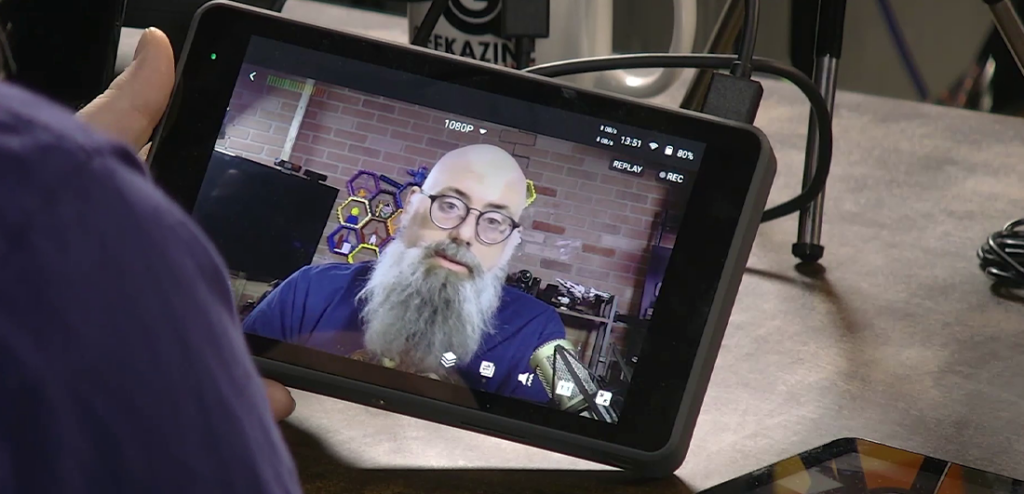 Battery LifeThe 1500 mAh battery allows for 154 minutes of recording 1080p/30 fps. Geekazine’s test on NDI was solid for over an hour.
The camera charges at 5V/2A for 90 minutes when turned off (There is no fast charge option). Connecting USB to PC will keep the camera sufficiently charged.
Pros and ConsAt the time of this article, the product became available on Kickstarter. Therefore, some features were not available yet (such as Vertical mode – something the OBSBOT Tiny 4K does). An iOS was not available at this time.
OBSBOT AppsHowever, the Android app works perfectly. We tested on an ASUS zenphone and Kindle Fire tablet. Both performed without issue.
Also at this time, the Tail Air did not connect up to the OBSBOT Webcam app for PC or Mac.
Privacy ModeThe Device doesn’t have a privacy mode like the Tiny 4K does.
Multi-FunctionsDoing more than one function at the same time can cause skipping in the video. Recording and NDI at the same time for example.
NDI in 4K works better in H.265 mode, but there is noticeable frame loss. NDI works best in 1080p H.264
If you Record in 4K, HDMI will display in 1080P – and vise-versa.
OBSBOT Tail Air PriceAt the time of this publication, the Tail Air is on Kickstarter for 40% off*.
Once fully released, MSRP is $499.
Subscribe to Geekazine:RSS Feed - Via YouTubeTwitter - Facebook Tip Me via Paypal.me * Send a Tip via Venmo * RSS Bandwidth by Cachefly Get a 14 Day Trial * Be a Patreon: Part of the Sconnie Geek Nation*!
Reviews: Geekazine gets products in to review. Opinions are of Geekazine.com. Sponsored content will be labeled as such. Read all policies on the Geekazine review page.
The post OBSBOT Tail Air: A Wireless PTZ Camera with HDMI, NDI appeared first on Geekazine.com.
The PTZOptics Studio Pro Camera is an all-in-one content creation and livestreaming solution. It features 12x optical zoom, up to 1080p60 video capture, a 72.5° field of view, and a portrait and landscape toggle switch, empowering users to connect with their audiences however they watch. Key Features of the PTZOptics Studio Pro Camera: Pros and […]
The post Check Out the PTZOptics Studio Pro Camera In This Quick First Look! appeared first on Geekazine.com.
This week we ask the question: Are foldable phones the future, or a fad. I’ll talk about the pros and cons of the phone, different types of foldable phones, what might need to happen for these to become more accepted, and where that can take us into the future of compact mobile devices. Support the […]
The post Foldable Phones: The Future or Fad? appeared first on Geekazine.com.
If you use a green screen or have limited space in your studio, then this trick will not only allow you to make studios look bigger, but also give you options to make your videos pop more. All with using AI. What is Generative Fill Adobe has been investing heavily in artificial intelligence (AI) technology. […]
The post Use Photoshop Generative Fill AI to Create More in Your Videos appeared first on Geekazine.com.
Podcasters, Musicians, Live Streamers – The Donner PC-02 Audio Workstation is a powerful tool for all content creators. At Geekazine, it’s replacing the audio interface I use in the studio. It’s really an all-in-one. Donner PC-02 Audio Workstation About the Donner PC-02 Audio Workstation A 4-channel mixer with 10 built-in effects, and USB-C connectivity. The […]
The post First Look: Donner PC-02 Audio Workstation appeared first on Geekazine.com.
Donner is a company that manufactures a variety of musical instruments for all levels of musicians. While at NAMM, I talked with the group and got a hands-on look at some of the new tech coming out.
Estimated reading time: 3 minutes
Donner Electronic DrumsDonner electronic drum sets are known for their affordability and quality. They offer a variety of features, including mesh heads for quieter practice, cymbal pads, and a drum module with many drum sounds to customize.
Drum Sets start at $299 (DED-95).
Seeker Series DST-700 GuitarDST-700 is based on the DST-400, but with Donner’s new Hyper Series pickups. 3 pickup configurations are available: HH, HSS, and HSH with coil switch.
The guitar is made with roasted maple and bolted on either basswood or mahogany.
DST-700 available later this year

 HUSH-X Guitar Kit (Soon)The Donner Hush-X Guitar is an upgrade to the HUSH-I released last year. The Hush X features a detachable body, and is designed to provide guitarists with an instrument you can break down and practice with.
You can also take it on stage and shred a solo or back a band.
The guitar is available in maple or mahogany, and the fretboard has asymmetrical shape for easy playing.
Added to the Hush-X is a 2nd pickup (HUSH-I had one) – Humbucker bridge, and Alnico-V style single coil.
HUSH-X will be available later this year.
Get the HUSH-IDonner REVO Smart GuitarThis is a guitar perfect for any level trying to learn a song. The neck of the REVO lights up, showing you the patterns to learn when playing.
Teachers can perform virtual lessons with students as they can send their lessons over the mobile app. Performers can also make patterns so they can play with a full light show.
This guitar is still in prototype.
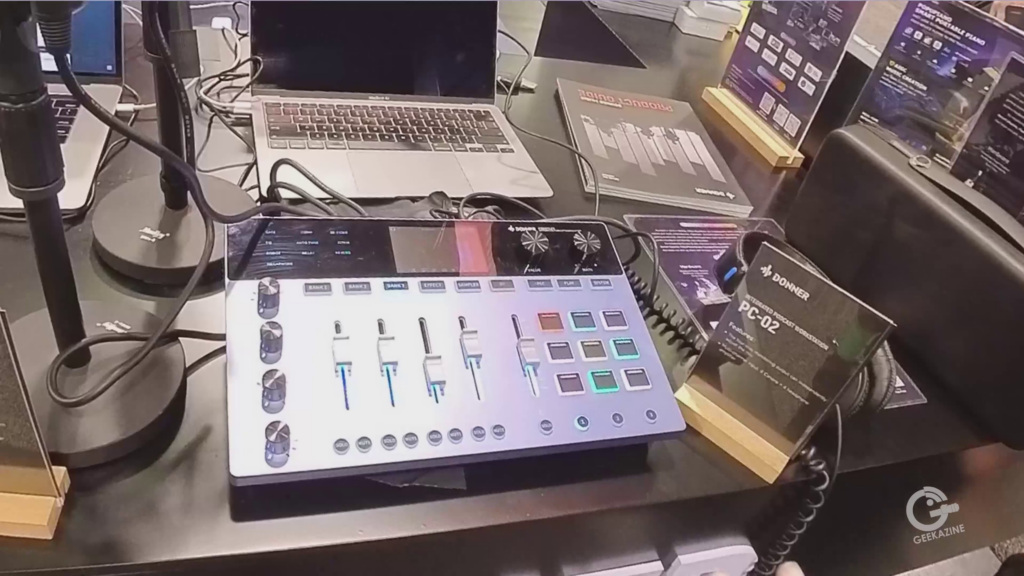 PC-02 Podcast WorkstationThis audio interface is an integrated workstation for podcasters, musicians, and more. 4-XLR/TRS combo jacks, line-out, line-in, 4 headphone jacks, monitor outs, and USB-C to connect to the computer.
The PC-02 contains noise gate, compressor, De-esser, EQ, delay, and reverb. There are other fun effects such as megaphone and voice pitch included.
The PC-02 is $599 and available now
Get the PC-02 DDP-80 Plus PianoDonner DDP-80 Plus digital piano feels like the piano in the corner of a house, ready to be unveiled and played. The keybed cover can protect the 88 key keyboard, and also be used as a side table if needed.
Features include an 88-key graded hammer standard keyboard, removable pedal stop, Stereo Surround Speakers, and USB MIDI.
The DDP-80 Plus will be available later this year.
 Subscribe to Geekazine:RSS Feed - Via YouTubeTwitter - Facebook Tip Me via Paypal.me
* Send a Tip via Venmo
* RSS Bandwidth by Cachefly Get a 14 Day Trial
* Be a Patreon: Part of the Sconnie Geek Nation*!
Subscribe to Geekazine:RSS Feed - Via YouTubeTwitter - Facebook Tip Me via Paypal.me
* Send a Tip via Venmo
* RSS Bandwidth by Cachefly Get a 14 Day Trial
* Be a Patreon: Part of the Sconnie Geek Nation*!
Reviews: Geekazine gets products in to review. Opinions are of Geekazine.com. Sponsored content will be labeled as such. Read all policies on the Geekazine review page.
The post Donner Raises the Bar at NAMM 2023 Musical Instruments for All Levels appeared first on Geekazine.com.
At NAMM 2023, I stopped by IK Multimedia and got to check out their iLoud Precision 6 monitor speakers. These monitors are designed for professional-grade sound quality in any type of studio. And the stories I got from Alex on songs mixed with these are very eye opening.
Precision monitors range in different sizes and specs. We’ll focus on the Precision 6 for now.
About the iLoud Precision 6 MonitorsThe iLoud Precision 6 monitors come in multiple options, to mix everything from mono to 7.1.1 surround. Speakers range in size, but all offer a frequency response of 37 Hz to 30 kHz, with a 30 Hz real-world bass response. The monitors also have a powerful amplifier that delivers up to 150 watts of power, so they can produce loud and clear sound.
Neutrik combo connectors to the back of the speaker, with a separate XLR for ARC tuning.
Now Available in WhiteAt NAMM, IK Multimedia announced they have white casing for the Precision line so you can match your speakers to the room.
iLoud Precision MTMAdd the iLoud MTM mounting system to set up your speakers around the room without stands. Speakers are also able to set on shelves if room space is an issue.
When you tune the room using the ARC system microphone, sitting in the “sweet spot” of a room can give you optimal listening pleasure. This is perfect when you are mixing an album, listening to a new artist, or even watching a blockbuster movie.
Pros and Cons: IK Multimedia iLoud Precision 6 monitorsPros:
- Excellent sound quality
- Powerful amplifier
- Compact and portable design
Cons:
- Pricey to build your rig
- ARC may need to be run to keep speakers in tune
IK Multimedia has listening stations all over the U.S. which means you can spend some time to listen and learn how to fine-tune your home studio. Of course, NAMM is not the idea place to do that, but what I did hear from the system was pretty impressive. For my 10×12 home studio, I could easily place and tune this monitor system to optimally mix the next great album…
Prices and availability:Prices vary from speaker to speaker. The Precision 6 starts at $999 for a single monitor, with options when bundling (e.g. the iLoud MTM Immersive 11 bundle). Check out the Precision 6 here.
Subscribe to Geekazine:RSS Feed - Via YouTubeTwitter - Facebook Tip Me via Paypal.me * Send a Tip via Venmo * RSS Bandwidth by Cachefly Get a 14 Day Trial * Be a Patreon: Part of the Sconnie Geek Nation*!
Reviews: Geekazine gets products in to review. Opinions are of Geekazine.com. Sponsored content will be labeled as such. Read all policies on the Geekazine review page.
The post Advanced Audio Production with iLoud Precision Monitor Speakers appeared first on Geekazine.com.
I talked with Joe Di Max at Central Control. Last year he added Triggers to a sequence. This year, it’s all about Timeline Macro Editing with Flex Macros.
The idea is simple: if you want to run a sequence of files, videos, photos, and more, you can add it to the trigger timeline. When ready, just let it run, and the macro will run through the shots.
You can even edit the shots while it’s running through. That way, if you have something like a replay to add, you can easily do that.
The trigger can pull from any device connected to your Central Control software. A graphic could overlay, then your ATEM switcher could change cameras. The H2R graphics could bring in a lower 3rd, then the new Teleprompter could be queued in with start and stop times so the host can read the script.
Other new additions to Central Control include H2R Graphics support, a rundown clock with manual tracking, and the NDI teleprompter with remote control.
Central Control is additional software that connects hardware for live video production. With features like Supersource Editor, rundown clock, and protocol conversion, this makes hardware and software work easier together.
And if you’re a one-person producer, Central Control is a great way to keep your desk clutter free.
For more information, check out Central Control’s Website. – Mention “Geekazine” for a special deal.
Subscribe to Geekazine:RSS Feed - Via YouTubeTwitter - Facebook Tip Me via Paypal.me * Send a Tip via Venmo * RSS Bandwidth by Cachefly Get a 14 Day Trial * Be a Patreon: Part of the Sconnie Geek Nation*!
Reviews: Geekazine gets products in to review. Opinions are of Geekazine.com. Sponsored content will be labeled as such. Read all policies on the Geekazine review page.
The post Boost Video Production with Central Control Flex Macros, NDI Teleprompter appeared first on Geekazine.com.
I had a great sit-down with Ryan from RØDE at NAB 2023. If you’re serious about podcasting, YouTube, or Livestreaming, then getting the right gear is important. And no three pieces of gear are more important than the RØDECasterDUO, the RØDE Streamer X, and the RØDE Wireless ME.
The RØDECasterDUOThe RØDECasterDUO is a smaller version of the RØDECasterII. Perfect for a smaller setup, and even if you are creating content on the go.
It’s a powerful audio interface, mixer, and recorder with features to do anything from a simple recording to a All-in radio-style show.
4 inputs: which can even include your RØDE Wireless GO and Wireless ME as inputs. 6 programmable buttons with pagination to create multiple options for switching, soundboard, and more.
Inputs include Neutrik® combo inputs for connecting microphones, instruments or line-level devices, a 3.5mm TRRS headset input, and wireless receiver for connecting your RØDE wireless microphones. The unit also has dual USB-C interfaces so you can connect two devices for dual streaming, recording and streaming, and much more.
The RØDECasterDUO is coming soon at $499.
Pre-Order RØDECasterDUOThe RØDE Streamer XThe RØDE Streamer X is a video and audio interface for recording video or live streaming. The Streamer X connects via a single Neutrik® combo input, secondary microphone jack, HDMI input and pass-through, and dual USB outputs. There is even a phantom power option for microphones needing it.
On the right side are 4 programmable buttons with pagination, so you can create multiple trigger options.
The RØDE Streamer X is in Pre-Order for $399
Pre-Order the RØDE Streamer XThe RØDE Wireless METhe RØDE Wireless ME is a compact wireless microphone system perfect for interviews and remote recording. It has a range of up to 100 meters, so you can move freely while you’re recording.
You can pair 2 transmitters with the one receiver to do hands free 2 person interviews or talk shows. A microphone jack is available for a lavalier or headset microphone.
Microphone levels can be controlled via smartphone, and the Wireless ME can be used with the new app: RØDE Capture for selfie, or one-on-one interviews.
Wireless ME is available now for $149.
Get RØDE Wireless MEMore from RØDE Not in the video, RØDE also released a new PodMic USB, with hybrid XLR/USB connection. They also introduced the NT-1 5th Generation condenser microphone – also a hybrid microphone, but the USB-C is set inside the XLR, so you cannot use both at the same time.
Connect your microphones with Cables from RØDE. They also debuted a charging case for your Wireless GO II microphone set.
And the New RØDE Backpack Ryan showed us another item soon out in the RØDE Backpack. This can fit any of the RØDECaster Pro models, and has accomadations for cables, microphones, 2 mobile devices, and even a spot for your RØDE PSA1 studio arm.
The backpack is made from high-quality materials, including a soft, durable Alcantara® handle, ballistic nylon straps and water-resistant exterior.
The pack will be available soon for $149
Pre-Order the RØDE BackpackSubscribe to Geekazine:RSS Feed - Via YouTubeTwitter - Facebook Tip Me via Paypal.me * Send a Tip via Venmo * RSS Bandwidth by Cachefly Get a 14 Day Trial * Be a Patreon: Part of the Sconnie Geek Nation*!
Reviews: Geekazine gets products in to review. Opinions are of Geekazine.com. Sponsored content will be labeled as such. Read all policies on the Geekazine review page.
The post New from RØDE: RØDECaster DUO, Streamer X, Wireless ME appeared first on Geekazine.com.
The Positive Grid Spark Go is a small, portable guitar amplifier that packs a big punch. While at NAMM 2023, I got to hear it, and it didn’t sound like other mini amps.
It had teeth.
Features
The Spark mini amp features a 5-watt speaker, and is a Class -D amplifier. The amp comes with 33 model sounds, and 43 effects.
Plug in the guitar with the 1/4″ plug, and headphones if you need to rock quieter. Bluetooth and a USB port are available to connect to the Spark to your audio, pair the Spark Pedal, or send to your DAW.
The Spark Go is compatible with the Spark app, which gives you access to even more amp models, effects, and backing tracks. The app also allows you to learn new songs and techniques, and it can be used to control your Go from your phone or tablet.
PerformanceI got to hear a few performances from the mini amp at the show. The best part was you could have two guitarists with their own amp placed so they could hear themselves. The first jam I missed the solo, but in the second jam, I was able to catch both guitars.
I am really impressed on the ease of use with the app, and how you can switch up by pressing a button on the unit, or pairing the Spark pedal. I can see buskers, practicing musicians, or even back-bar jammers use this to let people hear the sounds.
Price and AvailabilityThe Go will be out in June at $149. Positive Grid is running a pre-order special for $109.
Subscribe to Geekazine:RSS Feed - Via YouTubeTwitter - Facebook Tip Me via Paypal.me * Send a Tip via Venmo * RSS Bandwidth by Cachefly Get a 14 Day Trial * Be a Patreon: Part of the Sconnie Geek Nation*!
Reviews: Geekazine gets products in to review. Opinions are of Geekazine.com. Sponsored content will be labeled as such. Read all policies on the Geekazine review page.
The post Small and Portable: The Spark Go from Positive Grid appeared first on Geekazine.com.
Jamstik showed off their new Studio MIDI Guitars in new colors. I got to check one out at NAMM 2023 and tool around with the software.
I first found out about Jamstik in 2015 during their crowdfund. They created a travel practice guitar with MIDI interface. Since then, the company has been growing and building new ideas.
Studio MIDI GuitarThe Studio MIDI Guitar is a headless 24-fret guitar with MIDI built-in. It features 2 humbucker pickups, tap switch, 3-way switch, and 1/4″ output so you can plug into any standard amplifier. The guitar also has a built-in MIDI controller that connects up to software to bring in other sounds.
MIDI is setup as USB-C, or through the 3.5mm TRS MIDI out plug. Its compatible with a wide range of software, including Ableton Live, Logic Pro, and FL Studio.
It also comes with a free software suite that includes a variety of virtual instruments and effects.
One point I am sounding like a standard rock guitar. With the click of a key, I am sounding like a funky organ, full string ensemble, or even some instrument I couldn’t even begin to describe.
Latency was fairly low, so I wouldn’t get tripped up on high-speed picking.
Features of the Jamstik Studio MIDI Guitar:* Headless design for easy portability * 24 frets for a wide range of playing styles * Built-in pickup for connecting to audio interfaces and software * Built-in MIDI controller for controlling synthesizers, drum machines, and other electronic instruments * Compatible with a wide range of software * Free software suite included
The headless guitar is available for $799 and comes in multiple colors. For $899, you can choose the Jamstik Classic MIDI Guitar, with HSS pickups and a strat design.
Subscribe to Geekazine:RSS Feed - Via YouTubeTwitter - Facebook Tip Me via Paypal.me * Send a Tip via Venmo * RSS Bandwidth by Cachefly Get a 14 Day Trial * Be a Patreon: Part of the Sconnie Geek Nation*!
Reviews: Geekazine gets products in to review. Opinions are of Geekazine.com. Sponsored content will be labeled as such. Read all policies on the Geekazine review page.
The post I Check out the Jamstik Studio MIDI Guitar at NAMM 2023 appeared first on Geekazine.com.
Beyerdynamic, the world-renowned manufacturer of professional audio equipment, was at the 2023 NAMM Show in Anaheim, California showing off their line of microphones and new headphones. This included the new DT 900 PRO X studio headphones, and the MMX 106 studio microphone.
- M90 Pro X
- M70 Pro X
- M201
- M160 Ribbon
- M88
- MC950
- MC930
- RTA MM1
- M130
- DT900 Open Set
- DT700 Closed Set
The DT 900 PRO X studio headphones are the successor to the popular DT 770 PRO headphones. They feature a new, more comfortable design with a circumaural (around-the-ear) fit and a closed-back construction that blocks out external noise. The headphones also feature Beyerdynamic’s proprietary Tesla technology, which delivers high-resolution audio with excellent clarity and detail.
The MMX 106 studio microphone is a versatile microphone that can be used for a variety of applications, including voiceovers, music recording, and podcasting. It features a cardioid pickup pattern that rejects unwanted noise and a wide frequency response that captures all the nuances of your voice or instrument.
Beyerdynamic also showcased its new Amiron wireless headphones, featuring a pair of high-resolution over-ear headphones with a wireless transmitter that delivers high-quality audio with a low latency.
The company announced that it is now using recycled materials in the construction of its headphones and microphones. Beyerdynamic is also working to reduce its environmental impact by using more energy-efficient manufacturing processes.
For more information, check out Beyerdynamic.com
Subscribe to Geekazine:RSS Feed - Via YouTubeTwitter - Facebook Tip Me via Paypal.me * Send a Tip via Venmo * RSS Bandwidth by Cachefly Get a 14 Day Trial * Be a Patreon: Part of the Sconnie Geek Nation*!
Reviews: Geekazine gets products in to review. Opinions are of Geekazine.com. Sponsored content will be labeled as such. Read all policies on the Geekazine review page.
The post BeyerDynamics Microphones at NAMM appeared first on Geekazine.com.
The Endlesss Beat Machine is a new kind of music-making machine. It combines the creative freedom of a DAW with the fun and immediacy of an arcade game. It’s a powerful tool for producers, DJs, and musicians of all levels. Perfect for anyone who wants to make music in a new and exciting way.
The Beat Machine is in prototype at this time. The device currently features a large 24-inch touchscreen display, a 5-inch contextual touchscreen, and a variety of arcade-style controls, including a joystick, buttons, and a XY pad.
Powered by the Endlesss cloud-based music production platform – the Beat Machine arcade box gives you access to a vast library of sounds, loops, and effects. You can also use your own samples and instruments, or connect your computer to use your favorite DAW.
The Beat Machine is easy to use, but it’s also powerful enough to create professional-quality music. It does cost $10,000 to get one of 25 units made. The software inside is available at a considerably less price.
Find out more at Endlesss.fm
Here are some of the key features of the Endlesss Beat Machine:
- Large 24-inch touchscreen display
- 5-inch contextual touchscreen
- Arcade-style controls, including a joystick, buttons, and a XY pad
- Built-in speakers
- Access to a vast library of sounds, loops, and effects
- Ability to use your own samples and instruments
- Connect to your computer to use your favorite DAW
- Easy to use, yet powerful enough to create professional-quality music
If you’re looking for a new and exciting way to make music, the Endlesss Beat Machine is the perfect tool for you. It’s easy to use, powerful, and fun, and it’s the perfect way to get your creative juices flowing.
Subscribe to Geekazine:RSS Feed - Via YouTubeTwitter - Facebook Tip Me via Paypal.me * Send a Tip via Venmo * RSS Bandwidth by Cachefly Get a 14 Day Trial * Be a Patreon: Part of the Sconnie Geek Nation*!
Reviews: Geekazine gets products in to review. Opinions are of Geekazine.com. Sponsored content will be labeled as such. Read all policies on the Geekazine review page.
The post The Endlesss Arcade Style Beat Machine appeared first on Geekazine.com.
Amazon has released a smart soap dispenser that allows you a touchless device that helps you wash your hands. We unbox and set it up for everyday use.
About the Amazon Smart Soap DispenserKeep in mind: This is NOT an Amazon Echo. It does pair with an Echo (just like with the Amazon wall clock).
The Amazon smart soap dispenser is a 2.4 GHz WiFi connected device that pairs with an Amazon Echo Gen 3 or 4. The dispenser has a sensor to determine if a hand is underneath to dispense the soap.
This cordless dispenser can hold 12 oz of soap. The battery can stay charged for up to 3 months (depending on usage), and can be recharged using the included USB cable.
Using RoutinesIn the Amazon App, you can setup different routines while you are washing your hands to meet minimum requirements for cleanliness. This can be through playing a song, learning a fun new fact, or many other options to choose from.
Since this is not an Echo, there is no speaker on the soap dispenser. Therefore, you will have to have an Echo close by for audio.
Routines are not necessary to use the dispenser. The unit does have a 20 second LED timer on the top, to count down your wash cycle without a routine.
Dispensing AmountThe sensor will dispense soap depending on how far away your hand is. Put your hand up close for a smaller amount of soap, and further away for more.
PriceThe Amazon Smart Soap Dispenser is available for $35 MSRP. Get the soap dispenser here
Subscribe to Geekazine:RSS Feed - Via YouTubeTwitter - Facebook Tip Me via Paypal.me * Send a Tip via Venmo * RSS Bandwidth by Cachefly Get a 14 Day Trial * Be a Patreon: Part of the Sconnie Geek Nation*!
Reviews: Geekazine gets products in to review. Opinions are of Geekazine.com. Sponsored content will be labeled as such. Read all policies on the Geekazine review page.
The post Amazon Smart Soap Dispenser appeared first on Geekazine.com.
While I didn’t have this for CES, my friends Jack and Keenan clued me in on this amazing find. It’s a battery that attaches to the tripod to give my camera more power.
Ulanzi BG-3This is a simple 10,000 mAh battery that hides itself in the tripod or monopod. In my case, I’ve been using the Insta 360 RS 1-inch camera. With a 360 camera, you can have certain items around it and the blind spot will cover it’s use.
The BG-3 attaches to the tripod (monopod) at the end, then to your camera. You can also use the BG-3 as it’s own short tripod for any camera with a 1/4″ mount.
Get the Ulanzi BG-3I was able to extend the battery life of the camera by almost 2 hours. This gives me more than enough time to get interviews, record timelapses and other content.
The stick charges via USB-C, and can deliver 3 amp charging for any device that uses fast charge.
This battery handle is $49.95, and perfect for any videographer or photographer that runs long shoots.
The post Ulanzi BG-3 Battery Handle for my Insta360 appeared first on Geekazine.com.
All of Geekazine’s Shorts/TikToks in one place. Go ahead and enjoy!
Idol EyesPaula Abdul helps debut Idol Eyes – Smart glasses with interchangeable lenses. These glasses are Bluetooth connected to get your music, directions, podcasts, and more.
“Straight Ups” Paula Abdul Signature Smart Audio GlassesThe Lines at CESMemorizing watching the lines move at CES 2023
VergeTS Ultra Electric Motorcycle200 HP – 0-60 in 2.5 seconds. 233 mile range, and fast charges in 25 minutes. Its compact, lightweight design makes it easy to maneuver in traffic and park in tight spaces. A fast, fun, and eco-friendly way to get around.
Verge MotorcyclesSMART TiresA new tire from the Shape Memory Alloy Radial Technology (Smart) Tire Company. These tires work on or off road, and originally developed by NASA for terrestrial use.
Smart Tire CompanyWhat Kind of Brainiac Am I This wall identifies you and your inner desires.
Sony Cinema FX30With its advanced imaging technology, the Sony Cinematic FX30 provides stunning 4K resolution video with exceptional detail and vivid colors, making it ideal for creating professional-quality films and videos. A large-format Exmor R CMOS sensor, fast and accurate autofocus, and versatile manual control options, that allow you to fine-tune your shots and get the exact look and feel you want.
Get the Sony Cinema FX30Star Sphere Space Inspiration ProjectA revolutionary new initiative to bring the wonders of space closer to us. This project is designed to inspire and educate people about space, astronomy, and the latest advancements in these fields. Using cutting-edge technology, the Star Sphere Space Inspiration Project creates a stunning, interactive display that allows you to explore the stars and planets.
Learn MoreRobot DogJust another robot dog handing a book to a passer-by at CES 2023
$9,000 Headphones? High-performance, over-ear headphone that delivers outstanding sound quality and comfort. 50 mm drivers and high-quality components, the ATH-W2022 provides a rich and powerful audio experience with deep bass and clear highs. These headphone shells are made with Mizumi wood, etched with different designs to show your style.
This is a 60th anniversary headset and available in a limited quantity.
Audio Technica ATHW2022E-Meet 360 Conference CameraAn all-in-one solution for virtual meetings. This combines a high-quality microphone, speaker, and webcam in a compact, easy-to-use package. With its advanced audio and video technology, the EMeet Meeting Capsule provides clear and natural-sounding audio and video. Switch from camera to spherical mode by turning the lens. If it’s turned down, it’s in privacy mode.
EMeet Meeting CapsulePTZOptics Move 4K PTZ Cameras with AIA high-quality pan-tilt-zoom (PTZ) camera that delivers stunning 4K resolution video. With its advanced imaging technology, the PTZOptics Move 4K uses AI to follow you in a stage setting. Move 4K also features a smooth and silent movement, along with customizable preset positions.
PTZOptics Move 4KMuxwave Holographic LED ScreenA screen utilizing advanced LED and holographic imaging techniques to create a stunning display that appears to float in mid-air. Create eye-catching displays for events, advertising, and more.
MuxwaveZendure SuperBase VA versatile power bank that delivers reliable and convenient charging for all your devices. The SuperBase V can charge laptops, smartphones, refrigerators, and other devices through multiple ports available. The power bank is app controlled, so you can dock it to your home charger, or have it come to you when you need power.
You can even connect the Zendure to your home solar system.
ZendureGoDiceTabletop gamers and RPG enthusiasts rejoice! Compact and portable design, GoDice makes it easy to play your favorite games anytime, anywhere. Connect to your mobile device and play against the app, or others around the world. Precise sensors and intuitive controls that provide an accurate and immersive gaming experience.
Get GoDicePeugeot Inception PrototypeThis prototype car features the i-Cockpit with Hyperscreen control. The screen is used for all your control needs, but the steering wheel can also tuck out and the screen can be used for watching movies, playing games, or conducting business.
Peugeot WebsiteCooler Master Custom PC CasesEver wanted a PC case in the shape of a shark or a sneaker? Cooler Master commemorated their 30th anniversary with these custom cases.
Cooler MasterWeHead Spatial Video CommunicatorA device that allows you to look directly to a meeting participant. Sit at your laptop, then target an area on your screen – the head will adjust.
WeHeadGoChess in CrowdfundThe chess board using the same concept their GoCube and GoDice use. Self moving pieces, interactive gameboard, with online connectivity. You could play against the AI, find partners, or even play classic chess games from the past to hone in your Grandmaster skills.
GoChessFor these videos, I chose YouTube Shorts as my main platform. This is a new feature on the YouTube platform that allows users to create short, vertical video content.
Shorts are 15 or 60 seconds long and can either be recorded from the phone, or created using phone or desktop. This feature (like TikTok) is designed to make it easier for creators to quickly create and share short-form video content.
Subscribe to Geekazine:RSS Feed - Via YouTubeTwitter - Facebook Tip Me via Paypal.me * Send a Tip via Venmo * RSS Bandwidth by Cachefly Get a 14 Day Trial * Be a Patreon: Part of the Sconnie Geek Nation*!
Reviews: Geekazine gets products in to review. Opinions are of Geekazine.com. Sponsored content will be labeled as such. Read all policies on the Geekazine review page.
The post GoChess, Cooler Master, Paula Abdul – Geekazine CES 2023 Shorts appeared first on Geekazine.com.

These prototype glasses are a way to help those with vision impairment. They offer Augmented Reality to identify what the person is seeing.
Currently, the user wears the headset and processing module. The glasses have cameras that send video to the processing module. Screens on the inside of the glasses to process the video and identify potential items that could get in your way.
The idea is to give people with low vision another way to be independent. Canes, dogs, and other aids might not be needed in the future for a person’s mobility.
As I mentioned, it is in prototype right now. Looking into the headset is a little disorientating at this time. Will it pair down to a Georgi LaForge headset?
Let’s hope so.
The post AR Glasses to Help Low Vision People See from Biel Glasses appeared first on Geekazine.com.
At first you see an ordinary Microwave. But look closer – this is about a material that transcends the Microwave. And what’s are we geeking out over?
The glass on the microwave.
Meta Materials IncMeta Materials Inc is a technology company that specializes in research and development of advanced materials. Their focus is what’s called “Meta Materials” – including holography, lithography, wireless sensing, ARfusion, and PLASMAfusion.
Products include LiveLogo™ – tamper evident security labels, LiveOptik™ – taking ultra-high resolution images and turning them into security foils almost impossible to reproduce, and LumaChrome tamper resistant foils for packaging.
Meta is greek – “To go beyond”, and that is what they are doing. Metamaterials can do more than you expect, just like what I found out at CES 2023.
Glass on a MicrowaveNANOWEB in the Microwave GlassThis is how it started for my journey. I saw a microwave that I could see into the door. A clear view of my food, instead of the half-tone covering that all microwaves have to block the harmful waves from getting out.
I talked with Rob on this technology, and he clued me in. The material this glass is made from. NANOWEB®. This is a transparent conductive film that can be inserted into glass (just like with this microwave). The conductive properties do more than just block those rays.
The transparency of glass can be 95-99% over alternative technologies. Add to the thick glass any microwave already has, and you’ll be able to see when that butter is melted, that hotdog is about to burst, or the chicken is thoroughly defrosted.
The Glass Warms UpWith a small bit of charge, the film can start to warm up. While this is not exciting for a Microwave (but perfect for an Oven or Air Fryer), this will be perfect for home, auto, and personal needs.
Imagine a car where all glass surfaces heat up to melt the snow and ice off (without those lines that a rear-window defroster has). How about a house where the windows counter the cold days? Charged by solar, so the windshield is clear when you head out to work, the store, or play.
Or maybe a pair of glasses of the future that don’t fog up when your outside? This will solve my snow shovelling issues on really cold days. I suppose it will also help keep my face warm…
This technology is flexible, and lightweight. And it can be put into glass or plastic. This means multiple items around your house could utilize the NANOWEB technology.
The Glass does 5G/6G Redirection?Many companies are banking on 5G/6G technologies to help with communication, autonomous cars, and more. NANOWEB glass has a property that (while charged) can amplify a signal throughout a car, house, or building.
The windows become antennas for your phone and Wifi. Everything from windows, to TV monitors, and yes – even the Microwave – can reflect and amplify signal so you stay connected.
Since it can also be installed in plastic, your WiFi router could apply this technology in cases, antennas, and possibly even in cabling around your house.
NANOWEB Can Also BlockThis mesh also has properties of electromagnetic interference shielding. Just like with the microwave, you could reduce the coupling of radio waves, electromagnetic fields, and electrostatic fields in an area.
Low Cost, Low PowerAs NANOWEB is produced on a large scale, it will decrease cost. According to Meta Materials, it can operate in passive or powered use cases.
More Information
Check out Meta Materials Inc for all their technologies.
Subscribe to Geekazine:RSS Feed - Via YouTubeTwitter - Facebook Tip Me via Paypal.me * Send a Tip via Venmo * RSS Bandwidth by Cachefly Get a 14 Day Trial * Be a Patreon: Part of the Sconnie Geek Nation*!
Reviews: Geekazine gets products in to review. Opinions are of Geekazine.com. Sponsored content will be labeled as such. Read all policies on the Geekazine review page.
The post Is This the Glass of the Future from Meta Materials Inc? appeared first on Geekazine.com.
When you’re at the airport, you might use the moving walkways to get to your gate faster. This was the idea for creating the prototype from Rollkers – the shoe that makes you walk faster.
This is a prototype, and not for sale at the moment. The company – based in Iguerande, France – is looking for additional partners to help grow this new product. They have been building walking-assist style devices since 2015.
Rollkers have 2 tracks, so the unit can flex with your foot. Battery driven, these devices can double your walking speed (up to 7 mph). Sensors will determine if you’re moving forward, or standing still so they don’t continually push you.
The Rollkers battery will give you about 30 minutes of walking. This includes the LED light in front to help you see in lower light areas.
Currently, they weigh about 10 lbs, which could give you an additional workout.
For more information, or to become a partner, check out Rollkers.com
Subscribe to Geekazine:RSS Feed - Via YouTubeTwitter - Facebook Tip Me via Paypal.me * Send a Tip via Venmo * RSS Bandwidth by Cachefly Get a 14 Day Trial * Be a Patreon: Part of the Sconnie Geek Nation*!
Reviews: Geekazine gets products in to review. Opinions are of Geekazine.com. Sponsored content will be labeled as such. Read all policies on the Geekazine review page.
The post These Shoes Help You Walk Faster from Rollkers appeared first on Geekazine.com.
Ready to immerse yourself in your VR gameplay even more? That is what Shiftall is about. I got to see some great prototypes at CES for your VR use. Mutalk is a noise cancelling bluetooth microphone, whereas Pebble Feel is a tactile haptic temperature device.
MutalkThis is a Bluetooth microphone that is encased in what looks like a VR headset for your mouth. The idea is simple, and based off the Helmholtz resonator concept – close the area around your mouth to reduce audible noise by -20dB or more.
Once the unit is strapped on, you can put on the VR headset and headphones, then get immersed in the content without disrupting others in a room. Games will be quieter, and you can converse with others in the game or room for VR socializing.
Mutalk is still in Prototype. Check out Mutalk website.
Pebble FeelPebble Feel is a device that will simulate hot or cold in your VR game. If you are skiing the alps, for example, Pebble Feel will drop to 9°C(48°F). If you are in the Sahara, Pebble Feel will raise the temperature to 42°C(l07°F).
The version we saw at CES attaches to the back of your neck, but other designs show a vest where the unit attaches right under the shoulder blades. This will give you a haptic temperature feel during your game.
With the unit on the back of the neck, the player may get a more noticeable change, since it’s directly on the skin. The user also has the ability to set the limits of hot and cold extremes, although it will not go past the 9 degree/42 degree temperatures for safety reasons.
To learn more, check out the Pebble Feel website
About ShiftallShiftall is a subsidiary of Panasonic founded in 2018 to develop and culture future products. From VR, to AR, and simple products like the Nessa Mirror, which I saw back at CES 2020. The incubator offers planning and design consultation to creators with new ideas or inventions.
The post Mutalk Soundproof Microphone, Pebble Feel Haptic Temperature for VR appeared first on Geekazine.com.
I got to see all the new Viewsonic Monitors fo 2023 at CES. We went down the line to check what is available, what is coming, and one prototype monitor.
ELITE XG341C-2KThe XG341C-2K is a 34-inch, mini-LED curved gaming monitor with native UWQHD (3440×1440) resolution. 2000Hz refresh rate and a 1ms response time.
AMD FreeSync Premium Pro and VESA DisplayHDR 1400, with PureXP Motion Blue Reduction technology for motion image clarity. Mini-LED with 1152 zone display and full-array local dimming for the ultimate visual performance.
The built-in KVM feature to control multiple devices with a single mouse, keyboard and monitor set-up. Connectivity includes: HDMI v2.1, DisplayPort, USB-C, USB-A/B, and one Audio-Out (3.5mm)
ViewSonic ELITE XG341c-2K for $1,499Prototype Viewsonic MonitorWith a new design for high end gaming, this Viewsonic monitor prototype will be available next year. The features we do know in this monitor included 2560×1440 400Hz (highest) IPS, USB-C, HDMI, and DisplayPort on the back. The stand contains menu buttons for easier access. You can remove the stand for VESA mount, as similar buttons are on the side of the monitor.
Not much more on this, as it is a prototype, and could change before it’s release.
Viewsonic VP16 OLED ColorProThis monitor is for video professionals on the set. The ColorPro VP16 is a 15.6 1080p monitor with 2 way powered 40W USB-C. The monitor is Pantone validated, and factory calibrated so you can check color of a shoot right out of the box.
The stand can fold flat for portability, or become a kickstand for a vertical stand. 1/4″ mount allows this monitor to also be placed on a tripod with a hood in a bright day. And just like with other portable monitors, you can plug via USB-C or HDMI.
VP16 is Available for $399Viewsonic VX16-OLEDThis is the consumer 15.6-inch portable monitor with a native 4K(3840×2160) resolution. 100% sRGB, Adobe RGB and DCI-P3 coverage with 400 nits of brightness and 1ms response time.
Just like other portable monitors, it connects 2x USB-C (one for 2-way charging), mini-HDMI and 3.5mm headphone jack. The Ultra-thin OLED panel includes an adjustable kickstand, and button control to turn on, switch monitors, or control settings.
The VX16-OLED will be available by Q4 of 2023
X2-4K Short-Throw LED ProjectorThe ViewSonic X2-4K is a native 4K Ultra HD (3840×2160) with a brightness of 2,900 LED Lumens. The advanced LED technology delivers 30,000 hours of light before a bulb needs to be changed (which at that time, you might be replacing it).
Designed for XBox users that want a big screen gaming experience without taking up a lot of space. This is accomplished with a 0.69-0.83 short throw lens, H/V keystone, and 4 corner adjustment.
The X2-4K will be available Q2 2023 for an estimated street price of $1,599.99* [USD]
VX2722-4K-OLEDA 27-inch OLED monitor with native 4K Ultra HD (3840×2160) resolution, 60Hz refresh rate, and 540 nits of brightness. The VX2722 is also 100% Adobe RGB compliant.
Connectivity includes: HDMI v2.1, DisplayPort, USB-C at 96W, USB-A/B v3.2, and one Audio-Out (3.5mm), and will be available in Q4 2023
Chapter Markers 00:00 Intro * 00:31 Viewsonic HD XG341c 2k – $1499 * 01:32 Viewsonic High End Gaming Prototype Monitor (coming next year) * 02:29 Viewsonic VP16 OLED – $399 * 03:39 Viewsonic VX16-OLED – Available Q3 2023 * 04:16 Viewsonic X2-4K Short Throw LED Projector – Available soon $1,599 * 05:15 Viewsonic VX2722 4K OLED – Not out yet (Q3) * 06:45 Do you want to see a 360 version of these videos?*
Subscribe to Geekazine:RSS Feed - Via YouTubeTwitter - Facebook Tip Me via Paypal.me * Send a Tip via Venmo * RSS Bandwidth by Cachefly Get a 14 Day Trial * Be a Patreon: Part of the Sconnie Geek Nation*!
Reviews: Geekazine gets products in to review. Opinions are of Geekazine.com. Sponsored content will be labeled as such. Read all policies on the Geekazine review page.
The post Viewsonic Monitors for 2023 for Gaming, Video Production and More appeared first on Geekazine.com.
Robosen is a cutting-edge robotics company that is revolutionizing the way we think about and interact with robots. At CES, we got to look at the new Optimus Prime and Buzz Lightyear robots that move upon command.
Using advanced artificial intelligence and machine learning techniques, these robots are able to understand and respond to a wide range of commands and tasks.
Scout / Agent K1 SeriesTheir flagship robot, the K1 series is Robosen’s own. 82 voice commands and an aluminum alloy frame, you control with the K One Mobile App.
There are 3 robots – the Interstellar Scout K1 ($299), The Scout K1 Pro ($399), and T9-E Planetary rover ($399).
Optimus Prime and Optimus Prime Elite RobotsThe ultimate autobot, Optimus Prime, is the leader of the Hasbro owned property, and the flagship of Robosen’s offerings. Two versions of Optimus Prime are available – the “Elite” version ($699) offering the fully functional Prime, and the limited edition “Flagship” version ($999) .
Added options include a stand to display your Optimus Prime, and the Extended cab station ($799). Extended care packages are also available for your Prime robot.
Buzz Lightyear Coming to RobosenRobosen is working with Disney to build your own interactive Buzz Lightyear. This model (which will be available soon) will give you 23 high-servo motors, 200 sounds, smart conversational voice interaction, and programmable with 4 operating modes. Enough to get you to infinity and beyond…
Robosen is taking Pre-Orders for Buzz Lightyear, with an expected shipment later this year.
And Much MoreIn addition to its robots, Robosen also offers a wide range of related services and products. For example, the company provides training and support for its robots, helping customers to get the most out of their investment. The company also offers a range of custom-built robots that are tailored to meet the specific needs of different industries, such as manufacturing, healthcare, and logistics.
Subscribe to Geekazine:RSS Feed - Via YouTubeTwitter - Facebook Tip Me via Paypal.me * Send a Tip via Venmo * RSS Bandwidth by Cachefly Get a 14 Day Trial * Be a Patreon: Part of the Sconnie Geek Nation*!
Reviews: Geekazine gets products in to review. Opinions are of Geekazine.com. Sponsored content will be labeled as such. Read all policies on the Geekazine review page.
The post Robosen Optimus Prime, Buzz Lightyear Robots appeared first on Geekazine.com.
Sit – stand desks with a major upgrade. Check out the Three-D Desk triple monitor workstation. This is a step up from the standard desk because the system can come up to your eye level.
The Triple Smart Workstation is a desk that can hold computer, 3 monitors, and other items you may need to get your work done. The triple monitor wraps around the user, but the two side monitors can be repositioned for other needs.
In the center, a supplemental desktop can be brought in to hold papers, a tablet, a drawing surface, and more. With the touch of a button, it can fold behind the monitors for even more desk space.
The desk can hold 130 lbs, and can raise to accommodate most people. The desk comes with 3-27 inch Samsung monitors, a Logitech 4K web camera, and a built-in 10W wireless charger to keep your phone at 100%.
LED lights can be changed through a side panel so you have light when you work, and mood lighting when you game or watch videos. All on a desk that can be moved freely around the room via the built-in wheel system.
A very impressive desk that you can easily go from sit to stand when you need it. The three monitor desk is $8,000, and ships from South Korea. To learn more, check out Three-D Desk
Special thanks to Guy from DVE Store and Keenan from Overland Discord Channel for testing out the desk.
Subscribe to Geekazine:RSS Feed - Via YouTubeTwitter - Facebook Tip Me via Paypal.me * Send a Tip via Venmo * RSS Bandwidth by Cachefly Get a 14 Day Trial * Be a Patreon: Part of the Sconnie Geek Nation*!
Reviews: Geekazine gets products in to review. Opinions are of Geekazine.com. Sponsored content will be labeled as such. Read all policies on the Geekazine review page.
The post Ergonomic Sit/Stand Workstation with Three Monitors from Three-D Desk appeared first on Geekazine.com.
Unistellar is a company that specializes in creating advanced telescopes for amateur astronomers. Their latest product, the eQuinox 2, is a revolutionary device that allows users to see deep into space with incredible clarity and detail.
How Unisteller eQuinox 2 WorksThe eQuinox 2 is equipped with a “Digital Eyepiece” that allows users to see objects in the night sky with up to 90x magnification. Think of it like your iPhone and the no-flash option – it’s like the camera takes several pictures, then layers them to clarify what is millions of miles away. The end result is planets, nebulas and galaxies, in stunning detail, beyond the naked eye.
In addition to its advanced optics, the eQuinox 2 also comes with built-in GPS that automatically aligns the telescope with the night sky, and a built-in camera that allows you to capture and share your observations.
There is also no eye-piece. You view your capture via a phone or tablet. You can even cast that to your TV, so you could be sitting on your couch watching the stars.
Price and AvailabilityThe eQuinox 2 is in pre-order for $2,499. If you’re looking for an incredible device that makes it easy for amateur astronomers to explore the universe like never before, this telescope should be on your list.
Pre-Order eQuinox 2 hereSubscribe to Geekazine:RSS Feed - Via YouTubeTwitter - Facebook Tip Me via Paypal.me * Send a Tip via Venmo * RSS Bandwidth by Cachefly Get a 14 Day Trial * Be a Patreon: Part of the Sconnie Geek Nation*!
Reviews: Geekazine gets products in to review. Opinions are of Geekazine.com. Sponsored content will be labeled as such. Read all policies on the Geekazine review page.
The post eQuinox 2 by Unisteller is a Smart Telescope appeared first on Geekazine.com.
Comma AI Openpilot is a technology company that specializes in developing advanced driver assistance systems (ADAS) for vehicles. This device is the brainchild of George Hotz. The Openpilot is an open source code with the Openpilot 3 hardware to give you added features you didn’t know your car had.
Comma AI’s flagship product is its comma three, a small device that can be installed in a vehicle to provide advanced driver assistance features. You can automate lane keeping, adaptive cruise control, and automatic emergency braking – perfect for when you become distracted. The device uses a combination of cameras, sensors, and machine learning algorithms to interpret the road ahead and provide assistance to the driver.
I was pretty impressed that it can be installed in most vehicles 2016 or newer that has a functional power steering module. The retrofit is also not that difficult to do and you do not need to take it into the shop to do it. The end result is an advanced driver assistance, making the car safer and more convenient for your driving experience.
Even if you have driver assist hardware/software inside, you can install this unit to replace. The group has even installed this in a Tesla, and found their system performs better.
Additionally, the device is constantly learning and improving through its use of machine learning algorithms, meaning that it will become even more advanced over time.
For more information, check out Comma.AI
Subscribe to Geekazine:RSS Feed - Via YouTubeTwitter - Facebook Tip Me via Paypal.me * Send a Tip via Venmo * RSS Bandwidth by Cachefly Get a 14 Day Trial * Be a Patreon: Part of the Sconnie Geek Nation*!
Reviews: Geekazine gets products in to review. Opinions are of Geekazine.com. Sponsored content will be labeled as such. Read all policies on the Geekazine review page.
The post Comma Openpilot is an Aftermarket Advanced Driver Assist for your Car appeared first on Geekazine.com.

The field of prosthetics has come a long way in recent years, and one company at the forefront of this progress is Psyonic. Their bionic arm, named: The Ability Hand™ is a highly advanced prosthetic that offers a level of functionality and ease of use that was once thought impossible.
Invest in the Psyonic Ability Hand – Ends 3/23/23At CES, I ran into CEO (and founder) Dr. Aadeel Akhtar and Dan St. Pierre, who is an amputee and displaying the prosthetic arm. I was joined by Keenan Campbell and Guy Cochran on this interview
One of the most impressive features of the arm is its ability to provide real-time feedback to the user. We got to see this not only from Dan, but with two demo prosthetics. This is made possible through a combination of sensors and algorithms that allow the arm to sense the user’s intentions and respond accordingly.
I also got to control a prosthetic via the iOS app using AI. This opens a lot of options for using the hand without being attached to it.
While it’s not perfect, the arm can be switched to do different tasks. If the user wants to pick up a cup of water, the arm will automatically adjust its grip to ensure a secure hold. Guy tried to unscrew a water bottle, which was a challenge for both Guy, and Dan.
The user can control the arm using their own muscle signals. This is achieved through the use of electromyography (EMG) sensors that are placed on the user’s residual limb.
Overall, the Ability Hand bionic arm from Psyonic is a truly impressive piece of technology that has the potential to greatly improve the lives of people living with limb loss. While it will cost around $15,000 for an arm, Medicaid can be available for amputees to help acquire.
The post Psyonic Ability Hand is the First Touch Sensing Bionic Hand appeared first on Geekazine.com.
EcoFlow brought some new gear to CES 2023, with battery chargers, an Air Conditioner, a Cooler with charger attached, and the Blade Lawn mower, which will be out later this year.
EcoFlow Blade Lawn MowerEcoFlow’s Blade lawn mower is a cordless, electric lawn mower that runs on a rechargeable battery. The mower is designed to be more efficient, powerful and lightweight than traditional gas-powered lawn mowers. It features a large capacity battery that allows for up to 60 minutes of run-time on a single charge.
This mower is equipped with a powerful brushless motor that delivers efficient and quiet operation. Other features include a high-quality steel deck, a 7-position cutting height adjustment, an easy-fold handle for easy storage and transport, and a charging base the unit rolls into when the battery is low or the lawn is cut.
The EcoFlow Blade Lawn Mower will be available later this year.
EcoFlow CoolerEcoFlow Cooler is a portable, rechargeable electric cooler that can keep items cold for up to 48 hours. The cooler is equipped with a powerful battery that can be recharged through a standard outlet, car cigarette lighter, or solar panel. The cooler also features a built-in solar panel that allows for recharging while on the go.
The interior of the cooler is set up for two zones and has a built-in thermometer to monitor the temperature inside. An Ice maker can give your warm drinks a refresh.
The cooler also features a built-in LED light, making it convenient for camping or outdoor use. The EcoFlow Cooler has a capacity of 28 quarts, making it large enough to hold a variety of drinks, food and other items. It is a perfect option for outdoor activities, picnics, camping, and road trips.
EcoFlow Charging Stations
The River series gives you 256 Wh of power for items 300W or below. In a camping or outdoor situation, this will recharge your phone or tablet a few times, Allow you to plug in and use lighting, or plug in an appliance you may need (like a CPap machine) to run during the night.
We saw the DELTA 2 power station, which gives you 1 kWh capacity and the ability to run devices up to 1800 watts (Microwave, TV, computer). The newer DELTA Pro power station can give up to 25 kWh capacity, and handle 3600 watt, allowing you to plug in several items.
Check out EcoFlow on AmazonAbout EcoFlowEcoFlow is a technology company that specializes in designing and manufacturing portable power solutions. The company was founded in 2016 and is based in California, United States.
Subscribe to Geekazine:RSS Feed - Via YouTubeTwitter - Facebook Tip Me via Paypal.me * Send a Tip via Venmo * RSS Bandwidth by Cachefly Get a 14 Day Trial * Be a Patreon: Part of the Sconnie Geek Nation*!
Reviews: Geekazine gets products in to review. Opinions are of Geekazine.com. Sponsored content will be labeled as such. Read all policies on the Geekazine review page.
The post EcoFlow Blade Lawn Mower & Cooler with Ice Maker appeared first on Geekazine.com.
CookingPal is coming out with a Smart Pressure Cooker & Air Fryer combo using the same app hub as their current Multo offering. The 6-quart Pronto will steam, saute, and of course pressure cook dinner within a short amount of time (8 functions in all). Perfect for making meals quickly for the family of four.
The Air Fryer is an additional attachment that helps make fried foods with little to no oil, or reheat those leftovers within minutes.
What the Pronto will do that older cookers won’t is let you cook via the CookingPal app, and even measure ingredients as you put them in. In combination with the Multo (already available), you can prep food in the food processor, steam vegetables or main proteins, sous vide, and more, then the Pronto can tackle all the jobs the Multo cannot.
This combo food processor, air fryer and pressure cooker is the smart choice for helping you make healthier meals and worry less about overcooking.
Check out Geekazine’s Unbox/Setup of the CookingPal MultoThe Pronto will be available later this year for $279 with the Air Fryer is $120. Multo is available now for $999.
Subscribe to Geekazine:RSS Feed - Via YouTubeTwitter - Facebook Tip Me via Paypal.me * Send a Tip via Venmo * RSS Bandwidth by Cachefly Get a 14 Day Trial * Be a Patreon: Part of the Sconnie Geek Nation*!
Reviews: Geekazine gets products in to review. Opinions are of Geekazine.com. Sponsored content will be labeled as such. Read all policies on the Geekazine review page.
The post Pronto is a Smart Pressure Cooker & Air Fryer from CookingPal appeared first on Geekazine.com.
This year, Moen moved out to the yard, as they introduced a Smart wireless irrigation system at CES 2023. Using Soil sensors – spikes that go under the grass and stay charged for years – you can plan your sprinklers to run at the right time for optimal saturation and least evaporation.
The sensor system works with existing systems you may already own. The spikes send signal to the wireless unit as they monitor soil moisture and temperature at 1-, 3- and 5-inch depths. You can get a greener yard this summer by simply knowing where to water.
The sensors set watering limits for specific zones and soil types in the Moen Smart Water App. The homeowner would place sensors anywhere in your yard. Even if you do not have a in-ground system, this will help you know where you need to focus on during summer days.
The controller is $179.99, and sensors are $69.99. The system will be out soon, so check Moen for more information and get a greener yard.
Subscribe to Geekazine:RSS Feed - Via YouTubeTwitter - Facebook Tip Me via Paypal.me * Send a Tip via Venmo * RSS Bandwidth by Cachefly Get a 14 Day Trial * Be a Patreon: Part of the Sconnie Geek Nation*!
Reviews: Geekazine gets products in to review. Opinions are of Geekazine.com. Sponsored content will be labeled as such. Read all policies on the Geekazine review page.
The post Moen Smart Wireless Soil Sensors For a Greener Yard appeared first on Geekazine.com.
Geneverse (Formerly Generark) debuted some new charging technologies at CES 2023. I talked with Buck about the HomePower Pro, and HomePower Plus charging units.
What’s New in Geneverse HomePower The company redesigned the HomePower One, and HomePower 2 units. Switching to Lithium Phosphate batteries, it will charge longer and give users a longer life cycle while keeping the temperature low. The Home Power 2 can keep a refrigerator running for up to 35 hours, and when you add the solar panels (sold separately), you will be able to have power for certain items for up to a week.
HomePower 2 PlusThe new unit, available later this year, is the HomePower Plus. This is two HomePower Pro 2 units stacked in a convenient cart. This gives you 4400 kWh hours. The Plus has power-assist wheels, and can connect up to a Geneverse Solar transfer box to keep you charged up.
Air PanelsLater this year, Geneverse will be coming out with Air Panels, 80 watt panels that can be set up in different ways to create your home command center. I saw a few of these panels, one being a Gazebo set up with solar charging.
The HomePower 1, HomePower Pro 1 and 2 are available now. The 2 Plus will be available later this year for $4995.
Subscribe to Geekazine:RSS Feed - Via YouTubeTwitter - Facebook Tip Me via Paypal.me * Send a Tip via Venmo * RSS Bandwidth by Cachefly Get a 14 Day Trial * Be a Patreon: Part of the Sconnie Geek Nation*!
Reviews: Geekazine gets products in to review. Opinions are of Geekazine.com. Sponsored content will be labeled as such. Read all policies on the Geekazine review page.
The post Geneverse Introduces Redesigned HomePower Pro Series appeared first on Geekazine.com.
At @CES I talked with @GOVEE and learned about their new AI Gaming Sync Box. This is a box that passes the HDMI to tell the lights what colors will be on screen. In return, gamers get an out-o-monitor experience – Check out Govee here
The post Govee AI Gaming Sync Box for Gamers, Lights with Matter Support appeared first on Geekazine.com.
Adobe has a new tool out in BETA right now. Adobe Podcast is a platform for organizing, creating, and publishing podcasts. It allows users to create audio content wherever they are, and bring it into the editor to cut out the ums and ahs.
It’s still in BETA right now, but already it’s a powerful tool for editors. Even I am thinking about bringing back some of the podcasts I used to do because the edit process is a thousand times easier.
All at Podcast.Adobe.com
How Adobe Podcast WorksPreviously called “Project Shasta”, this program is an online editor that allows you to record or bring in audio files, converts to text, and as you edit your text, it will adjust the audio to match.
If your show contains a series of pauses, or an interviewee says “Um” and “Ah” a lot, Adobe Podcast can highlight, and edited out with the tap of the delete key.
Adding MusicThe program has some basic intros, outtros, and mid-show music you can put in. You can have it run independently, or set the music behind the audio. Trim the length so it matches the segment you have created.
Mic Check and Enhanced SpeechTwo tools are available right now for everyone to use at Adobe Podcast. The Mic check allows you to find out how loud your microphone is, along with how much room echo you get when you record. You can then make adjustments to improve the sound even before the computer records it.
The Enhanced Speech tool takes the audio and removes all background noise and echo – ultimately improving the quality. The sample podcast is one from Mark Webster and Sam Anderson – leads of Adobe Podcast – where they recorded their parts without mixing, and used Enhance Speech to fix the audio.
When you check out the “Welcome to Adobe Podcast” sample, you can toggle the Enhanced Speech on and off to see the difference.
Price and AvailabilityRight now, Adobe Podcast is in BETA. You can ask for an invite at this time. No pricing or public availability has been set yet.
To see more, check out Podcast.Adobe.com
Subscribe to Geekazine:RSS Feed - Via YouTubeTwitter - Facebook Tip Me via Paypal.me * Send a Tip via Venmo * RSS Bandwidth by Cachefly Get a 14 Day Trial * Be a Patreon: Part of the Sconnie Geek Nation*!
Reviews: Geekazine gets products in to review. Opinions are of Geekazine.com. Sponsored content will be labeled as such. Read all policies on the Geekazine review page.
The post Adobe Podcast Online Editor Creates Podcasts in Minutes appeared first on Geekazine.com.
Lets protect your data through a portable device. That is what the Kingston IronKey Vault does. it allows you to keep your data safe and accessible with a strong password behind it. How the Kingston IronKey Vault Works It’s a simple SSD drive with AES 256-bit encryption, and Federal Information Processing Standards (FIPS) 197 certified. […]
The post Kingston IronKey Vault Privacy 80 Protects Your Files appeared first on Geekazine.com.
Lets protect your data through a portable device. That is what the Kingston IronKey Vault does. it allows you to keep your data safe and accessible with a strong password behind it. How the Kingston IronKey Vault Works It’s a simple SSD drive with AES 256-bit encryption, and Federal Information Processing Standards (FIPS) 197 certified. […]
The post Kingston IronKey Vault Privacy 80 Protects Your Files appeared first on Geekazine.com.
When it comes to video security, Eufy has been building a great business with products that add tons of innovative ideas. The EufyCam 3 is no different. This package comes with 2 S330 cameras, and 1 S380 Dock. The end result is 24/7 recording and a possible 1 Year worth of event recording. **This was […]
The post EufyCam 3 Powerful Security System with 4K Resolution, AI, & Video Storage appeared first on Geekazine.com.
Yololiv has been building some great switching/streaming boxes for videographers to create live events with minimal equipment. With 3 models available, a new model in “Instream” (which allows for streaming vertical video), you can get a device that works for what you need. Yololiv Yolobox Pro The Yolobox Pro gives you up to 4 inputs […]
The post Unboxing the YoloBox Pro Streaming Device appeared first on Geekazine.com.
Shure, one of the most popular microphone companies out there, has released a limited edition of their MV7 podcast and livestream microphone. The MV7 White Noir is designed with a black logo on a white body. But it has all the great features that make the MV7 a microphone you will want for your show. […]
The post This Shure MV7 White Noir Limited Edition Microphone Makes me Look Good! appeared first on Geekazine.com.
It’s time to change your wireless router. In the last couple years, with WiFi 6 and 6E coming into play, newer routers allow us to set up a better connection with our homes, transfer files at faster speeds over WiFi, and give us some great new features that we didn’t know we needed. That is […]
The post ZTE Miracle AX3000 Pro: A Dual WAN Mesh WiFi 6 Router appeared first on Geekazine.com.
In 2012, I was publishing the video podcast “IPad365” – reviewing an app a day. One app I remember talking about was the game Clash of Clans by Supercell. It just had it’s worldwide release, and it was a perfect fit for games Tuesday. I was on a 3rd generation iPad at the time of […]
The post The Battle of Clash of Clans – 10 Years Later appeared first on Geekazine.com.
It’s a ritual – In the Spring, you have to plan to put the AC into the window and lose your view. In the Fall you have to plan to take it out – which means you get your view back. If that’s the only view to the outside in your apartment or house, then […]
The post GE Profile ClearView Air Conditioner Gives Your Window Back to You appeared first on Geekazine.com.
Taking a first look at the MOVO GM-5 Double Gooseneck microphone. I’ll be unboxing, and of course talking into the microphone so you can hear how it sounds. This is a podium style microphone meant to sit on a desktop with the cardoid microphone reaching to the mouth. This is meant for anyone who is […]
The post First Look: MOVO GM-5 Double Gooseneck USB Microphone appeared first on Geekazine.com.
Telestream updated their systems to allow for live streaming up to 4K with their latest versions of the video streaming software and hardware. This will help productions up their streaming efforts and creating content for post-production. At NAB 2022, I talk with Mike to find out all the cool new features. Wirecast Gear 3 The […]
The post Wirecast Gear 3, Wirecast 15 for 4K Live Streaming appeared first on Geekazine.com.
BirdDog came out with some new hardware at NAB 2022, bringing even more NDI inputs/outputs into the video arena. I stopped by during the show to check them out. BirdDog P110, P120 PTZ Camera With four output options, these cameras give you everything you need to record, stream, review, and more. Using the Sony Exmor […]
The post BirdDog P110 and P120 NDI PTZ Cameras appeared first on Geekazine.com.
At NAB, I talked with Joe De Max of Central Control about any new updates. He showed me some cool ways to use Central Control as he went over the features. What is Central Control This is software that will work with custom control surfaces (X-Keys, Stream Deck, MIDI controllers) to help program buttons, faders, […]
The post Using Central Control to Enhance Your Workflow appeared first on Geekazine.com.
Loupedeck is a customizable controller that gives you functionality at your fingertips. From creating hotkey buttons, giving you dial controls and jog wheels, and a lot more. While at NAB 2022, we look at the Loupedeck Live, and the Loupedeck Creative Tool (CT). Loupedeck CT Designed in Findland, this is a 20-static button, 12 LCD […]
The post Loupedeck CT and Loupedeck Live Customizable Controllers appeared first on Geekazine.com.
Checking out the new Kiloview N60 – a 4K UHD box that is also a bi-directional converter. That means you can do Camera to NDI, then NDI to output source. The N60 gives you both High-bandwidth NDI and NDI|HX signals (HX2 for now). This box can be used in many different situations, from broadcasting to […]
The post Kiloview N60 4K Bi-Directional NDI Converter appeared first on Geekazine.com.
PTZOptics/Huddlecam was at the NAB show to show how you can build up your studio for 2022. Many PTZ cameras, and a couple finds for your video production. Matthew Davis shows us around the booth. Simple Track Lite On the Huddlecam side of things, we saw the autotracking Simple Track Lite. This is a camera […]
The post PTZOptics/HuddlecamHD Lineup for 2022 appeared first on Geekazine.com.
If you are looking for a customizable keyboard for video, audio, or just to open your programs, X-Keys has been building configurable button racks for many years. I interviewed X-Keys over the years, and the products, while not stylish, are very functional and fully customizable. PIE Rack System Maggie showed us an updated PI Engineering […]
The post New PIE Rack, Customizable Keyboards from X-Keys appeared first on Geekazine.com.
Yololiv has been busy working off their original Yolobox idea, and for NAB have 2 new boxes ready for purchase, and a new concept idea that can change the way you do Instagram Live in the Yolobox Max Pro. Yololiv Yolobox Pro The Yolobox Pro expands on the original device with a 3rd camera input, […]
The post Yololiv Max Pro for Instagram Live Streams appeared first on Geekazine.com.
Francis Crossman said it was great to be back to in-person, it was good to see people have legs… I talked to Francis about the updates to Premiere Pro, including the integration of Frame.io into the system. We talked about that, and the new color tab and auto configuration. Frame.IO Integration The new workflow addition […]
The post Adobe Premiere Pro with Film IO, Color Sensai A.I. appeared first on Geekazine.com.
This last week I was at NAB 2022, getting interviews and first looks at products. I stopped by the Epiphan booth to learn more about their Unify system and Epiphan Pearl appliance. I was asked to do an interview, and so we made it into a dual interview. I’ve used Epiphan hardware before. The Webcaster […]
The post Epiphan Interviews Me at NAB 2022 appeared first on Geekazine.com.
A couple years ago, we met Qoobo – a furry stuffed device where the tail wags. Many think this is silly, but when you’re in a place where having pets is not conducive, this can be the next best thing. But now there is a companion to the Qooboo in the Amagami Ham Ham. I […]
The post Amagami Ham Ham Bites Your Finger appeared first on Geekazine.com.
Last year I took 3 OBSBOT Tiny 1080p cameras and made a video studio around it. Since then, OBSBOT has come out with the OBSBOT 4K Tiny camera. As last time, I’ll be setting up the 3 cameras to do a recording, livestream, and more. The Gear: OBSBOT 4K Tiny Studio lights (NEEWER panel lights) […]
The post Build a 3 Camera Studio with OBSBOT 4K Tiny PTZ Cameras appeared first on Geekazine.com.
After getting his car broken into, Keep’s founder David Moeller decided to create a device that will help catch the people that break in. Knight is that item, and it fits right into the car’s cupholder – without losing the cupholder. What is Knight This is a security device complete with camera, audio, and sensors. […]
The post Keep Knight is a Security System in Your Cupholder appeared first on Geekazine.com.
At CES, the Connectivity Standards Alliance continued to progress the IoT space. Along with Matter, I got to see some innovative devices that could set timers, turn on and off devices, and more. Best part is how these devices can integrate into the house so you don’t have a disc sitting on a table. What […]
The post Matter Shows Innovative Connected IoT Devices appeared first on Geekazine.com.
It’s always fun to look at the thermal imaging cameras at CES, but this year, I was geeking out over seeing my breath via the mask I was wearing. InfiRay was at the event showing off devices for your phone, a measuring station for your front door, and thermal scopes for hunters. InfiRay T2L The […]
The post InfiRay Thermal Imaging Cameras appeared first on Geekazine.com.
While it wasn’t functional, Snoppa showed off their All-terrain electric stabilization cinema dolly at CES 2022. This is a 3-legged base you fit a tripod onto, then move around via remote control in many situations. The rover – which is still on Kickstarter – can drive and shoot content indoors or out. It can handle […]
The post Snoppa Rover All Terrain Stabilization Dolly appeared first on Geekazine.com.
Bone conduction headsets are a great way to get your music or phone calls while keeping your ears open for external sounds. I use my Opencomm headset everyday when I run, then when I’m on daily Zoom calls. The newest headset is OpenRun Pro, which we saw at CES 2022. About OpenRun Pro A one-piece […]
The post Shokz OpenRun Pro Bone Conduction Headset appeared first on Geekazine.com.
Gaming and Esports players that want to step up their game might want to take a look at Glytch Battle Station Gaming Desks. Geared for the gaming arena, this Battle Station desk is a fully portable, all-in-one system for easy setup and use at home, or in the competition. What is the Glytch Battle Station […]
The post Glytch Battle Station Gaming Desks for Esports Stadiums appeared first on Geekazine.com.
Ready is taking me back to the 80’s with technology of 2022 with the Ready Model 100. Starting from a Kickstarter, this Canadian based company has found a niche in a customizable single-board computer. And now you can get one as well!
Ready Model 100 The READY! MODEL 100 is a portable computer kit. Using Arduino, Raspberry Pi or another 4×4 embedded computer, you can enclose it into a system with keyboard, mouse, and more. ! The model 100 has an ultra-wide touchscreen LCD, RGB LED mechanical keyboard, 5w+5w stereo speaker system, and an incredible power and lithium battery charging system.
The R!100 case has 12 interchangeable ports, 4 antenna ports, and two positions for a strap. Even the case is customizable with multiple options of faceplates and enclosures.
Ready Model 100 started as an amateur radio computer, but the possibilities for other users made this something for all enthusiasts. It also makes a great STEM machine for any project.
The system is open source, and the plans are available on their website.
Base units start at $499 and are available now.
Subscribe to Geekazine: RSS Feed - Via YouTubeTwitter - Facebook * Tip Me via Paypal.me * Send a Tip via Venmo * RSS Bandwidth by Cachefly Get a 14 Day Trial * Be a Patreon: Part of the Sconnie Geek Nation!
Reviews: Geekazine gets products in to review. Opinions are of Geekazine.com. Sponsored content will be labeled as such. Read all policies on the Geekazine review page.
The post Ready Model 100: Build Your Own Computer appeared first on Geekazine.com.
While at CES 2022, Samsung showed off a new concept of computer monitor. The Odyssey Ark is a 55 inch curved monitor that be used in a horizontal or vertical position. No prices or release dates have been set up yet.
What We Do Know about the Samsung Odyssey Ark This Samsung curved monitor will turn one monitor into 3 if needed. The curve is meant to be immersive, so in the horizontal position you can get into a game, a video, and more. When vertical, you can layer monitors for best viewing.
Interesting thing is how the Ark curves on the desk. The bottom side almost is perpendicular to the desk , as the monitor curves towards you. With the right desk, this monitor could be directly overhead at the top.
Built-in sound bar with Dolby Atmos sound to immerse you into whatever you’re doing.
Also check out Samsung’s CES 2022 Mobile Offerings The Odyssey Ark also has a height adjustable stand that will contour to your need. Whether you’re using it as a Twitter feed, or a cockpit in the most recent racing game.
The monitor also retains the 16:9 aspect ratio. This makes moving screens around a lot easier.
A smaller version – the smaller Odyssey NEO G9 is available at $2999
Subscribe to Geekazine: RSS Feed - Via YouTubeTwitter - Facebook * Tip Me via Paypal.me * Send a Tip via Venmo * RSS Bandwidth by Cachefly Get a 14 Day Trial * Be a Patreon: Part of the Sconnie Geek Nation!
Reviews: Geekazine gets products in to review. Opinions are of Geekazine.com. Sponsored content will be labeled as such. Read all policies on the Geekazine review page.
The post Samsung Odyssey Ark Monitor – 55 Inch Curved Monitor appeared first on Geekazine.com.
ANSSIL is a Korean company that is working on a mattress that will give a great night’s sleep. This air mattress uses a very interesting system from polyester to create the firmness of the mattress at a fraction of the weight.
ANSSIL Air Mattress With over 14 million low shrinkage weaved polyester yarn strings as the springs to the bed, the sleep system will fill with air to give you the firmness you need. And 35 percent lighter than most other air mattresses.
ANSSIL is an amalgamation of the Korean word “Ans” for Answer, and SIL for the spring system inside.
Using the air system and the ANSSIL app, you can adjust your sleep need to however soft or firm you need it. ANSSIL hybrid mattresses put this air system in the middle of the mattress for continued adjustability for sleep.
The eco-friendly mattress can hold up to 3 tons of weight. The enclosed system also blocks bacteria, and other bio-organisms that might start living in other beds.
35 percent lighter, and can be inflated in 30 minutes for easy storage and portability.
The ANSSIL mattress starts at around $2,000 US and is at CES looking for global partners to bring the concept to the U.S. Check out more at ANSSIL.com
Subscribe to Geekazine: RSS Feed - Via YouTubeTwitter - Facebook * Tip Me via Paypal.me * Send a Tip via Venmo * RSS Bandwidth by Cachefly Get a 14 Day Trial * Be a Patreon: Part of the Sconnie Geek Nation!
Reviews: Geekazine gets products in to review. Opinions are of Geekazine.com. Sponsored content will be labeled as such. Read all policies on the Geekazine review page.
The post ANSSIL Mattress Gives a Good Night’s Sleep Using Polyester appeared first on Geekazine.com.
Last year, J5Create brought out the 360 All Around webcam – a camera that could turn into a 360 degree conference tool. This year the company improved it with the additional speakerphone addition for an all-in-one conference unit.
About the 360 All Around Webcam This is a 1080p-360 web camera that connects to your PC/Mac via USB2.0. The camera comes with a USB-C connection, and adapter to USB-A.
Image sensor inside is 1/2.9″ to create a 1920×720 360 image, and 1920×1080 image (30fps) when used as a standard web camera. Camera is 2MP and will output MJPEG.
The webcam is plug and play, and with the remote you can create different zone super sources instead of seeing the full 360 degree webcam mode.
Adding the Speakerphone The gen 1 model has only the microphone attached. In this new version, the device has a full speakerphone inside, with 4 microphones to hear from around the table.
Price and Availability The 360 All Around Webcam with Speaker will be available later this year for $179. For more information, check out J5Create.
The 1st gen J5Create is available now for $99
Subscribe to Geekazine: RSS Feed - Via YouTubeTwitter - Facebook * Tip Me via Paypal.me * Send a Tip via Venmo * RSS Bandwidth by Cachefly Get a 14 Day Trial * Be a Patreon: Part of the Sconnie Geek Nation!
Reviews: Geekazine gets products in to review. Opinions are of Geekazine.com. Sponsored content will be labeled as such. Read all policies on the Geekazine review page.
The post J5Create 360 All Around Webcam with Speakerphone appeared first on Geekazine.com.
Samsung had many announcements and products at CES 2022 this year. From 8K TVs, to solar powered remotes, refrigerators, gaming monitors ,and more. But at the core of Samsung is the computers and phones – which is what we’re looking at in this video. I got to see the new updated line of devices – all available now for purchase.
Chapters
- 00:00 Intro
- 0:24 Galaxy Z Flip3
- 1:43 Galaxy Watch4
- 2:33 Galaxy Z Fold3
- 4:44 Samsung Ecosystem
- 5:24 Galaxy Book Pro
- 7:11 Galaxy Tab s7 FE
- 9:03 Display of Z Flip3 Bespoke Upgrade service
Galaxy Z Flip3 This is a full sized 6.7″ smartphone that folds down to 4.2″ The flip phone is reminiscent to the clamshell phones of 2005 – only with a Snapdragon 888 processor inside, and 5G technology.
The phone also has 8 GB RAM, internal storage of 128 or 256 GB, and a 3,300 mAh battery for the day’s use.
12 MP rear camera and a 10 MP front camera (when opened).
Screen is a Dynamic AMOLED 2x (2640×1080) and the cover screen is AMOLED 2x (260×512).
With Samsung Bespoke If you would like to customize the Flip3, Samsung introduced Bespoke – a program where you can customize your phone, your appliances, your vacuum, and more.
Galaxy Z Flip3 starts at $850. Get the Galaxy Z Flip3 here
Galaxy Watch4 Samsung Galaxy Watch4 is sleek and a great extension to your mobile life. Packed with wellness options, including ECG, heart monitoring, and SSpO2 tracking, you can make sure your well rested, feeling healthy, and ready to tackle your day.
The watch is a 40mm (or 44mm) touchscreen with a AMOLED color display. The Watch4 is Bluetooth 5, Wifi compatible, and LTE available.
Galaxy Watch4 starts at $299 and is available here
Galaxy Fold3 5G A phone that opens to a small tablet is where the Galaxy Fold3 shines. 6.2″ closed, it will fit into your pocked without issue. When open, the 7.6″ screen with 2208×1768 resolution will make it easy to watch video, read email, or just check out the latest TikTok.
There are 5 cameras on the Fold3 – 12 MP rear camera (with telephoto, wide, and ultra-wide lenses), a 10 MP selfie camera (folded), and a 4 MP under display camera (un-folded).
4,400 mAh battery, Snapdragon 888 processor, and 12GB RAM – with a choice of 256 or 512GB internal storage.
The Fold3 is 5G capable. This phone starts at $1,699 – Get it here
Galaxy Book Pro With Intel EVO and Windows 11 inside, the Galaxy Book Pro is a thin and lightweight laptop you can use for work and play. Gen 11 Intel Core i5 or i7 processor to handle the tasks you need.
Complete with WiFi 6E, you can speed up transfers and watch videos faster. The Galaxy Book Pro also comes with LTE, and Bluetooth 5.1.
And the 20 hour battery life doesn’t hurt, either.
The laptop has a 13.3 inch AMOLED screen at 1920×1080. Intel graphics inside, with an option for an NVIDIA GeFore MX450 discreet.
Memory options of 8GB, 16GB, or 32GB RAM, and storage options up to 1TB NVMe SSD.
Dolby Atmos sound, AKG sound, and a 720p HD webcam with Dual array mic for your Zoom or Teams calls round this machine up.
The Galaxy Book Pro starts at $999
Galaxy Tab S7 FE The Tab S7 FE is a 12.4″ display with 1600×2560 resolution. The tablet has a Snapdragon 750G 5G inside (778G for Wifi model) octa-core processor with Adreno graphics (619 for 5G, 642L for Wifi), and you can get it with 4 or 8GB RAM, 64, 128, or 256 GB of storage.
The battery life of the Galaxy Tab S7 FE is a big feature. 10090 mAh Li-Po battery with 45W fast charge. You can have this to 100% in 190 minutes, and functioning all day.
8 MP rear camera, 5 MP front. AKG stereo speaker system, but no stereo jack on this model.
The Galaxy Tab S7 FE starts at $479 and available here.
Subscribe to Geekazine: RSS Feed - Via YouTubeTwitter - Facebook * Tip Me via Paypal.me * Send a Tip via Venmo * RSS Bandwidth by Cachefly Get a 14 Day Trial * Be a Patreon: Part of the Sconnie Geek Nation!
Reviews: Geekazine gets products in to review. Opinions are of Geekazine.com. Sponsored content will be labeled as such. Read all policies on the Geekazine review page.
The post Samsung at CES 2022: Flip 3 Bespoke, Galaxy Fold3, and More appeared first on Geekazine.com.
Pivo has been making devices that allow you to move your phone or camera around using AI. I first met them at their start in 2018. Today, I learned how the company has grown, along with their newest product that adds tilt to the portfolio in Pivo Pod X. The Pivo Pod This device can […]
The post Pivo Pod X Gives Pan Tilt AI Ability appeared first on Geekazine.com.
I’ve seen modded PC cases with lights, submerged in water, look like part of the environment, and more. But holograms – this was a first for me. Showcase PC’s wants to give you an affordable gamer’s pc case with a holographic twist. The technology is straightforward. A blade system spins at high rotation. On the […]
The post Showcase PC with Holograms Inside and Out appeared first on Geekazine.com.
It can do more than print on the skin, but Prinker is an ink printer that allows you to print an image or text right onto your skin. Perfect for many uses from making fun tattoos for parties, to creating unique tags for participants and patrons. How Prinker Works Simply add the ink cartridges to […]
The post Prinker Prints Images on Your Skin appeared first on Geekazine.com.
Roborock makes a lot of different vacuums, including disc-style robot cleaners. At CES 2022, they introduced the S7 MaxV Ultra – a vacuum you don’t have to touch for 60 days. About the S7 Robot Vacuum This vacuum maps out the room using LIDAR, and you can set no-go zones, rooms, and how you want […]
The post Roborock S7 MaxV Ultra: 60 Day Self Cleaning Vacuum appeared first on Geekazine.com.
While at CES 2022, I was brought in to interview the companies at the Next Digital Seoul Pavilion. In the two hours I was there, I interviewed 22 different companies in many different areas of technology. At the head of the whole event is Yo-Sik Kang, President of the Next Digital Seoul pavilion. We sat […]
The post Next Digital Seoul at CES 2022 appeared first on Geekazine.com.