This is a guest post by AWS Data Hero and co-founder of Conduktor, Stephane Maarek.
Deploying Apache Kafka on AWS is now easier, thanks to Amazon Managed Streaming for Apache Kafka (Amazon MSK). In a few clicks, it provides you with a production-ready Kafka cluster on which you can run your applications and create data streams.
Apache Kafka is an open-source project, and no official user interfaces are available. The lack of visibility into Apache Kafka is a factor in the slow development of applications.
The recent announcement of the Conduktor Platform makes Amazon MSK operations simple, and you can solve Kafka issues end to end with solutions for testing, monitoring, data quality, governance, and security.
You can use the Conduktor Platform to monitor both types of MSK clusters, provisioned and serverless. In this post, we demonstrate how to use AWS Identity and Access Management (IAM) based security to administer our MSK cluster.
Solution overview
We look at how we can deploy the Conduktor Platform on Amazon MSK in a production-ready deployment so you can try it out today.
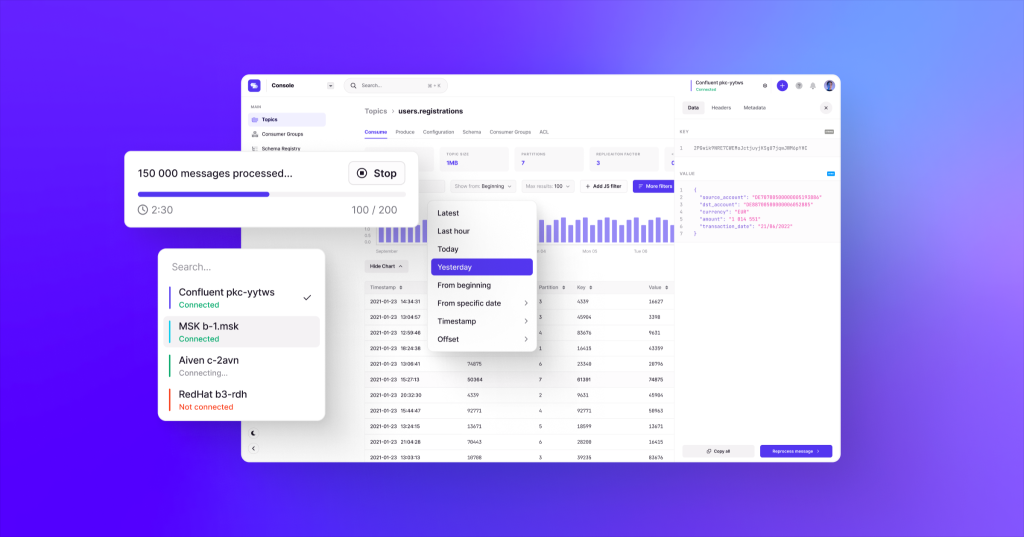
The solution is fully serverless and customizable. Everything is deployed using AWS CloudFormation templates.
The source code and CloudFormation templates used in this post are available in the GitHub repo.
To implement this solution, we complete the following high-level steps:
- Deploy a CloudFormation template to create our customized Docker image for the Conduktor Platform using AWS CodeBuild.
- Optionally, deploy an MSK cluster in provisioned or serverless mode using a CloudFormation template.
- Deploy the Conduktor Platform as an AWS Fargate container against our MSK cluster using a CloudFormation template.
Create a customized configuration for the Conduktor Platform
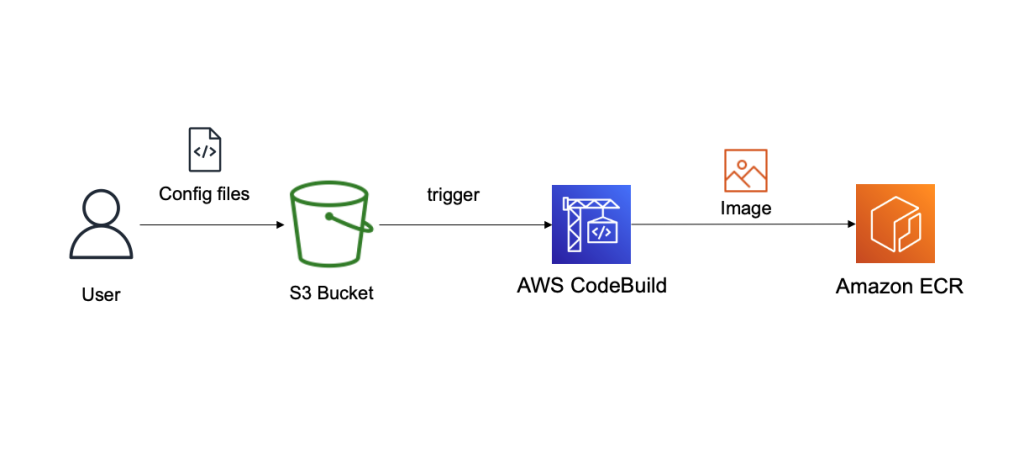
The Conduktor Platform uses a YAML configuration file to define the cluster connection endpoints. Therefore, we must create a customized Docker image of the Conduktor Platform that is able to connect to a cluster on Amazon MSK with a customized YAML file. For this, we use CodeBuild, and we store our configuration files in Amazon Simple Storage Service (Amazon S3). The final image is stored in Amazon Elastic Container Registry (Amazon ECR). The following diagram illustrates this workflow.
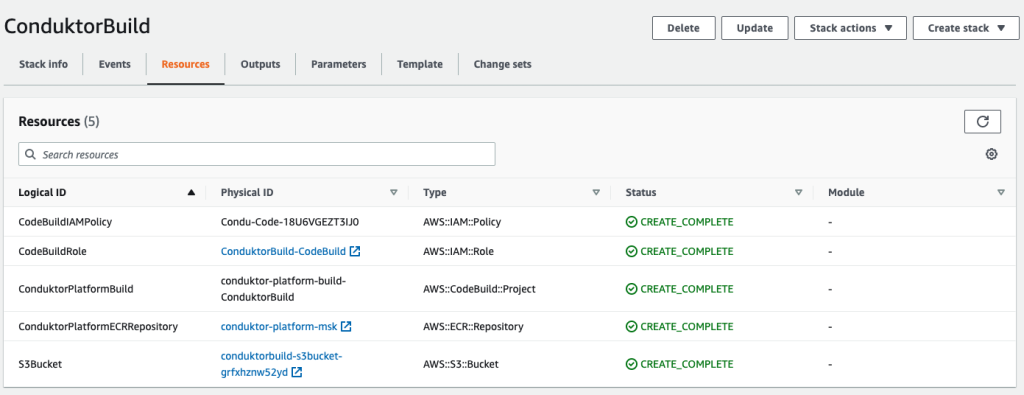
- Deploy the first CloudFormation template to create the following resources:
- An S3 bucket to store our configuration files.
- An ECR repository to store our final Docker image.
- A CodeBuild project to build that Docker image.
- An IAM role and policy to allow CodeBuild to perform the build.
Now we need to upload our files into Amazon S3.
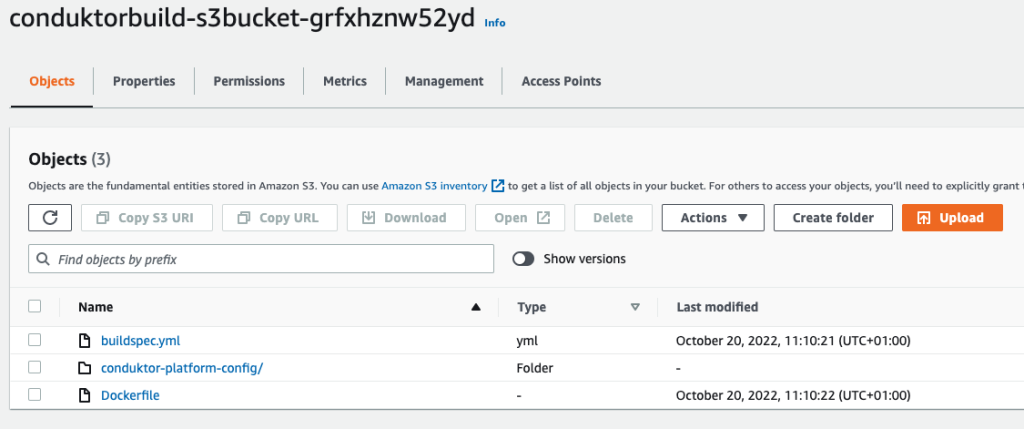
- Upload the following files:
- The file buildspec.yml, which is used by CodeBuild to build our primary Docker image.
- The Dockerfile, which contains instructions on how to build our final Docker image.
- The folder conduktor-platform-config (as is), which contains the configuration files to connect to Amazon MSK.
- At this stage, you can customize the
conduktor-platform.yamlfile, allowing you to connect to one MSK cluster:
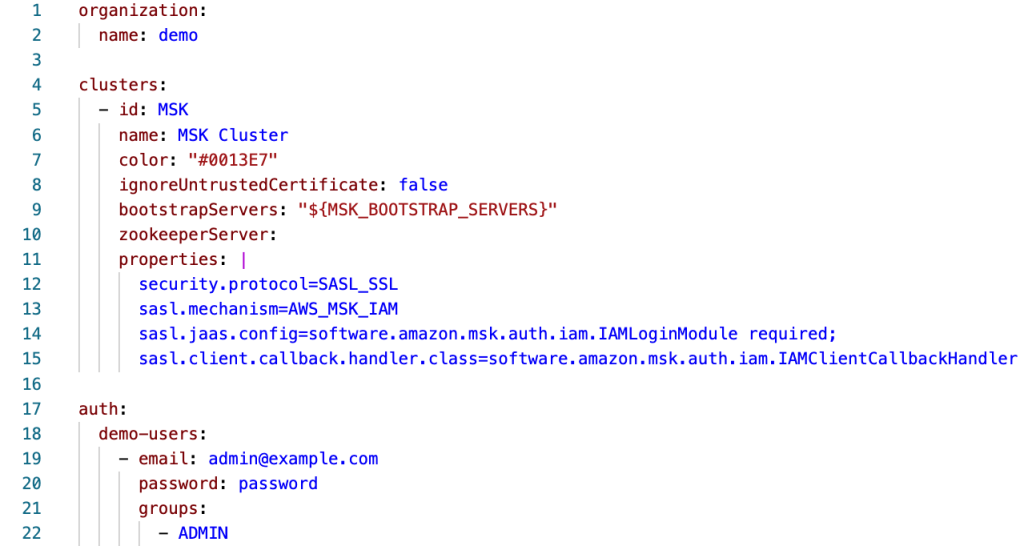
Alternatively, you can connect to multiple MSK clusters or external ones by specifying multiple Kafka bootstrap servers, as shown in the following code. You can also use the same configuration file to specify the schema registry URL, Kafka Connect connection details, and SSO.
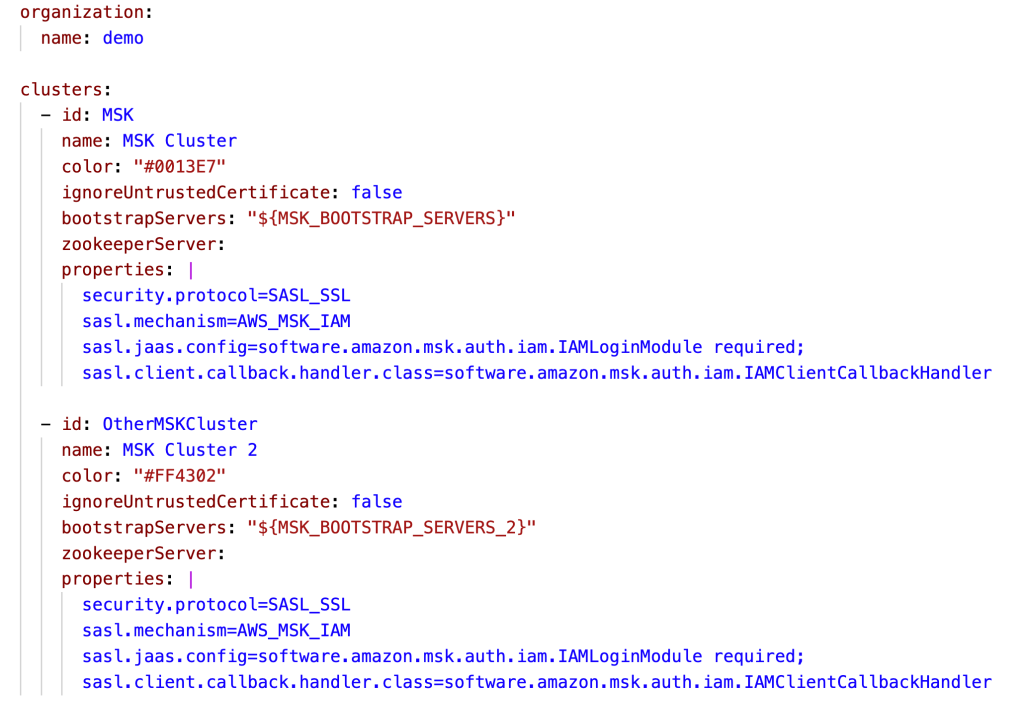
A single-Region Conduktor Platform deployment can work for multi-Region MSK clusters, although natural latency is expected. For latency-sensitive usage, you can deploy this solution in every Region in which you’re using Amazon MSK.
After uploading the files and configurations in your S3 bucket, let’s run CodeBuild to generate a new image.
- On the CodeBuild console, navigate to the project and choose Start build.
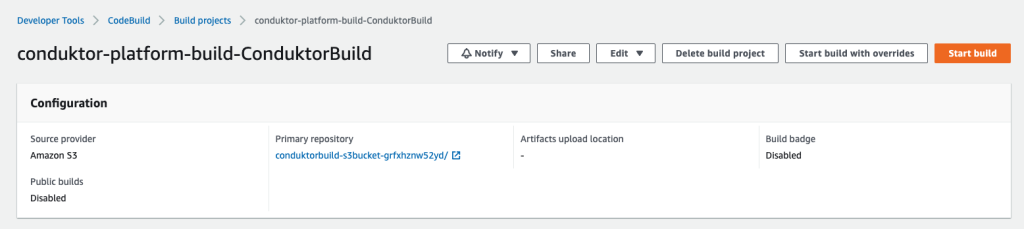
The build should complete in about 3 minutes.
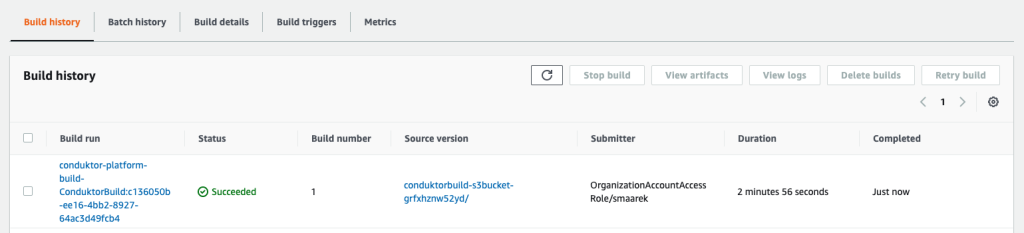
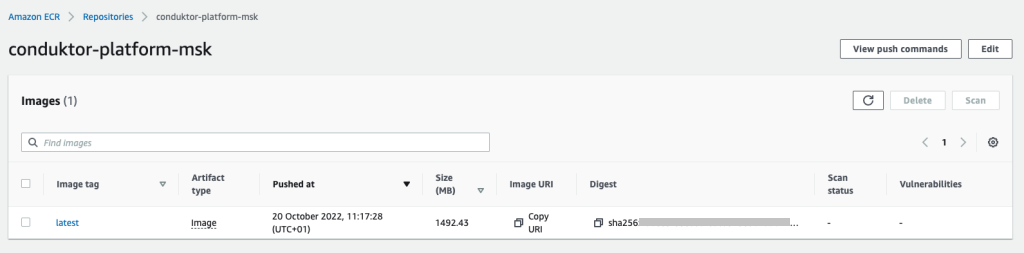
The final image is pushed to Amazon ECR thanks to the script hosted in our build-spec.yml script run by CodeBuild. We’re now done with our first step. Your Conduktor Platform setup can now fully connect to your MSK cluster.
Start the MSK cluster
If you already have an MSK cluster set up with IAM access control, you can skip this step. If not, you can create one using the provided CloudFormation template.
From the MSK cluster (the new one or existing one), retrieve two essential pieces of information:
- The bootstrap servers connection string, which is accessed by choosing Client Information
- The MSK security group ID (see the following screenshot)
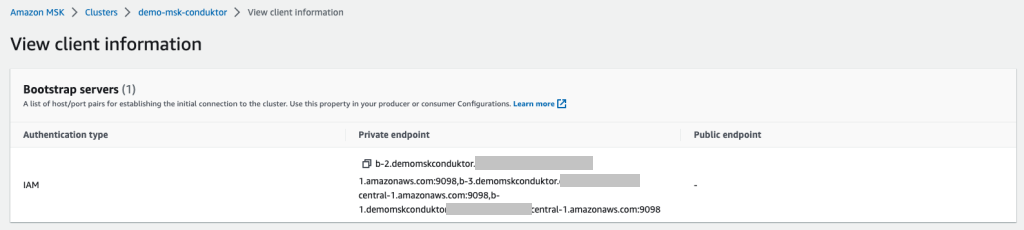
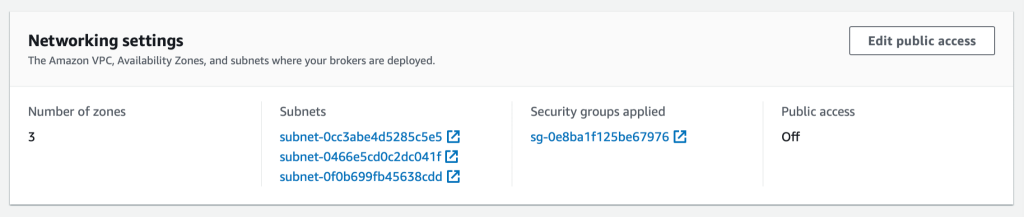
We use IAM access control so that we only need to use IAM policies to connect to our cluster.
If you’re using another security mechanism (such as SASL/SCRAM), you need to modify the Conduktor configuration files with the right properties, upload them back into Amazon S3, and rebuild the Conduktor image using CodeBuild.
Conduktor supports every single Kafka authentication method, including the ones supported by Amazon MSK: IAM access control, mutual TLS authentication, and user name/password using SASL/SCRAM.
Deploy the Conduktor Platform on Amazon ECS with Fargate
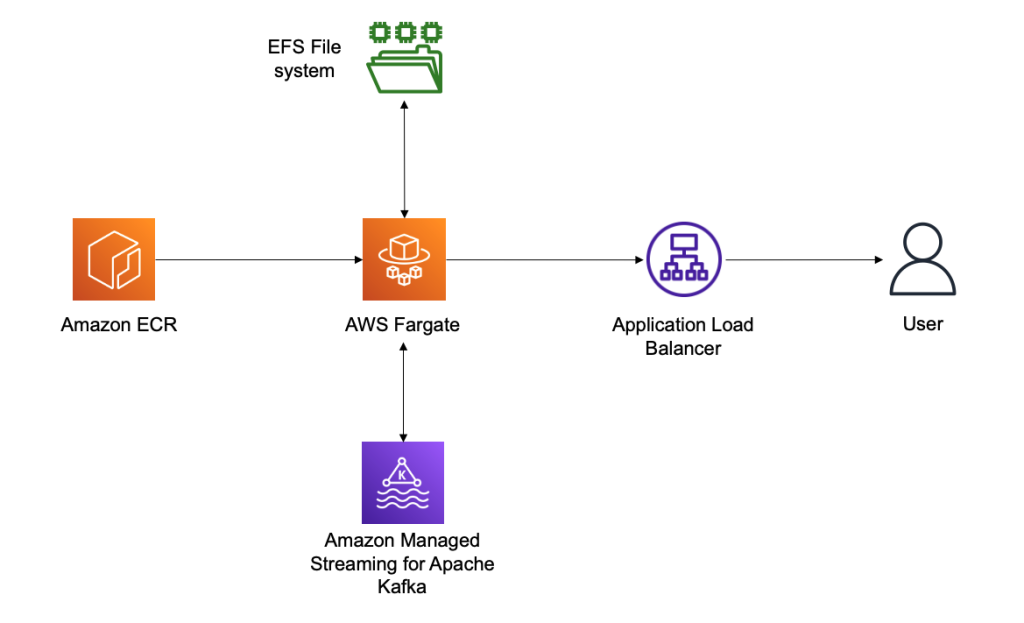
The last step is to deploy the Conduktor Platform. For this, we prefer running serverless solutions using Amazon Elastic Container Service (Amazon ECS) with Fargate. This allows you to right-size your containers in the future in case your usage of Conduktor grows over time.
Conduktor stores persistent data in the /var/conduktor file system folder, to store configuration, cache computation results, store logs, and run an internal database (for example, if you start creating data masking rules). For the persistence layer, we use Amazon Elastic File System (Amazon EFS), an elastic network file system that can be mounted on Fargate to provide a persistence layer.
Finally, we expose our Fargate container through an Application Load Balancer, giving us a public static DNS endpoint to expose the Conduktor Platform and giving us complete control over the network security to access the Conduktor Platform. The following diagram illustrates our architecture.
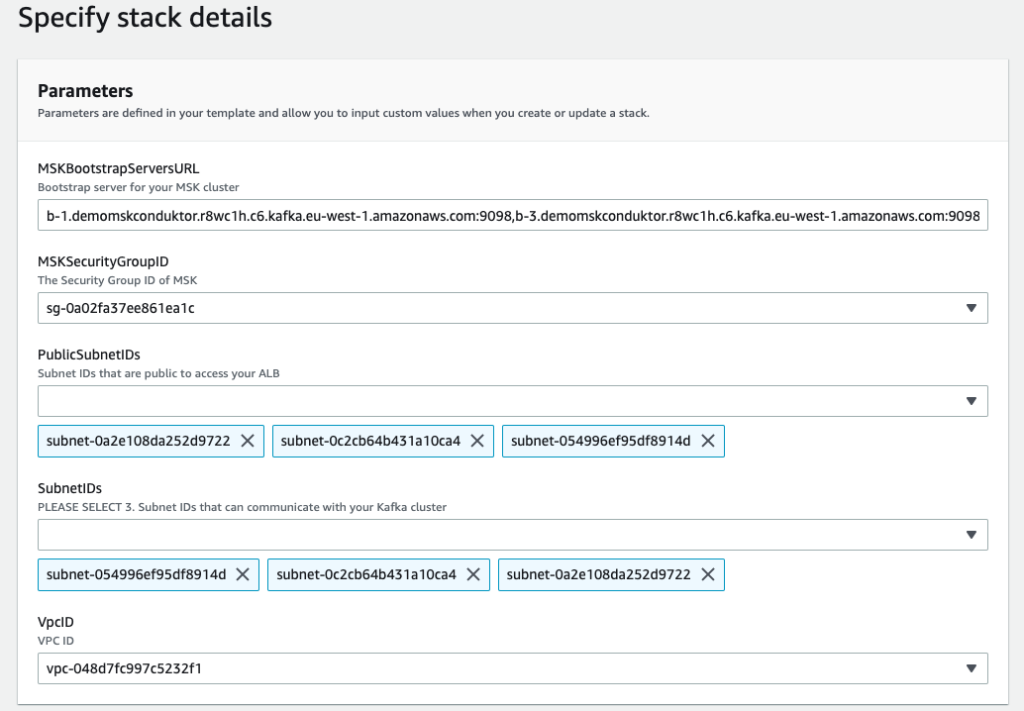
We deploy our last CloudFormation file and specify some important parameters:
- MSKBookstrapServersURL – This parameter is necessary to tell Conduktor which MSK cluster to connect to
- MSKSecurityGroupID – The MSK security group is necessary to allow the template to add a security group ingress rule to it, thereby allowing our ECS task
- PublicSubnetIDs – The public subnet IDs are for your Application Load Balancer
- SubnetIDs – The subnet IDs are for your ECS task and can be the same subnets or private subnets (as long as they have access to the MSK cluster and the other public subnets)
- VpcID – This is the VPC you’re deploying to
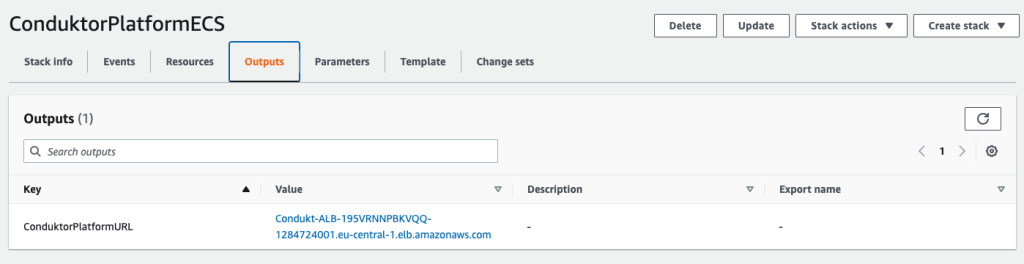
After deploying the template, on the Output tab of the stack, you can find the Application Load Balancer URL.
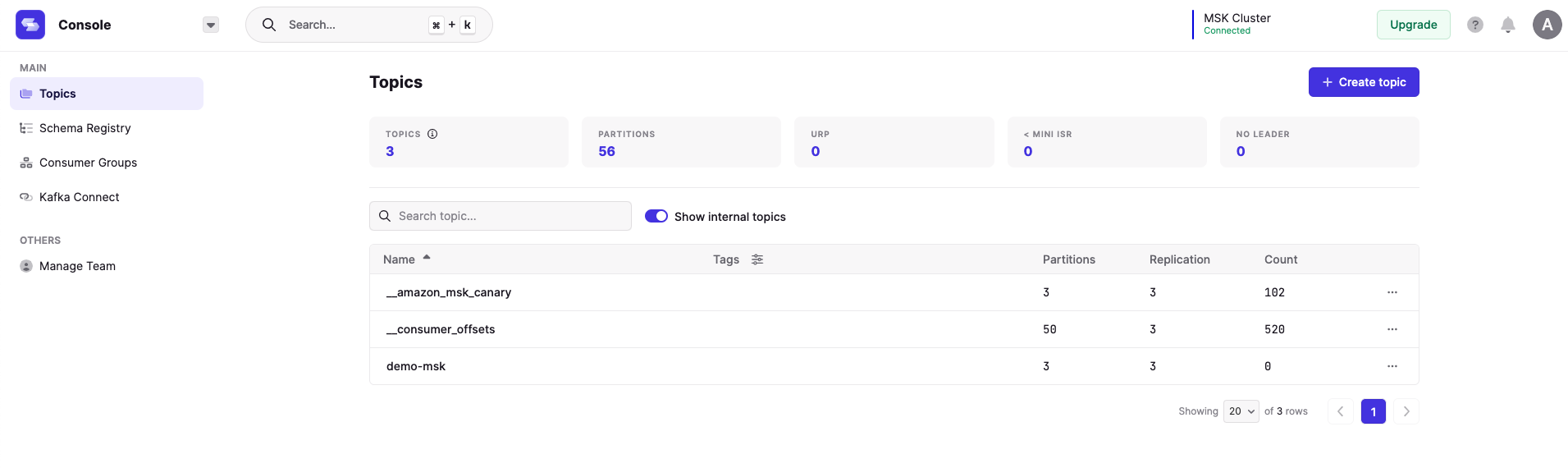
We use this URL and log in to the Conduktor Platform with the user name admin@example.com and password password. These login credentials can be changed using the YAML configuration file, and you can even enable SSO and LDAP.
On the Conduktor console, you can start creating topics, producing data, consuming data, and much more! AWS Glue Schema Registry support is coming soon, and Confluent Schema Registry compatibility is already available.
Clean up
To clean up your AWS account, perform the following steps in order:
- Delete the third CloudFormation template (3 – create ECS Service.yaml).
- Delete the second CloudFormation template (2 – create MSK cluster.yaml).
- Empty the contents of your S3 bucket.
- Delete all your images in your ECR repository.
- Delete the first CloudFormation template (1 – base conduktor.yaml).
Conclusion
You can use the Conduktor Platform against as many MSK clusters as desired by editing the file conduktor-platform.yaml. You can even connect to your clusters running elsewhere, for example on Amazon Elastic Compute Cloud (Amazon EC2).
On our roadmap, we’re working on a complete integration with Amazon MSK, including AWS Glue Schema Registry support, Amazon MSK Connect support, and complete monitoring capabilities.
The Conduktor Platform offers a limited free tier with no time limit. Head to Conduktor’s Get Started page and create an account to start using the Platform alongside MSK clusters today.
About the Author
 Stéphane Maarek is the co-founder of Conduktor. He is also the lead instructor on Udemy for learning Apache Kafka and AWS Certifications, having taught these technologies to over 1.5 million learners. Through Conduktor, he wants to democratize access to Apache Kafka and make its usage seamless and enterprise-ready.