Extract, Load, and Transform (ELT) is a modern design strategy where raw data is first loaded into the data warehouse and then transformed with familiar Structured Query Language (SQL) semantics leveraging the power of massively parallel processing (MPP) architecture of the data warehouse. When you use an ELT pattern, you can also use your existing SQL workload while migrating from your on-premises data warehouse to Amazon Redshift. This eliminates the need to rewrite relational and complex SQL workloads into a new framework. With Amazon Redshift, you can load, transform, and enrich your data efficiently using familiar SQL with advanced and robust SQL support, simplicity, and seamless integration with your existing SQL tools. When you adopt an ELT pattern, a fully automated and highly scalable workflow orchestration mechanism will help to minimize the operational effort that you must invest in managing the pipelines. It also ensures the timely and accurate refresh of your data warehouse.
AWS Step Functions is a low-code, serverless, visual workflow service where you can orchestrate complex business workflows with an event-driven framework and easily develop repeatable and dependent processes. It can ensure that the long-running, multiple ELT jobs run in a specified order and complete successfully instead of manually orchestrating those jobs or maintaining a separate application.
Amazon DynamoDB is a fast, flexible NoSQL database service for single-digit millisecond performance at any scale.
This post explains how to use AWS Step Functions, Amazon DynamoDB, and Amazon Redshift Data API to orchestrate the different steps in your ELT workflow and process data within the Amazon Redshift data warehouse.
Solution overview
In this solution, we will orchestrate an ELT process using AWS Step Functions. As part of the ELT process, we will refresh the dimension and fact tables at regular intervals from staging tables, which ingest data from the source. We will maintain the current state of the ELT process (e.g., Running or Ready) in an audit table that will be maintained at Amazon DynamoDB. AWS Step Functions allows you to directly call the Data API from a state machine, reducing the complexity of running the ELT pipeline. For loading the dimensions and fact tables, we will be using Amazon Redshift Data API from AWS Lambda. We will use Amazon EventBridge for scheduling the state machine to run at a desired interval based on the customer’s SLA.
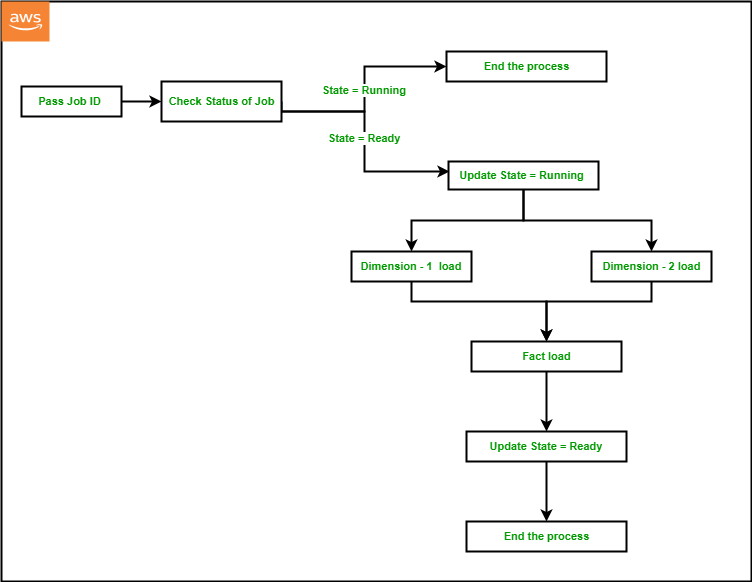
For a given ELT process, we will set up a JobID in a DynamoDB audit table and set the JobState as “Ready” before the state machine runs for the first time. The state machine performs the following steps:
- The first process in the Step Functions workflow is to pass the
JobIDas input to the process that is configured asJobID101 in Step Functions and DynamoDB by default via the CloudFormation template. - The next step is to fetch the current
JobStatefor the givenJobIDby running a query against the DynamoDB audit table using Lambda Data API. - If
JobStateis “Running,” then it indicates that the previous iteration is not completed yet, and the process should end. - If the
JobStateis “Ready,” then it indicates that the previous iteration was completed successfully and the process is ready to start. So, the next step will be to update the DynamoDB audit table to change theJobStateto “Running” andJobStartto the current time for the givenJobIDusing DynamoDB Data API within a Lambda function. - The next step will be to start the dimension table load from the staging table data within Amazon Redshift using Lambda Data API. In order to achieve that, we can either call a stored procedure using the Amazon Redshift Data API, or we can also run series of SQL statements synchronously using Amazon Redshift Data API within a Lambda function.
- In a typical data warehouse, multiple dimension tables are loaded in parallel at the same time before the fact table gets loaded. Using Parallel flow in Step Functions, we will load two dimension tables at the same time using Amazon Redshift Data API within a Lambda function.
- Once the load is completed for both the dimension tables, we will load the fact table as the next step using Amazon Redshift Data API within a Lambda function.
- As the load completes successfully, the last step would be to update the DynamoDB audit table to change the
JobStateto “Ready” andJobEndto the current time for the givenJobID, using DynamoDB Data API within a Lambda function.
Components and dependencies
The following architecture diagram highlights the end-to-end solution using AWS services:

Before diving deeper into the code, let’s look at the components first:
- AWS Step Functions – You can orchestrate a workflow by creating a State Machine to manage failures, retries, parallelization, and service integrations.
- Amazon EventBridge – You can run your state machine on a daily schedule by creating a Rule in Amazon EventBridge.
- AWS Lambda – You can trigger a Lambda function to run Data API either from Amazon Redshift or DynamoDB.
- Amazon DynamoDB – Amazon DynamoDB is a fully managed, serverless, key-value NoSQL database designed to run high-performance applications at any scale. DynamoDB is extremely efficient in running updates, which improves the performance of metadata management for customers with strict SLAs.
- Amazon Redshift – Amazon Redshift is a fully managed, scalable cloud data warehouse that accelerates your time to insights with fast, easy, and secure analytics at scale.
- Amazon Redshift Data API – You can access your Amazon Redshift database using the built-in Amazon Redshift Data API. Using this API, you can access Amazon Redshift data with web services–based applications, including AWS Lambda.
- DynamoDB API – You can access your Amazon DynamoDB tables from a Lambda function by importing boto3.
Prerequisites
To complete this walkthrough, you must have the following prerequisites:
- An AWS account.
- An Amazon Redshift cluster.
- An Amazon Redshift customizable IAM service role with the following policies:
AmazonS3ReadOnlyAccessAmazonRedshiftFullAccess
- Above IAM role associated to the Amazon Redshift cluster.
Deploy the CloudFormation template
To set up the ETL orchestration demo, the steps are as follows:
- Sign in to the AWS Management Console.
- Click on Launch Stack.

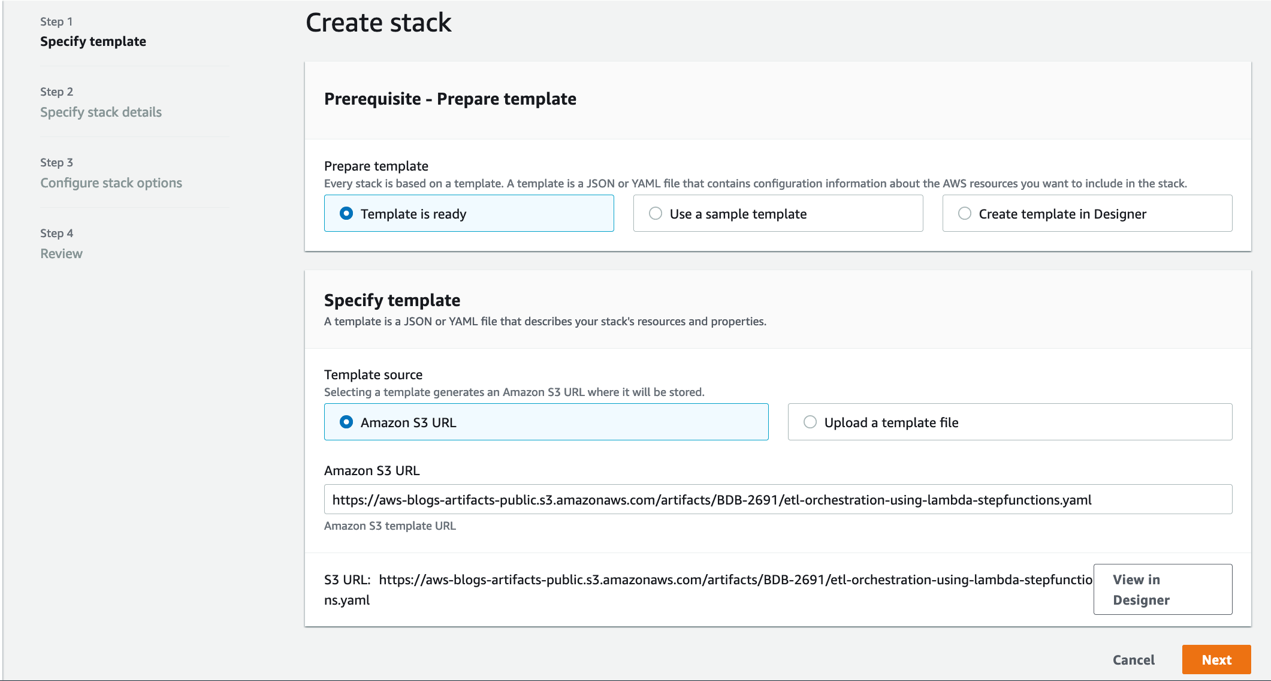
- Click Next.
- Enter a suitable name in Stack name.
- Provide the information for the Parameters as detailed in the following table.
| CloudFormation template parameter | Allowed values | Description |
RedshiftClusterIdentifier | Amazon Redshift cluster identifier | Enter the Amazon Redshift cluster identifier |
DatabaseUserName | Database user name in Amazon Redshift cluster | Amazon Redshift database user name which has access to run SQL Script |
DatabaseName | Amazon Redshift database name | Name of the Amazon Redshift primary database where SQL script would be run |
RedshiftIAMRoleARN | Valid IAM role ARN attached to Amazon Redshift cluster | AWS IAM role ARN associated with the Amazon Redshift cluster |

- Click Next and a new page appears. Accept the default values in the page and click Next. On the last page check the box to acknowledge resources might be created and click on Create stack.

- Monitor the progress of the stack creation and wait until it is complete.
- The stack creation should complete approximately within 5 minutes.
- Navigate to Amazon Redshift console.
- Launch Amazon Redshift query editor v2 and connect to your cluster.
- Browse to the database name provided in the parameters while creating the cloudformation template e.g., dev, public schema and expand Tables. You should see the tables as shown below.

- Validate the sample data by running the following SQL query and confirm the row count match above the screenshot.
Run the ELT orchestration
- After you deploy the CloudFormation template, navigate to the stack detail page. On the Resources tab, choose the link for DynamoDBETLAuditTable to be redirected to the DynamoDB console.
- Navigate to Tables and click on table name beginning with <stackname>-DynamoDBETLAuditTable. In this demo, the stack name is
DemoETLOrchestration, so the table name will begin withDemoETLOrchestration-DynamoDBETLAuditTable. - It will expand the table. Click on Explore table items.
- Here you can see the current status of the job, which will be in
Readystatus.

- Navigate again to stack detail page on the CloudFormation console. On the Resources tab, choose the link for RedshiftETLStepFunction to be redirected to the Step Functions console.
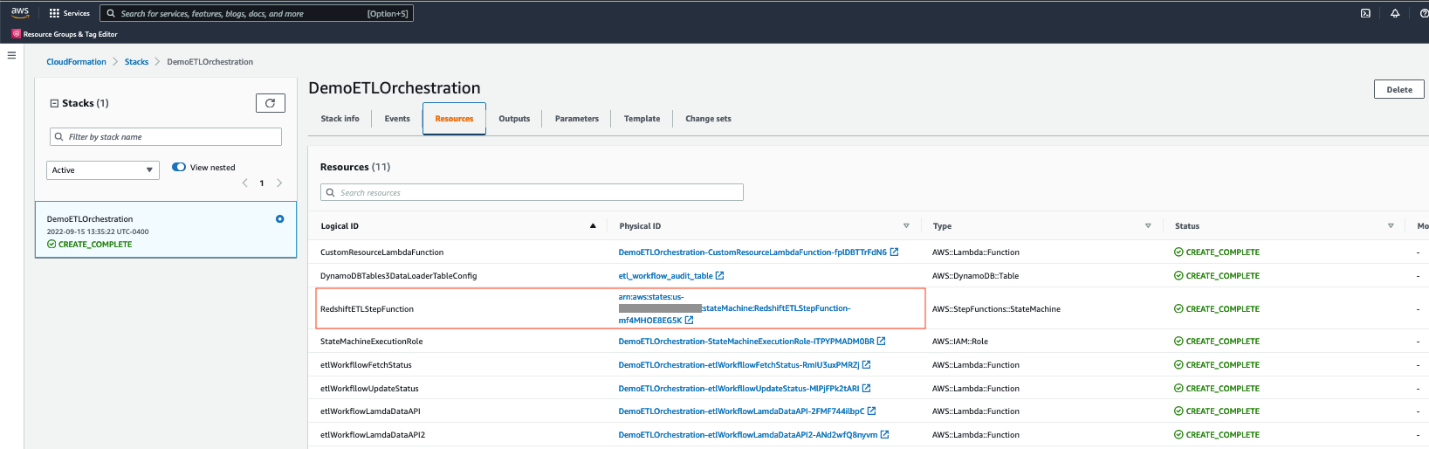
- Click Start Execution. When it successfully completes, all steps will be marked as green.

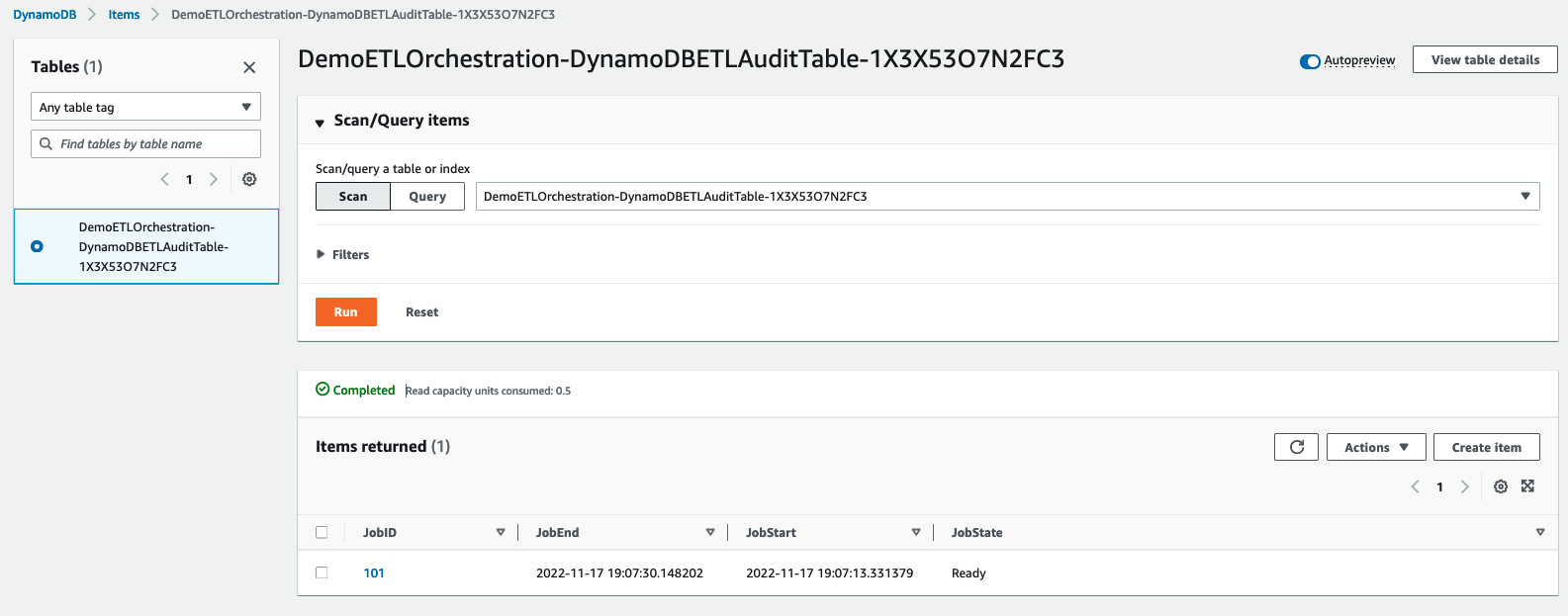
- While the job is running, navigate back to DemoETLOrchestration-DynamoDBETLAuditTable in the DynamoDB console screen. You will see JobState as
Runningwith JobStart time.
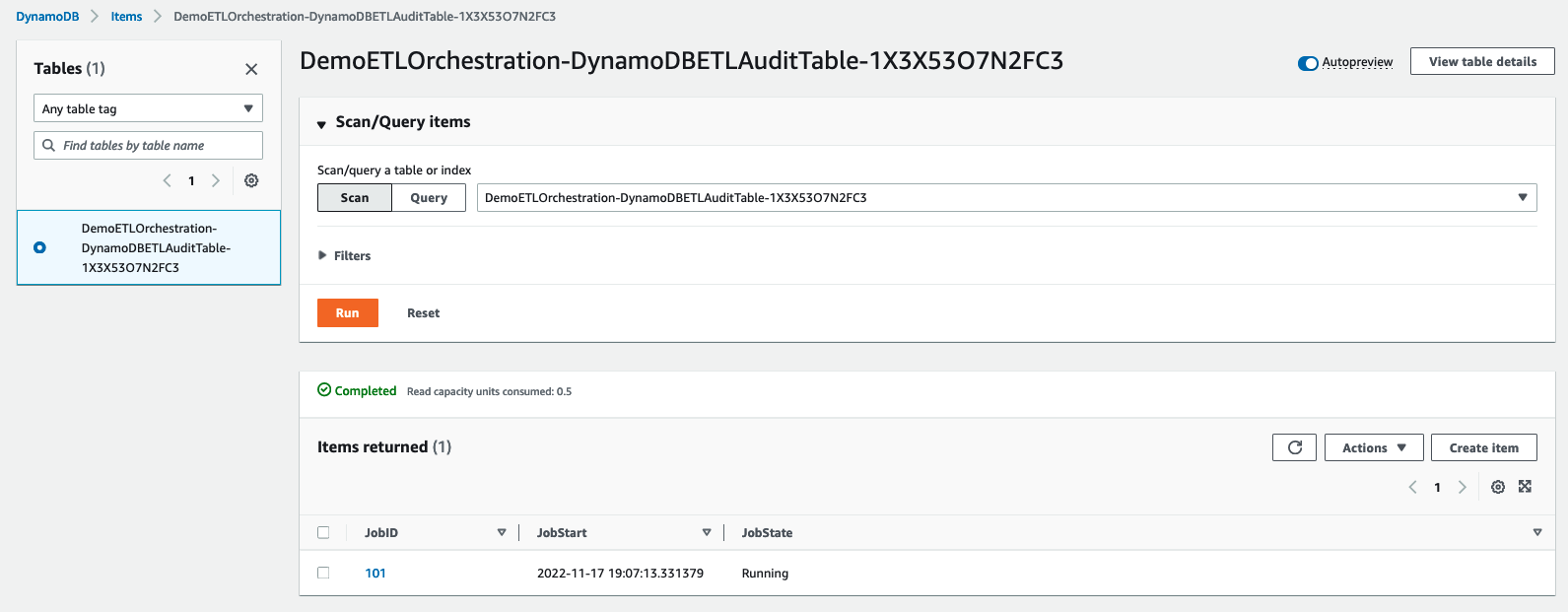
- After Step Functions completes, JobState will be changed to
Readywith JobStart and JobEnd time.
Handling failure
In the real world sometimes, the ELT process can fail due to unexpected data anomalies or object related issues. In that case, the step function execution will also fail with the failed step marked in red as shown in the screenshot below:

Once you identify and fix the issue, please follow the below steps to restart the step function:
- Navigate to the DynamoDB table beginning with
DemoETLOrchestration-DynamoDBETLAuditTable. Click on Explore table items and select the row with the specific JobID for the failed job. - Go to Action and select Edit item to modify the JobState to
Readyas shown below:

- Follow steps 5 and 6 under the “Run the ELT orchestration” section to restart execution of the step function.
Validate the ELT orchestration
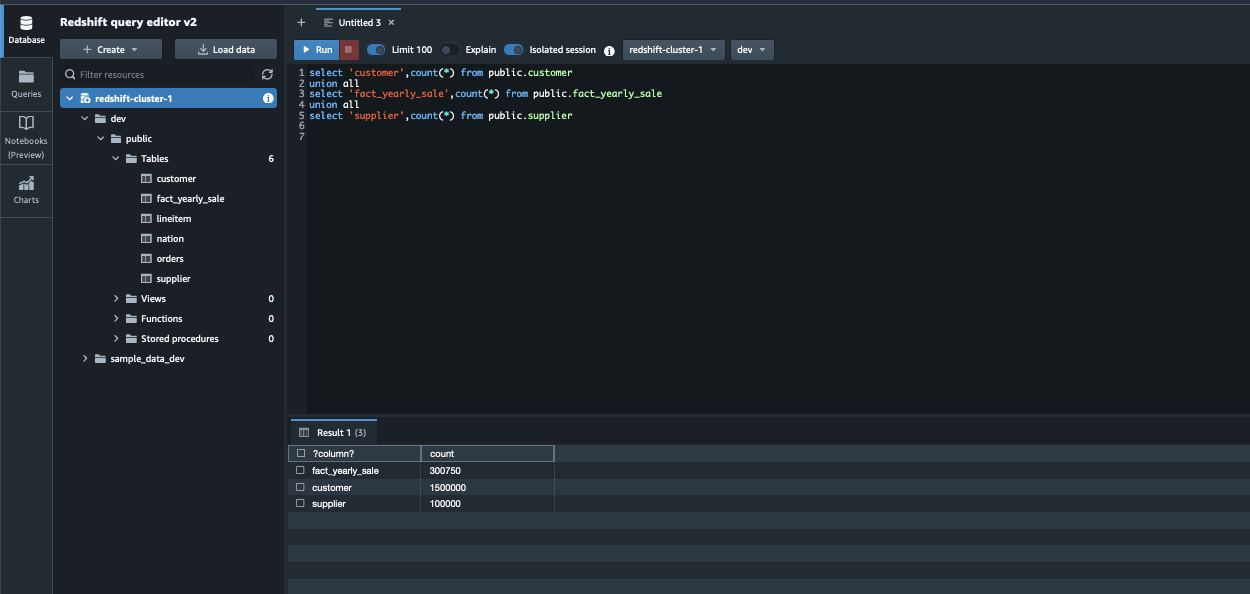
The step function loads the dimension tables public.supplier and public.customer and the fact table public.fact\_yearly\_sale. To validate the orchestration, the process steps are as follows:
- Navigate to the Amazon Redshift console.
- Launch Amazon Redshift query editor v2 and connect to your cluster.
- Browse to the database name provided in the parameters while creating the cloud formation template e.g., dev, public schema.
- Validate the data loaded by Step Functions by running the following SQL query and confirm the row count to match as follows:
Schedule the ELT orchestration
The steps are as follows to schedule the Step Functions:
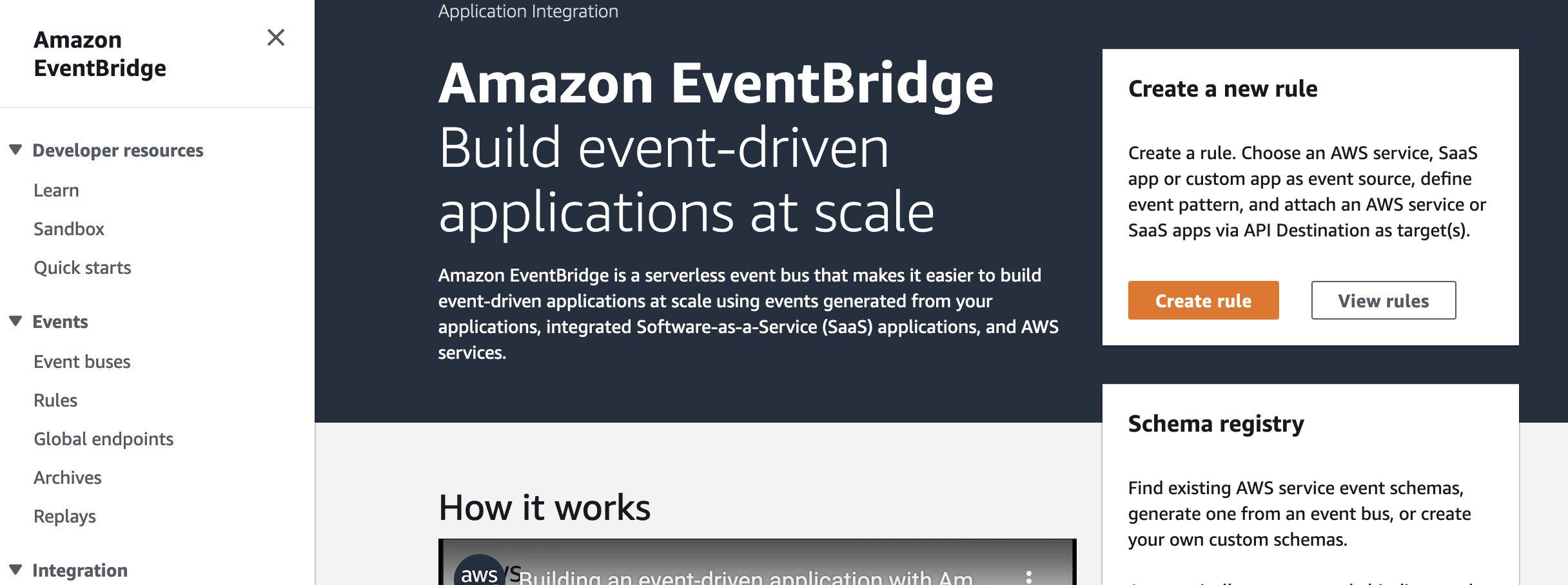
- Navigate to the Amazon EventBridge console and choose Create rule.
- Under Name, enter a meaningful name, for example,
Trigger-Redshift-ELTStepFunction. - Under Event bus, choose
default. - Under Rule Type, select
Schedule. - Click on Next.

- Under Schedule pattern, select
A schedule that runs at a regular rate, such as every 10 minutes. - Under Rate expression, enter Value as
5and choose Unit asMinutes. - Click on Next.

- Under Target types, choose
AWS service. - Under Select a Target, choose
Step Functions state machine. - Under State machine, choose the step function created by the CloudFormation template.
- Under Execution role, select
Create a new role for this specific resource. - Click on Next.

- Review the rule parameters and click on Create Rule.
After the rule has been created, it will automatically trigger the step function every 5 minutes to perform ELT processing in Amazon Redshift.
Clean up
Please note that deploying a CloudFormation template incurs cost. To avoid incurring future charges, delete the resources you created as part of the CloudFormation stack by navigating to the AWS CloudFormation console, selecting the stack, and choosing Delete.
Conclusion
In this post, we described how to easily implement a modern, serverless, highly scalable, and cost-effective ELT workflow orchestration process in Amazon Redshift using AWS Step Functions, Amazon DynamoDB and Amazon Redshift Data API. As an alternate solution, you can also use Amazon Redshift for metadata management instead of using Amazon DynamoDB. As part of this demo, we show how a single job entry in DynamoDB gets updated for each run, but you can also modify the solution to maintain a separate audit table with the history of each run for each job, which would help with debugging or historical tracking purposes. Step Functions manage failures, retries, parallelization, service integrations, and observability so your developers can focus on higher-value business logic. Step Functions can integrate with Amazon SNS to send notifications in case of failure or success of the workflow. Please follow this AWS Step Functions documentation to implement the notification mechanism.
About the Authors
 Poulomi Dasgupta is a Senior Analytics Solutions Architect with AWS. She is passionate about helping customers build cloud-based analytics solutions to solve their business problems. Outside of work, she likes travelling and spending time with her family.
 Raks Khare is an Analytics Specialist Solutions Architect at AWS based out of Pennsylvania. He helps customers architect data analytics solutions at scale on the AWS platform.
 Tahir Aziz is an Analytics Solution Architect at AWS. He has worked with building data warehouses and big data solutions for over 13 years. He loves to help customers design end-to-end analytics solutions on AWS. Outside of work, he enjoys traveling
and cooking.